
Alongside a great product, good design and price points, users require a secure method of making payments for a SaaS offering. Payment gateways are used to integrate a SaaS application with payment processors which approve and process payments.
Whilst a payment button is part of payment gateway integration, there are further considerations for SaaS applications which operate on a subscription basis. These include payment processing, notification of payment, handling unsuccessful payments, re-subscription, refund procedures and user access control.
If a user subscribes for a year, the application needs to firstly verify that a payment has been made. It then needs to apply the suitable subscription and provide the relevant functionality. If a subsequent re-subscription cannot be processed, the system must amend a user’s subscription information and advise them of the required action.
Integration is therefore required between a SaaS application’s front- and back-end, along with its payment gateway, subscription database and notification facilities.
This article describes how payment gateways are integrated within SaaS applications. It also details the different integration options available. Further, it considers how to handle re-subscriptions and sets out factors to consider when implementing a payment facility.
Table of Contents
What Is Payment Gateway Integration for SaaS Applications?

Connecting a SaaS product to a payment gateway allows customers to make payments on behalf of the business for example, for a product, premium functionality and/or services.
It securely conveys data about a payment from a customer to a business and to related banks and financial bodies.
Alongside this, within a SaaS solution, the payment gateway must also interact with the systems that control a product’s subscription and permissions.
Typically there are 5 areas that contribute to a payment gateway integration:
- Front-end – presents information such as subscription options, and payment and confirmation pages.
- Back-end – initiates payments, confirms them and controls subscription data.
- Payment gateway – authorises and processes payments.
- Subscription system – monitors subscription dates (including renewal and termination) and subscription option switches.
- Database – contains data relating to payments, customers and subscriptions.
Together these areas ensure that appropriate access to a product is given following a confirmed payment.
How Does a SaaS Payment Gateway Work?
To buy a monthly subscription to a project management product for example, a customer usually goes through the following stages:
They choose a subscription option.
- The back-end of the product then initiates a payment or checkout.
- Within the relevant checkout, the customer provides payment information.
- The customer enters payment details through the selected checkout interface.
- The payment gateway processes the payment and reports on the outcome.
- The back-end then confirms the payment by utilising either the payment gateway provider’s API or a secure confirmation method.
- A subscription entry or amendment is then made.
- Access to the subscribed to product functionality is provided.
- Ongoing renewals are dealt with in line with the subscription timetable.
Whilst the precise process will depend on both the payment gateway provider and the integration type, a redirected payment, in-built checkout and/or subscription API can each require different handling.
Essentially, a product should not automatically provide access to its functionality based purely on a customer being directed to a ‘confirmation’ page. Rather, it should base access provision on confirmed payment data.
Why Is Payment Gateway Integration Different for SaaS Businesses?
Whilst traditional e-commerce is typically transactional, SaaS businesses usually form a long term business relationship with their clients.
During this period, clients can amend their subscription grade, update payment information, suspend payments or terminate the subscription. This could be for several months or even years.
This creates several additional technical requirements.
1. Recurring Payment Management
A SaaS application must support recurring billing according to the customer’s subscription plan.
Examples include:
- Monthly
- Yearly
- Per person
- Pay as you go
- Subscription charges plus further costs
The payment method should accommodate the charging structure decided upon. This can be provided through the payment gateway or by using a supplementary subscription service.
2. Subscription Lifecycle Management
Payment processing is only one part of the subscription lifecycle.
In addition, a system should be able to recognise when a subscription is started, ends, is suspended and/or terminated.
A system may also need to determine any pro-rata fees and re-configure an individual’s access to features if they change their subscription from a standard level of service to a professional level for example.
3. Failed Payment Recovery
Payments can fail because of insufficient funds, expired cards, bank restrictions or authentication problems.
Alongside the functionality provided by a SaaS solution there should be a method of dealing with unsuccessful re-subscriptions. This could involve re-trying, informing customers, updating payment details and limiting access to premium features.
4. International Payments
SaaS products can attract customers from different countries.
With reference to the identified market, companies may require the facility to accept cards from different countries, utilise regionally appropriate payment options and apply currency exchange and taxation rules.
Access to features will also rely on the payment gateway and the company’s trading status.
5. Financial Reporting and Reconciliation
Companies using a SaaS model must be able to track payments, credits and charges. Finance departments also require payment information to be linked to subscription data to analyse which customer and period each payment relates to.
Understanding SaaS Payment Integration Architecture
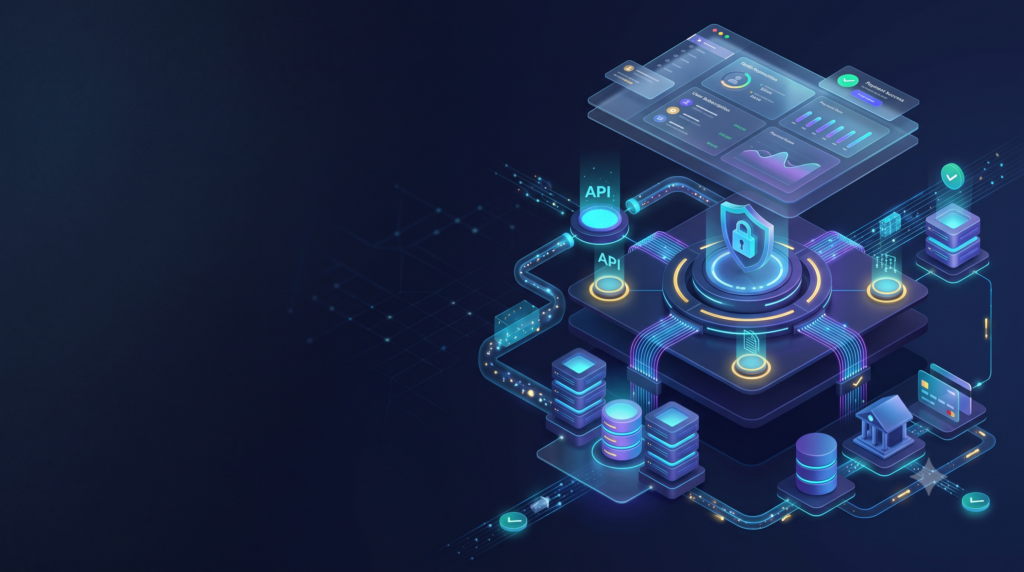
Payment should be isolated from an application’s core functionality.
By doing this, it becomes simpler to handle payments and manage subscription information and integrate further external services.
Below is an example of the simple structure:
Customer > SaaS Frontend > Application Backend > Payment Gateway > Payment Acknowledgement > Subscription Database > Feature Access
Each stage within this flow has its own function.
Frontend Layer
The frontend displays pricing plans, checkout options and payment-related messages.
Customers should be able to choose and pay for a service, without having to share API user details.
The front-end can interact with the back-end in order to generate a checkout and/or payment order.
Backend Layer
The backend coordinates the integration.
Commonly, its role involves:
- Generating payment orders or checkouts.
- Interfacing with gateways.
- Checking data relating to payments.
- Receiving and processing webhooks.
- Update subscriptions.
- Process returns and unsubscribes.
- Control who can access resources.
API secrets should be stored on the server and not within client side code.
Payment Gateway Layer
The gateway processes payment requests and returns transaction information.
Depending on the service, data such as transaction details, permission and error and payment reference information may also be held here.
Subscription and Database Layer
The application stores the information required to manage customer subscriptions.
Useful records may include:
| Record | Information |
| Customer | Internal customer ID and gateway customer reference |
| Subscription | Plan, billing interval and current status |
| Payment | Transaction ID, amount and payment status |
| Invoice | Billing period, amount and invoice status |
| Payment method | Provider token or reference, not raw card details |
| Webhook event | Provider event ID and processing status |
Connecting data together ensures that payment data is correctly associated with a customer.
Common Methods of Payment Gateway Integration for SaaS Applications
Not every SaaS business needs the same checkout architecture.
Depending on the product, infrastructure, security needs and desired level of control, there are different options available.
1. Hosted Checkout Integration
Hosted checkout redirects customers to a payment provider’s checkout page.
The provider manages the payment form and the sensitive payment-data collection process.
How it works:
- The customer selects a subscription plan.
- The application backend creates a checkout session.
- The customer is redirected to the provider’s checkout page.
- The payment service provider handles the payment.
- The user is then directed back to the application.
- The back-end checks if payment has been received and modifies subscriptions accordingly.
Advantages:
- Less payment-form development.
- Lower levels of card data involvement.
- Often quicker to deploy.
- Payment interface maintained by the provider.
Limitations:
- Less control over the checkout experience.
- Redirection can disrupt the customer experience.
- Personalisation will depend on the service provider.
A hosted checkout solution can work well for start-ups introducing a subscription service for the first time.
2. Embedded Checkout Integration
Embedded checkout allows customers to complete payment within the SaaS application’s interface.
Payment security, JavaScript and/or SDKs can also be provided.
Advantages:
- More control over the user experience.
- Improved product design integration
- Reduced checkout interruption
- Enhanced plan information display
- Increased checkout ownership
Limitations:
- More frontend development.
- Additional integration and testing requirements.
- Increased ownership of the checkout process.
It is important that businesses recognise which areas of the payment functionality is managed by the provider and which is handled within their application.
3. Direct API-Based Integration
API-based integration gives developers greater control over payment workflows.
Applications can also interact with a provider’s APIs to issue, access and control payments.
Where bespoke payment functionality is required within the SaaS offering, this is particularly beneficial.
An enterprise application may for instance have to integrate payments with a range of data including customer agreements, consumption details and invoicing alongside an organisation’s accounting systems.
Advantages:
- Greater control over backend workflows.
- Custom business logic.
- Integration options
- Advanced payments functionality.
Limitations:
- More development work.
- Increased levels of testing and support is required.
- Increased accountability for managing errors and ensuring data remains consistent.
Hosted Checkout vs Embedded Checkout vs API Integration
| Criteria | Hosted checkout | Embedded checkout | Direct API integration |
| Initial development | Generally lower | Moderate | Higher |
| Checkout control | Limited | Greater | Depends on implementation |
| Custom workflows | Provider-dependent | Moderate | High |
| Payment form management | Provider-managed | Shared/provider components | Developer-dependent |
| Maintenance | Generally lower | Moderate | Higher |
| Suitable for | Early-stage SaaS | Branded SaaS products | Complex payment workflows |
These are general implementation characteristics, not guaranteed properties of every payment provider.
How to Integrate a Payment Gateway Into a SaaS Application

A successful integration begins with the business requirements rather than immediately writing payment API code.
The following process provides a practical implementation sequence.
Step 1: Define the Payment and Billing Requirements
Decide on the type of payment system required.
Identify:
- Will the system be bought for a single price, or will it operate on a subscription basis?
- Available subscription plans.
- Monthly and annual billing options.
- Free trial requirements.
- Upgrade and downgrade rules.
- Refund and cancellation policies.
- Supported countries and currencies.
- Anticipated payment mechanisms.
This then affects which payment platform is used along with the database and back-end design.
A SaaS offering requiring users to pay a fixed monthly rate differs from a product which bills based on an individual’s API consumption.
Step 2: Select a Suitable Payment Gateway
Consider which payment platform will meet your app’s payments needs.
Consideration should be given to:
Accepted payment types – ensure that the payment platform accepts the relevant card, bank, wallet or in-country payment methods that users are likely to wish to use.
Subscription functionality – check that the payment platform allows setting up, renewing and ending subscriptions.
API documentation: Review the available APIs, SDKs, testing environments and integration examples.
Webhook support: Check which transaction and subscription events can be delivered to your application.
Security: Assess areas such as tokenisation, authentication, fraud prevention and relevant compliance.
International support: Confirm which countries can be supported, and what currency(ies) will be used for settlement. Assess any international requirements.
Reporting: Assess the extent to which detailed reporting and reconciliation functionality is provided.
Alongside assessing appropriateness, a payment provider should be chosen for both its technical and business fit.
Step 3: Configure the Gateway Account and API Credentials
Following decision on a payment provider, set up both a merchant account and an API development environment for that provider.
Wholly or partly, most providers provide test API details (sometimes known as a sandbox).
Developers generally need:
- API keys.
- API secrets.
- Webhook signing secrets.
- Test payment details.
- Required callback or webhook URLs.
Use environment variables or a secrets management solution to store sensitive information securely on the server.
Never include secret keys within client-side JavaScript, or in source code or log files.
Step 4: Build the Payment Request Workflow
On the server side, the correct payment request should be generated for the selected subscription type.
A simplified example:
The customer selects the ‘Professional’ subscription option which costs ₹999 per month.
The backend:
- Identifies the customer.
- Retrieves the selected plan and its configured price.
- Creates a payment order or subscription through the gateway.
- Stores the provider reference in the application’s database.
- Returns the required checkout information to the frontend.
The back-end should calculate the correct cost based upon reliable data, rather than automatically accepting browser data.
Step 5: Implement Payment Verification
Following a checkout, it is necessary to validate that a payment has indeed been processed successfully.
Simply redirecting to a ‘successful payment’ page does not provide adequate validation. The back-end should therefore validate payment details using the payment provider’s validation method.
Depending on the integration type, this could include validating a payment signature, accessing a transaction using an API, and/or handling a verified webhook.
Only once the back-end has validated payment should it modify the relevant subscription.
Step 6: Connect Payment Events With Subscription Access
On validation of a payment, the appropriate subscription related process should be instigated.
For example:
- Initial successful payment – commence subscription.
- Successful payment re-subscription – add additional charge period.
- Unsuccessful re-subscription – record payment failure and then initiate collection efforts.
- Subscription cancellation – amend subscription according to cancellation rules.
- Refund – amend associated transaction and customer data.
The application’s subscription validation (rather than non-reliable front-end data) should be utilised to control access.
Step 7: Test Before Launching
Thoroughly test all areas of the payment functionality before allowing real payments to be made.
Payments should be tested for success, failure, duplicate alerts, slow responses, cancellation, refund and subscription amendment.
Merely testing the successful checkout process fails to highlight significant issues.
Why Webhooks Are Important in SaaS Payment Integration
Webhooks allow an external payment provider to notify an application when a particular event occurs.
Rather than continually prompting for payment details, the app can be notified by the payment provider of pertinent events.
Examples of such events could include;
- A successful payment.
- A failed payment.
- A subscription is activated.
- A subscription is cancelled.
- A renewal is processed.
- A refund is issued.
A customer may renew their subscription, even though they are not currently signed into the SaaS software.
The payment source can then notify the back-end of the software that the renewal has occurred. This will trigger software logic which will update subscription information and maintain the customers access rights.
Webhooks must be managed appropriately.
Verify Webhook Signatures
The application should verify webhook authenticity using the provider’s documented signature-verification process.
To avoid incorrect modifications to payment and subscription information.
Handle Duplicate Events
Webhook providers may retry event delivery.
The application should maintain a record of processed event IDs and use idempotent processing to prevent duplicate subscription updates.
For instance, if a successful payment is processed twice the subscription should not be renewed twice.
Handle Delayed Events
Webhook delivery is not always instantaneous.
The app should facilitate deferred notification and have the ability to query the most up-to-date information relating to a transaction from the provider.
Maintain Event Logs
Store useful event information, including:
- Event ID.
- Event type.
- Transaction/subscription identifier.
- Status.
- Date received.
- Plus error information (where appropriate).
This assists in analysing payment issues and enables re-processing of payments securely.
For more details, see BkAbhi’s guide to webhook integration and event-driven architecture.
Managing Recurring Payments and Subscription Billing
Many Software as a Service (SaaS) companies make use of repeat payments.
In order for a company to successfully manage these, it must also be able to control when payments are made, track them and manage subscriptions together with user access.
Monthly and Annual Subscriptions
A SaaS application may offer different billing intervals.
For example:
- Starter: ₹499 per month.
- Professional: ₹999 per month.
- Business: INR 9,999 p/a.
Please note these are only example costs and are not representative of either service providers or BkAbhi.
The subscription model must be able to record which subscription has been chosen along with the billing cycle, auto-renewal date and subscription state.
Free Trials
Free trials allow customers to explore the application before paying.
The integration needs to show if customers enter payment information at sign up and/or at the end of their free period.
It should also state how customers are dealt with if they wish to terminate their free period early.
Plan Upgrades and Downgrades
Customers may change plans as their requirements evolve.
You should be able to specify if pricing is updated straight away or upon the next re-billing date.
Where possible, you can use the supplier’s billing system to work out a prorated price.
Failed Payment Recovery
A failed renewal should trigger a defined recovery process.
A typical workflow includes:
- Record the failed payment attempt.
- Notify the customer.
- Update your payment details.
- Attempt payment again using the defined retry settings.
- Alter a users subscription.
- Enforce any access controls defined by the product.
Doing so will help to minimise unnecessary subscription stoppages.
Payment Gateway Integration Options for SaaS Businesses
Several providers offer payment services that SaaS businesses can evaluate.
The following examples illustrate different capabilities. This is neither a list nor recommendation and is subject to availability depending upon the business, suitability and service provider.
Stripe
Stripe provides payment APIs and subscription-related products that developers can use to build custom payment workflows.
The service includes payments, checkout, subscription and webhooks.
It could be suitable for businesses which require payment APIs and global payments.
Official resource: https://stripe.com/docs
Razorpay
Razorpay provides payment gateway and subscription functionality for businesses operating in India.
Its subscription documentation covers plans, recurring charges and subscription APIs. It also supports webhook notifications for payment-related events.
SaaS companies can analyse the options for payments and recurring billing in India.
Official resources:
Cashfree Payments
Cashfree offers payment integration options including hosted checkout, web elements, mobile SDKs and server-side APIs.
Its recurring payment services cover supported payment methods such as UPI AutoPay, cards and eNACH, subject to applicable conditions.
Therefore it is pertinent for companies to analyse payment solutions for India.
Official resources:
Chargebee
Chargebee is primarily a subscription billing and revenue management platform rather than simply a payment gateway.
It integrates with payment gateways to support subscription billing, invoicing and lifecycle management.
It can be analysed by a SaaS company if they require separate billing functionality in addition to their payment solution.
Official resource: https://www.chargebee.com/docs/
Payment Provider Comparison
| Provider | Relevant capabilities | What to evaluate |
| Stripe | Payment APIs and subscription tools | Country eligibility, billing requirements and fees |
| Razorpay | Payment gateway and subscriptions | Supported payment methods and mandate requirements |
| Cashfree | Payment APIs and recurring payments | Payment method eligibility and recurring billing conditions |
| Chargebee | Subscription billing and gateway integrations | Gateway compatibility and overall billing costs |
A payment gateway and a subscription billing platform are not interchangeable. An organisation could also choose different companies to manage payments and subscriptions.
Security Considerations When Integrating Payment Gateways

Payment security should be included in the architecture from the beginning.
A poorly configured payments system may lead to data leakage, fraudulent payments or even enable users to gain free access to premium functionality.
Important considerations include:
Use Tokenization
Tokenization replaces sensitive payment information with a provider-generated token or reference.
Apps can make use of accepted tokens to process payments at a later date, and do not need to retain customers’ actual card information.
Protect API Credentials
Keep private API keys and secrets on the server.
Limit access and regularly update any login details. Avoid including sensitive data in log files.
Follow PCI DSS Requirements
Organisations that take card payments are required to comply with the Payment Card Industry Data Security Standards.
Whilst hosted and outsourced payment functionality can help to limit the card data an application manages, there may still be compliance requirements to meet.
Identify your compliance requirements in conjunction with your payment service provider and expert compliance advisors.
Validate Webhook Requests
Verify webhook signatures before accepting payment events.
Ensure webhooks are also protected from replay attacks, double processing and unauthorised access.
Use HTTPS
Use HTTPS for payment-related communication and webhook endpoints.
Secure connections assist with the safe transmission of data between different applications.
Maintain Audit Logs
Maintain appropriate records of payment events, refunds, subscription changes and administrative actions.
Log data should enable analysis, but should not include excessive details about card payments.
Common Payment Integration Mistakes to Avoid
Even a working payment integration can create problems if important scenarios are ignored.
Here are some common mistakes.
1. Trusting the frontend payment response
Whilst it is good practice to confirm to a customer that they have successfully made a payment, you must also validate this using a secure back-end system.
2. Ignoring failed renewals
People are often prepared to try and fix an issue with their payments but if there is no process for them to do so then they may become unable to continue to subscribe.
3. Processing duplicate webhooks
Repeated event delivery can cause incorrect billing records unless the application uses idempotent event processing.
4. Storing sensitive card details
Avoid introducing extra security and regulatory obligations by using a service providers’ tokenisation solution.
5. Building payment logic into unrelated application modules
Clearly define and separate payment and subscription functions. This will facilitate future system support.
6. Ignoring refunds and cancellations
Define how the system will update a users subscription and access following a request for a refund or cancellation.
7. Testing only successful transactions
Test error messages, transaction timeouts, multiple alerts and abandoned check-out journeys.
When Does a SaaS Business Need Custom Payment Gateway Integration?

Often a standard payment solution can be used for products that offer straightforward subscription features and purchasing functionality.
Additional bespoke solutions can also prove valuable where further control over an applications business functionality is needed.
Examples include:
- Usage-based billing with custom metering.
- Enterprise contracts with negotiated billing terms.
- Multi-tenanted set-ups with differing pricing structures.
- Tailored authorisation processes.
- Linking to a company’s accounting or ERP system.
- Advanced subscription level changes (both up and down).
- And/or different payment options and/or local payment methods.
Within a multi-tenant SaaS offering, for instance, individual businesses can often self-administer their subscription levels, billing and payment information.
This needs appropriate isolation of, and control over, tenant specific information and billing.
A bespoke solution can be used to link the gateway to an application. This ensures that the application continues to maintain uniformity in relation to payments, subscriptions and authorisation.
Whilst bespoke integrations can be valuable, it is important that they are developed to address genuine business or technical needs. Not all SaaS offerings need such integrations.
To further inform your knowledge on integration issues and development, please refer to the section on the costs associated with integrating with third party APIs.
Payment Gateway Integration Checklist Before Launch
Use this checklist to review the integration before accepting live payments.
- Based on business needs.
- With a merchant account and relevant login details.
- Development and production environments set up.
- Payments are initiated via the back-end.
- Subscription types and billing frequency is set up.
- Payment validation is enabled.
- Webhooks are signed.
- Redundant webhooks are appropriately managed.
- Both successful and unsuccessful payments are analysed.
- Testing of subscription increases and decreases is undertaken.
- Refunds and termination procedures are put in place.
- Communication methods are set up.
- Payment data is linked to customer profiles.
- Login details are securely stored.
- Security and compliance requirements are analysed.
- Financial reporting and matching is analysed.
Following full testing of the customer experience (including where payment and system response occur asynchronously) the payment solution can then be deemed fit for purpose.
Conclusion
Integration involves a number of areas in a SaaS including payments, subscriptions, back-end and user permissions.
Whilst a basic payment process may be appropriate for some products, SaaS products with a subscription element will additionally need to handle auto payments, unsuccessful re-subscription, issuing refunds and updating subscription types. It is also important that users can receive payment related information.
How a business integrates payments will be affected by its chosen payment type, the geographical spread of its customers, its development needs and the required payment process.
Clearly outline how payments should be handled; analyse which payment facilitators are appropriate and then develop and thoroughly test the back-end and payment processes.
Good payment integration allows SaaS firms to effectively control payments and ensures that their product continues to be prepared for evolving payment needs.
Frequently Asked Questions
1. What is payment gateway integration for SaaS applications?
It is the process of connecting a SaaS product with a payment provider to accept customer payments. Payment can also be integrated to subscription services, invoicing and user access.
2. Which payment gateway is suitable for a SaaS application?
Appropriateness of a payment service will depend on factors including where users are based, accepted payment types, need for subscription payments and the availability of an API. Again, companies should assess which payment service best meets their needs.
3. How does recurring payment integration work in SaaS?
A subscription is configured within an application. A payments provider renews it at regular intervals and communicates transaction details using either APIs or webhooks. An application then updates a subscriptions status based on accurate data.
4. What is the difference between a payment gateway and subscription billing software?
Payment gateways are used for processing payments. Subscriptions can then be managed including billing, renewals, amendments and more. Some companies provide a combined solution whereas others necessitate separate integration for each facility.
5. Should a SaaS application use hosted checkout or embedded checkout?
Hosted checkout is often favoured by companies as payments can be easily integrated and are also maintained by a third party. However, embedded checkout can allow greater customisation of the payment process, and may involve further front-end development and testing.
6. Why are webhooks important for payment integration?
Webhooks are used by a SaaS platform to keep informed about payment related actions. This enables it to amend subscriptions, handle payment rejections, and control user access without continuously querying the payment service.
7. How can SaaS applications handle failed subscription payments?
Providers can implement re-attempt functionality, alerting, payment type and subscription configuration. How re-trying is performed will depend on both the service and the app’s billing configuration.
8.Is bespoke payment gateway integration always required for a SaaS offering?
Not necessarily. If a SaaS app has basic billing requirements then a generic checkout and subscription integration may be enough. Bespoke integrations are more likely to be required where an app requires unique processes, intricate billing, and/or links with an organisation’s internal systems.
About the Author
Jeevesh Tripathi
Email: jeevesh@bkabhi.com
Jeevesh Tripathi writes research-based content covering software development, SaaS architecture, AI integration and emerging technology. His work focuses on practical explanations, technical considerations and evidence-based evaluations to help founders and development teams make informed decisions.