
Modern applications rarely operate independently. A SaaS solution may make use of various supporting tools including a payment processor, CRM, email, analytics and stock control. The tools used will often need to communicate with each other in response to key events.
Whilst standard APIs can be used for much of this communication, frequently polling external services can lead to extra, slow and resource intensive communications.
Webhook and event driven architectures offer good solutions for this.
Webhooks enable a tool to alert another when an event has taken place. Event driven architecture then enables further distribution and management of such events within a range of services.
Despite being related, webhooks and event driven architecture are distinct. Understanding how they can be combined is beneficial to companies as it can help develop reactive software and avoid unrequired inter-service links.
Here we detail how webhooks and event driven architecture can be combined, along with approaches for doing so. Furthermore, we discuss areas of application and the security and technical aspects to consider when developing robust integration solutions.
Table of Contents
What Is Webhook Integration?
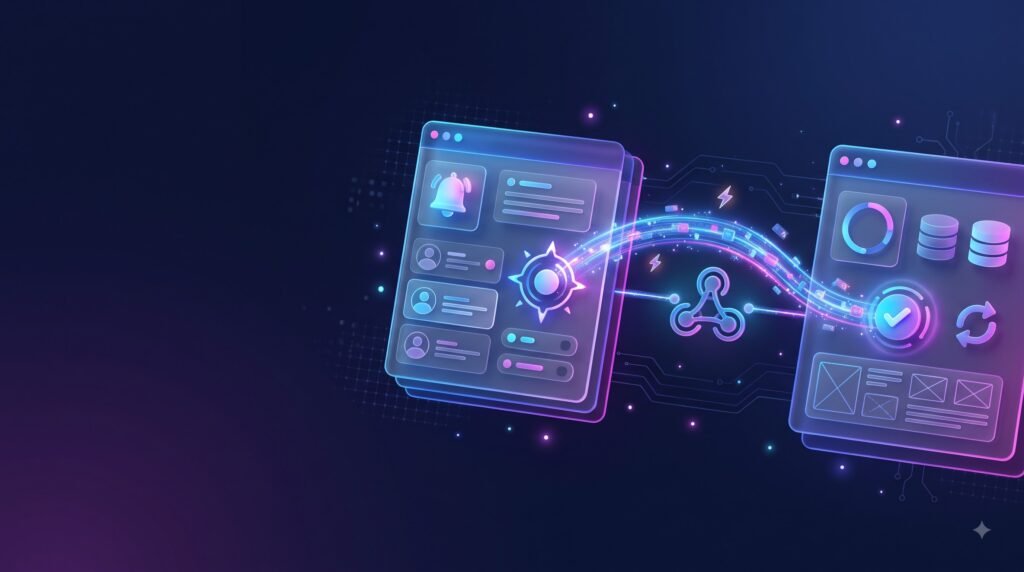
Applications can be ‘webhook’ integrated together so that one can inform another automatically.
Applications can be ‘webhook’ integrated together so that one can inform another automatically.
Often this includes details relating to the action within a recognised data format (such as JSON).
Therefore, for instance, if there is an online subscription service which is integrated with a payments system, then on successful payment for a subscription the payment source can inform the subscription service via a webhook.
The receiving application can then:
- Confirm the payment.
- Update customer subscription details.
- Issue an invoice.
- Email a confirmation.
- Update the ‘book-keeping’ system.
All of these can be done automatically and without staff having to review the payments screen.
How Do Webhooks Work?
Usually there are 5 stages to setting up a webhook:
- Event – This is a specific activity which has occurred within the source app for example a payment has been made or a customer has signed up.
- Notification is generated: The source application identifies the event and prepares a notification.
- HTTP request is sent: The application sends the event payload to the receiving system’s registered webhook URL.
- Webhook is validated: The receiving application checks the request’s authenticity and validates the incoming data.
- Action is triggered: The receiving application processes the event and performs the required business operations.
For example:
Customer subscribes. Payment processor authorises. Webhook is sent. SaaS back-end processes the webhook. Customers account is enabled.
The application does not need to continually query the payment processor to determine if payments have been authorised.
What Information Does a Webhook Contain?
Typically, a webhook will include details of what has occurred, an event code and a time at which it happened. Additional event specific information may also be included.
For example, a simplified payment notification might look like this:
{
“id”: “evt_12345”,
“type”: “payment.succeeded”,
“created”: 1795600000,
“data”: {
“customer_id”: “cus_789”,
“payment_status”: “successful”,
“amount”: 4999,
“currency”: “USD”
}
}
This is an illustrative payload, not a universal webhook format. Depending on the source of the message different mechanisms can be used.
The target application will then decide which action is required based on the event type.
Payment events can be used to initiate a subscription and customer change events can feed data into a CRM.
What Is Event-Driven Architecture?
Event Driven Architecture is used by software solutions in order for different elements of it to communicate and organise themselves.
An event is something that has occurred.
Examples include:
- A customer registered.
- An order has been submitted.
- An invoice has been created.
- A file has been uploaded.
- A subscription has been terminated.
Instead of requiring one application to directly control every other application, an event-driven system allows interested services to respond to these events independently.
Microsoft’s Azure Architecture Center describes three fundamental components of event-driven architecture: event producers, event consumers, and event channels.
Main Components of Event-Driven Architecture
1. Event Producers
Event producers are applications or services that generate events.
An e-commerce application for instance, will publish an order.created event as a customer places an order.
Indeed, it is not always necessary for the producer to be aware of the consumers of its events.
2. Event Channels
Event channels transfer events from producers to consumers.
Depending on the systems involved, such mediums can be message brokers, event bus, message queues and so on.
They assist in routing events to various parts of an application.
3. Event Consumers
Event consumers receive events and perform actions based on them.
For example, after receiving an order-created event:
- The inventory service reserves available products.
- An order confirmation is generated.
- Purchase statistics are created.
- Information is generated for delivery.
It is each customers’ individual accountability.
How Does Event-Driven Architecture Work?
A SaaS product may have a customer who wishes to increase their level of subscription.
This may be achieved by:
- Choosing a more extensive subscription level.
- Payment is handled by the billing service.
- The application generates a subscription-updated event.
- The event is published to an event channel.
- Different services receive the event.
- An account service will update a customer’s details.
- A notification service will notify of this change.
- Analytics service will analyse this subscription event.
Importantly, billing service does not need to interact directly with each downstream service.
Such design allows for greater flexibility. Additional consumer services can then subscribe to appropriate events, with little adjustment required for the initial source service.
What is Webhook integrationand Event-Driven Architecture?
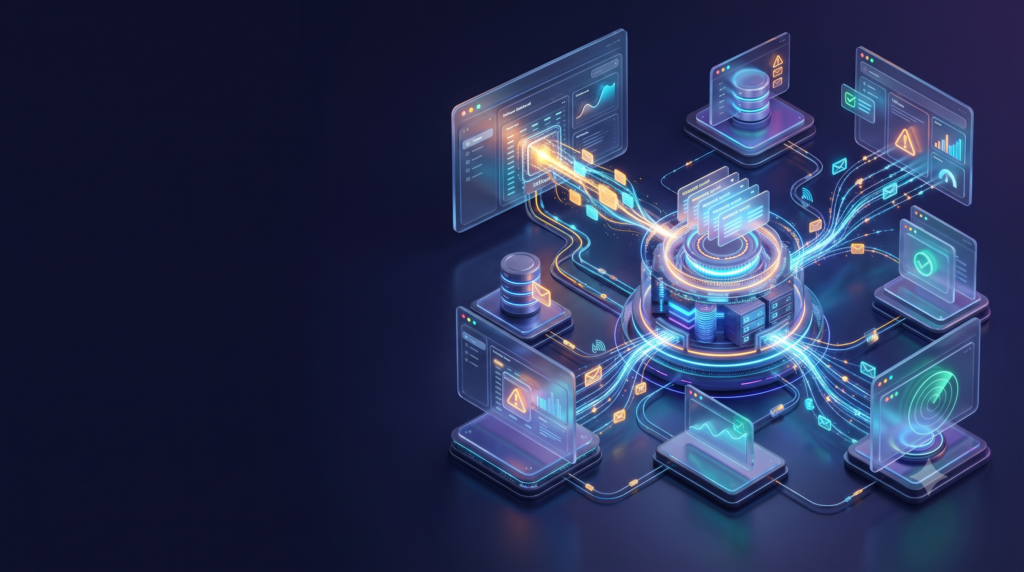
Whilst related, these two topics address separate issues.
A webhook can be used to send events from one application to another. Event-Driven Architecture describes how events can be created, sent and handled in software.
A webhook can also be used to initiate an event driven system.
For instance when an external payment service carries out a payment, it may raise a webhook with a SaaS product. The product then processes and confirms the webhook and raises an event within itself.
Other services can then subscribe to that internal event and perform their respective tasks.
Example: Webhook-Based Event Processing
Imagine an e-commerce platform connected to an external payment gateway.
An example flow might be:
External payment service
Generates a webhook for payment success.
↓
Webhook Endpoint
Receives the HTTP request and verifies its signature.
↓
Event Validation
Checks the event identifier, payload structure, and required information.
↓
Message Queue or Event Broker
Stores or distributes the validated event for asynchronous processing.
↓
Event Consumers
- Order service updates the order.
- Stock service updates stock levels.
- Notification service notifies.
- Analytics service logs the sale.
This enables a distinction between external and internal functionality.
If the notification service becomes temporarily unavailable, the order service may still process the payment event, provided the system has appropriate message persistence and independent consumer processing.
Why Is This Separation Important?
Without an events driven architecture, a webhook can try and perform all of a business’ processes within one request.
Whereas if one service that is called by the webhook is slow or even fails then it can cause the whole request to fail.
Splitting out the processing from the event capture produces a more resilient architecture.
The webhook endpoint validates and durably records or queues the event. Background workers process the required operations independently.
This then allows further services to be introduced too.
A company could then add an anti-fraud service using the existing payment integration (without needing to amend it).
Webhooks vs. APIs vs. Event-Driven Architecture
These three concepts are often discussed together, but they serve different purposes.
Understanding their differences helps developers select the right communication approach.
| Comparison | Traditional API | Webhook | Event-Driven Architecture |
| Main purpose | Request and exchange data | Notify another system about an event | Coordinate event-based communication |
| Communication | Usually request-response | Event-triggered HTTP delivery | Often asynchronous |
| Initiation | Usually the requesting application | Usually the event-producing application | Event producer |
| Response | Returns requested information or operation status | Acknowledges notification delivery | Depends on messaging pattern |
| Main use | Retrieve or update resources | Notify external systems | Distribute events across services |
| Typical example | Fetch customer details | Notify about a successful payment | Update billing, analytics, and notifications |
API Integration
An API allows one application to request information or functionality from another application.
For example, an e-commerce platform might request customer information from a CRM.
The requesting application initiates the communication.
Webhook Integration
A webhook reverses the notification direction.
Instead of repeatedly requesting information, the receiving application provides an endpoint where the external service can send notifications when specific events occur.
Event-Driven Architecture
Event-driven architecture is broader than either communication mechanism.
It describes the design of a system where services communicate through events and respond independently to changes.
It may use webhooks, message brokers, event streams, queues, or a combination of these approaches.
The important distinction: Webhooks are a communication mechanism, APIs are an interface for software interaction, and event-driven architecture is an overall system design approach.
Webhooks vs. Polling: Which Approach Should You Use?

Polling and webhooks are two different ways of obtaining updates from another application.
Polling involves repeatedly checking an external system for changes.
Webhooks allow the external system to send notifications when relevant changes occur.
How Polling Works
Suppose an application needs to know whether a customer’s payment has been completed.
With polling, it might send repeated requests:
- Check payment status.
- Wait for a predefined interval.
- Check payment status again.
- Continue until the payment is completed.
This approach can be useful when an external service doesn’t support webhooks or when periodic synchronization is sufficient.
However, frequent polling can generate unnecessary API requests.
How Webhooks Work
With webhooks, the payment provider sends a notification when the transaction status changes.
The receiving application processes the notification rather than continuously requesting updates.
Comparison
| Factor | Polling | Webhooks |
| Communication | Repeated requests | Event-triggered notifications |
| Update timing | Depends on polling interval | Usually near real-time |
| API requests | Can be frequent | Usually event-dependent |
| Infrastructure | Scheduled request mechanism | Public receiving endpoint |
| Failure handling | Retry and reconciliation | Delivery retries and event recovery |
| Availability | Works with polling-enabled APIs | Requires webhook support |
Neither approach is universally better.
Use polling when updates are infrequent, real-time delivery isn’t necessary, or the external service doesn’t support webhooks.
Use webhooks when an application needs to react quickly to important events and the external provider supports reliable event delivery.
Some systems combine both methods. Webhooks provide timely notifications, while scheduled polling or reconciliation checks help identify missed updates.
Practical Use Cases of Webhook Integration and Event-Driven Architecture
The combination of webhook integration and event-driven architecture is useful when multiple applications need to respond to the same business event.
Below are a number of real-world scenarios:
1. Payment and Subscription Management
SaaS businesses frequently depend on payment providers to manage subscriptions and transactions.
A webhook can notify the application when:
- A payment succeeds.
- Payment failure.
- Renewal of a subscription.
- Cancellation of a subscription.
- Refund.
These can be used by the event driven back-end to amend data relating to a customer including their permissions, invoicing, communications and analysis.
Manual verification of payments can therefore be minimised.
2. E-Commerce Order Processing
An online store may connect its storefront, payment gateway, inventory platform, shipping provider, and customer communication system.
Several processes can be initiated by a single event such as an order.
For instance:
- Payment is validated.
- Stock is reserved.
- Order status is changed.
- Packaging for despatch is prepared.
- Order confirmation is notified.
Whilst carrying out these processes, the services do not have to be combined into a single, overarching application process.
3. CRM and Lead Management
Leads can be submitted online, on advertising and even using external forms.
A webhook can send new lead information to the CRM when a submission occurs.
An event-driven system can then:
- Create a customer record.
- Assign the lead to a sales representative.
- Trigger an email notification.
- Insert the lead into a marketing process.
- Log this within analytics.
This can therefore decrease manual logging and also enable companies to address queries that are received.
4. Document Processing
Think of a system whereby staff can input documents such as invoices and agreements.
After a document is uploaded, an event can trigger:
- File validation.
- Document storage.
- Text extraction.
- AI-based classification.
- Approval workflow initiation.
- Message for the appropriate person.
Different processes can be assigned to different processors.
During lengthy document processing, a process can continue in the background, so that the upload screen does not have to stay active.
5. Logistics and Delivery Tracking
A logistics platform may receive updates from multiple delivery partners.
Webhooks can be used by a carrier to provide information for:
- Pick up of an item.
- Arrival at a fulfilment hub.
- Attempted delivery.
- Successful delivery.
This data can then be used within the receiving application to amend information around an item’s shipment and to inform customers.
Further still, information can also be relayed through an event driven architecture to both customer portals and staff.
6. SaaS User Activity and Notifications
A SaaS application may need to respond to different user activities.
Examples of this are allowing the application to broadcast a user defined event at the point of registration.
Different consumers can then:
- Create a default workspace.
- Email a welcome message.
- Set up account details.
- Log a ‘data analysis’ event.
- Inform staff.
This method means that further features can be introduced without having the registration facility undertake all functions.
Key aspectsof a webhook solution

Whilst the capability to receive webhooks is an essential function, there are further areas which need to be addressed to ensure a robust integration solution.
These include verification, logging, transformation and re-trying along with monitoring.
1. Webhook Endpoint
The webhook endpoint is the URL that receives incoming HTTP requests.
Ideally the system is able to process events effectively with minimal extra processing.
The endpoint should accept only the required HTTP methods and validate incoming requests.
2. Authentication and Signature Verification
A webhook endpoint may be publicly accessible so external services can send notifications.
Validation is therefore important.
Many organisations utilise digital signatures so that receiving applications can verify both the authenticity of a webhook and that it has not been tampered with.
Developers should:
- Verify signatures using the provider’s official method.
- Secure web hook signatures.
- Don’t log sensitive information such as credentials.
- Use HTTPS.
- Validate a time stamp if this is available.
- Also prevent replay of events.
Just because an event has been sent from a known URL and/or IP address does not guarantee that it is real.
3. Event Validation and Schema Management
A webhook payload should be checked before the application uses its information.
Validation may include:
- Checking the event type.
- Confirming required fields.
- Data format validation.
- Validation of event type.
- Disregard unfamiliar data formats.
Alongside this, applications should be able to adapt to evolving event data formats.
Where a partner adds an additional (optional) data point then the application shouldn’t simply cease to function just because it does not understand this new data point.
4. Message Queues and Event Brokers
Message queues and event brokers help applications process events asynchronously.
Rather than acting on events straight away, a webhook receiver can add a validated event to a queue.
Background tasks can then process these events.
Queues are useful for handling high volumes of events and for when consumers are not available.
Furthermore, an event broker can send events to a number of consumers based upon the type of event communication being used.
This will depend on whether the application requires point-to-point, publish-subscribe or event flow (amongst other) communication.
5. Retry Mechanisms and Failure Recovery
External applications and receiving servers can experience temporary failures.
Delivery may be disrupted through a number of reasons such as connectivity issues, timeouts and/or service unavailability.
Good practice for an integration includes specifying:
- The types of issue that should result in re-delivery.
- The re-delivery interval.
- Whether exponential back-off should be implemented.
- How to persistently store events which cannot be delivered.
- How to securely re-play events.
A dead-letter queue can hold messages that cannot be processed successfully after the configured retry policy.
This therefore provides a method to analyse and re-play events and still understand an issue.
6. Monitoring and Logging
Webhook integrations should provide enough operational information to identify problems.
Useful monitoring data includes:
- Incoming event volume.
- Successful and unsuccessful deliveries.
- Processing duration.
- Queue depth.
- Retry frequency.
- Number of duplicate events.
- Consumer failures.
Event details (including event state) should be logged but care must be taken to avoid logging excessive detail regarding data and credentials.
Common Challenges in Webhook Integration
Although webhooks simplify event notifications, they introduce technical challenges that developers need to address.
Duplicate Event Delivery
A provider may send the same event more than once if it doesn’t receive a successful acknowledgement.
Two separate requests may be acted on by the receiving application potentially leading to double billing, communication and/or processing.
The solution is idempotency.
An idempotent event handler produces the same intended result when the same event is processed repeatedly.
Developers can store processed event IDs and check whether an event has already been handled before executing its business operations.
Events Arriving Out of Order
Some providers don’t guarantee that webhook notifications will arrive in the same order in which the original events occurred.
For example, an application might receive a subscription cancellation notification before processing an earlier subscription-update notification.
Unless stated by the supplier, the receiving system should not assume that messages are delivered in any particular order.
Where required, it is possible to query the latest status of resources via the suppliers API and/or to utilise published version and sequence details.
Temporary Service Failures
A downstream service may become unavailable while the webhook endpoint continues receiving events.
Issues can arise if there is no background processing and re-trying.
Events can be queued up and processed when a suitable consumer is available.
High Event Volumes
A growing application may receive thousands of notifications during a short period.
Real time event processing can cause an application to become overwhelmed.
Event queuing, rate controlling, worker auto-scaling and concurrency control can all be used to help.
Security Risks
An insecure webhook endpoint can allow unauthorized requests to trigger business operations.
Applications should include digital signing, authorisation, data validation and throttling as well as prevention of re-sending data and secure storage of user details.
Security issues should be included in the design phase not just implemented at a later date.
How to Implement Webhook Integration and Event-Driven Architecture

The implementation process depends on the applications involved, the volume of events, and the complexity of the business workflows.
A certain level of structure can also be beneficial.
Step 1: Identify the Events That Matter
Establish what business events are to be used to automate processes. These may include:
For example:
- user.registered
- payment.succeeded
- order.created
- subscription.cancelled
- document.uploaded
Don’t define an event for each and every function within your application.
Rather, identify those business events that are of real significance and which other services may require.
Step 2: Define Event Payloads
Decide what information each event should contain.
A useful event structure generally includes:
- Unique event ID.
- Event type.
- Creation timestamp.
- Schema version where appropriate.
- Business relevant information.
Avoid sending non-essential confidential information within events.
Step 3: Design the Receiving Endpoint
Create a webhook endpoint that accepts incoming notifications.
Implement request validation and signature verification using the external provider’s documented process.
Where possible, ensure that the receiving end point does not perform lengthy processes in a synchronous manner.
Step 4: Introduce Asynchronous Processing
Once the webhook has been validated, store or enqueue the event for further processing.
A background worker can then perform the required business operations.
Only confirm that an event has been received once it has been successfully processed. If confirmation of successful reception is returned, before durable processing has been completed then there is a risk that processing may be lost if the application then encounters issues.
Step 5: Implement Idempotency
Store event identifiers and processing status.
Check that an event has either already been handled or approved.
Wherever possible ensure that processes are idempotent.
This is particularly important for financial and other non-re-entrant processes.
Step 6: Add Retries and Monitoring
Establish rules for re-trying processes which have failed provisionally.
Implement a back off strategy and investigate those events which continue to fail.
Monitor usage, process failure rates and queue performance.
Step 7: Test Before Production
Test the integration under different conditions.
Include:
- Valid webhook requests.
- Invalid signatures.
- Missing payload fields.
- Duplicate events.
- Out-of-order events.
- Network timeouts.
- Temporary service failures.
- Volume of events.
- Retrying and re-processing.
Further, explore how the destination application behaves where one subsequent service is not available.
Should a Webhookor bespokeevent-led solution be implemented?
Not all businesses require a complex event-led solution.
Consideration should be given to the number of systems that must interact, how soon information must be shared and also what occurs when integrations are not successful.
Implement a Basic Webhook Solution if:
- One external application must inform another.
- The number of event types is relatively small.
- The receiving application can be very simple.
- Webhooks can already be utilised.
- An additional communication channel is therefore not required.
Demonstrating this, a payment confirmation can be sent from a payments service to a SaaS solution. This may in turn simply involve a secure webhook and some batch processing.
Consider a More Structured Event-Driven Architecture When:
- Multiple services need to respond to the same event.
- Processes can be separated into different stages.
- The application handles a high volume of events.
- Components should also be separated.
- Processing should continue even when there are transient issues.
- Components producing services should be able to support new consumers without changes being made to them.
For instance, an expanding online retail business may require payment, stock, delivery, alerting and analysis components, each of which handles the same set of order related processes.
A message broker or event bus could be used to help control these processes.
A Practical Decision Framework
| Business requirement | Possible approach |
| Simple external notification | Webhook integration |
| Periodic data synchronization | Scheduled polling or batch processing |
| One event, one processing task | Queue-based processing |
| One event, multiple consumers | Publish-subscribe architecture |
| Continuous high-volume event processing | Event streaming |
| Complex multi-service workflows | Event-driven architecture |
These approaches can also be combined.
Businesses can also subscribe to webhooks, and process (validate) events. Message queues can be utilised for batch processing.
Whilst further infrastructure is not the aim, it is important to implement a suitable architecture which fulfils business needs but is not excessively complex.
Impact of Webhooks on developmentand support

Whilst developing integrations, alongside the development of a webhook ‘sink’ there are further costs that can be incurred.
The total development effort is influenced by the number of applications involved, event types, authentication requirements, data transformation, processing complexity, and testing requirements.
Depending on the complexity, a developer may just have to set up a webhook source and then develop a webhook sink.
Or they may need to:
- Develop several webhook sinks.
- Custom API development.
- Event validation and transformation.
- Message queue infrastructure.
- Background processing workers.
- Database changes.
- Monitoring and alerting.
- Redundancy and reintegration
- Testing
- Ongoing maintenance.
Alongside this, there can be running costs for using infrastructure and third party services.
To further understand these, refer to the BKABHI ‘costs of integrating with third party APIs’ article.
As well as identifying start up costs for an integration, it is important to recognise running costs.
Good quality integrations will often require maintenance to adapt to changes in external services, events and/or security, as well as to cope with increased application demand.
How To Successfully Integrate Using Webhook And Event-Driven Methods

Compared to regular polling and close inter-service links, webhook and event-based methods allow an application to react to change.
Whilst webhooks let an organisation easily detect events outside of itself, an event driven model facilitates different services to autonomously analyse and react to events.
When designing integrations, it is key for organisations to assess what degree of complexity they wish to implement.
Basic integrations can utilise a simple webhook to identify payments, for example. However, more complex services such as SaaS platforms or e-commerce applications may require additional components, including message queues, event brokers, autonomous consumers, and enhanced error handling. These components are commonly used in backend integration architectures involving APIs, webhooks, and event-driven systems, helping applications manage asynchronous events and more complex workflows.
Regardless of which solution is adopted, good practice guidance should include securing data, validating data, ensuring idempotency, and implementing both observation and error handling.
In addition to API, integration and back-end development, BkAbhi Innovations Lab also highlights real time functionality as one of its specialisms. Organisations seeking to integrate bespoke software can review these areas and compare them with their current application design.
Besides linking two software applications together, a quality integration must ensure accurate data flow and that business can still function even if certain services experience issues.
Frequently Asked Questions
1. What is the difference between webhook integration and event-driven architecture?
Applications can be connected together using webhooks to transmit information about events via HTTP. Event-orientation is a more general term for application architecture that enables communication and reactions to events using various methods of messaging.
2. Are webhooks part of event-driven architecture?
Yes. Webhooks can also be used within an event driven architecture – for example, where external apps wish to notify a further system of events.However, event-driven architecture can also use message queues, event brokers, and event streaming platforms.
3. Are webhooks better than APIs?
Neither method is necessarily superior. APIs are good at allowing an application to ask for, or carry out, actions. Webhooks are good for enabling an application to be notified of events. Often both are used within integration solutions.
4. Do webhooks work in real time?
Whilst typically near real-time, webhooks can suffer from some latency because of factors such as network, provider and re-try behaviour combined with server availability.
5. How do you secure webhook integrations?
HTTPS should be used along with signature verification. Signing keys must be securely stored. Payloads must be checked and, if available, mechanisms should be in place to detect and avoid duplicate webhook events (idempotency). Limits should also be set and logging carried out securely.
6. What happens if a webhook fails?
The sending application may retry delivery according to its documented retry policy. The receiving application should also support event persistence, controlled retries, failure monitoring, and recovery mechanisms. This will vary by service.
7. Do webhooks require a message queue?
No. Whilst a basic webhook solution can function without one, message queues may also be used for scenarios such as extended event processing, enabling more than one consumer, controlling flow rates and allowing for separate error handling.
8. Can webhooks be used to interconnect various applications?
Yes. Applications can be interconnected through webhooks if suitable endpoints are available on the receiving applications. Within a larger system, an event broker or event driven architecture can be utilised to further centralise event dissemination.
9. What is idempotency in webhook processing?
Idempotency ensures that re-processing an event will achieve the same business outcome as a single processing. Developers commonly implement it by storing event identifiers and preventing duplicate side effects.
10. When should a startup implement event-driven architecture?
A start-up should implement an event driven architecture, where multiple services need to react to business events, if integration is proving complex to manage and/or there is a requirement to enable background processing and fault isolation. Simpler API/webhook integrations may be more suitable in a start-up’s initial product phase.
About the Author
Jeevesh Tripathi
Email: jeevesh@bkabhi.com
Jeevesh Tripathi writes research-based content about software development, SaaS products, AI, and technology. His work focuses on practical explanations, technology comparisons, and evidence-based information that helps founders and businesses make informed development decisions.