

Businesses commonly use various software to manage areas such as sales, customers, finance and staff. Whilst each programme will support aspects of a company’s functions, it can prove difficult to share information effectively between them.
Staff may have to manually enter details of customer enquiries into a CRM, allocate them to a member of staff within sales and alert the appropriate department, and then book in a subsequent meeting. As well as increasing the risk of errors, reliance on manual processes will slow down this type of workflow.
Custom business workflow automation can therefore be used to stream-line workflows by applying rules, and integrating and automating programmes.
Whilst generic automation technology is available, bespoke solutions can be created to match an organisation’s particular workflow, authorisation processes, data needs and guidelines.
Nevertheless, it is not always essential for companies to develop custom software. It is important to firstly analyse a business’ workflow needs and assess whether these can be met using current software.
This article discusses the workings of, as well as key features, real-world uses, advantages and disadvantages of, custom business workflow automation. In addition, it highlights important considerations for companies wishing to create their own workflow automation system.
Table of Contents
What Is Custom Business Workflow Automation Software?
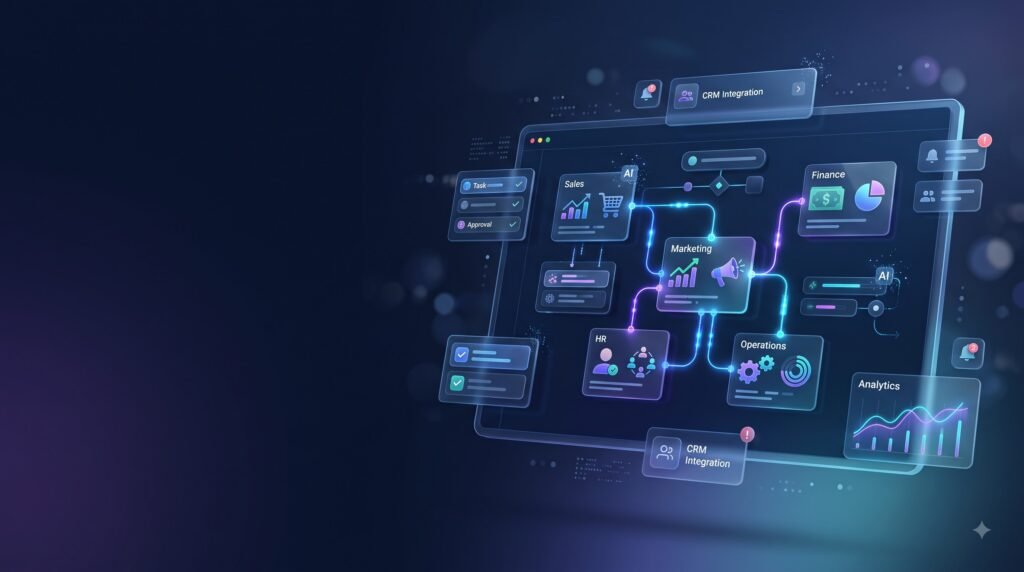
Custom business workflow automation software is an application developed to automate specific business processes according to an organisation’s operational requirements.
Processes, people and systems can be linked together by workflow automation and specific rules and functions.
Rather than staff having to do this themselves, workflow automation can control standard processes and share information where appropriate.
For instance, if a company takes in service requests via a website then, without workflow automation, members of staff may have to:
Without automation, employees might need to:
- Add details of customers to a CRM.
- Distribute requests to suitable staff.
- Email confirmation of receipt.
- Monitor progress of requests.
- Alert managers to late requests.
- Workflow automation can therefore perform all of these functions automatically.
On receipt of a new request, workflow automation can set up a customer profile, allocate the request according to pre-determined criteria and inform the relevant member of staff. It can also amend the request status.
How it works will depend on the business rules which are put in place when the automation is being developed.
How Is It Different From General Workflow Automation Software?
General workflow automation platforms provide configurable features that allow users to connect applications and create automated processes.
Custom applications can be designed to meet a businesses needs.
Whilst standard automation solutions can allow an organisation to automatically email a customer, a company may need additional functionality that encompasses assessing customer suitability, obtaining approvals from specific teams, confirming that payments have been made, and directing work to appropriate staff based on certain parameters. In such cases, exploring different AI workflow automation tools can help businesses understand how advanced automation capabilities support complex workflows and improve operational efficiency.
These functions can then be included in a bespoke application.
Generally it is the extent to which a business can manage functionality, data and connectivity which differs between solutions.
How Does Custom Workflow Automation Software Work?

A workflow automation system generally follows a sequence of events, conditions, and actions.
Depending on the application, although often there will be commonalities, business processes can differ.
1. Trigger Events
A trigger is an event that starts a workflow.
Examples include:
- A customer submitting a registration form.
- Issue an invoice.
- Request time off.
- Make a payment.
- Raise a customer support enquiry.
- A customer support ticket being created.
The application recognises that one of these processes has taken place and then initiates the appropriate process.
2. Business Rules and Conditions
After receiving a trigger, the software evaluates predefined conditions.
Examples of things that can be checked within an order process are:
- Payment has been received.
- That the item is in stock.
- That the delivery address is correct.
- If the order needs authorising.
These will then influence what happens next.
3. Automated Actions
Once the conditions are evaluated, the software performs the relevant actions.
This could involve data entry, task allocation, alerting and seeking approvals.
Further, a workflow may also have sequential and/or diverging processes.
4. Application Integrations
Typically businesses utilise a range of applications for areas such as customer, financial, sales and communications management.
Applications can integrate so that they can share and act upon data.
For instance, on successful online transactions an application can amend an order, inform a customer, and pass sales data to the financial application.
The integration process will vary according to the applications and their API provision.
5. Monitoring and Exception Handling
Processes which are automated can also fail.
Issues may include: a third party service being unavailable; required data not being available; and/or awaiting authorisation.
A good process management solution will log issues, alert users and permit appropriate staff to review and/or address them.
It is key that business processes are still easily reviewable despite being automated.
Essential Features of Custom Business Workflow Automation Software
The required features depend on the organisation’s processes. However, several capabilities are commonly important when planning a custom solution.
1. Workflow Builder and Process Configuration
A workflow builder allows authorised users to define how business processes should operate.
Depending on the application, this may include configuring:
- Workflow stages.
- Trigger events.
- Conditions and rules.
- Automated actions.
- Approval requirements.
- Work allocation
Graphical tools can help less technically skilled staff to design new processes.
Nevertheless, even if processes are fairly static, many businesses will not require an advanced point and click design tool. Basic functionality may suffice for administration.
2. Role-Based Access Control
Different employees should have access to information and actions relevant to their responsibilities.
For instance, sales staff could be given access to handle customer queries and the finance manager could be authorised to authorise financial processes.
People can be granted differing levels of access to allow them to read, amend, authorise and/or reconfigure processes.
Software should be designed to include appropriate access rights, not just added retrospectively.
3. Approval Management
Many business processes require approval before moving to the next stage.
Examples include:
- Purchase requests.
- Employee leave applications.
- Expense reimbursements.
- On-boarding
- Contract approvals.
Approvals can also be tailored according to department, value and even individual job title. Plus there are other factors which can influence an approval procedure.
Additionally, there should be functionality to manage declined, postponed and redirected requests.
4. API and Third-Party Integrations
Increased value can be added to an automating solution by enabling it to interact with existing business software.
Common integration requirements include:
- CRM platforms.
- Accounting applications.
- Payment gateways.
- Email services.
- Inventory management systems.
- Customer support applications.
- Internal databases.
An application programme interface (API) enables applications to share information and avoids duplication of data entry by staff.
Organisations need to analyse an API’s features which include: its access, format, capacity and the procedure for managing errors.
5. Alerts and auto–reminders
Employees can be alerted by the system to key information.
For instance, a manager can be alerted that they need to approve something and staff can also be reminded if they have not completed a task within the required timescale.
Alerts can be sent via email, within the app and/or through compatible communications tools.
Alerts should be personalised so that staff do not receive irrelevant information.
6. Reporting and Analytics
Workflow reporting helps managers understand how business processes are performing.
Useful information may include:
- Number of completed requests.
- Pending approvals.
- Average processing time.
- Delayed tasks.
- Workflow failure rates.
- Department-level activity.
Reporting can then be used to analyse a business and recognise areas which could be improved.
It is key that reporting effectively informs business decision making.
7. Audit Logs and Activity History
Within some businesses it will be important to know who, when and what was altered within a business.
Activity history can highlight key occurrences such as authorisation, refusal, status and administration activity.
The extent to which audit logging is required differs between industries and business functions. This should be identified in the planning stage.
8. Error Handling and Recovery
Automation systems must account for unsuccessful operations.
Also the payment process may at times be unavailable. Orders must not therefore be marked as paid automatically upon a payment attempt being made.
Depending on the process, error-handling functionality may include:
- Recording failed operations.
- Retrying temporary failures.
- Preventing duplicate actions.
- Informing relevant staff.
- Providing override functionality.
- Recording process information.
Such features are especially pertinent within processes which include payments or key business data.
Practical Use Cases of Custom Business Workflow Automation Software
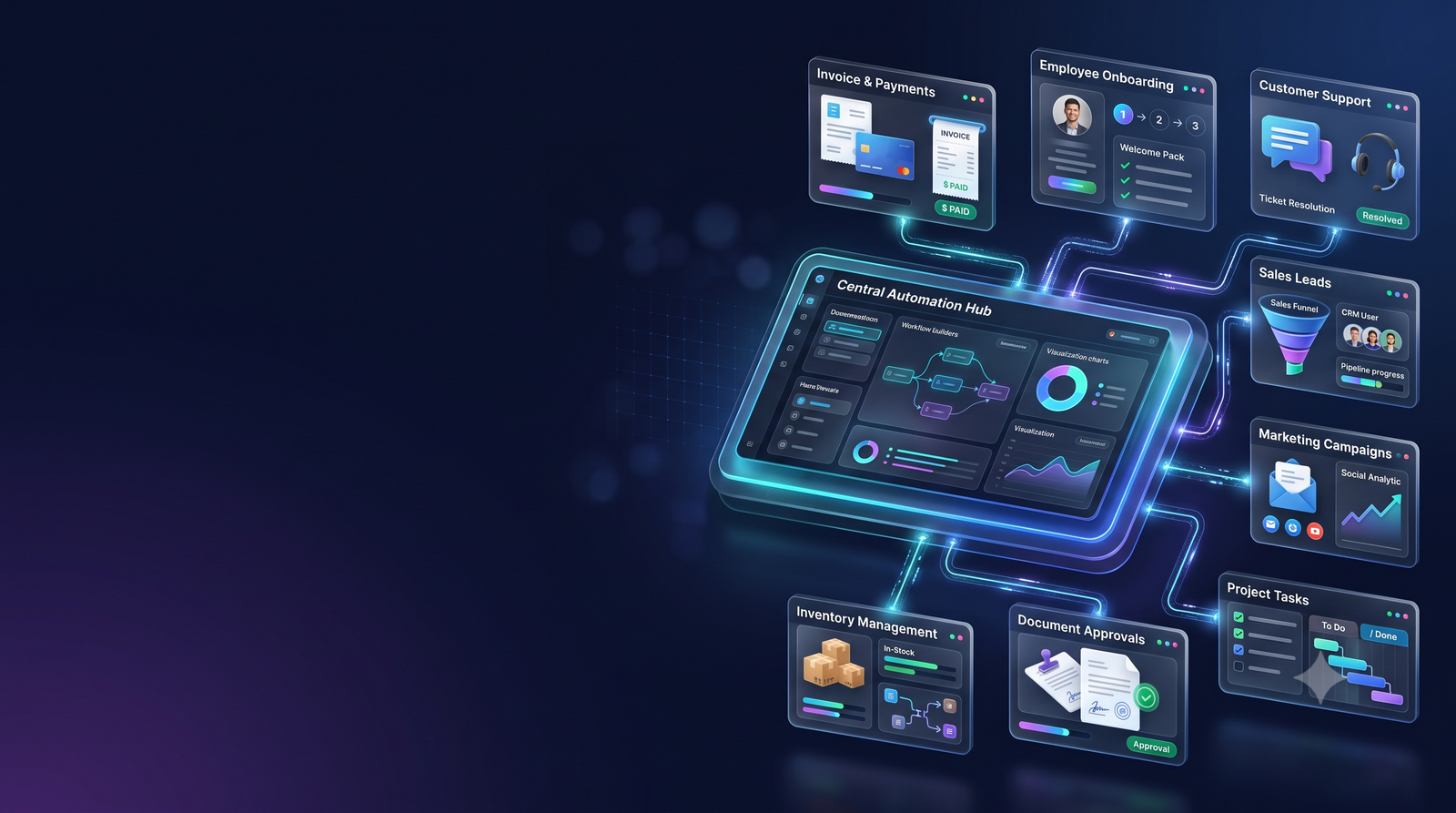
Custom workflow automation can support different departments. Usually it is good to have a structured business process. There should be recurring tasks and quantifiable issues.
1. Sales and Lead Management
Sales teams often receive enquiries through websites, advertisements, email, and other channels.
A bespoke business process can then analyse data; develop customer profiles and allocate leads to members of staff. Follow up actions can also be organised.
Leads may be allocated depending on area, type of service needed and/or staff availability. Staff can also analyse outstanding queries and detect which leads have not yet been responded to.
2. Employee Onboarding
Employee onboarding involves several departments and administrative activities.
A workflow automation system can coordinate:
- Employee information collection.
- Submission process
- User registration
- Department alerting
- Asset provision
- Work allocation
Upon HR confirming an individual has joined the company, the system can automatically assign work to departments including IT and Administration together with the relevant business area.
In some cases, further manual validation or sign off will also be needed.
3. Invoice and Payment Processing
An individual process can be produced to integrate these areas.
Information about the invoice is logged within the system.
For example:
- An invoice is generated.
- The system records the invoice details.
- Payment information is then received.
- Payment is checked.
- The invoice is amended.
- If something goes wrong within the finance area, staff are alerted to this.
Correct checks must be in place along with suitable authorisation and procedures to avoid duplicate financial transactions.
4. Inventory and Order Management
Businesses managing multiple products or sales channels may need to synchronize order and inventory information.
Processes can be used to manage new orders, amend stock levels and communicate with staff in the warehouse. Stock can also then be monitored.
Where stock levels dip below a nominated threshold, alerts can be issued by the software.
Procedures should also be in place to manage situations where there are differing amendments and where external services cannot be accessed.
5. Customer Support and Service Requests
Customer support teams receive requests that need categorisation, assignment, tracking, and resolution.
A custom workflow can:
- Create support tickets.
- Categorise requests.
- Issue tickets to specific areas of a business.
- Inform relevant staff.
- Progress late tickets.
- Provide customers with updates.
Different escalation policies can be applied to different, or priority, tickets.
6. Purchase and Vendor Approvals
Many businesses have differing levels of approval for buying.
A bespoke system can be used to gather, check and send on buying tickets to the appropriate people for approval. It can also store details of approvals.
For instance, standard buying may need one level of approval whereas higher amounts may need further approvals. This therefore allows for a clear process to be followed, yet still enables appropriate human involvement.
Tailored vs Ready-made Automation Solutions
Companies should first analyse their tailored solution against available automation solutions.
Both can be used to address workflow issues although they are appropriate in different circumstances.
Ready–made Automation Platforms
Ready-made software offers an adaptable solution which can be used to link different apps and undertake standard automation tasks.
These include: Zapier, Make and n8n.
They can be useful when:
- The required applications have supported integrations.
- Processes work in a similar way.
- People can customise processes without having to develop an application.
- Processes should initially be fairly simple.
- Current functionality already satisfies business’ needs.
For instance, a small business could utilise current process software to pass details from a web based form to a CRM system and alert the sales department.
This may not require a custom application.
Custom workflow automation
Custom software should be considered where current software does not provide an appropriate solution. For example:
Examples include:
- Complicated authorisation processes
- Business specific working practices.
- Custom data relationships.
- Multiple interconnected business systems.
- Specialised user permissions.
- Integration with internal applications.
- Workflow functionality embedded within an existing SaaS product.
Custom software also allows greater control of how an application works and is developed.
Nevertheless, custom software requires someone to undertake development, testing and ongoing maintenance. In addition, there will be issues regarding who owns the software.
Comparison Table
| Comparison factor | Off-the-shelf tools | Custom software |
| Initial setup | Usually configuration-based | Requires development |
| Custom business rules | Depends on platform capabilities | Can be designed around requirements |
| Integrations | Supported connectors and APIs | Application-specific integrations |
| User interface | Platform-defined | Designed for the business |
| Ownership | Depends on provider terms | Depends on contracts and IP arrangements |
| Maintenance | Provider maintains the platform | Business or development partner maintains the application |
| Scalability | Depends on platform limits and plans | Depends on architecture and infrastructure |
| Best suited for | Standard workflows | Distinctive or complex workflows |
The table describes general differences, not guaranteed capabilities of every platform.
Which Approach Should a Business Choose?
Consider the following decision framework:
| Business requirement | Approach to evaluate |
| Simple form-to-CRM automation | Existing automation platform |
| Standard email notifications | Existing automation platform |
| Routine task assignments | Existing workflow software |
| Complex department approvals | Configurable platform or custom software |
| Unique business rules | Custom development |
| Multiple internal system integrations | Custom integration or hybrid approach |
| Workflow functionality inside a SaaS product | Custom development |
Hybrid working could also prove effective. Alongside a company’s existing automation systems, bespoke software can be created for niche functionality.
The objective should be to solve the actual workflow problem without introducing unnecessary development complexity.
Benefits of Custom Business Workflow Automation Software
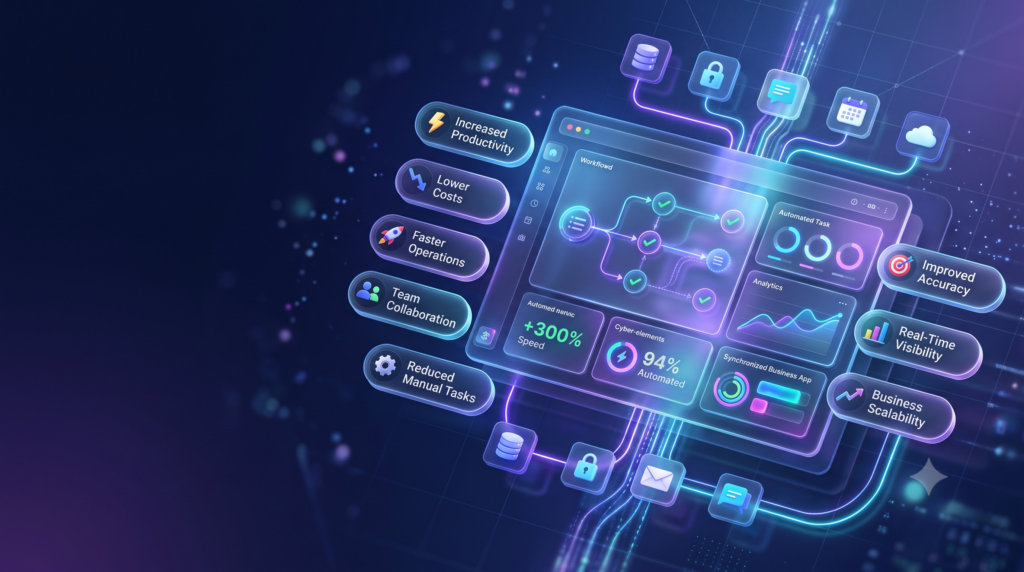
Custom automation can provide several operational benefits when it addresses clearly identified business requirements.
Reduced Repetitive Manual Work
People frequently have to re-input data, maintain information, issue alerts and amend task progress.
Use of automation can help to minimise these routine functions.
This in turn enables people to concentrate on more analytical, interpersonal and expert orientated work.
More Consistent Business Processes
Manual processes may vary depending on the employee handling a particular request.
Processes can be controlled and governed via a workflow solution.
The information and authorisation process for each procurement can then be standardised.
Better Visibility Across Departments
Information is often held in many different locations (for example, in spreadsheets, email and apps) and it can be difficult for managers to ascertain the position of an activity or process.
A workflow app can provide a single source of truth for people to view requests, allocations and approvals and actions that need to be taken.
Improved Data Coordination
Custom applications can analyse the flow of information between integrated systems.
This can therefore help to avoid unnecessary re-entry of information and ensure data is correctly maintained.
Yet, even with integration, accurate data flow will only occur if data has been successfully mapped and validated and the right integration has been created.
Greater Control Over Business Requirements
A bespoke application can be configured to suit particular business processes and controls. This may be beneficial where current solutions are not easily able to meet a businesses needs and/or involve excessive ‘hacks’.
Room for Future Expansion
A well designed application can be developed so that it can scale in line with a business’ needs.
For instance, a business could firstly implement a solution for customers to self-enrol and then add further functionality such as extra authorisation, reporting and integration facilities at a later stage.
Appropriate design and continued technical support are also essential for an application to remain scalable.
When Should a Business Consider Custom Workflow Automation Development?
Not all processes require bespoke solutions.
Where current solutions are not fully fit for purpose then consideration should be given to bespoke options.
Consider these situations:
1. Too many manual processes are required.
If individuals frequently need to export data, amend it and switch between different systems to perform a process, then current systems might not be appropriate.
2. Business rules are highly detailed
Organisations can have particular authorisation, charging, regulatory and/or business rules which are difficult to incorporate into current off-the-shelf solutions.
3. Several systems require data to be shared.
Custom inter-system communication and processing may be suitable if there is a requirement for information to be shared between different systems in accordance with defined criteria.
4. Workflow functionality is part of the product.
SaaS providers may wish to provide their clients with functionality relating to workflows, task allocation and system set up.
Workflow automation may therefore also need to be included within the system design.
5. The business needs greater control over its software.
Control of a business’ data, applications and integration, along with system controls is frequently required.
Tailored development can help to achieve this, so long as there is clarity around who has control, security and maintenance duties.
Important Considerations Before Building Custom Workflow Software

Developing automation software without understanding the underlying business process can create unnecessary complexity.
Prior to developing a new solution it is important to understand:
Current business process
Document how the current process works.
Identify the employees involved, the applications used, information exchanged, approval stages, and common delays.
This helps distinguish essential workflow requirements from activities that can be removed entirely.
Define the Required Automation Scope
Not every activity should be automated.
Judgements, validation and sign off may also be required.
Identify routine processes and define which areas of activity people need to continue to engage with.
Review Integration Requirements
List all applications that the workflow needs to communicate with.
Analyse the API, including its endpoints, security and data and also ascertain what is required when an external app is not accessible.
Plus ascertain how the system should respond when an external application is not accessible.
Plan Security and Permissions
Determine which employees can access different types of information and perform particular actions.
Think about user authentication, access levels, secure password keeping and logging. Alongside this, consider data and information security needs.
Consider Maintenance and Ownership
Software must be maintained.
Businesses need to decide who takes responsibility for fixing faults, updating, interfacing, securing and providing support for the software. They will also need to determine the owner/s of the software code and associated documentation.
Implement Sequentially
Whilst it may be tempting to automate all areas of a business at once, it is advisable to first implement automation in one well-defined business process.
Following implementation, gather and analyse information from users. Investigate and then refine the automated process.
By doing so, it is simpler to assess if the implemented solution is effectively resolving the initial business issue.
Common Mistakes to Avoid When Developing Workflow Automation Software
Even a technically functional application can create operational difficulties when its workflows are poorly planned.
Common issues to watch for are:
- Automating a non-optimal process – this can add further complexity.
- Failure to handle special cases – businesses will experience scenarios where for example, applications are declined, data is not available, payments fail or third party services malfunction.
- Too many features are added at too early a stage – this adds further complexity if the fundamental business process has not been verified.
- Disregard for staff needs – if a process is not in line with how staff work then it can prove hard to implement.
- Failure to test system integrations – even if API connections function correctly, this does not necessarily mean that the full business process is functioning appropriately.
- Failure to provide suitable business process oversight – businesses require the ability to identify both malfunctions and process delays.
- Failure to consider future system support – post-implementation, APIs, third party applications and business needs can evolve.
Good quality implementation should emphasise business regulation, usability and system functionality.
How to Evaluate the Cost of Custom Workflow Automation Software

The cost of developing custom business workflow automation software depends on the scope and complexity of the application.
The cost will vary for different businesses.
Various areas can effect the level of development needed:
| Cost factor | Why it matters |
| Workflow complexity | More conditions and approval stages require additional implementation |
| Number of integrations | Each connected application requires integration and testing |
| User roles | Different permissions increase access-control requirements |
| Custom interface | Specialised dashboards and workflow configuration screens require design and development |
| Reporting | Custom analytics and reporting features add implementation work |
| Security | Authentication, access controls, and audit requirements affect scope |
| Testing | Complex workflows require testing of normal and exceptional conditions |
| Maintenance | Updates, monitoring, and compatibility work continue after launch |
In addition, organisations should also consider costs incurred through external software subscriptions together with costs for hosting, infrastructure and support.
For a more detailed explanation of integration-related expenses, read BKABHI’s guide to third-party API integration costs.
A good approach would be to partition the project in to areas of Discovery, Design, Development, Integration, Testing, Implementation and then Maintenance.
Define the brief so that it is clear as to what is, and what is not, covered and also how amendments will be dealt with.
Frequently Asked Questions
1. What is custom business workflow automation software?
It is software developed to automate business processes according to an organisation’s specific requirements. It can control processes, authorisations, alerts, application links and business rules.
2. What are examples of business workflow automation?
These can include staff induction, customer lead generation, invoicing, purchase authorisation, stock information, allocating customer service requests and controlling orders.
3. Is custom workflow automation software better than off-the-shelf tools?
Not necessarily. Whilst pre-existing systems may meet general needs, bespoke solutions should be considered where particular business logic, integration requirements, user rights or application functionality cannot be met by current technology.
4. Can custom workflow automation software integrate with existing applications?
Yes. Custom-built systems can connect to other systems using recognised API, webhook and integration facilities. This will be subject to the other system’s functionality and user rights.
5. Should SMEs implement workflow automation?
Yes. As well as assigning leads, sending invoices and welcoming new customers, SMEs can also automate their task lists. For basic automation needs it could be more effective to implement a pre-existing workflow automation system.
6. Is AI required for process automation?
Not necessarily. There are numerous processes that can be automatically triggered and executed based on set criteria.
AI can however be used within a process to provide additional functionality including categorisation, data and text analysis.
7. How long does it take to develop custom workflow automation software?
Factors include process, integration and user/permission definitions and also the applications’ complexity. Usually, a targeted deployment will be more straightforward to implement than one which spans several departments and also enterprise-wide applications.
An accurate assessment can then be made based upon an analysis of the requirements.
Conclusion
Tailored applications can be utilised by companies to streamline working, share data and enforce common procedures.
Nevertheless, bespoke solutions should not always be the first option for companies.
Prior to deciding on bespoke solutions, companies should analyse their procedures, recognise inefficiencies and assess if suitable applications already exist which can address their needs.
Within certain situations, such as when there are sophisticated business procedures, multi-stage authorisation processes and/or industry specific functionality, bespoke solutions can afford more control.
Ideal practice is to firstly pinpoint an issue and utilise a focussed set of application features. As an entity’s needs change then additional automation can subsequently be introduced.
BkAbhi Innovations Lab offers openly outlined application development and connectivity skills which can then be analysed and compared with the needs of particular projects for companies wishing to implement bespoke, application and connectivity solutions.
About the Author
Jeevesh Tripathi
Jeevesh Tripathi is a research-based technology writer at BkAbhi Innovations Lab. His content focuses on software development, SaaS architecture, artificial intelligence, API technologies, and digital product development.
His writing emphasizes practical explanations, evidence-based information, and technology decisions that founders and businesses can understand without unnecessary technical jargon.
Contact: jeevesh@bkabhi.com