
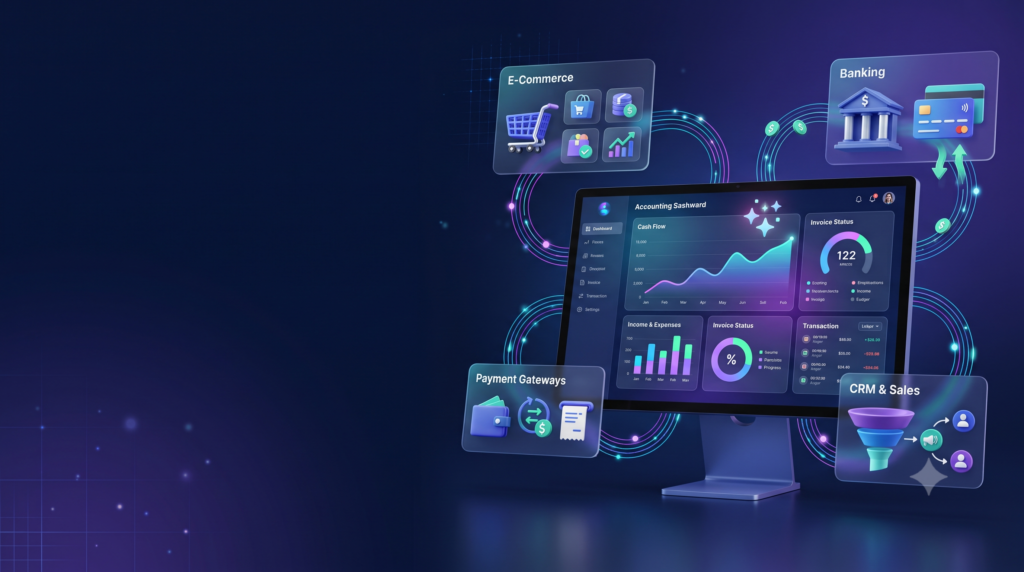
Small businesses often use separate applications to manage sales, invoices, customer information, employee payments, inventory and expenses. Whilst individual programmes often perform well, issues can arise when a range of software needs to be used within a company.
For example, a business may take an online order and then use a payment gateway to accept payment. The customer’s details can then be updated within a CRM and the company can log the sale using accounting software. Should these programmes fail to integrate, staff can be required to re-enter data.
This results in extra workload for staff and also heightens the risk of duplicate, and inaccurate, data. Financial reporting can also be affected.
Integration of accounting software is therefore beneficial for small businesses. It enables accounting software to integrate with other business programmes so that data can be shared seamlessly. Companies can thus decrease the requirement for staff to enter data and ensure greater uniformity in financial data.
Furthermore, alongside integration, there are several additional factors that companies must assess including data mapping, taxation, update intervals, security and how errors will be dealt with in order to successfully integrate programmes.
This guide describes how to integrate accounting software. It also identifies which programmes should be integrated and outlines different ways of achieving integration. Finally it illustrates how to establish a robust accounting process.
Table of Contents
What Is Accounting Software Integration?
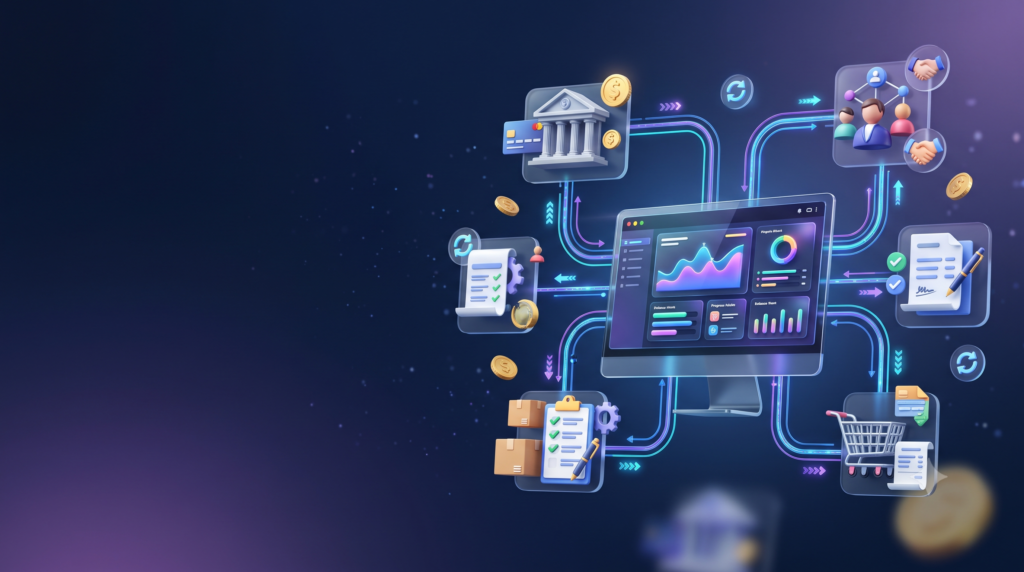
Accounting integration enables a company’s accounting software to integrate with other company software which allows the sharing of suitable financial data.
This therefore means that rather than staff having to re-enter financial data, the different software can share data instead.
For example, if a customer buys goods via an online store, data about this purchase can be passed to a company’s accounting software. Data can also be used to produce an invoice, log payment details and amend a customer’s financial data, depending on the integration in place.
Typical types of software which are integrated with a company’s accounting software are:
- E-commerce.
- Payment processing.
- Payroll.
- Stock.
- Expense.
- Invoicing.
- ERP (enterprise resource planning).
To enable a well-integrated financial process and ensure that a company’s accounting software is still correctly used as its financial data system.
How Does Accounting Integration Work?
Generally, there are 3 core components to an accounting integration:
- Application – this produces financial data including order, expense or payment details.
- Integration tool – this will use either an API, integration or automation service to share and convert data.
- Accounting software – this analyses and uses the data to either produce or amend suitable financial data.
Take for instance a small internet-based retailer.
A customer spends $250 on a product. The online store logs this sale and the payment processor verifies the payment. The integration then conveys suitable data to the accounting software.
Having received the data, the accounting software applies set rules to analyse it and inputs suitable financial data.
There is no need for staff within the business to manually input all of this data into the accounting software.
As mentioned above, the precise integration process is influenced by the type of software being used, the integration tools available and how the company has set up its accounting software.
Why Do Small Businesses Need Accounting Software Integration?
Initially many companies will use spreadsheets and other programmes to keep track of finance data. For a company with relatively few transactions, this can function effectively.
As customer bases, sales, suppliers and staff levels grow however, so does the complexity of manually inputting data.
Accounting integration is beneficial in overcoming a number of issues.
1. Reduce Repetitive Data Entry
If there is no integration then staff may have to manually input data such as customer details, billing, payments and dates across different systems.
Sales staff could input orders into a CRM, and then members of the finance department may input invoices into their accounts software.
Integration can be used so that authorised order information can be automatically input into the accounts system.
This helps to avoid unnecessary data entry and allows staff to spend more time analysing financial information.
2. Improve Financial Data Consistency
Customers can be known by different names in a range of different applications.
This can include a different spelling within a CRM, invoice application and even the accounting software.
Applications can be integrated so common keys are used and data mapping is applied.
Businesses also need to be clear on which application is the ‘master’ for key data.
Failure to do so can result in double-booking due to synchronisation between applications.
3. Improve Invoice and Payment Tracking
Many small businesses will have separate software packages for producing and receiving payments for goods and services.
These software packages can be integrated so that payment and accounting data can be shared.
Once a payment has been authorised by your payment processing company, related details can be sent to your accounting package.
The accounting department can then relate this to the relevant invoice.
Whilst the two processes – payment authorisation and accounting reconciliation – should be distinct, just because a payment has been authorised for processing, doesn’t necessarily mean that it has been properly accounted for.
4. Simplify Expense Management
Expenses may be incurred by employees for example for goods, services, subscriptions and business related travel.
A software programme can then gather expense data and import authorised expenses to a company’s accounts package.
Depending on the workflow, this may include:
- Expense amount.
- Transaction date.
- Supplier information.
- Expense category.
- Tax information.
- Supporting receipt.
- Approval status.
Unclear areas of expense categorisation and taxation should be investigated by staff.
5. Support More Timely Financial Reporting
If a company is using integrated accounting software then staff may not need to manually enter so much information.
Staff can therefore more easily analyse a business’ income, expenditure, creditors and payments.
Although information can be automatically shared between different areas of a business, there is still a requirement to check and ensure that accounts are properly reconciled and that the right accounts are being used. Appropriate controls should also be in place.
Which Business Applications Should Be Integrated With Accounting Software?

Not all organisations require all systems to be integrated.
Systems that should be integrated will depend on a business’ sales, expenditure, payroll and accounting processes.
The following are some common integration requirements.
1. CRM and Accounting Software Integration
CRM applications store customer information, sales opportunities and communication records.
Accounting software is used for invoicing, payments and accounts control.
By integrating accounting and CRM software, a business can pass suitable data about customers and sales onto its accounting system.
For example:
- A sales person modifies a sales opportunity within the CRM.
- This sales opportunity is then converted into a validated sales order.
- The required customer and order information is transferred.
- An invoice can be produced within accounting software.
- Where possible payment data can also be integrated.
This therefore minimises the need for manual re-entry of both customer and sales data.
Whilst integrating CRM and accounting software, businesses must ensure that only relevant data is shared. Not all CRM data needs to be integrated.
For further details on how to integrate CRM within bespoke SaaS software please refer to our article on this topic.
2. E-Commerce and Accounting Integration
Sales, returns and charges can all be generated by e-commerce sites.
An accounting integration can transfer relevant transaction information into the financial system.
A typical workflow includes:
- Capturing completed orders.
- Transferring customer and product information.
- Reporting sales figures.
- Applying correct taxation.
- Processing returns.
- Ensuring that payments received match those reported by payment processors.
Often there is a discrepancy between the amount shown on a sales order, and the total actually transferred to a company’s bank account.
Whilst a client may have paid $100 for a product; the payment processors will usually take a charge and then remit the balance of this amount.
The accounting process needs to recognise sales revenue, the payment processor’s charge and the final payment received, not just the total received in a company’s bank account.
3. Payment Gateway Integration
Payment gateways process transactions through cards, digital wallets and other supported payment methods.
Payment data can then be sent to accounting packages.
- Payment process steps may include.
- Customer makes payment.
- Payment gateway processes the transaction.
- The application receives the payment result.
- The order or subscription status is updated.
- Payment data is sent to accounting package.
- This is then linked to the relevant invoice or discharge documentation.
As well as sending payment data, the integration should also handle refunds, rejected payments, payment processing costs and regular payments.
Companies selling subscription goods may also require further functionality to support re-subscription, termination and rejected payments.
For further information regarding integrating a payment gateway within SaaS, please see our article.
4. Payroll and Accounting Integration
Payroll applications manage employee compensation, deductions and payment records.
Integration can then be used to import approved payroll details into a company’s accounting package.
Depending on both the type of software and set up, integration can include:
- gross pay
- – employer payments
- – employee income reductions
- – payroll related tax
- – company expense repayments
- – payroll obligations.
Companies must ensure that payroll detail is correctly attributed within the relevant accounts.
As payroll data can contain confidential information, only suitable members of staff should have access to it.
5. Inventory and Accounting Integration
Many businesses including retail, wholesale and those that sell goods will have both a stock management and accounts package.
Combining these can enable a business to link its buying, selling and stock value and expenses data.
On completion of an order, for instance, the stock management and accounts packages can then be used to update and log appropriate data.
The integration must recognise how the business analyses and displays its stock.
Poor integration can cause discrepancies in a company’s stock and accounts data.
6. Expense Management and Accounting Integration
Expense management applications collect information about employee spending and supplier-related costs.
Integration can import authorised expenses data into an accounting system.
An example integration process could be:
- Expense entered by employee.
- Application retrieves or is sent data relating to a transaction.
- Expense is labelled.
- Manager examines the expense.
- Authorised data is imported into the accounting system.
- The transaction is reconciled against the relevant payment record.
Such a method is especially suitable if a company has a high volume of invoices and/or staff expenses to deal with.
Common Methods of Accounting Software Integration
Businesses can connect accounting applications using different integration methods.
This will often depend on the software available, the number of transactions and the level of technology and financial process sophistication.
1. Native Integrations
Native integrations are connections already provided by software vendors.
An accounting package for instance, may have a pre-set integration with an expense or e-commerce system.
Such links are typically set up using functionality within the relevant application.
Advantages:
- Less development work.
- Faster initial setup.
- Vendor-supported functionality.
- Suitable for common workflows.
Limitations:
- Limited customization.
- Restricted field mapping.
- Some advanced workflows may not be supported.
- Depending upon your software type and area, availability may differ.
Where native functionality is available and fits your processes, it should usually be utilised.
2. API-Based Integration
An application programming interface (API) allows two software systems to exchange information through defined requests and responses.
Accounting functionality can also be integrated using APIs. These can be used to generate invoices, access client details and amend costs as well as payment data.
The Zoho Books API includes invoice, contact and cost related areas for example. Xero also provides accounting API endpoints for invoices, contacts and payments.
Official documentation:
Advantages:
- Greater control over data exchange.
- Custom business rules.
- More flexible synchronization.
- Ability to connect applications without predefined connectors.
Limitations:
- Requires development expertise.
- The API can also require updating.
- Control of access and authentication needs to be correctly configured.
- Issues and/or throttling should also be addressed.
Using APIs can be a good way to integrate where standard integration options do not enable the correct business functionality to be achieved.
3. Integration Platforms and Automation Tools
Integration platforms allow businesses to connect supported applications through predefined connectors and workflow builders.
Tools such as Zapier, Make and n8n can help automate common processes without developing every connection from scratch.
For example:
Trigger: A new invoice is marked as paid.
Actions:
- Retrieve the transaction information.
- Update the relevant customer data.
- Inform the finance department.
- Capture relevant data within an integrated application.
Integrated applications can also be beneficial for organisations with simple processes.
Organisations should investigate the functionality, pricing, initiators, run speed and methods of dealing with errors that are offered by integration applications if they are to use such a service to automate financial processes.
4. File-Based Integration
File-based integration involves exchanging information through CSV, Excel or other supported file formats.
Sales data can be exported from an e-commerce system and then imported into a financial package.
This method may be suitable when:
- Transactions do not need to synchronize continuously.
- The existing accounting application has limited API functionality.
- Data is then regularly imported.
- The organisation prefers an uncomplicated method of integration.
However there are issues relating to manual processes, non-real time data and also the potential for erroneous or duplicated data to be imported.
Integration Method Comparison
| Method | Best suited for | Main limitation |
| Native integration | Standard business workflows | Limited customization |
| API integration | Custom financial workflows | Development and maintenance |
| Automation platforms | Common multi-app processes | Connector and workflow limitations |
| File-based integration | Periodic data transfers | Manual handling and delayed updates |
How to Implement Accounting Software Integration for Small Businesses
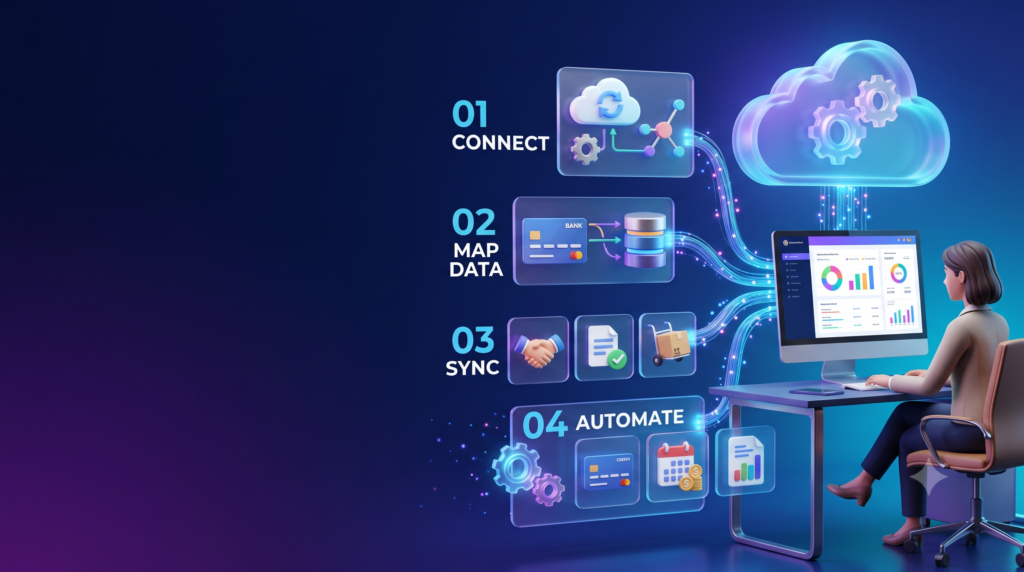
Good integration is achieved by first analysing current financial processes.
Incorrect integration may then be performed prior to analysis of data flow, which can unnecessarily complicate implementation.
Below is an outline of how to carry out integration:
Step 1: Identify Existing Accounting Workflows
Analyse which software is in use to run your business.
Decide what data is generated and where it should then be sent.
Examples include:
| Business activity | Source application | Destination |
| Customer order | E-commerce platform | Accounting software |
| Customer invoice | CRM or billing tool | Accounting software |
| Payment confirmation | Payment gateway | Accounting software |
| Employee expenses | Expense application | Accounting software |
| Payroll summary | Payroll software | Accounting software |
This exercise helps identify unnecessary manual work and the most valuable integration opportunities.
Step 2: Define Which Information Needs to Be Synchronized
Whilst many data fields can be integrated, it is important to identify precisely which data is needed for each process.
For an invoice integration, this may include:
- Invoice number.
- Customer identifier.
- Invoice date.
- Due date.
- Line items.
- Quantity.
- Unit price.
- Tax amount.
- Currency.
- Payment status.
Links to source transactions should also be retained.
This can aid analysis of any differences that arise.
Step 3: Choose the Appropriate Integration Method
Determine if the relevant accounting software has suitable integration capabilities.
Unless further functionality is needed then there may be no need for bespoke integration.
Where further checks are required together with specific mapping and/or business rules for an application, an API based integration could be preferable.
If an organisation is integrating a number of applications then an integration hub might also be a suitable option.
Consider:
- Available APIs and connectors.
- Transaction volume.
- Synchronization frequency.
- Development requirements.
- Security controls.
- Ongoing maintenance.
- Total implementation cost.
Step 4: Design the Data Mapping Rules
Data mapping determines how information in one application corresponds to information in another.
An e-commerce system could contain a ‘customer email’ field and an accounts system a ‘contact’ field.
A process must be in place to accurately recognise which customer is being referred to.
Other mapping considerations include:
- Date and time formats.
- Currency codes.
- Tax codes.
- Product identifiers.
- Account categories.
- Invoice statuses.
- Customer references.
Such guidance should be created.
Furthermore, organisations must determine which system is the ‘master’ for each field.
Step 5: Configure Authentication and Permissions
Accounting applications contain sensitive financial information.
Integrations should be secured and allowed only those levels of access that are appropriate.
OAuth provides a way of enabling an application to access permitted resources, without users having to provide their login details.
Additional safeguards should include:
- Secure credential storage.
- Restricted API permissions.
- Data encryption
- Auditing
- Renewing credentials (when required)
- Developing a test and production environment.
As well as building an application, security should also be planned for.
Step 6: Build Synchronization and Error-Handling Logic
It should not be presumed that all API calls will be successful.
Systems can suffer from network issues, out-of-date credentials, service unavailability and/or hitting a call limit.
A reliable integration should include:
- Request validation.
- Error logging.
- Retry
- Avoid duplication
- Check progress
- Manually correct
- Error alerts
If there is a timeout when attempting to generate an invoice, the integration needs to confirm that the accounting software has indeed already generated one. It can then re-attempt to generate the invoice.
Failure to do so may result in double entries.
Step 7: Test With Realistic Business Scenarios
Besides payment and invoicing, there are also a number of other business situations which should be tested prior to going live.
These include:
- Over-ordering
- Part-payment
- Refunds
- Cancellation of invoices
- Incorrect customer details
- And multi-currency.
- Tax variations.
- Failed API requests.
- Expired authentication tokens.
- Delayed synchronization.
Review the data being produced against that of original transactions.
Ideally a test will confirm that accurate information is being sent to the right place and that issues can be recognised and rectified
Step 8: Monitor the Integration After Launch
Whilst integration is live, it should continue to be monitored.
Companies should oversee synchronisation problems, API functionality, transactional discrepancies and updates to the integrated software.
A basic monitoring process should answer three questions:
- Did the transaction reach the accounting application?
- Has data been successfully migrated?
- Is there an ability to detect and then rectify an incorrect synchronisation?
Such controls can then stop minor integration issues turning into major accountancy concerns.
Common Challenges in Accounting Software Integration
Whilst accounting software integration can help to automate many processes, it can also cause fresh issues both financially and otherwise.
Being aware of these issues means that companies can design better procedures.
1. Duplicate Financial Records
Duplicate invoices or payments may occur when the same request is processed more than once.
It can also arise due to network issues, re-issuance of webhooks and/or poor re-try behaviour.
Organisations should also employ consistent reference identifiers and implement idempotency (where possible).
This prevents duplicate financial entries being created through re-processing.
2. Incorrect Data Mapping
Different applications may use different structures for customer details, tax codes, currencies and invoice information.
Incorrect mapping can lead to the accounting system being provided with inaccurate information.
Important financial data should be checked when entering and amending information.
3. Failed Synchronization
A connected application may become temporarily unavailable.
An API request can also fail because of authentication issues, rate limits or invalid information.
Where there is an error, the integration must be able to log this and also allow for a managed method of rectification.
A failed synchronization should never be treated as a completed transaction.
4. Tax and Currency Differences
Businesses can face a variety of tax and currencies across different areas of operation.
Integration must recognise and maintain correct currency, tax and transactional data.
Tax should be calculated according to the business’ accounting settings and local legislation.
Businesses should work with their accountant in order to establish suitable tax mappings – rather than basing these on assumptions that may have been made when the software was being developed.
5. Security and Financial Data Access
Financial records may include customer details, payment information, supplier records and employee data.
Improperly set up APIs can lead to data being available to unauthorised individuals and/or software.
The OWASP API Security documentation identifies areas including faulty authentication and incorrect authorisation and/or over-privileged access as potential security issues.
Organisations should analyse their APIs’ access, authorisation and audit procedures when integrating them.
Security Considerations for Accounting Software Integration

Financials are especially important as they involve data which can contain highly confidential information.
A secure implementation should consider the following areas.
Authentication and authorisation – implement appropriate authentication and ensure that software only has the relevant level of authorisation.
Data encryption – encrypt data moving between integrated software. Confidential details must also be suitably secured.
Role-based access – enable staff to only access financial data in line with their role.
Audit – log significant events related to an integration such as data entry, amendment, rejections and approvals.
Webhook verification: Verify incoming webhook requests using the provider’s supported signature-validation mechanism.
Establish the length of time for archiving integration and related financial data. This is dependent on both internal and external (regulatory) requirements.
To further understand event notification, please also see our webhook and event driven architecture integration guidance.
When Should a Small Business Choose Custom Accounting Integration?
Whilst most small businesses should analyse which accounting software and integration services they are currently using;
it is not always essential for a business to implement a bespoke system.
Nevertheless there are situations where off the shelf integration facilities do not satisfactorily meet a company’s needs.
Custom accounting integration may be worth considering when:
- Existing connectors do not support the required business applications.
- Sector-specific financial mapping is often essential.
- Intercompany information exchange is often necessary.
- Companies will also often have particular validation and approval requirements.
- Standard integration tools are not always suitable for companies’ synchronisation needs.
- Financial processes therefore need to be embedded within bespoke SaaS software.
For example, an organisation which has developed a bespoke subscription service may wish to link together customer subscriptions, payments, credit notes and financials on a managed back-end system.
Whilst standard integration tools may not fully meet the relevant company requirements for this, bespoke API integration can offer greater management and control over information exchange and validation, as well as exception management.
Nevertheless, bespoke development brings with it additional areas of management including maintaining, ensuring API suitability, and managing and securing APIs.
These considerations should be analysed alongside the drawbacks of current integration tools so that organisations can determine whether bespoke integration is the most suitable solution for them.
How to Measure the Effectiveness of Accounting Integration

After implementing an integration, businesses should evaluate whether it improves the actual financial workflow.
Simply confirming that two applications are connected is not enough.
Useful performance indicators include:
| Measurement | What it helps evaluate |
| Manual entry time | Whether repetitive work has decreased |
| Synchronization success rate | Whether transactions reach the destination |
| Duplicate record frequency | Whether duplicate prevention works |
| Reconciliation time | Whether financial matching has become easier |
| Error resolution time | How quickly integration issues are resolved |
| Outstanding transaction count | Whether records remain incomplete or delayed |
Define a starting point and then analyse the key areas again once a suitable time has passed since implementing the solution.
For example, a company may assess the time taken to deal with a set of supplier invoices both prior to and following implementation of an expenses to accounting process.
Analysis should be based on real data not just assumed enhanced efficiencies.
Accounting Software Integration Checklist for Small Businesses
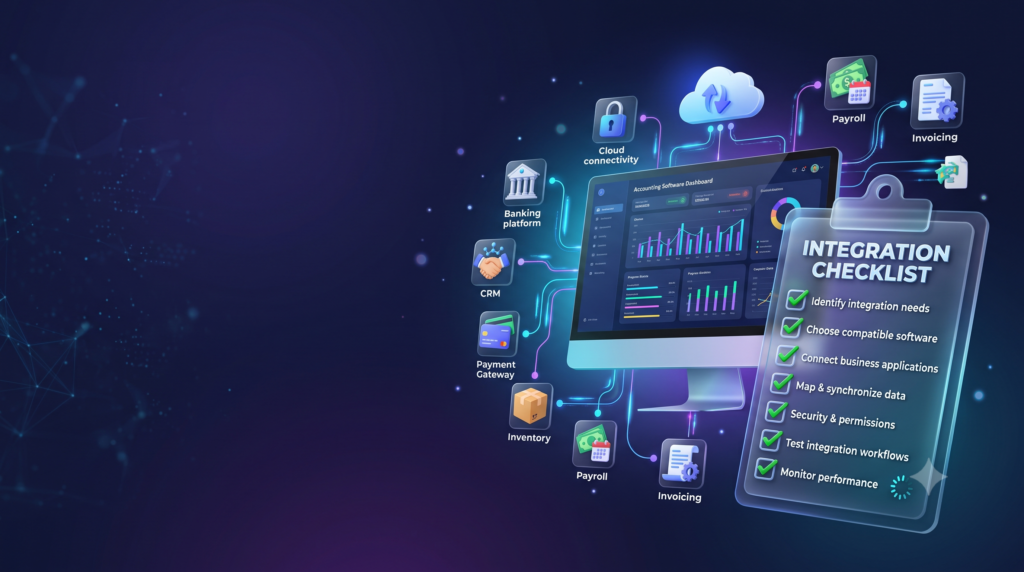
Before implementing a new accounting integration, use this checklist to review the essential requirements.
- Outline which business areas require integration.
- Detail current financial processes.
- Identify the source of each important data field.
- Investigate available APIs and built in integrations.
- Decide which integration solution is suitable.
- Draw up mapping for customers, invoices and transactions.
- Confirm tax and currency needs.
- Create user authentication and authorisation procedures.
- Include duplicate avoidance.
- Install systems to monitor synchronisation.
- Test the reverse process, error and part payment functionality.
- Compare financial data with original transactions.
- Develop a procedure for dealing with synchronisation issues.
- Designate who will manage the integration going forward.
By performing these checks firms can often highlight issues at an early stage.
Conclusion
As well as moving data, effective integration of accounting software requires robust systems which will integrate a variety of a company’s functions including sales, invoicing, payments, HR and expenditure with its accounting software.
Standard integrations and automation are often well suited to many businesses. Furthermore, using APIs can provide further customisation opportunities.
Which method of integration is best will depend on which software is in use, how complex a company’s processes are and the degree of control that is needed.
Initially, small companies should analyse which financial processes could be automated. Businesses then need to establish what data is required and trial key processes. Having done this, levels of automation can then be developed.
Good integration will improve a business’s ability to handle financial data. It should also ensure data remains both secure and accurate and enable issues to be easily analysed.
Frequently Asked Questions
1. What is accounting software integration for small businesses?
It is the process of connecting accounting applications with other business systems, such as CRM, e-commerce, payroll, payment gateways and expense management tools. Information can then be shared automatically or manually between different software programmes.
2. Which applications should a small business integrate with accounting software?
Typical software that is integrated includes, for example; CRM, payment processing, e-commerce, payroll, stock and expense software. An appropriate integration will depend on both a company’s sales methods and financial processes.
3. Can an accounts system be integrated with a CRM?
Yes. Integration can occur between accounts and CRM systems using built-in links, workflow automation and/or APIs. Integration options will depend on both systems and their integration capabilities.
4. Is API integration necessary for accounting software?
Not always. Alongside built in integration functionality, many accounting packages also integrate via external automation software. An API will generally be required if bespoke data matching, processes and/or greater synchronisation management is needed.
5. How does accounting integration prevent duplicate invoices?
Unique identifiers, duplication control and idempotence can be used within an integration so that no more than one record is created for a given event. Testing should also be carried out for re-trying and webhooks.
6. Is accounting software integration secure?
Yes, if they are set up using suitable methods including authentication, authorisation, encryption and logging. Consideration should also be given to the security procedures adopted by the external software being integrated with.
7. Can accounting software integrate with multiple applications?
Yes – if an accounting system is able to and the integration has been set up correctly then it can be integrated to other business software. Good governance needs to be in place so that data can be appropriately owned and synchronised to prevent issues arising from differing updates.
8. When should a small business choose custom accounting software integration?
Tailor made solutions may also be suitable where current linkages do not allow for suitable processes, mapping and/or validation. Development and ongoing management issues should also be considered.
About the Author
Jeevesh Tripathi
Research-Based Technology Writer
Email: jeevesh@bkabhi.com
Jeevesh Tripathi writes about technology, artificial intelligence, software development, SaaS and digital business tools. His articles focus on practical explanations, research-based comparisons and evidence-led insights to help founders and businesses make informed technology decisions.