
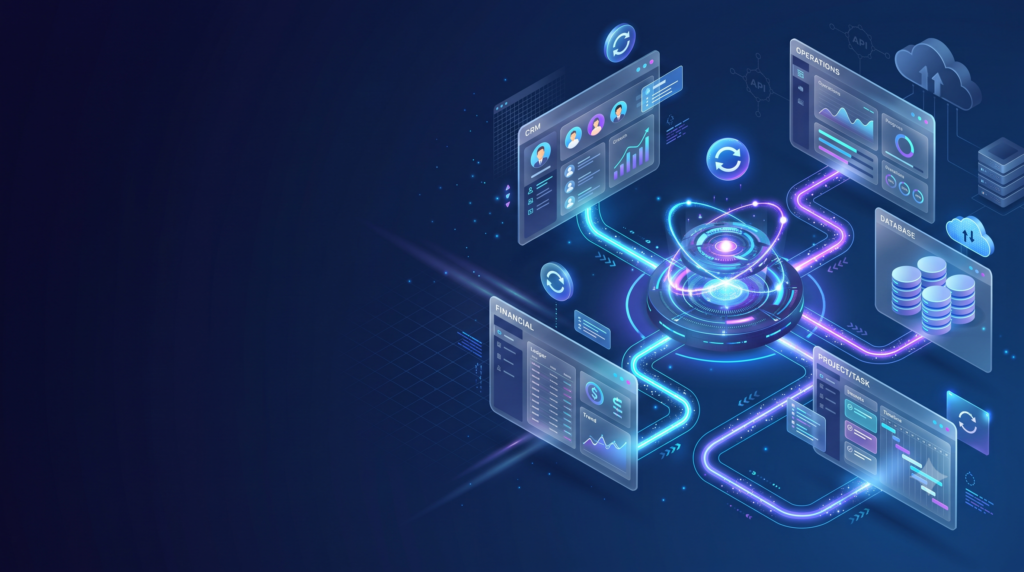
Many companies utilise different applications to carry out business activities. For example, a SaaS firm may use a Customer Relationship Management (CRM) to store customer details, accounts software to process invoices and a payment method. Furthermore staff can utilise a company ‘dashboard’ for analysis.
Discrepancies can arise where different apps record varying information relating to the same area.
A customer may amend their billing details on one application however this does not appear in the accounts package.
Subsequently, although the payment has been processed; the subscriptions app does not have the new details. Staff are then required to enter this data into the relevant application or must await a programme which will synchronise the data across applications.
Inter-application sync provides a solution to the above issue. It enables real time transmission of pertinent data between appropriate applications.
Whilst speed of data transfer is important for inter-applications sync, there are further considerations. Information must be available in matching data types. Data must also be encrypted and there should be functionality to prevent data duplication.
Furthermore, methods must exist for both data re-sending where issues occur and to manage situations where multiple updates are made to the same data.
This guide explains how application synchronization works, the technologies involved, different implementation methods, common challenges, and practical ways to build a reliable synchronization architecture.
Table of Contents
What Is Real-Time Data Synchronization Between Applications?
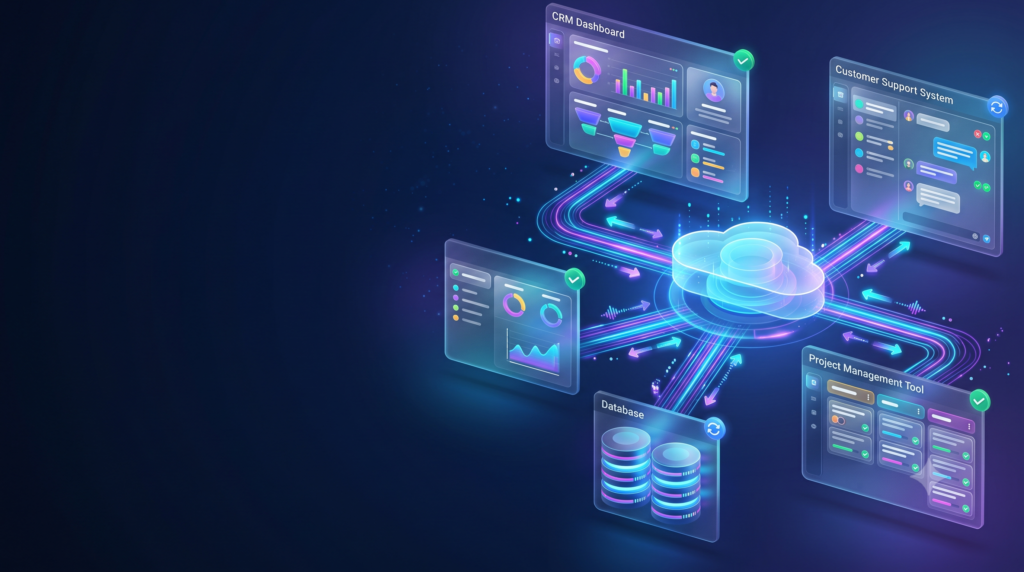
Real-time data synchronization between applications is the process of automatically transferring data changes from one software system to another as those changes occur or become available.
For instance, a company may wish to integrate its CRM and accounting software. Information can be passed between these systems. If a customer alters their subscription, the CRM can then be updated. The accounting system can in turn be updated with the relevant details.
Integration thus allows different applications to share up-to-date and consistent information without staff having to manually update them.
Synchronization can involve:
- Setting up new data in integrated systems.
- Modifying customer and/or transaction data.
- Responding to changes in orders and/or subscriptions.
- Sharing stock related information.
- Sharing information about a customers’ service experience.
- Disseminating removal or archival of data in line with a business’ rules.
Whilst real time is often associated with integration, information does not always pass between integrated systems in precisely 0 milliseconds.
How swiftly information is shared will depend on a number of factors, such as the originating application, how quickly an event can be processed, network performance, API functionality and how swiftly receiving systems can then process information.
In most cases, close to real time information sharing is adequate. Essentially, it is crucial that information is shared in good time for a business process to run effectively.
How Does Real-Time Data Synchronization Work?
When data within an application is updated, the integration will typically recognise this update. It then analyses and copies the data across to another application.
Below is a basic representation of this life-cycle:
Source Application | Change Recognition | Event Analysis | Data Conversion | Destination Application | Sync Completion
Each section carries out an individual role.
1. Recognising change within the source application
Firstly, the integration needs to be able to recognise that data within the application has changed.
Applications can detect changes through several mechanisms:
- Webhooks that notify another system when an event occurs.
- API polling that periodically checks for updated records.
- Change Data Capture (CDC) that reads database-level changes.
- Application events generated when users perform specific actions.
When a user places an order, an application is able to publish an ‘order placed’ event.
The integration service listens for these events and then identifies if another application requires the new data.
2. Processing and Transforming Data
Different applications rarely use exactly the same data structure.
A system could represent a customer as one entity or hold two entities; one for a customer’s account and one for their contact details.
The integration layer must map the source fields to the appropriate destination fields.
For example:
| Source application | Destination application |
| customer_name | contact_name |
| customer_email | email_address |
| subscription_status | account_status |
| billing_amount | invoice_amount |
Date formats can be changed, amounts converted, data checked and status translated during the transformation process. Even if data is transferred effectively, poor mapping can result in inappropriate or inaccurate data.
3. Sending Updates to Connected Applications
After processing the data, the integration mechanism sends it to the destination.
This may happen through a REST API request, an event message, a message broker, or a database replication mechanism.
The destination application validates the incoming information and performs the required operation.
For instance, it may generate a customer account, amend a subscription and/or alter an invoice.
4. Confirming Successful Synchronization
The integration must then analyse if the receiving system has successfully implemented the change that has been sent to it.
A good HTTP response code is not always conclusive evidence that all business processes have been successfully carried out.
Systems will usually log events, together with details of their success and failure and re-try actions.
An application should also include a remediation process so that failed updates can be addressed.
Common Methods for Real-Time Data Synchronization

There isn’t one synchronization method suitable for every application.
This will vary depending on an application’s API’s, data, infrastructure and business needs and also the required response time.
1. API-Based Synchronization
API-based synchronization allows applications to exchange information through defined endpoints.
CRM’s can relay customer data to a SaaS application using a REST API.
The destination receives the request, validates the payload, and performs the requested operation.
Advantages:
- Provides control over data exchange.
- Supports custom business logic.
- Works with applications that expose suitable APIs.
- Allows authentication and permission checks.
Limitations:
- Requires API development and maintenance.
- There can be a limit placed on numbers of requests which can be made.
- Data types can also differ and thus must be translated.
- Correct error handling should be in place.
Using an API is good for where companies wish to manage the flow of data between different applications.
2. Webhook-Based Synchronization
Webhooks allow one application to notify another when a particular event occurs.
Rather than continually querying that change has occurred, an application is alerted by another application to an event.
A payment application could alert a SaaS application if a payment has been successfully or unsuccessfully processed.
The application can then amend subscription or billing information.
Advantages:
- Event-triggered communication.
- Less unnecessary polling.
- Useful for payment, customer, and order updates.
- Supports automated business workflows.
Limitations:
- Webhook delivery can fail.
- Events can be sent more than once.
- There is no guaranteed ordering of events.
- The consuming application must include validation and re-try logic.
Webhooks are especially suitable where applications can reliably inform you of events.
For more details, see BKABHI’s guide to webhook integration and event-driven architecture.
3. Change Data Capture (CDC)
Change Data Capture identifies database changes and makes them available to other systems.
Rather than continually query a database table, CDC can identify insert, update and/or delete database actions.
For example, a SaaS application might use PostgreSQL as its primary database and synchronize selected database changes to an analytics system.
PostgreSQL logical replication supports a publication-and-subscription model. Following an initial data export, CDC can then constantly relay any further data modifications to receivers.
Advantages:
- Captures changes at the database level.
- Can support high-volume data replication.
- Minimises continual re-querying of tables.
- Useful for database-to-database and analytics synchronization.
Limitations:
- Requires database-specific configuration.
- Replication permissions and identities must be configured correctly.
- Schema alteration should also be properly managed.
- Database replication isn’t automatically equivalent to application-level business synchronization.
Whilst there may be an association between database replication and application business synchronisation, they are not necessarily synonymous.
4. Message Queues and Event Streaming
Message queues and event streaming systems provide an intermediate layer between applications.
Instead of making every application communicate directly with every other application, a source system publishes an event that a consumer processes.
For example:
- A user makes a purchase.
- An order application generates an order made event.
- Billing is notified of this event.
- Inventory then analyses the order data.
- Finally, a notifier application issues a confirmation.
Applications are thus de-coupled from each other.
Advantages:
- Supports asynchronous processing.
- Helps absorb temporary traffic spikes.
- Allows multiple consumers to process events.
- Supports retries and message recovery.
Limitations:
- Requires message-processing infrastructure.
- Duplicate events can occur and need to be dealt with appropriately.
- Events require careful sequencing.
- Observation and control also adds further complexity.
Message queues are helpful if a number of applications share a set of business events and/or where processing is to be decoupled from an originating application’s request.
Real-Time vs. Near-Real-Time vs. Batch Synchronization
These approaches differ primarily in how frequently data changes are transferred.
| Method | How it works | Suitable use cases |
| Real-time | Changes are propagated as events occur, with minimal processing delay | Live order updates, notifications, operational status |
| Near-real-time | Changes are transferred with a short, controlled delay | CRM updates, business dashboards, reporting |
| Batch | Records are collected and transferred at scheduled intervals | Historical reports, periodic reconciliation, bulk processing |
When Should You Choose Real-Time Synchronization?
Use real time synchronisation if there is a risk that an action will be impacted by a time lag.
For example, payment verification information needs to be sent to the subscription system quickly so that it can analyse the relevant account.
When Is Near-Real-Time Synchronization Enough?
Where there is no great impact on process, near real time synchronisation can be used.
For instance, a CRM system may be able to work with a slight lag period, and still show the most up-to-date customer data.
When Should You Use Batch Synchronization?
Batch methods are appropriate where instant access to data is not essential.
For instance, an organisation could batch synchronise past sales data into a reporting database each night.
Synchronising all data in real time can create additional infrastructure and support demands.
It is therefore preferable to analyse data to establish both its significance to an organisation and how regularly it needs to be updated.
One-Way vs. Two-Way Data Synchronization
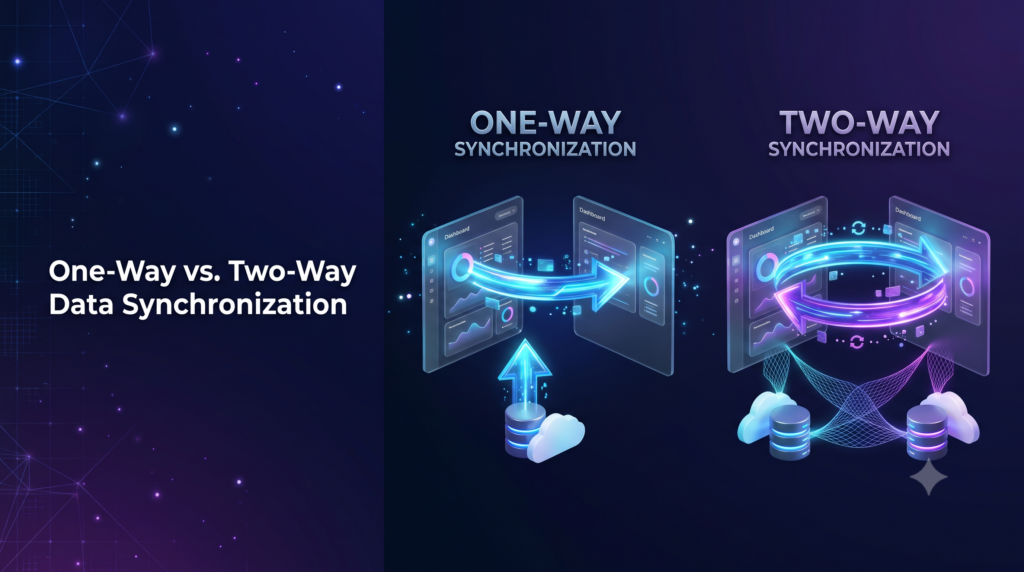
Another important implementation decision is whether information should move in one direction or both directions.
One-Way Synchronization
One-way synchronization transfers information from a source application to a destination application.
For instance, a SaaS could route new customers to a CRM.
The CRM receives the customer details, but changes made in the CRM don’t automatically update the original SaaS database.
Whenever there is one main application which houses accurate data, this can be beneficial.
Benefits:
- Easier to control data ownership.
- Easy resolution of conflicts.
- Reduced synchronisation processes.
- Good for alerts and analytics.
Two-Way Synchronization
Two-way synchonisation enables applications to pass information back and forth.
For instance, a support and a development management application can pass on information regarding the status of an item.
Should a member of staff within the support application amend an item’s status, the development application will be updated accordingly. Likewise, if a developer fixes an item, the support application will be informed of the change. This process relies on real-time data synchronization to keep information consistent and up to date across both applications.
Nevertheless, it is vital that a process is in place for resolving issues which can occur where both applications attempt to amend the same piece of information prior to receiving updates from each other.
Potential solutions are:
- To identify particular areas of information for which one application is the main source.
- Using version numbers to detect conflicting updates.
- Applying field-level ownership rules.
- Use of dates, and allowing for time zone variations.
- Need for human intervention to resolve key discrepancies.
Bi-directional synchronisation is a good way of keeping staff within different systems up to date about common business data.
Which Business Applications Commonly Need Data Synchronization?
Live application data can also be synchronised.
CRM and SaaS Application Synchronization
A SaaS company may connect its customer database with a CRM.
On sign up for example, the system can automatically generate a CRM entry for a new customer. Further, when an account is altered, related customer information can then also be updated across integrated applications.
This therefore allows sales, support and product functions to access more uniform customer data.
BKABHI’s CRM integration with custom SaaS software guide provides additional context for this use case.
Payment Gateway and Subscription Management
Subscription-based businesses often need payment information to reach their subscription management systems.
On successful payment for instance, the payment provider can raise an event which can then be handled by the SaaS solution.
The application can then apply business logic to modify the appropriate payment or subscription information.
Different event handling may also be required for failed payments, refunds and chargebacks.
Accounting and Business Applications
Businesses may connect accounting software with invoicing, sales, inventory, or customer management systems.
For instance a validated invoice in one application can affect another. Information such as transaction details and monetary data should also be passed between applications. This will then allow comparison of information at a later date.
See BKABHI’s accounting software integration guide for small businesses for additional information.
Inventory and Order Management
An online store may wish to ensure that its inventory data is consistent between the store interface, warehouse and ordering software.
Orders can trigger updates to inventory.
Alongside this, multi-orders, stock holds and payment and order cancellations and returns must also be taken into account by the integration process.
Whilst data can be moved between different pieces of software, if there are differing business rules then this alone will not suffice.
Customer Support and Internal Tools
Customer support staff may utilise a different application to software which is used by developers to monitor development related queries.
Integration allows ticket information, priority, notes and outcome to be shared between these two applications.
This minimises the need for staff to re-enter information into different software.
Security Considerations for Application Data Synchronization
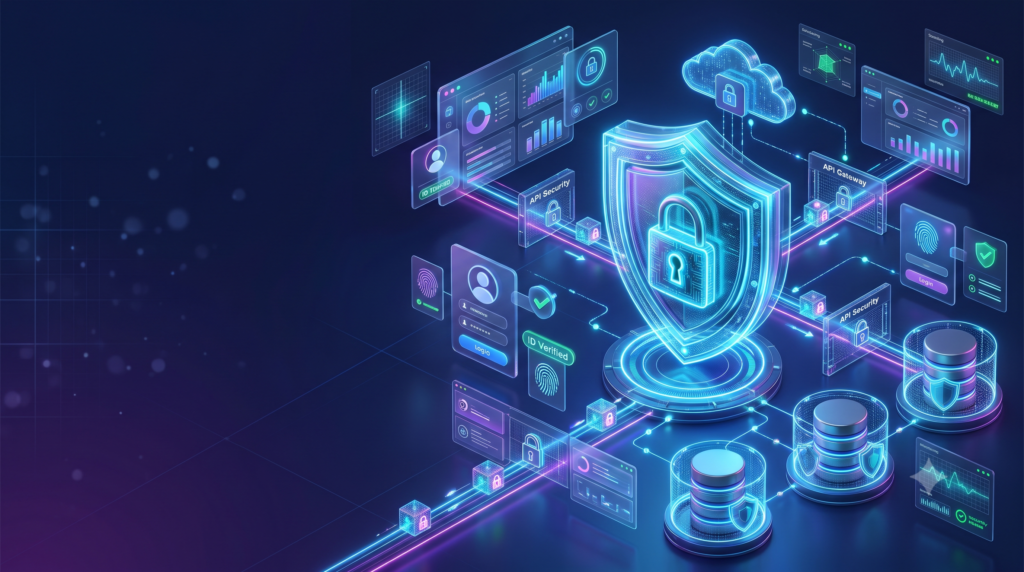
Data synchronization creates additional communication paths between applications.
Where data is being shared (for example, customer, financial or sensitive business data) it should be appropriately secured.
Considerations for secure integration include:
Authentication – Confirm the identity of integrated applications using suitable authentication technologies including OAuth 2.0 and/or secure API logins.
Authorization: Restrict access to the specific records and operations required by each integration.
Use secure transport (such as HTTPS) and encryption to protect data.
Confirm webhook and/or alternative authentication has been provided for each webhook.
Keep API and access tokens in a secure manner. Never hard-code credentials into applications.
Logging should be used to document key synchronisation related information such as event details, together with success and error information.
Only send the required data to another application.
Within multi-tenant SaaS offerings, synchronisation information must also be suitably secured so that it can be accurately attributed to the relevant tenant.
Common Challenges in Real-Time Data Synchronization
Even when applications communicate successfully, synchronization can still produce incorrect or incomplete information.
The following challenges should be considered before production deployment.
Duplicate Events
An event may be delivered more than once because of retries or network interruptions.
Without protection against duplication, a receiving application may update a customer’s details multiple times, and/or re-process an order and/or other business related activity.
By using distinctive event identifiers and ensuring idempotency, multiple re-deliveries can be handled without causing un-wanted outcomes.
Data Conflicts
Conflicts occur when multiple applications modify the same information.
For instance, two employees can amend a customers’ details on a CRM and also within another internal system.
There must be a defined method of handling discrepancies.
API Rate Limits
Third-party applications often restrict how frequently their APIs can be called.
Over-large synchronisation volumes can also exceed these thresholds and result in failed or slow requests.
Use appropriate request throttling, batching, retry policies, and rate-limit monitoring.
Network Interruptions
Temporary connectivity problems can prevent an update from reaching its destination.
Alongside retry functionality, systems should also have the ability to store data and recover.
Schema Changes
Applications evolve over time. Fields can be renamed, new properties can be added and/or data types amended. Such actions may affect current synchronisation processes.
Maintain a record of mapping between documents fields and implement schema validation and cross-schema compatibility verification.
Silent Synchronization Failures
A particularly difficult problem occurs when an integration stops transferring information without clearly notifying the team.
Whereas monitoring should detect slow processes, rejected requests and backlogs as well as data that is no longer synchronised.
How to Implement Real-Time Data Synchronization Between Applications
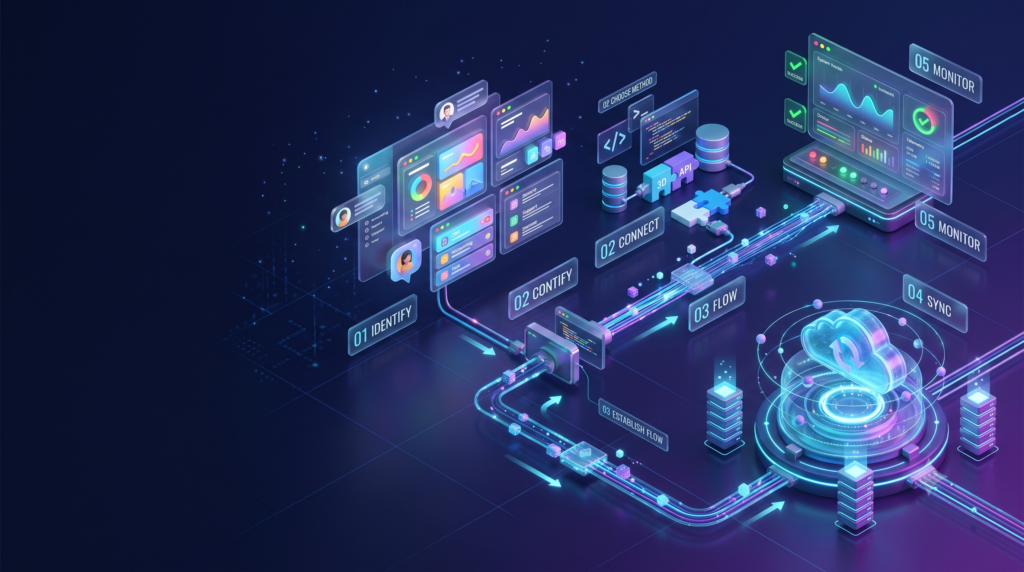
A structured implementation process can reduce unnecessary development and make the integration easier to maintain.
Step 1: Identify the Applications and Data to Synchronize
List the relevant applications and define:
source and target applications,
data to synchronise, and
business processes that utilise this data.
A subscriptions based business would typically synchronise data around customers, their subscription, and payments.
Only synchronise data where there is a defined business need.
Step 2: Define Data Ownership
Decide which application should be regarded as the owner of key data.
Customers’ contact information may for example be owned within a CRM, and invoice status within a billing system.
This avoids duplication and ensures data is not continually re-synchronised unnecessarily.
Step 3: Select the Synchronization Method
Choose between API requests, webhooks, CDC, message queues, or a combination of methods.
Consider the necessary velocity, scale and features and also the environment in which your solution will operate.
Webhooks can be used to initiate processing of an order and messages queues then pass on this information to multiple services.
Step 4: Design Data Mapping and Transformation Rules
Document how information from the source maps to the destination.
Define data fields, required fields, codes and their meaning and define validation.
Decide on processes to follow for incomplete and incorrect data.
Step 5: Implement Authentication and Error Handling
Ensure secure data exchange.
Provide data validation, prevent duplication, retry processes, record events and alert to errors.
For important asynchronous workflows, consider a dead-letter queue or equivalent mechanism for events that cannot be processed after the configured retry policy.
Step 6: Test the Synchronization Workflow
Test more than the successful path.
Include scenarios such as:
- New records being created.
- Existing records being updated.
- Duplicate events being received.
- Simultaneous changes occurring in different applications.
- Network interruptions.
- Expired credentials.
- Invalid data.
- API rate-limit responses.
- Deleted or archived records.
Ensure the correct information is present in the target system.
Step 7: Monitor and Maintain the Integration
Following implementation, analyse performance of the integration. This should include synchronisation, error and transaction monitoring together with analysis of data differences.
Include procedures for re-playing errors and reconciling data.
Investigate integration activity if there are changes to an applications API, security and/or data.
When Does a Business Need Custom Data Synchronization Development?
Existing connectors and integration platforms can support many standard synchronization requirements.
Where there are business processes which cannot sufficiently be managed by out-of-the-box integrations, bespoke integration may be suitable.
Consider custom development when:
- Applications use incompatible data structures.
- Systems must often be updated in unison.
- Two-way synchronisation also needs particular rules for managing discrepancies.
- Customer-specific workflows require different data mappings.
- Multi-tenant access isolation needs to be enforced.
- Standard connectors don’t support required API operations.
- Further, business processes can require unique data translation.
- Also, bespoke handling may be necessary for addressing failed integrations.
Rather than a basic back-office integration tool, synchronisation is often a key feature of SaaS offerings.
A B2B SaaS offering may for example need to synchronise client data between its own database, CRM, payment processing and business intelligence tools.
Whilst each of these tools may use different coding, naming and update methods;
Nevertheless, it is not always optimal to develop bespoke integration. Where current integration tools are able to facilitate the business process, additional development may only serve to create further areas requiring management.
For broader implementation considerations, see BKABHI’s API integration services for SaaS companies guide.
Real-Time Data Synchronization Checklist

Before deploying an integration, use this checklist to review its reliability and readiness.
- Source and destination applications are identified.
- Required data fields are documented.
- Data ownership is set out.
- The synchronization direction is established.
- Appropriate synchronization methods are selected.
- Authentication and authorization are configured.
- Data transformations and validation rules are implemented.
- Duplicate-event protection is included.
- Methods of conflict resolution are also set out.
- Failed-event retry and recovery procedures are tested.
- API rate limits are considered.
- Tenant-level access controls are verified where applicable.
- Synchronization activity is monitored.
- Data reconciliation procedures are available.
- Integration maintenance responsibilities are assigned.
Good implementation should be assessed by measuring both the speed and the quality (including data security, availability and consistency) of data flow between different systems.
Frequently Asked Questions
1. What is real-time data synchronization between applications?
It is the process of automatically transferring data changes between connected applications as they occur or become available. This avoids purely manual or batch methods of updating information in software.
2. What is the difference between API integration and data synchronization?
Applications can also be integrated to allow information to be shared and/or processes initiated. Particular to this is the need to synchronise information to ensure that the right data is maintained in integrated applications. An API can provide the communication mechanism used for synchronization.
3. Are webhooks better than API polling for real-time synchronization?
Where an application can effectively inform another that something has changed then a webhook is usually a good option. Alternatively, where there is no webhook facility available, or where regular updates are adequate then polling may be employed. Factors to consider include how events are communicated, API functionality, levels of dependability and development effort.
4. What is the difference between one-way and two-way synchronization?
One-way synchronization transfers information from a source application to a destination. Two-way sync enables both systems to communicate change information. Two-way synchronization requires additional conflict-resolution and data-ownership rules.
5. What methods do businesses apply to stop duplication within syncing?
Businesses can implement distinct event identifiers, idempotency keys and matching and duplication checking. All these assist in avoiding the creation of unwanted duplicated information and/or activity when an event is processed more than once.
6. Does every business application need real-time synchronization?
No. Depending on the process, an application may require real-time, almost real-time or batch synchronisation. This should be decided by the speed at which a process needs to receive new information.
7. Is custom development necessary for application data synchronization?
Often yes. Common processes can usually be supported using standard integration methods and tools. However bespoke development is often necessary where there are specific data manipulation, business logic and/or integration and/or security requirements.
Conclusion
Applications can synchronise data in real time to ensure that key data is up to date.
Alongside good connectivity there are also data mapping, security and issues around duplicates, different updates and API functionality and outages that need to be managed.
Depending on the business function, there are various methods that can successfully facilitate integration. Webhooks can be used for alerting, APIs can securely share data, databases can be monitored using change data capture and message queues can enable different applications to asynchronously process data.
Initially, a business should decide what data is to be shared, how promptly and which application the data belongs to.
For SaaS firms, a well-structured integration layer can further enhance a business’ management of its synchronisation processes, data integrity and ease of ongoing support.
About the Author
Jeevesh Tripathi
Research-based writer at BKABHI
Jeevesh writes about technology, artificial intelligence, software development, SaaS, and digital tools. His content focuses on practical explanations, evidence-based research, and helping founders and businesses understand technical decisions without unnecessary jargon.
Email: jeevesh@bkabhi.com