
Building an HR SaaS product isn’t simply a matter of putting employee records, dashboards and login screens into a cloud application. The difficult decisions usually appear underneath the interface: tenant isolation, permissions, HR integrations, sensitive employee data, billing, auditability and the scope of the first release.
For a startup, the biggest risk is often building too much before proving the core workflow.
Table of Contents
Quick answer:
HR tech SaaS development for startups should begin with one clearly defined HR problem, a focused MVP, a multi-tenant architecture appropriate to the expected customers, strong access controls, and an integration strategy that avoids unnecessarily rebuilding existing infrastructure. The right development approach depends on whether you need a narrow HR workflow, a differentiated HR platform, or an enterprise-ready system.
What Is HR Tech SaaS Development?
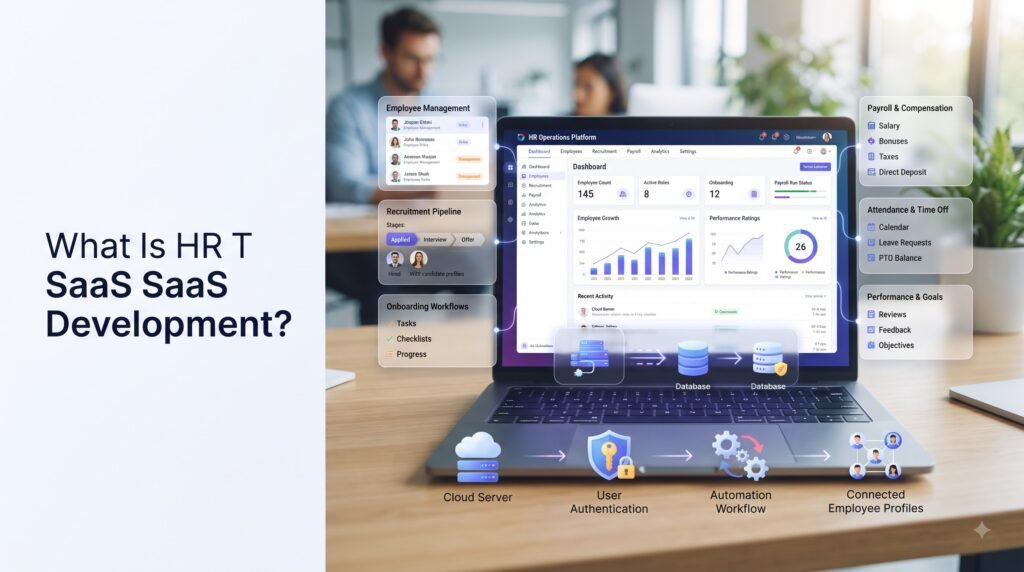
HR tech SaaS development is the process of designing, building and operating cloud software that helps organizations manage a human-resources-related workflow.
The product could focus on one area, such as:
- Applicant tracking
- Employee onboarding
- Attendance
- Workforce management
- Performance management
- Employee self-service
- Payroll integrations
- Learning and development
- Benefits administration
- HR analytics
- Employee engagement
Or it could combine several HR functions into a broader HRIS or HCM-style platform.
For a startup, that distinction matters. A point solution and a full HR platform have very different product, architecture and budget requirements.
The first question shouldn’t be, “What features should our HR software have?”
It should be:
“Which HR problem are we solving better than the existing alternatives?”
Why HR SaaS Is Different From Ordinary SaaS
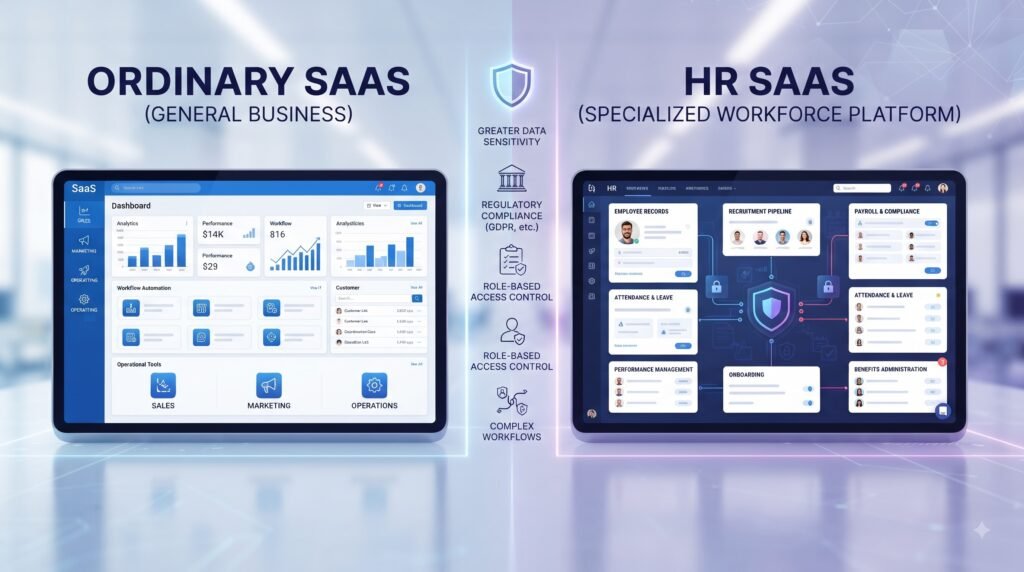
An HR SaaS product still needs the normal foundations of SaaS: authentication, billing, cloud infrastructure, APIs, databases, analytics and scalable application architecture.
But HR products introduce additional complexity because the software can process information about employees, candidates, managers and organizations.
That creates several architectural priorities.
1. Organization-level tenancy
If your product serves multiple companies, each organization becomes a tenant.
An employee at Company A must never be able to retrieve employee information belonging to Company B.
AWS specifically distinguishes tenant isolation from ordinary authentication and authorization. A user can be correctly authenticated and authorized yet still reach another tenant’s resources if the application’s tenant boundary is incorrectly implemented.
2. Role-based access
An HR administrator shouldn’t necessarily have the same permissions as an employee.
A typical HR SaaS may have:
- Platform administrator
- Organization administrator
- HR manager
- Department manager
- Recruiter
- Employee
- Candidate
The permission model should reflect actual business responsibilities instead of simply creating an “admin” and “user” role.
3. External integrations
HR platforms rarely operate alone.
Depending on the product, you may need connections to payroll systems, HRIS platforms, calendars, email providers, identity systems, accounting software, payment services or other business applications.
4. Data governance
Employee and candidate data can contain personally identifiable information and other sensitive business information.
For products operating in India, the Digital Personal Data Protection Act, 2023 is an important legal reference when assessing digital personal-data processing. Products serving other countries may have additional jurisdiction-specific requirements. For broader context on SaaS product development, security, and compliance considerations, see this guide from Rishabh Software.
Choose the HR Workflow Before Choosing Features
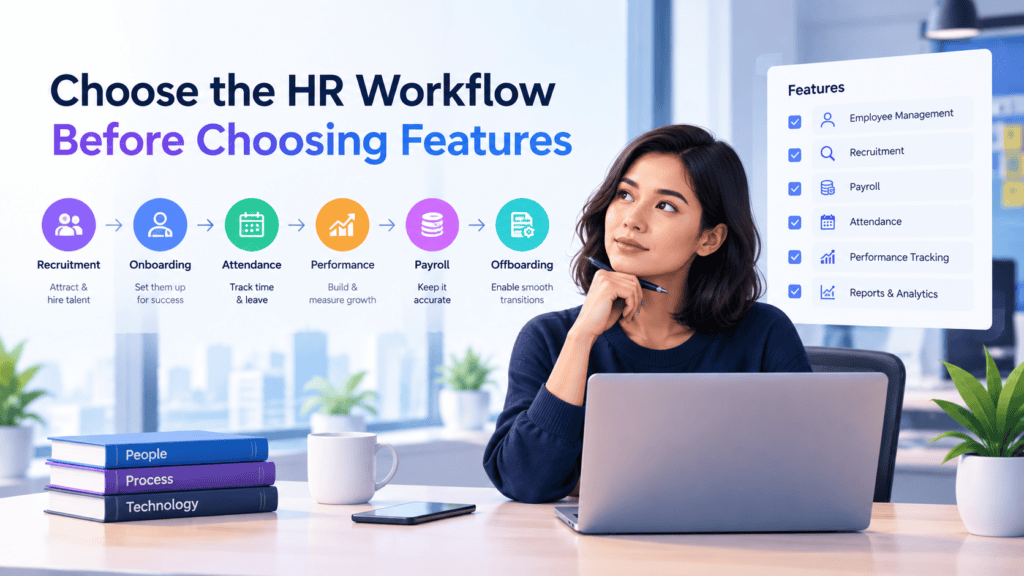
A common startup mistake is starting with a long HR feature list.
For example:
Employee profiles + payroll + attendance + recruitment + performance + benefits + AI + analytics + mobile app.
That isn’t an MVP. It’s a roadmap.
A better approach is to define one workflow.
Example
Suppose a startup wants to build employee onboarding software.
The initial workflow could be:
- HR creates a new employee record.
- The employee receives an invitation.
- The employee completes required information.
- HR reviews the information.
- Documents are uploaded.
- Tasks are assigned.
- The manager receives an onboarding status update.
That workflow gives you something testable.
Payroll, performance management, learning, advanced analytics and AI recommendations can remain later-stage capabilities unless customer research proves they are necessary for the first release.
This is where a focused MVP development approach can reduce unnecessary development.
What Should an HR SaaS MVP Include?
There isn’t one universal HR SaaS MVP.
The right scope is defined by the nature of your product’s core.
A recruitment MVP might include
- Employer account
- Job creation
- Candidate profiles
- Resume upload
- Candidate status
- Interview scheduling
- Basic search
- Recruiter dashboard
- Notifications
An onboarding MVP might include
- Organization setup
- Employee invitation
- Employee profile
- Document collection
- Onboarding checklist
- Manager access
- Notifications
- Basic reporting
An employee-management MVP might include
- Employee records
- Organization structure
- Roles and permissions
- Employee self-service
- Basic attendance
- Leave requests
- Manager approvals
- Admin dashboard
The principle is simple:
Build the smallest workflow that proves your product’s central value.
BkAbhi’s current SaaS MVP content analogously focuses on beginning with the essential product value, rather than attempting to develop the entire platform in the first release. See its guide on MVP development for SaaS startups for additional context.
Core Architecture for Multi-Tenant HR SaaS
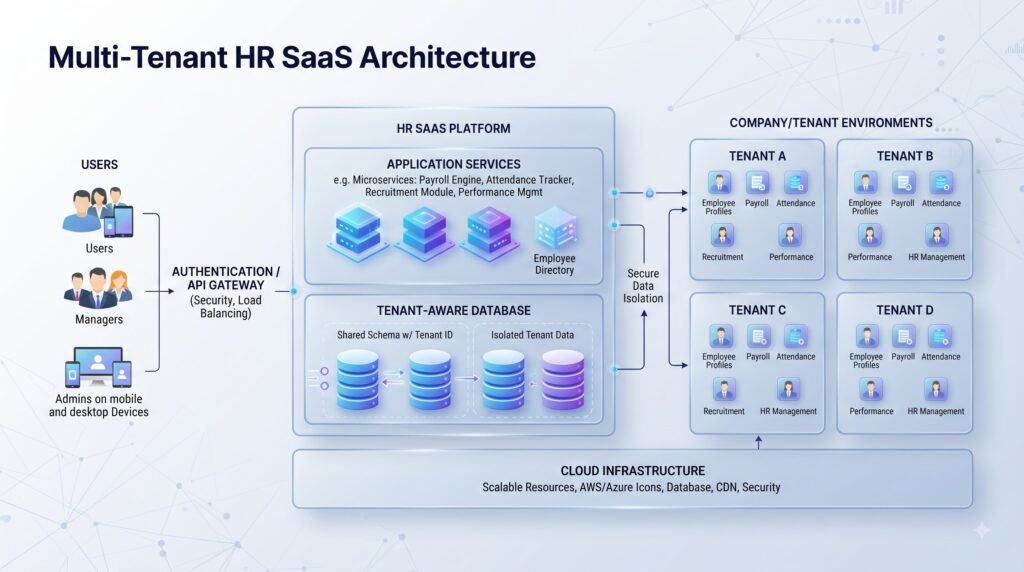
Multi-tenancy is one of the most important technical decisions in HR SaaS.
AWS describes three broad database isolation patterns:
- Silo: each tenant receives dedicated infrastructure or resources.
- Bridge: tenants share infrastructure but have separate schemas.
- Pool: tenants share database structures, with tenant isolation enforced at the data-access level.
Each approach involves different trade-offs between isolation, cost, complexity and operational overhead.
For an early startup, a pooled or bridge architecture can be attractive because it reduces infrastructure overhead.
However, the decision should be driven by customer requirements.
If enterprise customers eventually require stronger isolation, dedicated environments or specific security controls, the architecture should leave room for those requirements rather than making them extremely expensive retrofits.
Questions to ask your technical team
Before development begins, ask:
- Where is tenant identity established?
- How is tenant context passed through requests?
- Can a developer accidentally query another organization’s records?
- Are tenant boundaries enforced only in application code?
- How are files separated?
- How are background jobs scoped to tenants?
- Are logs and analytics tenant-aware?
- How would a large enterprise customer receive stronger isolation?
AWS recommends thinking about tenant identity, data isolation, compute and operations as connected architectural building blocks.
Essential HR SaaS Features
The exact feature set depends on the product, but most HR SaaS products need several common foundations.
Authentication and organization management
Users need secure registration, login, invitations, password recovery and organization membership.
For B2B products, enterprise customers may eventually expect SSO.
Current SSO implementations commonly support standards such as SAML and OIDC.
Role-based permissions
Permissions should control both functionality and data visibility.
For example, an employee might see their own leave records while an HR administrator can view organization-wide records.
Employee or candidate profiles
Profiles should be designed around the actual workflow instead of becoming a dumping ground for every possible HR field.
Workflow automation
Automation can reduce repetitive HR work.
Examples include:
- Sending onboarding reminders
- Creating tasks after an employee joins
- Updating candidate statuses
- Notifying managers
- Triggering document requests
Reporting
Start with reports that support decisions.
Don’t build twenty dashboards simply because dashboards look impressive in demos.
Auditability
Important administrative actions may need to be traceable.
The exact requirements depend on the product, customer and jurisdiction, but audit events can help answer questions such as who changed a record, when it changed and what action occurred.
Build vs Integrate: A Critical HR SaaS Decision
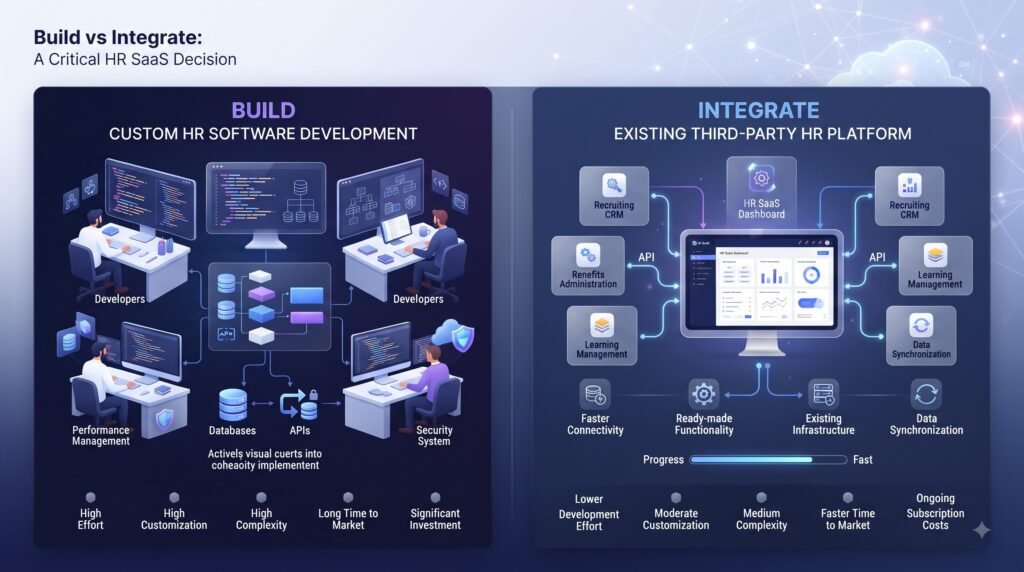
One of the easiest ways to expand an MVP beyond its budget is to build infrastructure that already exists.
Consider subscription billing.
Stripe Billing currently supports recurring subscriptions, usage-based and hybrid pricing models, invoicing and other subscription-management capabilities.
That doesn’t mean Stripe is automatically the right choice for every HR SaaS.
It means the founder should ask:
“Does this capability differentiate my product?”
If the answer is no, an existing service may be worth evaluating.
Usually worth integrating
Depending on the product:
- Payment processing
- Subscription billing
- Email delivery
- Calendar services
- Enterprise identity
- Cloud storage
- Messaging
- E-signatures
More likely to require custom development
- Your core HR workflow
- Proprietary HR rules
- Unique workforce analytics
- Differentiating recommendation systems
- Customer-specific workflows
- Product-specific employee experiences
The goal isn’t to minimize custom code at all costs.
The goal is to spend engineering effort where it creates product differentiation.
AI and Automation in HR SaaS
AI can be valuable in HR software, but it shouldn’t automatically be part of the MVP.
Useful lower-complexity applications can include:
- Resume parsing
- Job-description assistance
- Employee support assistants
- Document classification
- HR knowledge search
- Workflow summarization
- Internal content generation
- Administrative automation
More consequential use cases require greater care.
Examples include:
- Candidate ranking
- Hiring recommendations
- Performance scoring
- Promotion recommendations
- Employee risk predictions
The more directly an AI system influences employment decisions, the more important it becomes to evaluate explainability, human oversight, data governance and applicable regulation.
A startup should therefore ask:
“Does AI improve the core workflow, or are we adding AI because the product pitch sounds better with it?”
If the second answer is true, postpone it.
Security and Privacy Should Start at Architecture
Security isn’t something to add after the dashboard is finished.
For an HR SaaS product, the architecture should consider:
- Authentication
- Authorization
- Tenant isolation
- Encryption
- Secure file handling
- Secrets management
- Audit logging
- API security
- Backup and recovery
- Monitoring
- Incident response
- Data retention
- Data deletion
- Third-party integrations
OWASP’s authorization guidance also highlights that access-control models become more complex as applications grow, especially when multiple organizations and relationships need to be represented.
For India-focused products, founders should also evaluate how their data-processing practices align with the Digital Personal Data Protection Act, 2023 and applicable rules and notifications.
This isn’t a substitute for legal advice. Technical teams should work with qualified legal/privacy professionals when regulatory requirements materially affect the product.
Technology Stack for HR SaaS
There is no single “best” HR SaaS stack.
A practical stack might include:
Frontend: React or Next.js
Backend: Node.js/TypeScript or another suitable backend platform
Database: PostgreSQL or another database appropriate to the data model
Infrastructure: A cloud platform such as AWS, Azure or Google Cloud
Authentication: Custom authentication or a suitable identity provider
Billing: A subscription/payment platform where appropriate
Integrations: REST APIs, webhooks and provider-specific SDKs
BkAbhi’s current public site lists React.js, Next.js, Node.js, TypeScript, MongoDB and PostgreSQL among its technologies. It also publicly lists API development, cloud deployment and multi-tenant SaaS architecture.
But a technology appearing on a provider’s website shouldn’t automatically determine your stack.
The better question is:
Does this technology fit the product’s data model, team capabilities, security requirements, integrations and expected scale?
HR Tech SaaS Development Process
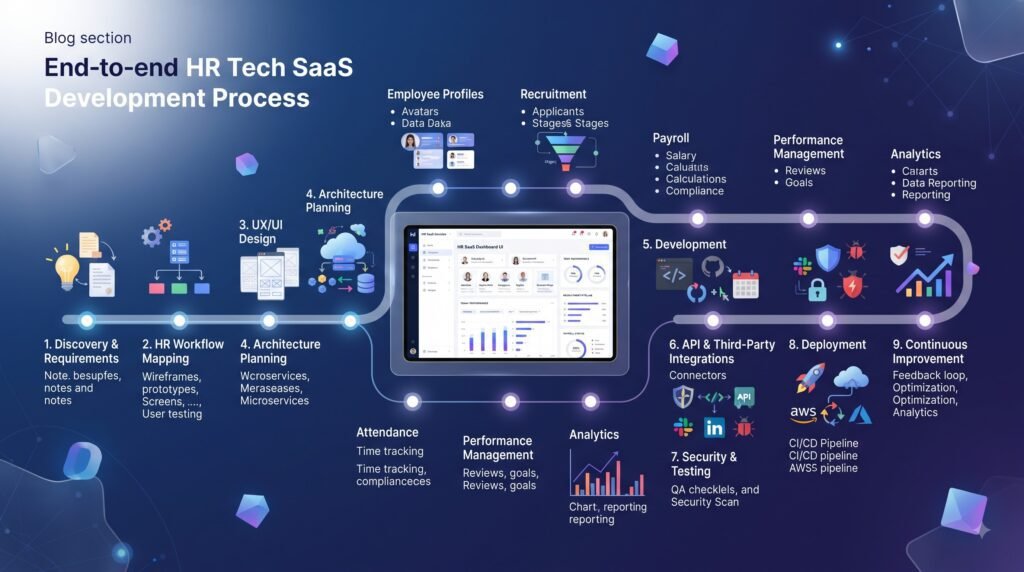
A practical startup development process can be divided into seven stages.
1. Problem discovery
Define the HR problem and customer segment.
Don’t start by documenting 100 features.
2. MVP definition
Choose one core workflow and identify what users must accomplish successfully.
3. Architecture planning
Define:
- Tenant model
- Data model
- Authentication
- Permissions
- API structure
- Integration boundaries
- Hosting
- Monitoring
- Security controls
4. UX and prototype
Design the critical workflow before implementing every screen.
A clickable prototype can expose confusing flows before they become development problems.
5. Development
Build the core workflow in short iterations.
Keep the product usable throughout development instead of waiting until the final sprint to discover major workflow problems.
6. QA and security validation
Test:
- Functional behavior
- Permissions
- Tenant boundaries
- Integrations
- Mobile responsiveness
- Performance
- Failure states
- Security controls
7. Launch and iteration
Release to a controlled group of customers.
Measure activation, workflow completion, retention and support issues.
Then use those signals to decide what should enter V2.
How Much Does HR Tech SaaS Development Cost?
There is no reliable single price for HR SaaS development because the term covers everything from a narrow HR workflow to a multi-country HCM platform.
Current provider-published estimates illustrate the spread.
One HR SaaS development provider publishes an MVP range of approximately 25,000–60,000, while its broader estimates increase for recruitment, payroll, reporting and other modules. Another provider publicly lists HR-tech SaaS development starting at $60,000 with a typical 16–24 week development window. These are vendor estimates and should not be treated as independent industry averages.
Main cost drivers
Your budget can increase significantly when you add:
- Multiple user roles
- Multi-tenancy
- Complex permissions
- Payroll integrations
- ATS integrations
- Enterprise SSO
- Mobile applications
- Advanced analytics
- AI features
- Real-time functionality
- Multiple countries
- Complex compliance requirements
- Custom reporting
- Large data migrations
- Extensive third-party integrations
The better budgeting question isn’t:
“What does HR SaaS cost?”
It’s:
“What is the smallest HR SaaS product that can validate our commercial hypothesis?”
For additional budgeting guidance, BkAbhi’s SaaS MVP budgeting guide discusses feature scope, billing, admin functionality and other MVP cost considerations.
How Long Does HR SaaS Development Take?
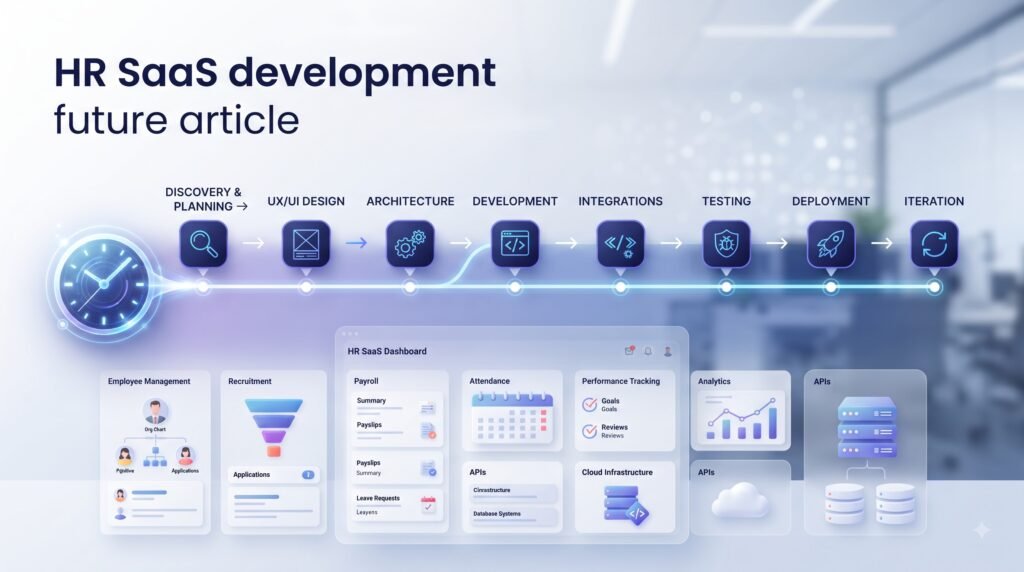
Again, there isn’t one reliable timeline.
A narrow HR workflow with limited integrations may take considerably less time than a multi-module HR platform.
Current provider-published HR-tech examples range from focused development cycles to larger multi-month projects. Synara, for example, publicly states 16–24 weeks for its HR-tech SaaS development offering, while a 2026 HR SaaS case study from Net Soft Solutions describes an eight-month concept-to-MVP launch. These figures are examples from individual providers, not universal benchmarks.
A sensible startup roadmap is therefore milestone-based rather than based on an arbitrary number of weeks.
For example:
Discovery → prototype → architecture → core workflow → integrations → QA → launch
The exact duration should be estimated after scope is defined.
Build vs Buy vs Development Partner
The right approach depends on what you’re actually building.
Choose an existing HR SaaS if…
Your requirements are mostly standard and differentiation isn’t dependent on owning the underlying HR technology.
Consider no-code or low-code if…
You’re testing a relatively simple workflow and don’t yet know whether customers will use it.
Consider a freelancer if…
The MVP is narrow and your team can provide strong product and technical direction.
Consider a general software development company if…
You need broader engineering capability and your product doesn’t require unusually deep HR domain knowledge.
Consider an HR-specialized development partner if…
Your product depends heavily on HR workflows, payroll/HRIS integrations, complex permissions, compliance requirements or enterprise procurement.
Consider building in-house if…
You have enough funding, product clarity and long-term engineering requirements to justify a permanent technical team.
There is no universally superior option.
The right decision depends on product complexity, internal expertise, funding, timeline and the strategic importance of the software.
How to Choose an HR SaaS Development Partner
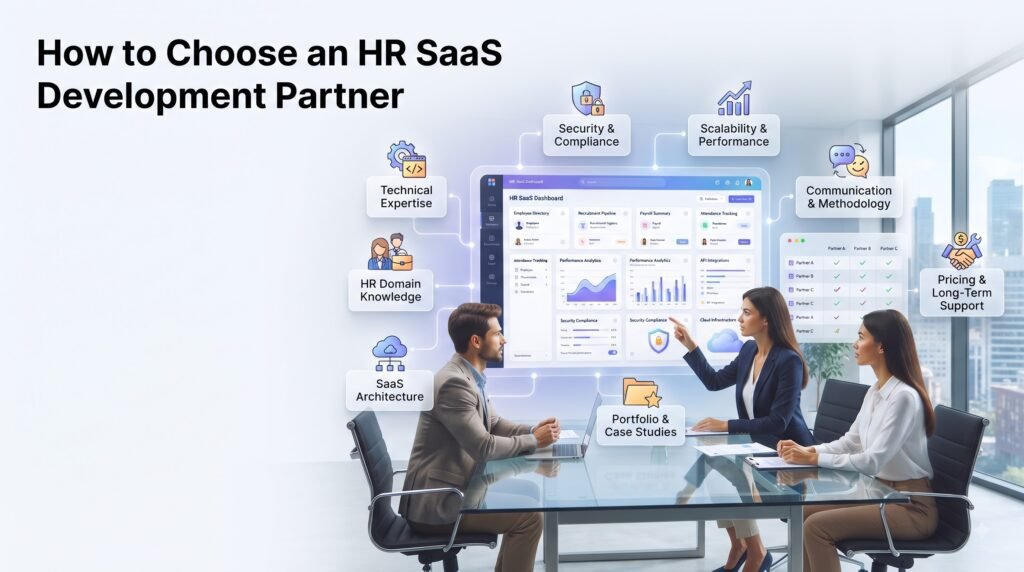
Don’t select a provider solely from its portfolio or hourly rate.
Ask for evidence around the parts of the project that can create the most expensive problems later.
Ask about architecture
- How would you implement multi-tenancy?
- What tenant isolation approach would you recommend?
- How would you handle large customers?
- How would the architecture evolve after the MVP?
Ask about security
- How are roles and permissions implemented?
- How are employee files protected?
- What audit events are recorded?
- How are third-party integrations secured?
Ask about integrations
- Have you built API integrations before?
- How will failed webhooks be handled?
- How will API changes be managed?
- Which systems should we integrate rather than rebuild?
Ask about ownership
Your agreement should clearly address:
- Source code
- Repository access
- Intellectual property
- Documentation
- Third-party licenses
- Infrastructure accounts
- Credentials
- Deployment ownership
- Post-launch support
For a broader contract checklist, see BkAbhi’s MVP development contract checklist.
Where BkAbhi Fits
BkAbhi’s current public materials describe SaaS application development alongside web development, mobile development, AI/automation, API integrations and backend/cloud infrastructure. Its SaaS capabilities publicly include authentication, subscription management, payment integration, analytics dashboards, multi-tenant architecture, API development and cloud deployment.
BkAbhi also publicly lists React.js, Next.js, Node.js, TypeScript, MongoDB and PostgreSQL among its technologies.
Its current homepage publicly lists a $2,999 one-time MVP package and a $997/month Live Product Partner package. The MVP package is described around a 2–3 week delivery process.
However, founders should not interpret that public MVP package as an automatic price for an HR SaaS platform.
A product involving payroll integrations, enterprise SSO, sophisticated permissions, multiple HR modules, AI-driven decision support or jurisdiction-specific requirements would need its own scope assessment.
That’s an important distinction between a publicly listed MVP package and a project-specific HR SaaS development estimate.
Common HR SaaS Development Mistakes
Building the complete HR suite first
A startup doesn’t need every HR module to validate one product hypothesis.
Treating multi-tenancy as a database column
Tenant isolation needs deliberate architecture and authorization controls. AWS explicitly treats tenant isolation as a separate concern from authentication and ordinary authorization.
Building payroll from scratch too early
If payroll isn’t your differentiation, investigate integration options before allocating months of engineering work.
Adding AI before validating the workflow
AI cannot compensate for a product that solves the wrong problem.
Ignoring enterprise requirements
SSO, auditability, permissions and integration requirements can become important earlier than expected in B2B HR software.
Choosing a stack based on popularity
The most popular framework isn’t automatically the right architecture for your product.
Treating security as a launch task
Security decisions affect database design, authentication, APIs, permissions, files and infrastructure.
Comparing providers only by price
A lower initial quote can become expensive if it results in rework, unclear ownership, poor documentation or architecture that can’t support the next stage.
Final Comparison: Which Approach Makes Sense?
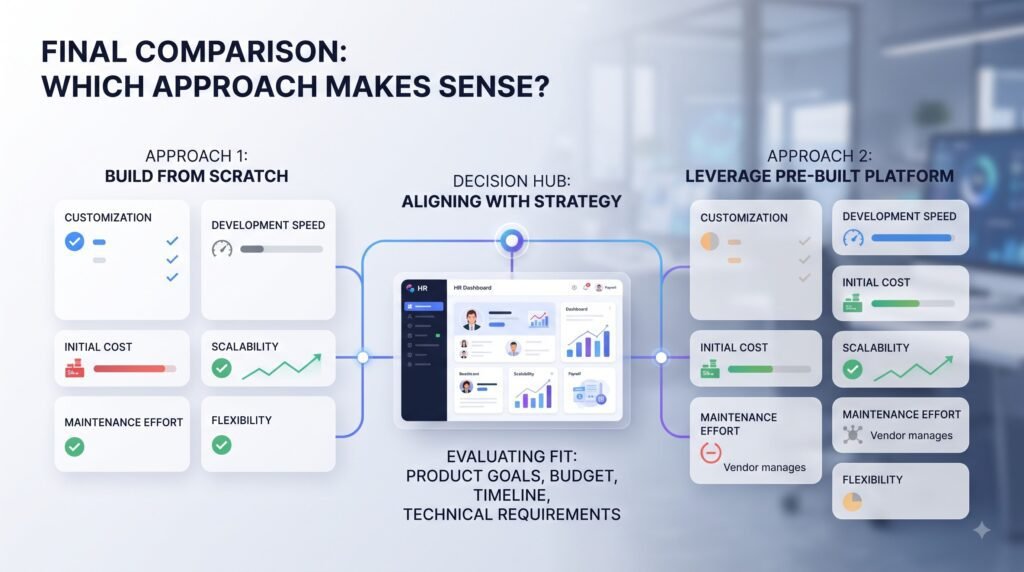
| If your situation is… | Consider |
| You need a standard HR workflow immediately | Existing HR SaaS |
| You’re testing a simple HR product idea | No-code/low-code or lean MVP |
| You need a small custom product | Freelancer or small development team |
| You’re building a differentiated HR SaaS platform | Experienced SaaS development partner |
| Your product has deep HR integrations and compliance requirements | HR-domain-capable development partner |
| You’re funded and expect continuous product development | In-house or hybrid engineering team |
The most important decision isn’t which development company has the longest service list.
It’s whether the team understands the product you actually need to validate.
For an early HR startup, that usually means defining one valuable workflow, designing the right tenant and permission model, integrating rather than rebuilding commodity infrastructure where sensible, and leaving enough architectural flexibility for the customers you expect to win next.
That is a more useful definition of HR tech SaaS development for startups than simply building a large HR platform quickly.
Author Bio
Jeevesh Tripathi
Jeevesh Tripathi writes research-based content covering technology, AI, software, SaaS, and creator/business tools. His approach focuses on practical comparison, evidence-based evaluation, and separating verified facts from analysis so readers can make better technology and product-development decisions.
Email: jeevesh@bkabhi.com