

Table of Contents
What Makes a Great Freelance Developer Portfolio?

A compelling freelance developer portfolio has to be created in a way that would present a combination of knowledge about programming languages and completed tasks. Its key goal is to show that the person behind the portfolio has enough interest in real-world problems and is capable of collaborating with clients and delivering results. All the best portfolios contain a number of practical experience, technical expertise, clear outcomes of projects, and complete case studies.
Real Client Assignments
Real client assignments are among the most important constituents of a freelance developer portfolio as they demonstrate the level of the person’s ability to deliver business projects with real requirements and limitations. Instead of merely showcasing tutorials and demonstration products, one is advised to include projects which showcase solving a real client’s problem.
For every project, it is vital to highlight the client’s goals, the activities undertaken by the individual, technologies used, difficulties faced, and solution. It is even more desired if the outcomes can also be provided, including the improved performance of the site, increased conversion, reduced processing time, etc. Such work demonstrates that the individual appreciates the significance of meeting the deadlines and communication, as well as revising the tasks and addressing the changing requirements.
Technical Skills and Project Outcomes
Your portfolio should highlight relevant technical skills and the specific achievements you have realized. The mere listing of yourskills such as JavaScript, React, Node.js, Python, PHP, or any other programming languages cannot bring out your competencies.
Therefore, think about the projects you have completed where you had to apply any of these languages or technologies. It will be easier to demonstrate your skills if, instead of a list of programming languages you know, you describe specific applications. For instance, it could be a React-based dashboard, Node.js application, or a Python script that automatized a boring routine task.
Case Studies and Proof of Work
Detailed case studies add credibility to a freelance developer’s portfolio because they demonstrate what kind of work was performed by the professional during the development process. A nice case study should tell everything from the beginning of a task, including the problem and research, requirements, a proposed solution, technical implementation, issues that have occurred, and results.
It is essential to add screenshots, a working example of a project or a link to the deployed application, and the GitHub repository. Moreover, a case study should contain testimonials if possible. It will help to show prospects how an experienced freelance developer can manage all tasks to deliver a high-quality working product.
A good developer portfolio must tell who you are, can do, and how it can benefit the customer. In other words, what a great freelance developer portfolio should contain is clear-cut, concise, straight to the point, and easy to understand.
A portfolio of a freelance developer is not a resume or a CV. It is a marketing tool that should score leads and convert them into customers.
Below is a list of 10 impressive developer portfolios that represent different approaches, techniques, and strategies in the freelance developer’s community.
10 Freelance Developer Portfolio Examples
1. Harsh Mishra
- Primary Focus: Developer Relations, Open-Source & Full-Stack Engineering
- Key Design: An emphasis on the minimalist approach with the accent on the community-focused and open-sourced proof
- Reason: A candidate is well-versed in technical outreach and community management, so his portfolio contains open-sourced projects in which he is involved and clients who have hired him. By providing the links to his GitHub account, documentation, and conferences, he instantly proves his expertise to the technical recruiters.
2. Aanchal Verma
- Primary focus: Frontend architecture and UI/UX development
- Key design strategy: Interactive UI micro-animations with crisp typography.
- Why it works: Aanchal lets her frontend craftsmanship speak for itself via fluid micro-interactions. Subtle dark/light mode toggles, polished CSS transitions, and interactive project cards reassure design agency clients that she can bring high-fidelity Figma designs to life cleanly.
3. Priya Paul
- Primary focus: web development (full-stack) and SaaS application development
- Most impressive: The case studies are result-oriented and include testimonials
- Reason: Instead of showing screenshots of the apps she has built, Priya creates a portfolio around her experience of working on each project. For each project, you can see the business problem the app was intended to solve, the technologies used (e. g., React, Node.js, PostgreSQL), and the result it delivered to the client.
4. Chandan Das
- Primary Emphasis: The mobile app design and cross-platform solutions.
- Design Strategy: First build apps with a video preview and store links
- Reason: Chandan knows most of his clients will want to see an example of what his app design will look like on a phone screen, and how it works through the touch gestures, before moving on to developing the product further. He makes a short video showcasing the navigation and key aspects of his Android and iOS apps, as well as the Google Play Store and Apple App Store links.
5. Ananta Khurana
- Primary Focus: Web3, Blockchain & Smart Contract Engineering
- The key design element is the high-tech dark aesthetic combined with snippets of actual contract code as a showcase.
- The reason behind it: The areas of expertise demand a certain level of approachability while still feeling innovative and futuristic, hence the Ananta portfolio emulates a sci-fi aesthetic to appeal to the tech-savvy audience of Web3 developers. In addition, the GitHub gists and audited smart contracts serve as proof of work and credibility from day one.
6. Deepthi N Anekal
- Primary focus: Backend Engineering & Cloud infrastructure.
- Key design strategy: Architectural diagrams and performance metrics.
- The rationale: Backend development does not have an intuitive feel to it. Hence, I find it useful to use architectural diagrams to explain data pipelines, API’s and cloud infrastructure. Showing figures such as percentage reductions in latency or uptime figures assures enterprise clients of the value we bring to the table.
7. Chetna Grover
- Primary focus of the designer: e-commerce and Shopify / CMS customization
- The most attractive thing about your profile: conversion-driven design with clear ROI indication.
- The reason you became a designer: Chetna focuses on online retailers and wants to address their need to increase sales through speed and responsiveness on their Shopify stores. Her portfolio demonstrates this with before and after Google Pagespeed Insights results to show a better ROI.
8. Debangshu Das
- Primary focus: Creative coding, WebGL, 3D web experiences
- Key design strategy: An immersive 3D interactive canvas background
- Why it works: A great way to impress a potential employer with your technical level on a creative agency job. It is built with Three.js and WebGL and let the visitor interact with the 3D objects on the screen.
9. Vivek Semwal
- Primary focus: API development, microservices architecture
- Key design decision: Design emphasizes clean documentation-style UIs with API playgrounds
- What it does well: Vivek’s UI is modeled after modern documentation sites (like Stripe or Postman); the approach reassures would-be clients that the backend APIs are battle-tested and that the code is clean enough to build a public documentation portal around
10. Hardip Chavda
- Primary Focus: Product Engineering and MVP Development for Startups
- Design Strategy: Lean product-focused portfolio with clear breakdown of pricing and process.
- Offering clear and simple breakdown of development process and realistic timelines was one of the factors that drew his founders to Hardip. His portfolio is product-focused and is aimed at helping startups take their product from concept to reality which is reflected in his 4-step (Discovery, Prototype, Build, Launch) approach and related costs. This increases transparency and decreases pressure on early-stage founders to make knee-jerky decisions.
Key Takeaways for Building Your Own Portfolio

| Element | Best Practice |
| Hero Section | State who you are, what you build, and who you help in 10 seconds or less. |
| Case Studies | Frame projects around: Problem $\rightarrow$ Solution $\rightarrow$ Technical Stack $\rightarrow$ Impact. |
| Social Proof | Include real testimonials, GitHub contribution graphs, or client logos. |
| Call to Action (CTA) | Keep a persistent contact button or direct link to your booking calendar. |
How to Showcase Real Client Assignments: A Complete Guide

When it comes to credibility building for a freelancer, an agency, or a development team, client assignments are typically the best proof of one’s competencies. A well-prepared case study or a portfolio piece will showcase the actual results and the methodology that has led to them.
In this sense, a successfully executed client assignment can serve as a great reference for one’s expertise, technical skills, and competencies, as well as a good opportunity to build credibility with prospects and attract new clients. The following tips will help prepare the most compelling presentation of a client assignment that will assist in building the agency’s credibility and securing new clients.
1. Project Scope
Start by describing the scope of the project. This section answers the question: what exactly were you hired to do?
Objective: briefly describe the problem your client had that you were hired to fix (e.g., “we streamlined order management for a mid-size retail business”).
- Deliverables: list the main items you created for the project (web app, API, design systems, copywriting, etc.).
- Timeline: indicate how long the project lasted and its main stages.
- Team: mention if it was a solo project or a team effort and highlight the main expertise involved.
The scope section is one of the easiest and most informative parts for a potential client to read and understand. It demonstrates your awareness of the project and its goals. It also serves as a reminder of what you accomplished for the client.ether your experience matches their needs.
2. Development Process
This is a place to show off your methodology. Clients want to know that you have an established, repeatable process.
- Discovery & Planning: How did you collect requirements? Did you do workshops or interviews or audits?
- Design & Architecture: What technical or UX decisions did you make? Why did you make them?
- Build: How did you build? Did you do agile development with frequent sprints and client feedback? What version control practices did you utilize?
- Iteration & Feedback Loops: How did you deal with client feedback? How did it affect the final product?
Going over your process shows off your professionalism and decreases the risk that something will go wrong.k for future clients.
3. Tools and Technologies
In this section, provide the tech stack you’re going to use for the development of the application. This part may contain only the list of technologies, but it’s better to briefly justify each choice if possible.
- Frontend: React, Vue, or HTML/CSS (based on the requirements).
- Backend: Node.js, Python/Django, Ruby on Rails, etc.
- Database: PostgreSQL, MongoDB, or other.
- Hosting and DevOps: nginx, Git, Jira, etc.
- Project management and design: Figma, Trello, or any other.
This information is often crucial for technical clients since it reflects your expertise and understanding of the development process.
4. Client Requirements
This section displays your listening skills and understanding of how business needs are interpreted as technical requirements.
- Business goals: what outcomes have the client been looking for in terms of sales growth, operational efficiency, user experience improvement, etc.?
- Constraints: project’s budget, timeline, technical legacy, and regulatory requirements.
- Must-have requirements: mandatory features the client has asked for.
- Nice-to-have requirements: additional features the client would like to have but have not been explicitly requested.
Clearly stating requirements demonstrates that you know what the client needs and understands the scope of the project, including the technical details, and is ready to proceed with implementation.code.
5. Final Results
This section demonstrates your listening and interpretation skills.
- Business goals: What the client wanted to achieve by hiring you (increase sales, improve efficiency, enhance user experience).
- Constraints: Limitations that could affect the project scope, such as tight deadlines, budget restrictions, existing legacy systems, or regulatory requirements.
- Must-have features: The specific requirements that the client stated as mandatory.
- Nice-to-have features: Additional features requested by the client, but not obligatory.
The requirements’ description proves your knowledge of the business side of the project and illustrates that you can estimate its impact on the technical implementation.
Tips for Presenting Client Work Professionally
- Get permission to use details about the client, screenshots, or metrics. Some results need to be obfuscated (e.g., “a major fintech company” instead of an actual name)
- If you performed the work as part of a team, specify your particular contribution.
- Make sure case study content is easy to scan. Use subheadings, bullet points, and images in addition to large blocks of text. This improves readability and helps case studies serve their primary function – being scanned.
- Focus on a particular case study structure that tells a story of sorts. The problem-process-solution-outcome format is much more engaging than a simple list of features or benefits.
Here is a detailed blog post discussing why GitHub Projects matter for a developer portfolio
Beyond the Resume: Why Your GitHub Projects Are the Real MVP of Your Developer Portfolio
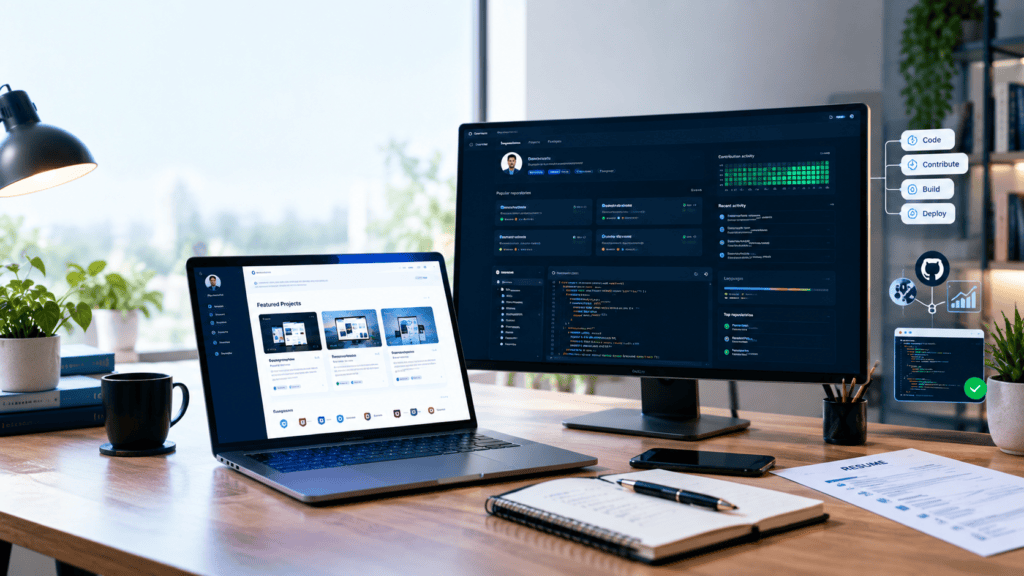
In the competitive space of software development, a resume is merely a list of claims. It boasts about the knowledge of Python, working in Agile environments, and understanding of CI/CD. But who assures a hiring manager that a candidate is able to perform the listed duties?
The answer is a GitHub profile.
For junior and senior developers, GitHub accounts have evolved from a simple code repository to a dynamic and living portfolio. It is the difference between proclaiming that one is a developer and showing the actual skills. Missing active projects on one’s GitHub page means the potential employer cannot assess an applicant’s technical abilities beyond the resume.
There are three reasons why GitHub projects should be the centerpiece of a developer’s portfolio, and it is all about Demonstrating Coding Ability, Showing Collaboration, and Building Technical Credibility.
1. Demonstrating Coding Ability (The “Show, Don’t Tell” Principle)
Anyone can list “JavaScript” under the Skills section of a resume. But a GitHub repository proves how you write JavaScript.
Code Quality and Structure
Recruiters and hiring managers can look beyond the code you’ve written to the process you’ve used to write it. A GitHub project can give them insight into
- readability,
- organization,
- and
- documentation.
- Readability could include whether your code is a spaghetti mess or uses proper, descriptive variable names as opposed to x and y
- Organization might mean whether your files are properly structured or utilize a proper architecture like Model-View-Controller
Another important aspect of a GitHub project is documentation, including whether you’ve added a README.md, and if so, whether it provides instructions for installation and execution. A properly documented README is often the first thing a recruiter will read about your project.
Problem-Solving Skills
Your commit history will tell a potential recruiter exactly what kind of problems you have solved. A project that utilizes a third party API, deals with user authentication, or optimizes a query will demonstrate your ability to solve real world problems.
Diversity of Tech Stack
A portfolio with a variety of projects demonstrates versatility
- a frontend project (React, Vue) showcases your ability to care about the UI/UX
- a backend project (Node.js, Django) demonstrates your understanding of the server logic and databases
- and
- a scripting project (Python, Bash) proves your ability to automate processes
Takeaway: Your GitHub is your portfolio of code samples that serve to demonstrate technical competencies to potential employers.
2. Showing Collaboration and Version Control
In the modern software world there’s no such thing as working alone. You always work with someone reviewing your code, branching out your development flow, and dealing with all kinds of merge conflicts. And GitHub has become standard issue resolution platform across the industry. Your work on GitHub demonstrates that you’re “team ready”.
Mastery of Git and Version Control
A developer who does not make their code open source and merely uses the ‘Upload files’ button is not demonstrating their ability to work on real projects. Employers will be looking for commits:
- Do you make frequent, informative commits? Did you commit ‘Fix navbar responsiveness’ or ‘Updated stuff’?
- Branches: Are you using branches to develop features? Do you switch to a feature/login branch or do you pushed to main? This demonstrates an understanding of Git and not breaking the production code
- PR’s: If you have worked on any open source projects or with a team, your understanding of pull requests would be evident.
Open Source and Community
Contributing to Open Source is the ultimate demonstration of collaboration. You have to be able to:
- Read other people’s code
- Follow contribution guidelines
- Communicate effectively with others
- Deal with feedback about your code
Even if you haven’t contributed to something as epic as Linux, having a repository where you and a peer worked together (branches, PRs, etc.) shows that you know how to navigate the social aspects of software engineering.
Takeaway: GitHub proves you aren’t just a coder, you’re also a collaborator.ou are a potential teammate who understands the workflow of professional software development.
3. Building Technical Credibility
In a world where AI can churn out snippets of code in seconds, credibility is increasingly difficult to come by. GitHub serves as a sort of public ledger of one’s dedication and passion towards their craft.
Passion and Consistency
The “Green Squares” (contribution graph) are a controversial metric to judge contributors by, but they do carry weight. A consistent contribution history demonstrates that you are actively engaged in coding projects, and that you’re passionate about your work and not just doing it because you have a homework assignment due.
The “Proof of Work” Economy
By hosting your projects on GitHub, you not only create a permanent, timestamped record of your work but also enable potential employers to see a live demo of the kind of work you do.
- Live Demos: By linking a repo to a live deployment (whether that’s GitHub Pages, Vercel, Netlify, or something else), you can show off your work in a way that unequivocally demonstrates that it works
- Transparency: If you’re applying for a position that requires developing complex algorithms, having your code up on GitHub means you’re not hiding behind a black box.
Learning in Public
Your GitHub profile is your pride and joy, and the repository commits from two years ago are proof that your code used to be a complete mess. Your latest repository, however, is nothing but the clean and well-tested code that we all strive to write. Such an easy-to-spot trajectory is super attractive to employers who value coachability and continuous improvement.
Takeaway: GitHub is your technical CV, proving to potential employers that you have the required experience and a willingness to improve.
How to Optimize Your GitHub Portfolio
Here are some vital GitHub-tips I use myself and see others frequently doing in the community:
- Pin your best repositories to the top so people don’t get greeted with your “Hello World” project from 2016.
- Make sure all of your important projects have a README-file, including a description, images or GIFs, ways to test/examine the project, and tools/languages used.
- Curate your GitHub profile README, by having it host your name, a bio, your skills, and any links to socials (LinkedIn or a personal website) – in other words, give it the look of a personal portfolio.
- Commit often, to show the progression of your work.
- Document your code, by providing comments on what you’re trying to accomplish, not only what you’re doing.
How to Create Effective Developer Case Studies
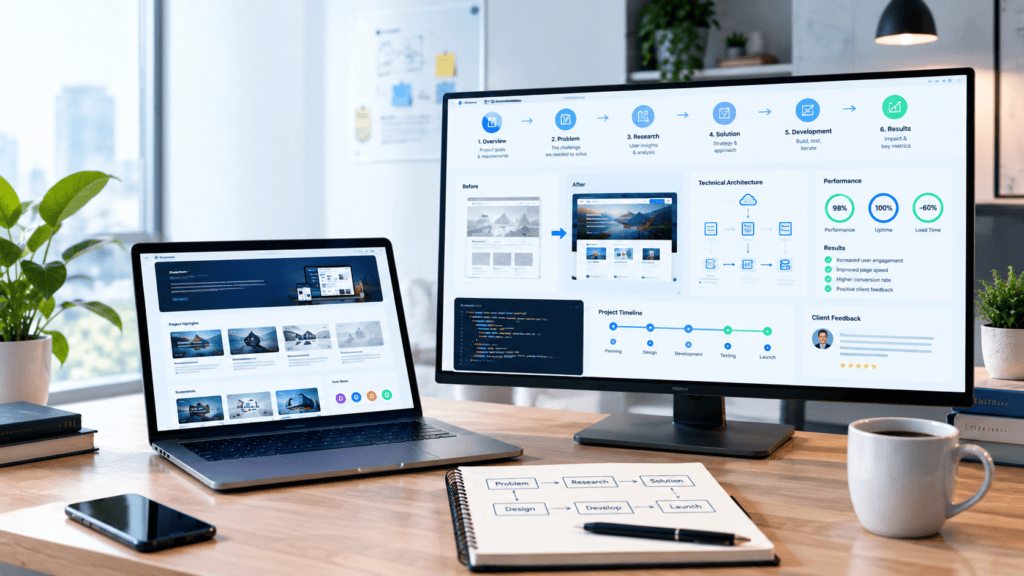
A good developer case study should tell a compelling story about what the company did for a client, how they did it, what approach they took to the development, and what business impact it had. A well-written case study serves two purposes: it demonstrates to a potential client that you know what you are doing and that the development team is capable of delivering results.
1. Problem Statement
You should start your case study by describing the problem that the client had before you started working on their project. Make sure to highlight the business challenge, technical impossibility, or usability pain point.
For example, if the client was using an error-prone, time-consuming, and inefficient manual process, explain who was affected by it, how they were affected, and what negative consequences it had. Limit the use of technical terms at this stage since your goal is to set the context, not explain your technical solution.
The problem description in your case study should be specific to make it interesting and relatable to the audience.
2. Technical Solution
Next, explain how you as a development team addressed the issue. Describe the architecture, technologies, frameworks, APIs, integrations, or development methodologies you utilized, and focus on explaining why particular technical solutions were chosen.
For example, one may expand upon the technical implementation details instead of merely describing the set of technologies. One could describe a certain technical solution with the help of which one was able to scale the backend to get better performance or automatize the data exchange process between different systems via an API. Also, one could describe certain features, such as the authentication process, dashboards, payment system, artificial intelligence models, cloud infrastructure, or automation tools.
This way, one will show their expertise while also explaining how specific technologies contributed to business goals.
3. Development Challenges
Each project, even the most straightforward one, is associated with a number of challenges. Describe the difficulties that the team faced during the development of the product and discuss how they were resolved.
Possible challenges include changing client requirements, learning to work with legacy systems, improving the software’s scalability, resolving security issues, optimizing the application’s performance, incorporating a third-party API, and meeting the deadline, among others.
While describing the project, feel free to admit the flaws in the team’s code or process. It will make your audience trust you more since you provide credible information about what occurred during the development of the product. Instead of presenting a perfect solution from the start, you should describe how the final result was achieved through multiple iterations.
4. Measurable Results
Results are one of the most important elements of a developer case study. Whenever you can, back up the outcome by your quantitative data.
Instead of saying that the app was made faster, mention how much percent you could reduce the page-load time. Instead of stating that you increased the productivity, describe how you could automatize some processes to save time and effort.
Some of the possible metrics that you may want to mention include
- improved application performance
- decreased costs (development or operational)
- higher adoption
- increased conversions
- reduced processing time
- less errors reported
- better retention
- more revenue or leads
Metrics turn your technical description into a powerful success story that your audience will connect with.vidence of business value.
5. Client Feedback
Finish the case study with the client’s feedback if possible. The testimonial will help to highlight the result and will give an objective opinion on the development process.
The client’s quote should include the communication quality, technical expertise, reliability, project management, or other elements you want to see in your case study. Always ask for permission to post their message, name, company, or quote on your website.
An effective developer case study generally highlights the problem → solution → challenges → results → client experience to help the reader connect with the project. It makes the technical complexity less intimidating and shows how your team tackles the challenge and delivers an actual business outcome.
To demonstrate the technical and multidisciplinary nature of your projects, you need to highlight how you combine code, design, and technical expertise to build products that are easy to use and scale.
Core Competencies Breakdown
- Front-End Development: Turn interactive mockups into semantic, responsive HTML5/CSS3. Apply modern CSS architecture (Tailwind, CSS Modules,Styled Components), optimize for web vitals and cross-browser performance.
- UI/UX Design: Prototyping, wireframing and interactive mockup creation, user-centered design principles and accessibility (WCAG 2.1) to create intuitive visual interfaces in Figma.
- React & JavaScript: Build stateful Single Page Applications and Server-Side Rendered UIs with modern JavaScript (ES6+). Implement custom React hooks and state management solutions (Redux, Zustand, Context API).
- APIs & Integrations: Connect client interfaces to backend services with RESTful endpoints and GraphQL queries. Implement async operations, optimistic UI updates, error boundaries and payload caching (React Query/SWR).
- Collaboration: Design system implementation, design to code handoffs, prototyping and development of UI mockups and components with Storybook.
Skill Matrix: Technical & Design Synergies
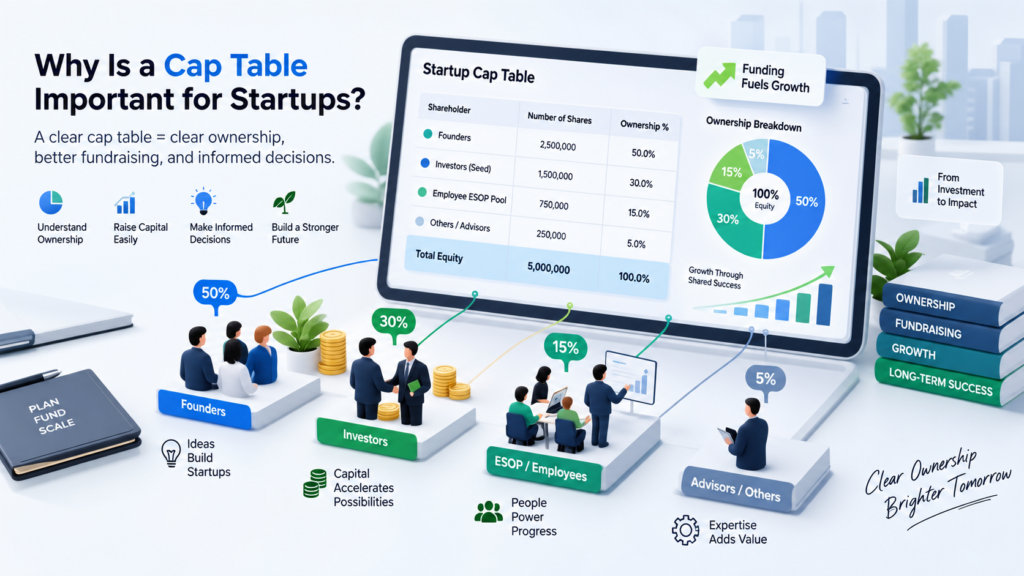
| Core Skill | Primary Focus | Key Technologies & Methods | Cross-Disciplinary Value |
| Front-End Architecture | UI execution & responsiveness | HTML5, CSS3, Tailwind, Web Vitals | Converts static visual designs into flexible pixel-perfect interfaces. |
| UI/UX Strategy | User journeys & design systems | Figma, Wireframing, UX Research, WCAG | Ensures product architecture serves end-user needs and brand guidelines. |
| React / Modern JS | Dynamic logic & state flow | ES6+, React, Next.js, Hooks, TypeScript | Creates modular, reusable components that sync UI with application state. |
| API Integration | Client-server communication | REST, GraphQL, Axios, TanStack Query | Connects static layouts with live server data, handling load and error states. |
| Design-Dev Collaboration | Workflow bridging | Storybook, Design Tokens, Git, Figma Tokens | Accelerates feature delivery cycles and eliminates friction during handoff. |
Bridging Design and Development in Practice
- Tokenized design systems: translating Figma design variables (color palettes, spacing grids, typography scales) directly into CSS/JS tokens to maintain code-base parity with design updates.
- Empathy-driven engineering: building frontend architecture with an early UX input to ensure that spinners are replaced by structural skeleton loaders and network latency is hidden behind optimistic UI updates.
- Component-first architecture: creating shared Storybook instances where dev and design teams can test UI components in isolation for accessibility, edge-case layouts, and interactive behavior prior to merge.
How Client Testimonials Build Trust
In the flood of offers that consumers are faced with today, trust is the most valuable asset that a company can invest in. The key to winning it over is the use of a client testimonial.
By introducing testimonials, businesses are able to alleviate some of the distrust that shoppers feel towards advertisers. After all, who among us would willingly purchase a product or service without thoroughly researching the company first? In addition, word of mouth typically triggers a sense of curiosity in people. As such, below are three reasons why testimonials are so useful, each of which will be further explained in the following paragraphs.
1. Demonstrating Reliability
Reliability is an essential trait that underlies any strong business relationship. A client wants to be absolutely sure that a company can be relied upon to deliver on its word before they sign a contract or make a purchase.
A testimonial is a powerful tool for a company that wishes to gain new clients. It offers a third party’s confirmation that a business is able to perform what it promises.
Why a testimonial might help a company’s business development:
- Reliability is a characteristic that can hardly be boasted about by a company itself;
- A potential client may prioritize reliability over other factors when choosing who to work with;
- Multiple testimonials create a stronger impression on a client than one testimonial, and several testimonials describing the same quality can provide more information about the company.
- Other reasons include:, always responsive, always accountable — that repetition becomes powerful social proof of dependability.
2. Highlighting Communication Skills
Regardless of how great the business is, communication is one of the most common praises a company can receive from a client — and it is one of the most compelling advantages.
Communication-focused testimonials help engage the audience, assuring them that they will not be neglected throughout the cooperation. It tells them that the company is professional about the process, transparent about the details, attentive to their needs, and willing to answer their questions.
Key points that testimonials about excellent communication usually cover:
- The team kept the client updated about the progress
- They actively welcomed their feedback
- Technical information was explained clearly
- Client concerns were addressed quickly and thoroughly
For most clients, outstanding support is one of the most critical aspects of the partnership, especially if they have already experienced neglect from other businesses., this reassurance can be the deciding factor between choosing your business and choosing a competitor.
3. Proving Successful Project Delivery
Ultimately, clients want results: they want assurance that your company can deliver an end result that has been reached by another similar company.
Testimonials should focus on outcomes, as they answer the implicit question ‘will this work for me’.
The most effective delivery-focused testimonials will contain:
- Specifics about the results/outcomes (e.g., increased revenues, improved efficiency);
- Information on the nature of the challenge being addressed;
- An indication of any obstacles that had to be overcome;
- A clear statement of satisfaction with the outcome.
By demonstrating past successes, testimonials reduce the perceived risk of choosing your company by showing clients that you have been able to successfully address challenges similar to theirs. As such, testimonials help to convince hesitant clients to select your company’s services.ture their own project achieving similar results, which makes them far more likely to move forward with confidence.
Bringing It All Together
Client testimonials serve as excellent tools for building trust with prospective customers. They demonstrate the reliability of a certain company, as well as its ability to effectively communicate with clients and deliver on its promises. By using testimonials, businesses engage in strategic trust-building, improving the likelihood of closing deals significantly.
Therefore, it may be concluded that testimonials are vital for any organization that wishes to build lasting relationships with its clients. To obtain them, the management should ask clients to provide feedback concerning the three areas listed above. This way, the companies secure honest and valuable feedback from their clients while offering potential customers examples of businesses that care about their audience.
Client testimonials are vital trust-building instruments, and companies should utilize them actively. The testimonials enable businesses to demonstrate that they genuinely care about their clients by providing high-quality services and products. Notably, the testimonials allow the companies to build credibility with prospective clients in a manner that other marketing tools cannot.
What Makes a Freelance Developer Portfolio Stand Out?

A strong freelance developer portfolio is not just a list of websites, apps, or coding examples. It must present what one can do and how their work benefits different businesses. An excellent portfolio assures the client of the developer’s technical competence and expertise while also demonstrating the value that they can bring to their business, increasing their credibility. The following are some of the components that can make a freelance developer portfolio stand out.
1. Clear Storytelling
A portfolio is not a collection of one’s best works; it is a story about one’s developer experience. For each project, describe the client’s issue, your role, approach, technologies, and outcome.
For example, instead of saying “I built an e-commerce site with React,” describe how you improved the company’s sales or shopped around the best payment method. One’s goal is to make the reader (a prospective client) see an experienced professional who can handle an actual business task in their company. A portfolio is one’s opportunity to demonstrate one’s knowledge and skill to a client outside one’s team; use it to get closer to the decision-maker and help him select you from a list of potential contractors.
2. Real Project Evidence
Real project evidence is one of the best options to choose. It is possible to apply completed projects, websites, apps, screenshots of the working product, or a detailed case study, if there is an opportunity to provide it.
For each project, it should be described what exactly was done by the candidate. Moreover, information about the features, problems, and technologies that were used should be included. If it is not possible to provide details about the project due to some restrictions, it would be a good option to make a case study from it.
Besides, real evidence is much better than a simple description of programming languages and years of experience.
3. GitHub Links
A professional GitHub profile can serve as a great portfolio for your programming skills. The key to making code repositories work for you is to make sure that the links to your pages are included in your portfolio. Also, be sure to include repositories with clean and well-structured code.
At the same time, refrain from adding dozens of irrelevant projects to your profile. Only include the code repositories that relate to the kind of freelance work you want to attract. In addition, make sure that the most important projects have meaningful README files describing the technology stack, purpose of the repository, and its main features.
When working on private projects for clients, make sure that you do not publish any code on GitHub without the client’s permission.
4. Client Testimonials
Client testimonials offer social proof and give insights into the experience of working with you. An effective testimonial highlights your communication, technical expertise, reliability, deadline adherence or the overall quality of the final work.
Whenever possible, make sure to attribute testimonials to specific projects or relate the outcome of the projects to the customer’s business, such as, for instance, mentioning that your work resulted in an automated process or a launched product. This way, generic testimonials, such as “Great developer!”, are avoided.
Always make sure to get permission from clients to post their testimonials, names, companies, logos, etc.
5. Measurable Outcomes
The best portfolios feature the impacts of the development work, not just the features. Whenever possible, use numbers to indicate how your project benefited the client or users.
Possible metrics include
- 40% faster page-load performance
- 30% reduction in manual processing
- Increased website conversion rates
- Reduced application errors
- More user engagement
- Faster internal workflows
- More leads or sales
- Lower infrastructure or operational costs
If you cannot find precise business metrics, technical metrics, such as performance increases or reductions in processing time, might also be an option.
Showcasing non-coding skills in a developer’s portfolio is not only possible but oftentimes what makes the difference between a senior and junior developer’s code. While cleancode proves you can build a feature, non-coding skills prove you can understand business goals, collaborate across teams, and ship impactful software.
Core Non-Coding Skills to Highlight
- Product Thinking & Business Acumen
- Demonstrated an understanding of why you’re building the product, e.g., how and why it will drive conversions, impact retention, etc. You demonstrated ROI thinking.
- Technical Writing & Documentation
- Provided README files, architecture decision records, design specs, API specs, and post mortems that kept everyone on the same page.
- Project & Process Management
- Showcased your ability to manage a project using agile methodologies, sprints, tickets, estimations, and risk management.
- Cross-Functional Communication
- Displayed your knowledge of how to effectively communicate with and manage cross-functional partners and stakeholders (e.g., Engineering, UI/UX, Marketing, etc.).
- User Empathy & Research
- Displayed understanding of user feedback, usability, and accessibility implications and applied them throughout the development lifecycle
How to Present Non-Coding Skills in Portfolio Case Studies
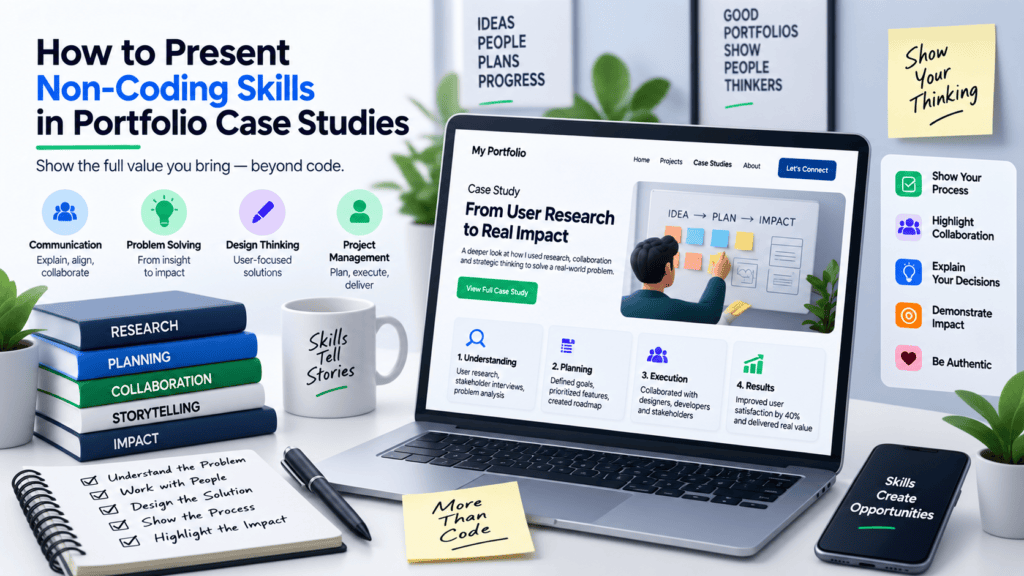
| Non-Coding Skill | How to Present It in a Case Study | Concrete Portfolio Evidence |
| Product Strategy | Frame projects around the problem statement rather than just the tech stack used. | Include a “Business Challenge” section detailing metric targets (e.g., “Reduced checkout drop-off by 15%”). |
| System Architecture | Document trade-offs, tech evaluations, and reasonings behind structural choices. | Embed flowcharts, ER diagrams, and concise Architecture Decision Records (ADRs). |
| User Research | Highlight user testing findings that directly altered your technical execution. | Display “Before & After” interface iterations based on real user feedback loops. |
| Team Leadership | Describe how you unblocked team members, mentored juniors, or led code reviews. | Add a “Team & Role” section detailing team size, responsibilities, and process ownership. |
| Communication | Showcase clarity in technical storytelling for both developers and business leads. | Link to live API docs (Swagger/Postman), public blog posts, or detailed open-source PR descriptions. |
Actionable Strategies for Your Portfolio Site
- Write long form, story-driven case studies, not bullet points of the various technologies used. Structure the case study as a story — The Problem, The Strategy, The Execution, The Impact.
- Dedicate a page to ‘Process & Mindset’ — talk about your process around development, how you implement CI/CD, code reviews, design-to-code handoffs and more.
- Publish content! Write articles or post-mortems on your blog to prove that you can communicate clearly and solve problems effectively in real-world scenarios.
Here is a detailed blog post answering your questions about freelance developer portfolios.
FAQs
1. How Important Are GitHub Projects?
The Short Answer: Extremely important, but quality matters more than quantity.
As a freelance developer, GitHub (or GitLab/Bitbucket) is your “code resume”. Technical clients want to see how you write code, not just that you can write code.
Proof of Work: It ensures that the projects in your portfolio were actually built by you
Code Quality: Recruiters and clients will look at your code to see if you have clean commits and helpful messages.
Consistency: A green contribution graph shows that you are passionate about your work.
How to use it effectively:
Pin Your Best Work: Don’t leave it to chance, pin the 3-5 repositories that best showcase your skills.
Write a README: Every project needs a README.md. Explain what the project does, the tech stack used, and how to install/run it.
Clean Up: Remove “tutorial hell” projects (like basic to-do lists) unless they are exceptionally well-crafted. Focus on projects that solve real problems.
The Verdict: If you are a senior dev, a strong GitHub is expected. If you are a junior, it is your best tool to prove you have moved beyond theory.
2. How Should Client Assignments Be Presented?
The Short Answer: The Problem – Solution – Result, not the screenshot
Many freelancers make a common mistake of making their work visible in the portfolio. Adding just the name of the company and the link to the page will allow the client to see what you did (or did not) do, but not how you think. It is important to present the work with the client as Case Studies.
The Formula for Creating a Case Study:
The Client: Who are you working for (e.g., “A local real estate agency”)?
The Problem: What is the issue the client is facing (e.g., “Their website is slow, taking 5 seconds to load and losing leads on mobile”)? Describe it in such way that the audience knows the difficulties the client was experiencing.
The Solution: What did you do to address the problem (e.g., “I migrated the site to the next.js and optimized the images”)? Describe the action steps taken. If required by the NDA (Non-Disclosure Agreement), you can skip the details about the code and the CMS.
The Result: What is the outcome of the project (e.g., “The page load speed dropped to 1.2s on average and the mobile conversions increased by 30%”)?
The Verdict: Clients don’t buy code; they buy solutions to problems. Present your assignments as business solutions.
3. What Makes a Developer Portfolio Stand Out?
The Short Answer: Specialization, personality and performance.
Thousands of portfolios are of the same boring structure: A Hero, a list of skills and a contact form. You need to break the mold.
Key differentiators:
- A clear specialization: The phrase ‘Full Stack Developer’ is a de facto standard, but what would your own specification be? ‘Shopify Plus expert for Fashion Brands’ or ‘React Native Developer for SaaS Startups’. You get the picture.
- Performance: If you’ve done something wrong in your portfolio, your client will assume you do the same for your main projects. Your portfolio should be a fast as possible (Lighthouse score of 100).
- A ‘Build in Public’ Section: This section would consist of blog posts or videos showing the inner workings of specific commits or bugs you’ve solved. It highlights both your technical and communicative skills.
- Interactive elements: This depends on the specialization, but perhaps a little ‘playground’ for the client to experiment with the code that powers your portfolio or the prototypical software you’ve been developing.
- The Verdict: Don’t just build a showcase, build an argument for why you’re the right hire. the specific expert they need.
4. Can Non-Coding Skills Be Included?
The Short Answer: Yes, absolutely. Soft skills are oftenthe deciding factor for freelancers.
Freelancing is a business, which means you are not only a coder but also a consultant, project manager, and communications lead. In many cases, clients prefer freelancers over agencies.
Which skills to highlight:
Communication: Are you good at explaining things to non-technical people?
Project Management: Can you demonstrate proficiency with tools like Jira, Trello, or Asana?
UI/UX Awareness: Would it benefit you if you demonstrated your understanding of design principles?
Availability/Time Zones: Are you available during the client’s working hours?
How to demonstrate them:
- Do not list your skills as bullet points.
- Avoid vague statements such as “I have good communication skills.”
- Instead, demonstrate your skills.
- Good example: “I provide weekly video updates and use the Loom tool to review code changes with the client.”
The Verdict: Technical skills help land an interview; soft skills help get you signed on the dotted line.
5. How Can Portfolio Platforms Help Developers?
The Short Answer: They lower the barrier to entry and take care of the technical heavy lifting.
While building a custom portfolio from scratch is a badge of honor, using a platform (like GitHub Pages, Vercel, Netlify or no-code builders like Webflow) has it’s distinct advantages.
Benefits of portfolio platforms:
- You can use the time of coding your own styling solutions for your case studies or upload your project somewhere else, instead of fighting with CSS.
- SEO and platform’s own hosting (Vercel, Netlify) and their own SSL certificates for domain security: you don’t need to worry about the technical side of your portfolio.
- Finding people and getting found by potential employers: there are communities (Dribbble for designers, Behance for developers) or certain sites (for example, Hashnode community for developers), where you can post your work and get contacted by people searching for developers.
- Lots of templates to choose from and make your portfolio look beautiful and responsive.
The Catch:
If you’re a Front-End Developer, create and maintain your own portfolio to highlight your frontend skills. Being a Back-End or Data Scientist, having the documentation and case studies hosted externally is acceptable.
The Verdict:
Use platforms to save time and effort, but make sure the content itself (the case studies) is unique and of high quality.
Summary Checklist for Your Portfolio
GitHub
Pinned
up-to-date
documented
Case Studies
Problem-Solution-Result
Niche
Clearly defined audience
Soft Skills
shows you are reliable and communicative
Performance
Your website should be optimized for speed and mobile devices
Your portfolio is a living document. You should update it with every new project and not be afraid to let your personality shine through. Good luck!
Conclusion
A great portfolio of a freelance developer is more than just a demonstration of their programming skills. It is, in fact, a proof of work and means of converting prospects into clients.
By focusing on the description of assignments, not technologies, presenting clean GitHub repositories, and publishing well-structured case studies, you position yourself as a competent and reliable specialist in the eyes of your audience.
Use the checklist from this guide to evaluate your own website, update your past projects, and improve your conversion rate. Remember to address your clients’ problems directly and encourage them to reach out.
Author Bio
Jeevesh Tripathi is a content writer and blogger with an interest in developer tools, technologies, and software development. He is deeply enthusiastic about connecting a developer’s ideas and thoughts with the implementation part. His articles focus on explaining the concept in a much-easier way with practical application in mind.
His main interest is sharing his knowledge and ideas about web development, freelancing, and developer portfolios. With his work of bkabhi, he shares his experience and practical knowledge that helps his audience find a shorter way to the tech business, web development, and related spheres.
He shares informative content and in-depth research on a wide range of topics related to the field of web development, software development, and technology-based business. Jeevesh contributes to the development world by posting informative and helpful posts for the development and tech-savvy community.
He is also actively involved in finding out new trends and updates in the field of web development and spreading the word about them.
Along with building up an online presence in the shape of a blog, he works closely with individual developers and businesses in improving their branding and marketing strategies. When he is not working on these tasks, he loves to create content for the development and digital marketing niches.