

Components, APIs, database functions, and UIs can be created using AI coding tools. This can take a fraction of the time that it would take with conventional methods. This may not be ideal in production.
In your example, the login system may not correctly restrict access. The API endpoint may return an appropriate response, but may also expose sensitive data. Or although the database call works with a couple of test entries, once it goes into production with users, it may perform poorly.
This does not necessarily mean you shouldn’t use AI created code. They are reasons to review and improve it before deployment.
In order to improve reliability, maintainability and security of AI generated code, developers should consider aspects such as structure, functionality, security, dependencies, test coverage and behaviour. The aim is that the production code will work correctly but has been improved.
This article outlines 7 steps that can be taken to improve the reliability of application code generated by AI.
Table of Contents
What Does It Mean to Refactor AI-Generated Code for Production?
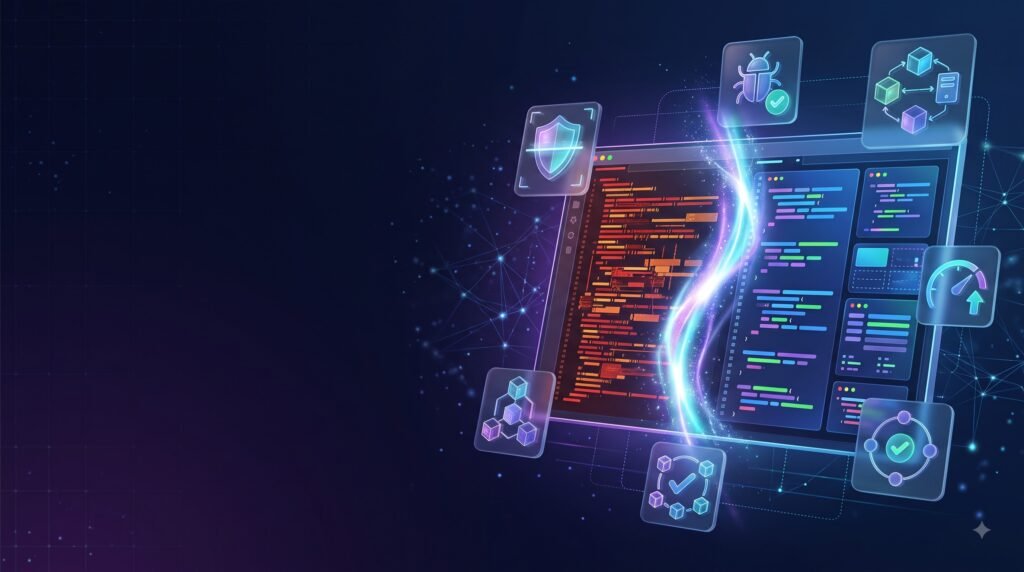
Improving code written by an AI, whilst preserving the original functionality.
Why refactor?
This can be very useful to ensure maintainable and reliable code where large amounts of code have been written using AI coding tools or natural language coding tools.
Code written by an AI may not fit fully within the wider application design. This could lead to duplicated logic, inconsistencies in validation, unnecessary dependencies, incomplete error handling or incorrect assumptions based on the product requirements.
By performing refactoring in production we can avoid hard to maintain code.
Prototype code to production ready code
A key difference is between prototype code and production ready code
| Area | Prototype-level implementation | Production-oriented implementation |
| Authentication | Basic login functionality | Secure authentication and session management |
| Authorization | Interface-level restrictions | Server-side permission enforcement |
| Validation | Basic form validation | Consistent client-side and server-side validation |
| Error handling | Console messages or generic errors | Structured error handling and useful logging |
| Database | Basic data operations | Validated transactions, constraints, and tested migrations |
| Dependencies | Packages added as needed | Verified, maintained, and necessary dependencies |
| Testing | Basic successful scenarios | Functional, integration, regression, and negative tests |
| Deployment | Manual or development-oriented setup | Repeatable deployment and rollback procedures |
| Monitoring | Limited visibility | Application and infrastructure monitoring |
Not all applications require enterprise level infrastructure.
Security, data, business logic and traffic considerations are taken into account to choose suitable protections for the application.
Why should we refactor code generated by AI?
While very useful in generating repeated code quickly, AI code generation tools will not inherently know complex design decisions, business rules or requirements within the current application.
If code is not sufficiently reviewed, a number of problems may occur.
1. Inconsistent Application Architecture
An AI tool may generate a component using a different architectural pattern from the rest of the application.
Different modules may be calling the APIs via a central service or directly from the front end.
Whilst both of these may be implemented separately, they become more challenging to maintain.
If there is inconsistency in the architecture, then developing new features may become slower due to needing to understand multiple ways of solving similar problems.
2. Duplicated and Unnecessary Code
Code may be duplicated in different parts of the application.
A developer might request a new customer profile component and receive another implementation of an API service, validation function, or formatting utility.
This can add a large amount of complexity. Whenever the original business logic changes, there may be multiple places that must be changed.
3. Incomplete Error Handling
AI-generated code often focuses on the expected execution path.
Applications in production must perform error handling for things such as: failed API’s, expired sessions, incorrect input data, database errors, failed payments and service unavailability.
If error handling is not implemented properly, users may become confused, or data within the application may be left in a corrupted state.
4. Security and Dependency Risks
Insecure code could be generated. For example, missing authorisation, unsafe data handling, leakage of credentials, and unsuitable dependencies.
The OWASP guidance on Secure Coding with AI points out that hallucinated dependencies, out-of-date packages, tampered testing, and a lack of human oversight should be considered.
Source: OWASP Secure Coding with AI.
5. Difficulties With Future Maintenance
If new features are added it may be difficult to change the code.
Large methods, high coupling between components, unclear variable names and lack of documentation can cause higher costs to debug and allow new features. Refactoring can make the code more readable for other people without relying on the original creator or AI.
How to Refactor AI-Generated Code for Production: 7 Practical Steps

Refactoring should be a controlled engineering process. Only rewrite parts of the application that really need improving.
The following steps provide a practical workflow.
Step 1. Know the current application
Before making any changes to the code, you should take some time to understand how the current application is working. Get an understanding of how the main elements of the application are interacting and what they depend on.
Start by reviewing:
- Frontend and backend architecture.
- API endpoints and communication methods.
- Authentication and authorization systems.
- Database structure and relationships.
- External APIs and third-party integrations.
- Background jobs and scheduled processes.
- Environment configuration.
- Deployment and hosting arrangements.
Create a basic architecture diagram showing how requests move through the application.
For example, a SaaS project management application might have the following flow:
- A user signs in through the authentication system.
- The frontend requests workspace information.
- Verification of user and permissions.
- Data will be retrieved from the database for the user’s organisation.
- The application displays the permitted information.
Understanding this flow helps developers identify where an AI-generated change might affect existing functionality.
This can help developers to understand what areas of the system may be impacted by AI generated changes.
It will also prevent unnecessary changes to working and functioning parts of the system.
Step 2. Build baseline & Understand Current
Know what is currently working, and what isn’t.
Without knowing this, you won’t know if a problem has been introduced in a refactor.
Start with the following checks:
- Run the application in a controlled development environment.
- Execute the existing automated test suite.
- Check whether the application builds successfully.
- Reproduce reported bugs.
- Test important customer workflows.
- Look through recent changes and errors.
- List current performance issues.
Let’s say that we have an issue where duplicate subscriptions are being created in our AI generated subscription module.
Before we change this, we want to recreate this issue to see what is going on. We can look at what API calls, database operations and responses from payment providers are happening.
Document the expected behavior.
For example:
Expected behavior: A customer should receive one active subscription after a successful payment.
Duplicated data may occur if multiple calls are made to request or pay.
This distinction gives developers a measurable objective for the refactoring work.
Write regression tests for key features
Where key functionality does not have automated testing in place, write specific tests to cover them before making large changes.
Prioritize functionality involving:
- User registration and authentication.
- Account permissions.
- Subscription creation and cancellation.
- Payment processing.
- Data creation and modification.
- File uploads.
- Organization-level access.
Ensure tests are testing for the right outcomes.
Step 3. Assess architecture, quality and dependencies.
Check for issues in the code
Once the baseline is established, examine the codebase for structural problems.
AI-generated code should be reviewed in the context of the complete application, not only the individual function that was generated.
Duplicate code
Check for duplicate business logic, duplicate API calls, duplicate validation and components doing very similar things.
Consider a SaaS application that contains three separate functions for calculating subscription discounts.
Instead of having three implementations, it may be possible to write a single price service, with clear inputs and outputs.
This reduces duplication, and provides for easy verification of changes in the future.
Break down complex functions
Sometimes AI written code can have very complex functions. For example, there may be a function which performs user authentication, gets user information, checks permissions, creates a session and sends an email. It may be better to break this function down so each task is performed by a separate component.
For example:
- Authentication service.
- User repository.
- Authorization service.
- Session management.
- Notification service.
Don’t create too many files. Just make sure there’s a clear separation of concerns.
Verify Third-Party Dependencies
Review package manifests and lockfiles to identify:
- Unnecessary dependencies.
- Packages with known vulnerabilities.
- Abandoned or poorly maintained libraries.
- Incorrect or unfamiliar package names.
- Multiple packages providing the same functionality.
- Unexpected changes introduced by generated code.
Only include packages if you absolutely have to. Check that the package is present, is in the correct place, is actively maintained, and suitable for the specific needs of your application.
GitHub has dependency and code scanning features to allow teams to pick out vulnerable packages and dangerous code patterns.
Reference: GitHub repository security documentation.
Step 4. Strengthen Security-Sensitive Code
Security should be one of the highest priorities when refactoring AI-generated applications.
Information disclosure and privilege escalation vulnerabilities may exist even if functionality is working correctly from a user perspective.
Focus on the following areas.
Authentication and Authorization
Authentication confirms who a user is. Authorization determines what that user is permitted to access.
Review both independently.
Check whether:
- Passwords are handled using appropriate password-hashing mechanisms.
- Sessions Expire Appropriate authentication in place for sensitive operations.
- Authorization is enforced on the server.
- Admin operations are limited.
- Permissions checked for each sensitive operation in API endpoints.
For a multi-tenant SaaS application, tenant isolation is particularly important.
If the ID of a record is changed or a parameter is modified in the request, users shouldn’t be able to access information from a different organisation.
Buttons should not be hidden in the front end.
Input validation and database queries
Ensure input validation at correct parts of the application.
Input Validation and Database Queries
Validate incoming data at appropriate application boundaries.
Review:
- Form submissions.
- API request bodies.
- Query parameters.
- File uploads.
- Database operations.
- Third-party API responses.
Use parameterised queries and/or ORM safeguards rather than building SQL queries from user inputs.
Ensure that uploaded files are of an acceptable type, size and have acceptable access controls.
Secrets and Sensitive Information
Sometimes credentials may be exposed in example files or configuration files generated by AI.
Search the repository for:
- API keys.
- Database passwords.
- Authentication tokens.
- Private keys.
- Hardcoded connection strings.
- Sensitive information written to logs.
Move secrets into an appropriate secrets-management system or protected environment configuration.
If a real credential has already been exposed, removing it from the latest source code is not enough. Revoke or rotate the credential.
Automated and manual testing should be used. Pay particular attention to authentication, access control, input validation and other critical functionalities.
Reference: OWASP Secure Code Review.
Step 5. Improve Testing and Error Handling
Testing is essential because refactoring changes existing code that other application components may depend on.
Even if a build passes tests, it may not behave as expected.
Depending on what is changed in your functionality, different test methods should be used.
Unit Testing
Unit tests verify individual functions or components.
Correct amounts are returned for various subscriptions, discounts and time frames.
Integration Testing
Integration tests verify that connected application components work together.
Examples include:
- Frontend-to-backend communication.
- Backend-to-database operations.
- Payment gateway integration.
- Authentication-provider integration.
- Email notification services.
Regression Testing
These tests ensure that previous functionality is unchanged.
If a developer makes changes to access rights to an account, tests should be made to ensure that users of other roles have the correct access.
Negative and Edge-Case Testing
Do not test only successful scenarios.
Include:
- Missing required fields.
- Invalid authentication tokens.
- Expired sessions.
- Duplicate requests.
- Unauthorized resource access.
- Database timeouts.
- Failed payment responses.
- Unexpected API responses.
- Concurrent updates.
Test cases should not be developed from the same AI as the implementation.
OWASP notes that test cases may cause assertions to decrease, failed tests to be removed, or incorrect behaviour. Security critical test cases should be reviewed independently.
Improve Error Handling
Replace vague error handling with predictable application behavior.
If there is an error with the external payments API, the subscription should not be marked as successfully paid.
The system should log the error, maintain database consistency, and display an appropriate message or allow recovery. Ensure that structure is added to logs but do not include sensitive data such as passwords, access tokens, payment details etc.
Step 6. Validate Performance, Database Operations, and Integrations
A refactored application must work under realistic conditions, not only with a small development dataset.
Review performance-sensitive areas before production deployment.
Examine Database Queries
Look for:
- Repeated database queries.
- Missing indexes.
- Inefficient joins.
- Unnecessary data retrieval.
- Uncontrolled pagination.
- Missing transaction boundaries.
- Long-running background operations.
For example, a dashboard that retrieves each customer’s project information through separate database queries may become slow as the number of records increases.
A more efficient query strategy or suitable data-loading approach may improve performance.
However, avoid introducing caching or complex infrastructure without evidence that the application needs it.
Test Database Migrations
AI-generated schema changes should be reviewed carefully.
Check whether migrations:
- Preserve existing customer records.
- Handle null values appropriately.
- Maintain required constraints.
- Avoid unintended data deletion.
- Support the intended upgrade process.
- Have a recovery strategy.
Use sample data to test migration in a test environment before deploying it.
Integrate with 3rd Party Systems
Test that your application behaves correctly if 3rd party systems are slow/ unreachable/ return unexpected data.
Where appropriate implement timeouts, retry mechanisms (with sensible limits) and idempotency.
For example, a payment callback should not create a second subscription simply because the payment provider sends the same notification more than once.
Step 7. Prepare Deployment, Monitoring, and Rollback
Ensure it is possible to deploy and manage your new code safely in production.
Repeatable deployment with appropriate management.
Review the CI/CD Pipeline
A continuous integration and deployment pipeline can automate repeatable checks before code reaches production.
A practical pipeline may include:
- Code formatting and linting.
- Build verification.
- Unit and integration tests.
- Dependency scanning.
- Static security analysis.
- Secret scanning.
- Required human code review.
- Deployment approval.
Protection rules and required status checks should be put in place to ensure any critical error is not overlooked when merging changes regularly.
Configure Application Monitoring
Allows problems to be identified after deployment.
Consider tracking:
- Application error rates.
- API response times.
- Database performance.
- Failed background jobs.
- Authentication failures.
- External service errors.
- Resource utilization.
- Important customer-facing workflows.
Provide sufficient context within monitoring so that issues can be investigated but without sensitive customer data being exposed.
Establish a Rollback Strategy
Consider what rollback strategy will be used in case you need to roll back to previous working state of code.
Verify:
- Previous application builds are available.
- Deployment artifacts are versioned.
- Database changes have a recovery strategy.
- Configuration changes can be reversed.
- You know who has permission to roll back.
For higher-risk releases, consider gradual deployment or canary releases.
Limiting rollout to only a portion of production traffic can allow defects to be caught early (from Site Reliability Engineering at Google).
Reference: Google SRE: Canarying Releases.
When to refactor, replace, or re–write?
Not all code generated by AI needs to be replaced.
Common mistake
The correct decision depends on the condition of the existing implementation.
| Situation | Recommended approach | Reason |
| Code works but contains duplication | Refactor | Preserve functionality while simplifying structure |
| A component has weak error handling | Refactor | Improve reliability without replacing the entire feature |
| A dependency is outdated or vulnerable | Replace or upgrade the dependency | Address the specific dependency risk |
| A module has repeated architectural problems | Consider replacing the module | Limit changes to the affected component |
| Core architecture cannot support required functionality | Consider a broader redesign or rewrite | Existing structural limitations may prevent safe development |
| Business logic is unclear or undocumented | Investigate before changing | Rewriting without understanding requirements can reproduce existing problems |
Full replacement of AI code may not always be necessary or appropriate.
In the example below, there is a well functioning payment system within the application, but a more complex than necessary reporting function. Replacing the payment system introduces unnecessary risk.
A targeted refactoring project may be more appropriate.
Things to avoid during rework
Even experienced people can get things wrong.
Whole application rework
1. Rewriting too much of the application in one go
This can make it difficult to know where regression has occurred. To mitigate this, try to refactor in small chunks so that they are easily reviewable.
Work in smaller modules and keep changes reviewable.
2. Trusting AI-Generated Fixes Without Verification
Asking an AI tool to fix a problem does not establish that the solution is correct.
Review the proposed changes, understand their impact, and test the actual behavior.
3. Treating Passing Tests as Complete Security Assurance
A passing test suite does not prove that an application is secure.
Access control, business rules, change to dependencies and negative test cases.
4. Ignored risks – database/data migration
Changes to the schema, data relationships or data manipulation may affect existing customer data. Perform tests on how data will be migrated, and what action should be taken to recover from issues.
5. Optimizing Code Without Measuring the Problem
Not every long function or database query is a production bottleneck.
Changes can be prioritised based on the profiling information, application logs and performance tests.
6. Skipping Documentation
Important architectural changes, configuration requirements, and business rules should be documented.
The application should be well documented so that subsequent developers understand how it works without having to reverse engineer decisions from the source code.
Practical Checklist: Is Your AI-Generated Code Ready for Production?
Use this checklist before releasing a refactored application.
Code quality and architecture
- Application architecture is understood and documented.
- Critical modules have clear responsibilities.
- Unnecessary duplicated logic has been reviewed.
- Dependencies have been verified.
- Configuration is separated from application code.
- Important business rules are understandable.
Security
- Authentication works correctly.
- Server-side authorization is enforced.
- API inputs are validated.
- Prevented from SQL injection.
- No secrets present in code or logs.
- Dependencies have been checked for known vulnerabilities.
- Sensitive workflows have received human review.
Testing and reliability
- Important existing workflows have regression tests.
- Unit and integration tests pass.
- Negative and edge cases have been tested.
- Error handling is consistent.
- Database migrations have been tested.
- External components are resilient to failure.
Production operations
- Production configuration has been reviewed.
- CI/CD checks are configured.
- Monitoring and error logging are available.
- Backups and restoration procedures have been verified.
- Deployment and rollback procedures are documented.
- Ownership of maintenance in place.
Checklists should be supportive, but not a replacement for good judgment. The checks required to be in place will vary depending on architecture, sensitivity of data, customer requirements and risk within operations.
How BkAbhi Fits Into AI-Assisted Product Engineering
Turning an AI-generated prototype into a maintainable application requires more than generating additional code. Understanding, Designing, Developing, and Validating engineering solutions.The provider also has an online presence, where it is mentioned that they will continue engineering solutions to improve your product.
BkAbhi Innovations Lab describes its work around MVP development, SaaS architecture, web applications, mobile experiences, and AI integration. This means that if you as a founder want to create any software products which may require further engineering solutions, these partners can be useful.
However, BkAbhi’s relevance to a particular AI-generated code refactoring project should be evaluated against the actual technical scope. Its public positioning should not be interpreted as confirmation of a dedicated AI-code remediation or specialist security-audit service.
Before working with a development partner, consider:
- Will they assess the current code?
- Which architectural and security issues will be assessed?
- Will current functionality be maintained?
- Regression testing will be performed?
- Are dependencies and data migrations to be considered?
- Any documentation? Handover?
- Supporting of application after deployment by whom?
This provides an indication of whether the required development is in line with the application requirements.
Conclusion
AI-generated code can accelerate application development, but generating a working feature is only one part of building reliable production software.
Before deployment, developers should understand the existing codebase, establish a working baseline, review architecture and dependencies, strengthen security, improve testing, and validate database operations and external integrations.
The safest way to refactor AI-generated code for production is to make controlled changes, verify each important result, and maintain a clear release and rollback process.
A production-ready application does not need unnecessary complexity. It needs an engineering foundation that supports its actual users, business requirements, and future development.
Frequently Asked Questions
1. Can AI-generated code be used in production?
Yes. Once validated, secure and functional requirements are satisfied, AI generated code can be implemented. However, the implementation must be approved by human developers.
2. Safe Refactoring of AI generated code
To do this safely, understand the existing application. Identify architectural and security problems. Make minor changes, perform regression testing, ensure dependencies are correct and check that everything works correctly before deployment.
3. Should I refactor or rewrite AI generated code?
In general, you may want to refactor your AI generated code if it is functional but difficult to maintain. You may wish to rewrite the code if the architecture is fundamentally inappropriate or unsafe to maintain.
4. What are the main risks with using AI generated code?
Possible issues include missing authorisation, poor input validation, hallucinated or vulnerable dependencies, duplicate logic, incomplete error handling and insufficient testing.
5. How should I test AI generated code?
Use a combination of unit tests, integration tests, regression tests, negative testing, dependency scanning, and human code review. Independent testing should occur here.
6. Can AI tools refactor an entire application automatically?
Risks are increased if large scale code changes are made automatically by AI tools without independent checks. Any significant changes should be implemented iteratively, and independently checked.
7. When should a startup conduct an AI-generated code review?
A review should take place before generated code is merged into important application branches and before production deployment. Extra checking is appropriate in this scenario due to significant changes in architecture, security, database systems or infrastructure.
About the Author
Jeevesh Tripathi
Research-based writer covering technology, artificial intelligence, software development, SaaS, and digital business tools.
He focuses on practical explanations, evidence-based research, and technology comparisons that help founders and developers make informed product and engineering decisions.
Email: jeevesh@bkabhi.com