
Choosing a backend for your minimum viable product (MVP) affects more than how quickly you can start coding. It influences how you store data, manage user access, estimate running costs, build new features, and maintain the product after launch.
Firebase is worth considering when your MVP depends on mobile integration, real-time data synchronization, or offline-first behavior. Supabase is worth considering when your product needs relational data, SQL, and PostgreSQL-based application logic. Neither is automatically the better choice for every startup.
The right decision depends on your product’s first set of features, the relationships between its data, your team’s technical skills, and how much control you need over the backend.
This guide compares Firebase vs Supabase for MVP backend development, including security, pricing, AI integration, scalability, and migration considerations.
Table of Contents
Quick Answer: Firebase or Supabase for an MVP?
Choose Supabase when your MVP has structured, interconnected data and you want PostgreSQL, SQL queries, and relational constraints. It can be a practical starting point for SaaS dashboards, marketplaces, booking platforms, and customer portals.
Choose Firebase if your MVP needs to be built upon Firestore’s document model, mobile SDKs, real-time sync, or offline-first capabilities. It can be a practical option for collaborative applications and mobile products that need to work with intermittent connectivity.
Before making a decision, be sure to check which services are available in the plans and if your team can handle the setup of permissions properly
| Your MVP requirement | Starting point to evaluate | Why |
| SaaS dashboard with related records | Supabase | PostgreSQL supports relational queries and constraints. |
| Marketplace with buyers, sellers, and orders | Supabase | Relational data can simplify relationships and reporting. |
| Mobile app with offline data access | Firebase | Firestore documents offline persistence and synchronization. |
| Live activity feed or collaborative feature | Either | Compare the actual synchronization and consistency requirements. |
| AI-powered application | Either | Choose according to the data model, integration needs, and security design. |
| Simple MVP with uncertain future requirements | Neither by default | Map the initial features and likely changes before choosing. |
These are only recommendations based on the information provided; the products have much broader offerings than what is mentioned here.
What Is Firebase?
Firebase is Google’s application development platform. It offers services for building and operating applications, including authentication, databases, server-side functions, hosting-related capabilities, and other tools.
For backend development, two database services are especially relevant:
- Cloud Firestore: A NoSQL document database that stores data in documents organized into collections.
- Firebase Realtime Database: A separate database designed around synchronized data stored in a JSON-like tree.
The distinction matters. Firebase is not a single database, and the best choice within Firebase depends on the product’s requirements.
Cloud Firestore supports real-time listeners and offline persistence. Its documented behavior allows applications to read, listen to, query, and write cached data while offline, with synchronization when connectivity returns.
Firebase Authentication provides user sign-in services, while Firebase Security Rules help control access to supported resources. Cloud Functions for Firebase can run backend logic in response to events or HTTP requests.
Where Firebase fits an MVP
Firebase is worth evaluating when you’re building:
- A mobile-first product that needs Firebase SDK integration.
- A collaborative application with real-time updates.
- An app that must support offline access to selected data.
- A product that benefits from integrating several Firebase and Google Cloud services.
- An application whose data can be modeled effectively as documents and collections.
Its managed services can reduce the amount of infrastructure you need to operate yourself. However, you still need to design the data model, define security rules, test permissions, and understand billing.
What Is Supabase?
Supabase is a backend platform built around PostgreSQL. It provides a managed database and integrates that database with services such as authentication, storage, real-time functionality, and Edge Functions.
Unlike a database abstraction that hides the underlying engine, Supabase gives you a PostgreSQL database that can be accessed through SQL and standard PostgreSQL tooling.
This is useful when your product’s data has explicit relationships.
For example, a SaaS product may need to connect:
- Organizations to their members.
- Members to roles and permissions.
- Customers to subscriptions and invoices.
- Projects to tasks, comments, and activity records.
- Products to orders and inventory records.
PostgreSQL supports tables, foreign keys, constraints, indexes, joins, and transactions. These features can help you enforce data integrity and retrieve related records without maintaining every relationship manually in application code.
Supabase Auth integrates with the database, and Row Level Security (RLS) can enforce row-level authorization policies. Supabase also supports PostgreSQL extensions, including pgvector, for applications that need vector search.
Where Supabase fits an MVP
Supabase is worth evaluating when you’re building:
- A B2B SaaS dashboard.
- A customer or vendor portal.
- A marketplace with related entities.
- A booking or order-management application.
- An internal tool with reporting and filters.
- An AI application that needs vector search alongside structured records.
Supabase does not eliminate backend engineering. Developers still need to design tables, manage migrations, configure permissions, write application logic, and monitor the production system.
Firebase vs Supabase: The Core Database Difference
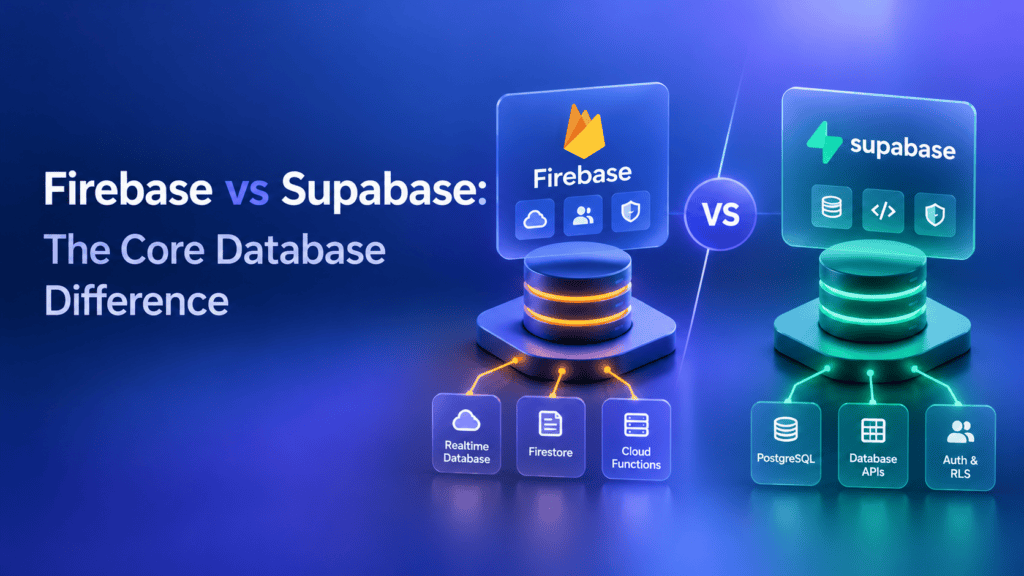
The most important distinction is the database model.
Firebase’s Cloud Firestore stores documents inside collections. Supabase provides PostgreSQL, a relational database that stores structured records in tables.
Neither approach is inherently superior to the other. It depends on the kinds of questions your application needs to ask about the data, and how that data is going to change.
SQL vs. NoSQL
Imagine you’re building a project-management SaaS product.
You need organizations, members, projects, tasks, comments, and subscription records. Your organization owns a user, who has a role, and works on projects.
With supabase you can model this using standard relational tables and foreign keys. It becomes possible to make joins between tables using SQL and to prevent invalid states with database constraints.
With Firestore, you can model the same product using documents, subcollections, references, and carefully chosen duplicated data. That approach is not wrong,
but it requires designing the documents and queries in a way that works around the limitations of the system.
The practical difference is not that Firestore cannot support a complex product. It is that the two models encourage different ways of structuring and querying data.
When relational data matters
Supabase is a natural candidate if your MVP needs:
- Many-to-many relationships.
- Complex filters and reports.
- Strong relational constraints.
- Transactions across related records.
- Structured admin dashboards.
- SQL-based analysis.
When document-based data matters
Firestore is worth evaluating if your application benefits from:
- Document-oriented records.
- Hierarchical data structures.
- Queries designed around specific collections.
- Real-time listeners on relevant documents or query results.
- Offline reads and writes supported by its client SDKs.
Decision rule: Sketch the main entities and five to ten important queries your MVP must perform. If the relationships and reporting requirements are naturally relational, start by evaluating PostgreSQL. If the application revolves around document-shaped data and mobile synchronization, evaluate Firestore closely.
Authentication and Security: What Must You Configure?
Both platforms offer authentication services, but authentication and authorization solve different problems.
Authentication confirms who a user is. Authorization determines what that user can access or change.
A startup can implement login successfully and still expose another customer’s records if authorization is configured incorrectly.
Firebase security
Firebase Authentication handles sign-in, while Firebase Security Rules can enforce access conditions for supported services such as Cloud Firestore and Firebase Storage.
For example, a task-management app might allow a user to read only tasks associated with an organization they belong to. The application needs a reliable way to establish that membership and rules that enforce the intended restriction.
Do not rely on hiding a button or filtering records in the frontend as the only security control. Access must be enforced at the appropriate backend boundary.
Supabase security
Supabase Auth manages users and sessions. PostgreSQL Row Level Security allows developers to express access rules at the database level.
For example, a policy can restrict access to rows where the current authenticated user’s ID matches the row’s owner ID. A multi-tenant application may require additional membership and organization checks.
RLS must be configured carefully. Database grants and policies work together, and an exposed table without appropriate protections can permit unintended access.
Security comparison
| Security consideration | Firebase | Supabase |
| User sign-in | Firebase Authentication | Supabase Auth |
| Data-access controls | Firebase Security Rules for supported services | PostgreSQL grants and RLS policies |
| Authorization approach | Rules based on the resource and request context | SQL policies evaluated against database rows |
| Main implementation risk | Incorrect or incomplete rules | Incorrect grants, policies, or exposed database access |
| What to test | Cross-user access, roles, document paths, storage permissions | Cross-user access, tenant isolation, grants, RLS, server-side credentials |
For either platform, test signed-out access, ordinary user access, administrator access, and attempts to access another customer’s data.
Also protect server-side credentials, validate sensitive operations, and plan backups and recovery. Choosing a platform is not a substitute for a security review.
Real-Time Features and Offline Support
Real-time updates and offline access are related but different requirements.
Real-time functionality allows clients to receive updates without constantly requesting for the latest information. Offline support enables the application to perform specific operations when the device is not connected to the server.
Firebase
Firestore supports real-time listeners and offline persistence. This is especially useful for mobile applications where an end-user can lose internet access on the go or while working at a place with unstable networks.
However, offline persistence does not imply that all operations allowed in the application can be performed offline. A workflow requiring server-side validation, payment confirmation, or an inventory check with the authoritative source should still necessitate a connection.
One should also consider conflict resolution and synchronization of local changes.
Supabase
Supabase Realtime can deliver database changes and other real-time events to subscribed clients. Can support live dashboards, notifications, collaborative interfaces, and status updates.
Requires more architectural decisions to make it behave like an offline-first app. Depending on your choice of client libraries and application framework, you might need to implement local storage, sync strategy, retry logic, and conflict resolution.
Which should you choose?
Consider Firebase first if offline data access and synchronization are core product requirements, especially for a mobile app.
Consider Supabase as your primary database if you need real-time features in addition to relational data, and you are willing to make additional decisions to implement offline-first behavior if needed.
Test the behavior of the actual application workflow versus its label. For example, try editing a record offline on two devices and see what happens when they reconnect and attempt to resolve conflicts.
APIs, Backend Functions, and AI Integration
A backend is more than a database. Your MVP may need to validate business rules, process payments, send notifications, call external APIs, or run AI tasks.
Both Firebase and Supabase offer ways to implement server-side logic.
Firebase supports Cloud Functions for Firebase, which can respond to events and requests. Supabase offers Edge Functions and PostgreSQL functions for different types of backend logic.
The choice should depend on the task, deployment model, runtime requirements, and how the function needs to interact with data.
Building an AI-powered MVP
Suppose you’re developing a SaaS product that summarizes customer feedback and lets users search past feedback in natural language.
The backend may need to:
- Store customer records and feedback.
- Authenticate users and enforce access boundaries.
- Call an AI model through a server-side integration.
- Store generated summaries and relevant metadata.
- Optionally store embeddings and perform vector similarity searches.
- Track usage and manage costs.
Supabase can be a good candidate if you want PostgreSQL for customer records and pgvector for vector search in the same database environment.
Firebase can also be used in an AI-powered product, including applications that integrate with Google’s AI ecosystem or external model APIs.
The database choice does not determine the quality of the AI model. Model selection, retrieval quality, prompt design, evaluation, and application logic remain separate concerns.
Keep private model API keys on the server, apply authorization to AI-related data, and consider rate limits and per-user usage controls.
Firebase vs Supabase Pricing: What Does an MVP Backend Cost?
The cheapest starting plan isn’t necessarily the cheapest operating setup.
Firebase’s costs depend on the selected services and their usage. For Cloud Firestore, billable factors include document reads, writes, deletes, index-entry reads where applicable, storage, and network bandwidth.
Supabase pricing includes subscription and resource considerations. Compute can be billed independently of database usage, while selected usage categories have included quotas and additional charges beyond those allowances.
Because plans and prices can change, check the official Firebase pricing page,Firestore pricing documentation, andSupabase pricing page before making a budget decision.
What drives backend cost?
| Cost factor | Why it matters |
| Database operations | Read-heavy and write-heavy workloads can have different cost profiles. |
| Compute | Database capacity and server-side processing affect resource costs. |
| Storage | Records, files, indexes, and backups may have different billing treatment. |
| Network transfer | Large responses and file downloads can increase bandwidth costs. |
| Real-time usage | Messages, connections, and subscriptions may count toward service quotas. |
| Functions | Invocation volume and execution requirements can affect charges. |
| Authentication | Provider choice, active users, SMS, and advanced identity features may affect costs. |
| Monitoring and recovery | Production observability, backups, and recovery requirements may add costs. |
How to estimate your MVP’s monthly cost
Instead of asking only which platform has the better free tier, estimate the workload.
For a hypothetical early SaaS product, model:
- Expected monthly active users.
- Average database reads and writes per user.
- File storage and monthly downloads.
- Real-time connections and messages.
- Function invocations.
- Database size and compute needs.
- Backup, monitoring, and recovery requirements.
Then apply the current pricing rules for the specific services you plan to use.
Illustrative example: If one feature loads a list of projects and then loads task details for each project separately, its database access pattern may differ substantially from a design that retrieves the required information efficiently. In either backend, unnecessary requests can increase cost or reduce performance.
Do not assume that Supabase is always cheaper because it uses a subscription-based model, or that Firebase is always cheaper because a prototype can start with free quotas. The result depends on actual usage, implementation, and the features enabled.
Scalability and Long-Term Maintenance
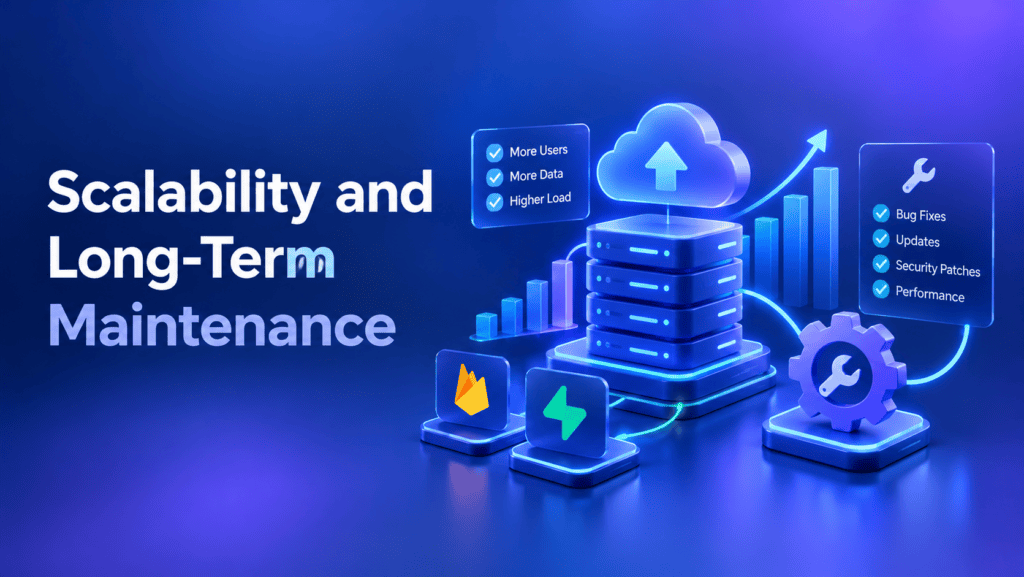
Both platforms are capable of supporting applications that require to evolve beyond a simple prototype.
A product may experience issues due to inefficient queries, inadequate indexing, redundant requests, poor authorization structure, or rigid architecture that does not allow easy changes.
Scaling with Supabase
Supabase gives you PostgreSQL, so you can use established database practices such as indexes, query analysis, relational constraints, and schema migrations.
Flexibility can also create additional problems if the database is not designed correctly. The same issues such as poor indexing, too many connections, and expensive operations may arise.
As the application grows, one should evaluate the amount of processing power, number of databases, queries, connections, backups, and recovery needed.
Scaling with Firebase
Firestore’s managed architecture reduces the need to operate database servers directly. However, document structure, query patterns, indexes, and the number of billed operations are significant.
Duplicating data may optimize some patterns, but records duplication requires additional writes and synchronization efforts when data is changed.
And for a growing application, it is essential to understand its real load, not guessing that managed service will be more efficient by default.
Maintenance checklist
Before moving an MVP into production, make sure the team has:
- A documented data model and authorization design.
- Repeatable deployment and migration procedures.
- A plan for backups and recovery testing.
- Logging and error monitoring.
- Budget alerts or appropriate spending controls.
- Tests for important business rules and access permissions.
- Documentation for environment variables, integrations, and service credentials.
The amount of engineering effort depends on the application and team. Neither platform removes these responsibilities.
Ownership, Portability, and Migration Risk
Choosing a backend creates dependencies. The important question is how much work it would take to change that decision later.
Moving away from Firebase
If you use Firestore-specific data structures, security rules, SDKs, and Cloud Functions, migrating to another backend may involve:
- Exporting and transforming document data.
- Designing a relational schema if moving to PostgreSQL.
- Rewriting database queries and application data-access code.
- Recreating authorization rules.
- Replacing backend functions and event-driven workflows.
- Testing of the data integrity and user access after migration.
Firebase projects can involve different services, therefore, the migration’s extent is defined by the particular combination of those used in the application.
Moving away from Supabase
PostgreSQL can make data export and migration to another PostgreSQL environment more straightforward than moving between fundamentally different database models.
However, a migration can still require effort in case the application relies on the Supabase Auth, generated APIs, storage, Realtime, Edge Functions, or platform-specific configuration.
PostgreSQL portability is an advantage, not a guarantee of a zero-effort migration.
Reduce migration risk from the beginning
You don’t need to build a complicated abstraction layer for every possible future backend. Instead:
- Keep business rules documented.
- Use version-controlled database migrations.
- Document external service dependencies.
- Keep secrets out of client code.
- Establish a backup and export process.
- A void designing the critical business logic around an undocumented set of platform-specific triggers.
Plan for your likelihoods, but remember the costs of the architectural change if the product is evolved.
Three Practical MVP Scenarios
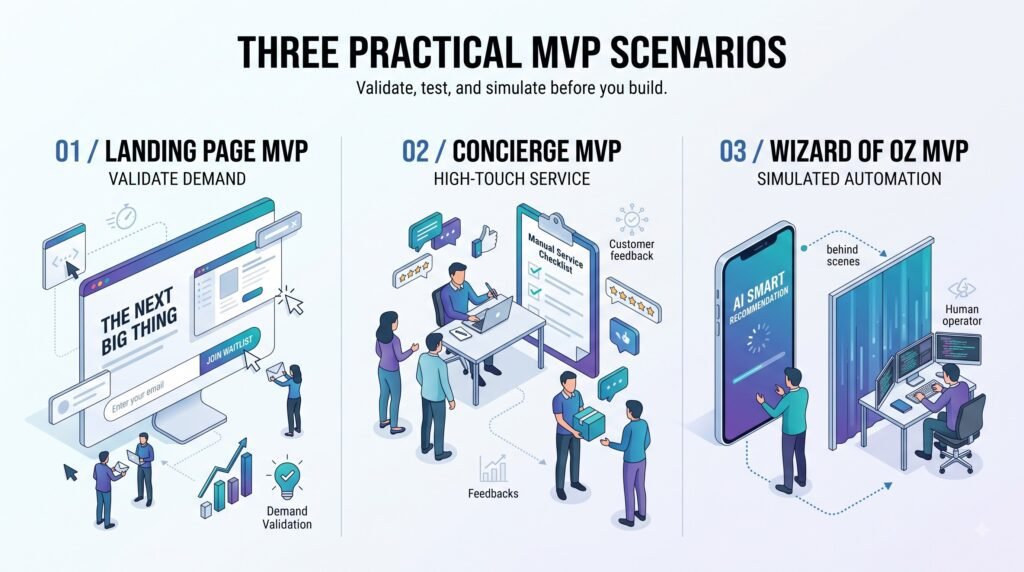
Scenario 1: A B2B SaaS dashboard
Hypothetical product: A subscription-based project-management tool with organizations, teams, projects, tasks, and billing records.
Starting recommendation: Evaluate Supabase.
The database has relational records and should have queries that connect organizations, users, projects, and subscriptions. PostgreSQL, however, provides a natural way of modeling those relationships.
Trade-off: The team will have to design the schema, configure RLS (Row-Level Security), and implement the application logic securely. If the product also has advanced offline behavior needs, that requirement would need to be assessed separately.
Scenario 2: A mobile application with unreliable connectivity
Hypothetical product: A field-work app where employees need to view assigned jobs and record updates in areas with intermittent connectivity.
Starting recommendation: Evaluate Firebase and Firestore closely.
Firestore’s documented offline capabilities could potentially decrease the amount of work required to support local reads and writes.
Trade-off: The team needs to test the synchronization, conflict resolution, permissions, and any other workflows that require a server to validate or approve changes.
Scenario 3: an example of an AI-powered customer-support tool
Suppose that the hypothetical product you want to build is a SaaS dashboard that would accumulate, summarize, and store customer feedback. In this case, your suggestion could be based on Supabase if, for example, your design requires relational records, or on Firebase, if the hypothetical offering would benefit more from an existing ecosystem of tools.
The critical design choices for such a product would include ensuring data isolation, exposing the dashboard to the server for realizing AI calls on the backend, measuring usage statistics, and implementing an efficient method of retrieving relevant records. The technical decision that would not contribute to your creation is using a vector database because it would not be possible to build a reliable AI product out of such a solution. The team still needs to evaluate retrieval quality, model costs, permissions, and output quality.
Vector search by itself would not be sufficient to build an AI product.
A Practical Decision Checklist for Founders
Before selecting a backend, answer the following questions with your developer or product team.
- What are the five most important features in the first release?
- What entities does the product need to store?
- Which records are related, and which queries will the application run most often?
- Does the product require offline writes or only real-time updates?
- How will user roles and customer-data boundaries be enforced?
- Which external services, payment systems, or AI APIs must be integrated?
- What monthly usage assumptions will be used to estimate costs?
- How will the team back up, monitor, and recover the application?
- What skills does the team already have?
- What would need to change if the product outgrows its first architecture?
A useful next step is to draw a simple data model and test one important workflow in the preferred backend before committing to the full implementation.
Where BkAbhi fits into the decision
Choosing Firebase or Supabase is one part of MVP planning. The team must also decide how the frontend, backend logic, authentication, integrations, deployment, and monitoring fit together.
BkAbhi’s official website describes an innovation lab focused on MVP development, with listed capabilities in SaaS architecture, mobile experiences, AI integration, and motion design. Those capabilities are relevant to the wider product-development process, but they do not establish a universal preference for either backend.
If you’re planning a SaaS or AI-enabled MVP, discuss the data model, security requirements, expected workload, and future maintenance needs before choosing the technology. A discovery process should turn those requirements into a scoped implementation plan.
Final Verdict: Firebase vs Supabase for MVP Backend
There isn’t one backend that is best for every MVP.
Start with Supabase when relational data, SQL queries, and PostgreSQL flexibility are central to your product. Start with Firebase when the selected Firebase services fit your mobile, real-time, or offline requirements particularly well.
Before committing, verify the current plan limits, model your core data, test authorization, estimate operating costs, and document the migration trade-offs.
The best MVP backend is the one that supports the product’s essential requirements without creating unnecessary complexity or avoidable maintenance work.
Author Bio
Author: Jeevesh Tripathi
Email: jeevesh@bkabhi.com
Jeevesh Tripathi writes research-based content about technology, AI, software, SaaS, and digital products. His work focuses on practical comparisons, evidence-based evaluation, and helping founders and technology teams understand product-development decisions without unnecessary jargon. His articles aim to distinguish verified information from analysis so readers can evaluate technologies and make informed decisions.