
Table of Contents
Introduction: Bubble vs Webflow for MVP Development
When launching a Minimum Viable Product (MVP), startups need to save development time and money, so that the idea can be validated with a minimum of fuss. Bubble and Webflow are two leading no-code platforms that allow entrepreneurs to build MVPs with less programming expertise than would otherwise be required. However, the two platforms cater to different use cases.
What Are Bubble and Webflow?
Bubble is an intuitive no-code application development platform that enables users to build interactive web applications. It provides a set of tools for databases, user accounts, workflows, API connections, payments, dashboards, and more, allowing relatively complex apps with a substantial amount of logic to be built without coding.
Webflow is primarily a website design platform that focuses on websites’ responsiveness, content management systems, and marketing needs. While it allows some degree of coding, it offers more control over individual page elements, animations, and visual design, which is useful in developing landing pages, marketing sites, and other content-heavy MVPs.
Why Choose No-Code for an MVP?
No-code development allows one to experiment with the startup idea without incurring high costs and take a step back if the initial hypothesis proves to be wrong. One should build an MVP with visual development tools and seek early user feedback.
Key benefits include:
- Faster development: Create and alter an MVP without extensive programming
- Lower costs: Limit the amount of custom development needed during the validation process
- Iterate quickly: Make changes to your MVP based on user feedback
- Test the waters: Get your product out there sooner and see if there is actual demand.
- Light technical debt: Lets non technical founders contribute more to the development of the product.
However, a no-code solution does not necessarily dictate that your MVP will be cheaper or better. The tooling you choose should reflect the functionality, integrations, scalability needs and long term technical strategy of your product.
Key Differences Between Bubble and Webflow
The main difference is their development focus. Bubble is generally application-oriented, while Webflow is primarily website- and design-oriented.
| Factor | Bubble | Webflow |
|---|---|---|
| Primary purpose | Web applications | Websites and marketing experiences |
| Best for | SaaS, marketplaces, dashboards, portals | Landing pages, marketing sites, content websites |
| Database functionality | Strong built-in application database | More limited for complex application logic |
| Workflows | Advanced visual workflows | More focused on website interactions |
| Design control | Flexible but application-focused | Strong visual design capabilities |
| User accounts | Suitable for application-based authentication | More limited for complex app experiences |
| MVP use case | Functional product MVPs | Website or front-end MVPs |
For example, if your startup is building a two-sided marketplace, SaaS dashboard, booking platform, or customer portal, then Bubble will be a better choice, as it would allow you to design apps featuring application logic and database interactions. On the other hand, a landing page, content platform, or marketing-focused website for testing a concept would be better built in Webflow.
Ultimately, the choice between Bubble and Webflow should be dictated not by the speed of development but by the MVP’s scope. That said, for a startup, it is critical to have a clear idea of MVP’s features, UX, integration requirements, and validation strategy to choose between no-code platforms wisely.
Bubble vs Webflow: At-a-Glance Comparison
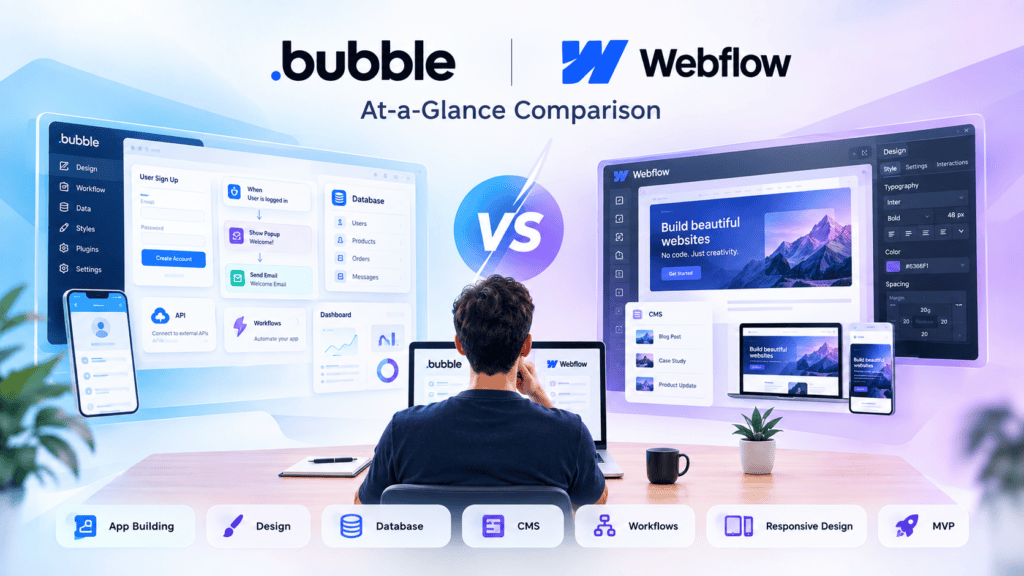
When choosing a no-code platform for your next project, Bubble and Webflow are two of the largest options, but they offer different things to developers and designers. Here’s how they compare.
Features and Capabilities
Webflow is a visual web design and CMS platform. It has a built-in CMS for managing blogs, portfolios, and product listings, dynamic content that personalizes what visitors see, and e-commerce functionality on its higher tiers for setting up an online store with inventory tracking and payment gateways. It also ships with built-in SEO tools and the option to drop in custom code for advanced needs.
Bubble is a full application-development platform. It comes with a built-in database, workflows, authentication, and logic, making it well suited to SaaS apps, marketplaces, dashboards, and internal tools — while Webflow has no native backend and is really a CMS layer for marketing sites, blogs, and landing pages.
Bottom line: Webflow wins on content-driven websites; Bubble wins on functional, logic-heavy applications.
Ease of Use
Both platforms are no-code and visual, but the learning curve differs:
- Bubble offers something different – a more logic-oriented design with less focus on aesthetics. With that said – it still produces nice UI elements, and offers less flexibility in animation than Webflow.
- Webflow’s WYSIWYG canvas is reminiscent of modern design software such as Figma or page builders – making it highly intuitive for people who think visually and work with layout, grids, and typography.
If your team thinks in “pages and design”, Webflow feels more intuitive. If your team thinks in “features and logic”, you will feel more at home using Bubble’s flow editor after the initial learning curve.
Customization
Webflow offers excellent design and layout control and the ability to add custom code for advanced customization, making it ideal for pixel-perfect and brand-focused websites. Bubble provides a high level of control over the application’s functionality, including user roles, conditional logic, and data types, but offers fewer options for fine-tuning the design and implementing complex animations than Webflow.
Thus, the main difference between Webflow and Bubble lies in the level of design/customization and the approach to building websites.
Scalability
This is where the split matters most:
- Webflow scales well as a content and marketing site — more pages, more CMS collections, more traffic — but it isn’t built to run complex application logic or large relational data models.
- Bubble is designed to scale as an application: it’s especially suited to teams that need complex functionality like user authentication, payment processing, or dynamic data management, and who value functionality over pixel-perfect design control. As user bases and data complexity grow, Bubble’s backend architecture is what’s actually built to handle that growth — though very high-scale apps may eventually need custom development regardless of platform.
Pricing
Pricing is the trickiest part to compare because both platforms have several tiers and different published numbers depending on when you check — but the shape of it is consistent:
- Webflow typically offers more plan options and a lower entry price, with free and relatively inexpensive options (roughly in the teens to twenties per month), aimed at individual sites, with options to scale from there.
- Bubble has fewer plan tiers, but their offerings span a much wider range, from free all the way up to hundreds of dollars per month at the highest end, because you’re paying not only for your site’s hosting, but also the backend capacity (workflows, database usage, server resources).
Rule of thumb: Webflow tends to be lower-cost for a singular marketing site; Bubble’s expenses increase with the complexity of an application and its concurrent usage, and is not limited to design alone. Because costs vary with promotions and plan changes, it’s advisable to review the pricing pages of each platform before finalizing a budget.
Quick summary for a decision:
- Building a marketing site, blog, or portfolio → Webflow
- Building a SaaS product, marketplace or an internal tool with logic and user accounts → Bubble
Would you like me to format this as a downloadable Word doc or Markdown file for your blog CMS?
Here is a detailed blog post breakdown comparing Bubble and Webflow, structured to highlight their core strengths, key differences, and decision criteria.
Bubble vs. Webflow: What Are They Built For?
While both Bubble and Webflow are popular in no-code community, they are intended for different purposes. The choice between them depends on the need to develop a product with complex data logic or a beautiful website for marketing purposes.
1. Bubble: Built for Web and Mobile Applications
Bubble is a full-stack, visual application builder. It allows creators to build web applications with relational databases, custom logic, user authentication, and third-party API integrations—all without writing code.
Core Capabilities:
- Complex Logic & Workflows
- Build apps with advanced logic and workflow automation. Create user facing workflows, events, conditional logic, transactions (charge credit card, send email, update records).
- Native Relational Database
- Create database tables, relationships and roles based row security
- User Authentication & Roles
- Built in authentication and role management, define who can see what in your app. Common roles are Admin, Seller, Buyer etc
- APIs & Plugins
- Expose APIs using the API Connector or add plugins for 3rd party services like Stripe, OpenAI, Algolia etc
- Mobile Web Apps (PWA/Wrappers)
- Apps can be turned into a Progressive Web App or wrapped into a iOS/Android app ready to publish on app stores
Ideal Use Cases:
- SaaS platforms & B2B software
- Marketplaces (e.g., Airbnb or Uber clones)
- Social networks & community platforms with user dashboards
- Internal tools and enterprise workflow automation
2. Webflow: Built for Websites and Content Experiences
Webflow is a visual front-end development solution. It allows designers and marketers to have full control of HTML5, CSS3, JavaScript code through its intuitive interface, while also offering a flexible Content Management System (CMS) and a top-class SEO.
Core Capabilities:
- Pixel-Perfect Design Freedom
- Full control over CSS properties such as Flexbox, Grid, absolute positioning, and responsive breakpoints with no limitations.
- Visual CMS
- Create and manage articles, portfolio items, real-estate listings, and other content within a tailored dynamic content page editor.
- Advanced Animations
- Build advanced animations, interaction effects, and scroll triggers without external libraries.
- SEO Optimized Hosting
- Lightning fast global hosting with scalable CDN (AWS/Fastly), SSL, clean semantic code, and fine-grained SEO controls.
- Code Export
- Export HTML/CSS/JS code for self-hosting or easy integration into existing tech stack.
Ideal Use Cases:
- High-converting marketing websites & landing pages
- Content-heavy publications, blogs, and media sites
- Portfolios and agency showcase sites
- E-commerce store fronts with lightweight cart functionality
3. Comparison Matrix
| Feature | Bubble | Webflow |
| Primary Focus | Full-stack web & mobile apps | High-performance websites & CMS |
| Data & Logic | Complex workflows, relational databases | Structured CMS collections (content-focused) |
| Design Control | Drag-and-drop pixel layout (Functional focus) | Pure visual CSS engine (Pixel-perfect design focus) |
| SEO & Performance | Moderate (App-focused performance) | Industry-leading (Clean code, built-in global CDN) |
| User Authentication | Native end-to-end user management | Third-party required (e.g., Outseta, Memberstack) |
| Code Export | Not supported (Hosted environment) | Supported (HTML/CSS/JS export available) |
4. When to Choose an App Builder vs. a Website Builder
Choose Bubble (App Builder) if:
- Users log in to do stuff: your platform requires users to login, signup, make payments, manage account or perform some other actions.
- You need custom database relationships: your application needs relational database tables, such as Companies have Employees who own Tasks.
- Your app requires dynamic logic: You need to build your application around logic, such as sending an email when a user clicks a button or performing calculations at regular intervals.
Choose Webflow (Website Builder) if:
- Design and brand identity are a priority: You need custom visual animations, responsive precision, and brand storytelling.
- Organic search (SEO) is a key channel: You are publishing blogs, case studies, or marketing landing pages intended to rank well on Google.
- Speed to launch is a priority for marketing teams: Your team needs an intuitive editor to publish content without relying on engineering cycles.
Pro Tip (The Hybrid Approach): Many modern tech companies opt for a hybrid approach. For example, they can build their marketing website + blog in Webflow for best-in-class SEO and design, while building their web app product in Bubble on a separate custom subdomain (e.g. app.yourcompany.com)
Bubble vs Webflow for MVP Development: Which One Should You Choose?
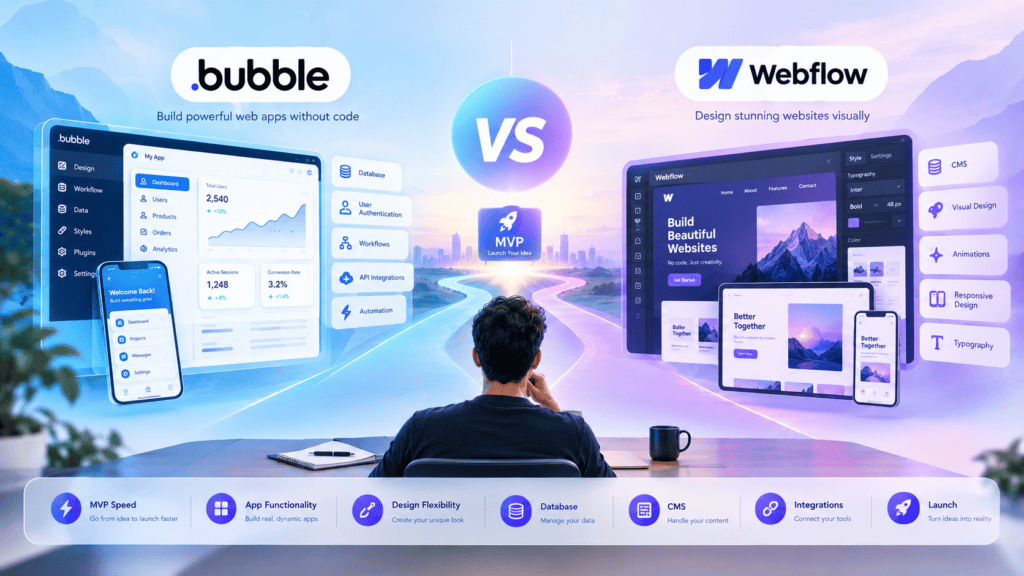
When you start building an MVP without a development team, you will inevitably come across at least one out of these two companies. While both are no-code platforms, they have completely different focuses, and you may need to rebuild your project on another platform if you pick the wrong one.
In short, Webflow is a website builder, and Bubble is an application builder. But what does it mean for your project? Let’s see how these two platforms compare in terms of five essential elements for an MVP development.
Website Builder vs Application Builder: 5 Elements Comparison
1. Building Functional MVPs
Webflow was built to design and publish marketing sites, portfolios, content pages. It’s excellent for that. It was not built to be an application, and it does not have concepts like user dashboards, or conditional app states.
Bubble was built specifically for this task. Bubble has concepts like logged in users, dashboards, and other elements specific to building applications. Not that Webflow can’t do those things – but if your MVP is “application with logged in users”, Bubble will let you build that faster and with less code.
In many ways, these tools are complements. Often, teams will use both tools – using Webflow to build marketing sites, and Bubble to build the actual application.
2. User Accounts and Authentication
This is where the gap becomes apparent.
Bubble has user authentication built into the data model, allowing for signups, logins, password resets, and much more – all of which are standard but customizable. Users can be organized in terms of data access, and the process for achieving that is intuitive and only requires a few clicks.
While Webflow has added a basic Memberships feature, allowing for some level of gated content and logins, it lacks the depth of customization and user permission control seen in Bubble. It has much more limited tools for designing subtle differences in the experience between members and does not have account-level logic as a native feature. It was not built to support the design of different user types with different dashboard views.
The winner in terms of MVPs with real accounts is clearly Bubble.
3. Databases and Data Management
Bubble ships with a full built in relational database. You can define data types, their relations (a user has many projects, a project has many tasks), and query/filter/sort them live in the app. No external database needed.
While Webflow’s CMS is indeed a database of sorts it’s not really suitable for anything beyond a basic content management system (blog posts, products, team members etc.) because it lacks the proper relational features and has limitations on collection size/item count for lower plans.
If your MVP consists of anything more than users creating/viewing content then Bubble’s database will take you much further without needing to integrate a third party solution like Airtable or Xano.
4. Workflows and Business Logic
This is probably Bubble’s strongest feature. With its visual workflow editor, you can design logic that fires upon clicking a button or submitting a form, create multi-step processes or nested sub-processes, set up backend logic, recurring events, API call organization chains, etc. In other words, Bubble provides you with a no-code programming language.
While Webflow has interactions and animations to control visual effects (fade in, dropdown), it does not have any logic functionality. You cannot perform any actions like unsubscribing a user upon trial expiration, downgrading an account, or sending an email. With Webflow, you need to use a third-party service (like Zapier or Make) to accomplish such tasks.
When it comes to application logic, Bubble is the clear winner. Webflow does not compete in this space.
5. Integrations and APIs
Both platforms offer connections with external tools, but each in a specific way.
While Webflow is more dependent on third-party services and code (Zapier, Make, or custom HTML5/CSS3/JS via Zapier or custom code) to expand the functionality provided by Webflow’s design and CMS,
Bubble provides a native API Connector for importing data from nearly any external API (Stripe, Twilio, OpenAI, etc.) directly into your workflows/data. It also provides a REST API for your data and apps, enabling a two-way connection. This makes it a more suitable choice for MVP development requiring payments, notifications, and/or third-party service integrations as a key feature.
So Which One Should You Pick?
| Webflow | Bubble | |
|---|---|---|
| Best for | Marketing sites, landing pages, content-heavy sites | Web apps, SaaS products, logged-in tools |
| User accounts | Basic | Robust, role-based |
| Database | CMS-style, content-focused | Full relational database |
| Business logic | Minimal, needs Zapier/Make | Native visual workflows |
| APIs | Via third-party tools | Native API connector + auto-generated API |
Use Webflow if: your MVP is about showcasing your product, collecting signups or leads, or publishing articles, and design is important to you
Use Bubble if: your MVP is about giving users some data to work with and make decisions in the app
If you want to build a marketing site in Webflow and a product in Bubble, that’s totally fine. Bubble and Webflow are not competing tools, they’re more like different niches that happen to have similar interfaces and attract the same confused crowd of would-be no-code developers.
Would you like this guide as a downloadable .docx or .md file to import into your CMS or blogging platform of choice?
Bubble vs Webflow: Full-Stack Capabilities Compared
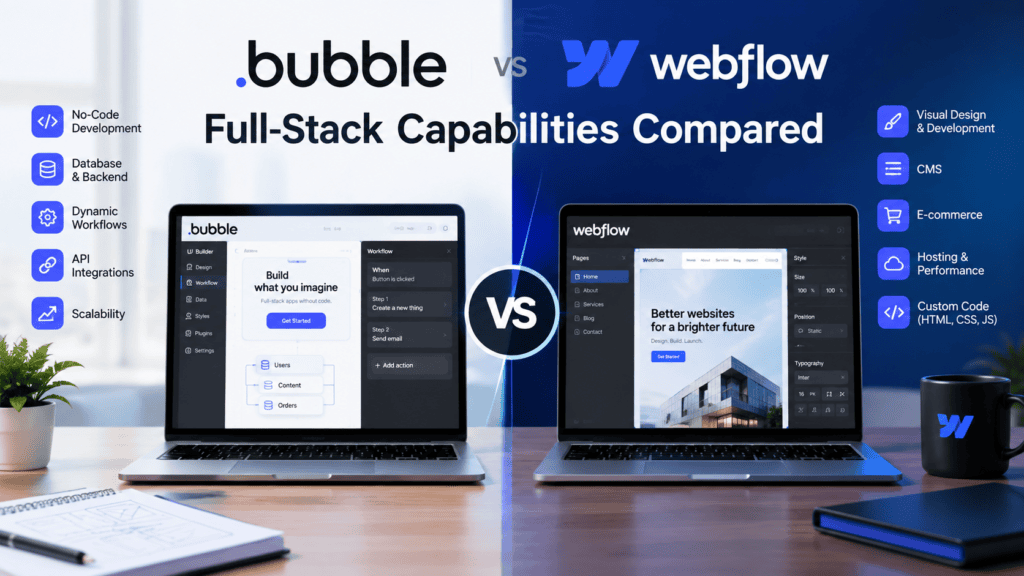
While both Bubble and Webflow represent industry-leading no-code platforms, their development priorities are distinctly different:
- Bubble is a full-stack web application development platform, which means it was designed to address enterprise-level requirements and implement custom backends, user authorization systems, database logic and rules, and other tools out of the box.
- Webflow is a frontend CMS & web design platform, which focuses on pixel-perfect design, semantic HTML and CSS, high performance, and SEO-friendly URLs. Bubble natively supports databases, user management, and logic, while Webflow requires additional tools (like Wized, Xano, or Supabase) for such capabilities.
At a Glance: Capability Matrix
| Feature Focus | Bubble | Webflow |
| Primary Architectural Purpose | Interactive Web Applications (SaaS, Marketplaces) | Content-Rich Websites & Digital Experiences |
| Frontend Flexibility | Absolute positioning canvas; functional UI focus | Semantic HTML5 & CSS box model control |
| Backend Capabilities | Native server side engine, API workflows, Cron jobs | External integrations required (e.g., Xano, Make) |
| Database Architecture | Relational data engine with Privacy Rules | Flat/Relational CMS Collections (Content-focused) |
| Business Logic & Workflows | Native visual block triggers & conditional logic | Native client interactions / Webhooks & automation platforms |
1. Frontend Development
Webflow
- CSS Box Model & Semantic Markup Webflow’s editor implements real browser engines, providing designers with clean semantic HTML5, modern CSS Layouts (Flexbox and Grid), and CSS custom properties (variables).
- Responsive Design Webflow lets you control the exact breakpoints and build fluid responsive designs for all viewports sizes.
- Animations & Micro-interactions Leverage built-in dynamic trigger animations, timeline-based scrolling effects, and 3D transforms without having to write a single line of code.
- Code Export Projects can be exported to HTML, CSS, and JS code for paid plans.
Bubble
- Absolute & Responsive Engine: Bubble uses a hybrid responsive layout engine based on flexbox container layouts
- Functional over Aesthetic: While it is possible to customize the style, menus for styling are utilitarian focused rather than designer focused
- No HTML Export: You cannot export HTML/CSS file to host elsewhere; Bubble’s front end is tightly coupled to a hosted rendering engine.
Winner:Webflow for design precision, clean code standard, and frontend UI animation capabilities.
2. Backend Functionality
Bubble
- Native Backend Engine: Bubble comes with complete backend out of the box. You can schedule background actions, process heavy computations on server tiers, cron jobs and set up native API Endpoints.
- Built-in Authentication: Out-of-the-box user management with support for sign-up/login flows, session tracking, password resets and multi-factor authentication (MFA).
- API Connector: Connects with external services via standard REST APIs, oauth2 and webhook handlers.
Webflow
- Frontend-Focused Architecture: Webflow natively serves static pages, forms, and static CMS queries.
- Requires External Stack: To develop an application with dynamic markups, one needs to combine Webflow with an external application engine (e.g., Wized or Memberstack) and a backend service (e.g., Xano, Supabase, or Firebase).
Winner : Bubble offers native capabilities to perform essential backend server functions without requiring additional tools.
3. Database Support
Bubble
- Full Relational Database Engine Bubble features a hosted database by default, with customizable Data Types, Fields, and relational links of various types (1:1, 1:N, N:N).
- Granular Privacy Rules With powerful row-level security, you can control access to records based on user roles or other criteria right in Bubble.
- Scale & Querying Real-time updates, server-side filtering, and bulk data operations are native features.
Webflow
- CMS Collections: Webflow DB is built on top of their CMS which is focused on editorial content such as blog posts, team member information or portfolio items.
- Collection Limits: Native CMS collections have limits (2,000-10,000 entries depending on your plan) but you can make use of Webflow’s ecommerce features or add custom item types if you need to go beyond these limits.
- No Native App User Management: You can’t store any user related data or apply row level security filters to your custom app data (without additional infrastructure like Supabase or Xano).
Winner:Bubble for complex relational databases, security rules, and user data management.
4. Business Logic and Workflows
Bubble
- Visual Event-Driven Logic Engine
- Bubble has a visual programming engine based on When [Event] -> Do [Action] blocks.
- Conditional Branching, Formulas, Loops, Email Sequences: Execute dynamic expressions, perform math operations, run loop workflows, and send automated email sequences.
- Server-side Actions: Workflows can be offloaded to run asynchronously on server nodes to keep the user interface fast and responsive.
Webflow
- Client-Side Logic: Webflow natively handles interaction logic (click triggers, active states, page load triggers).
- Third-Party Automation Integration: Complex business logic (processing payments, database synchronization, conditional notifications) requires external automation tools such as Make, Zapier, or Webflow Logic.
Winner:Bubble for building complex, event-driven business logic and conditional flows directly inside the app editor.
Conclusion & Recommendations
- Choose Webflow if your top priorities are brand presentation, performance, enterprise SEO, marketing websites, and content management. If you need to scale to more enterprise-level, full-stack functionality later, combine Webflow with backend services like Wized and Xano.
- Choose Bubble if you’re building an interactive SaaS product, marketplace platform, dynamic portal, or internal software tool that requires complex relational databases, user authentication systems, and heavy backend automation from the start.
I’ve got a good grip on how these compare — here’s a blog-ready section.
Bubble vs Webflow: Customization and Flexibility
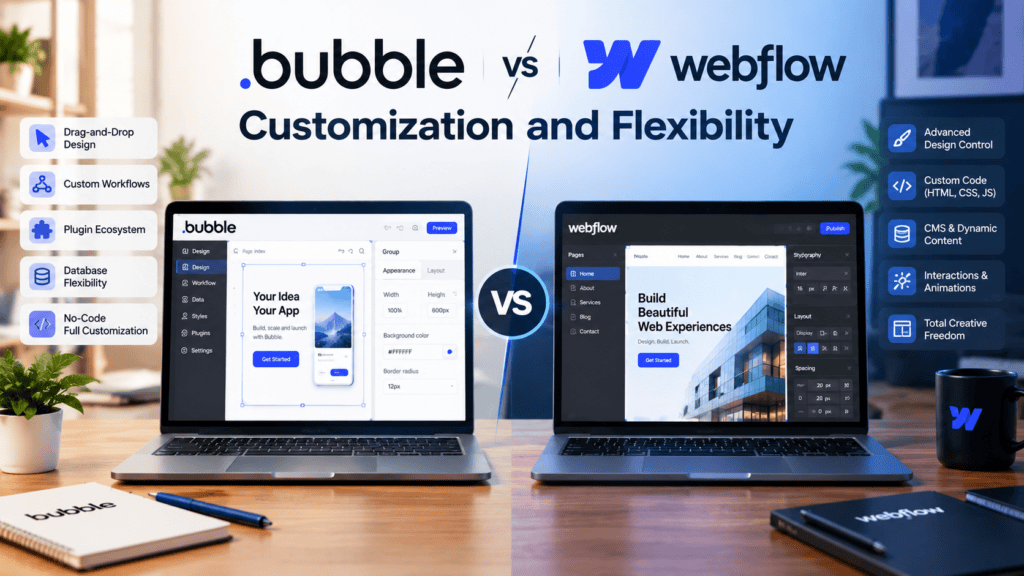
When it comes to customization and flexibility Bubble and Webflow provide a genuinely different approach as they are primarily intended to resolve different tasks. Webflow is a visual web design tool that generates clean production code for marketing sites landing pages and content-heavy websites.
Bubble is a powerful application development platform that is focused on database-driven apps SaaS products and marketplaces and has a robust set of built-in tools and visual programming features. This difference in the intended use shapes the variation in customization and flexibility in the two platforms.
Design customization
Webflow is the best choice if pixel-perfect, custom visual design is the priority. With it, one can achieve HTML-like control over the layout, typography, spacing, and responsiveness of the design, as well as use built-in animation and interaction tools, all without writing CSS. Bubble’s design editor is more focused on building functional application screens, so while one can design attractive interfaces with it, one has to use its animation tools sparingly and cannot achieve the same level of detail in the design.
Advanced functionality
This is where the roles are reversed: Bubble provides a built-in database, user system, roles/permissions, and visual workflow designer to build out any application logic you need (signup/login flows, dashboards, e-commerce), whereas Webflow does not have a native backend and relies on CMS for structured data storage and simple forms — any custom logic or relational data usually requires a third-party service.
Plugins and integrations
Bubble features a large plugin marketplace focused on expanding app functionality, including payments, maps, and API connections among others: this fits with Bubble’s role as an app building tool. Webflow’s integrations focus more on the marketing and content side: forms, analytics, e-commerce and CMS related tools, through their own apps marketplace or embeds.
Custom code requirements
Both platforms are code-free to use, but both allow coding for advanced users. Webflow lets you embed custom code snippets to further customize your site and export your code as clean HTML/CSS — a huge plus if you want to tweak things the hard way.
Bubble offers custom code and API connections for advanced users that want to go beyond the platform’s built-in features. While both platforms offer ways to bypass their visual no-code editor and write code themselves, Bubble developers are much more likely to rely on custom code as their applications grow more complex.
So in conclusion, if the project is a website where the design flexibility is the actual point, then Webflow offers more creative control out of the box. Whereas if it was something like an application that has to involve logic, user accounts, etc, then Bubble’s flexibility would be more functional than visual which is more important for a project like that.
Bubble vs Webflow: Performance and Scalability
When choosing between Bubble and Webflow for the MVP development, the main thing to focus is the products’ architecture. Two platforms aim to simplify app development by minimizing the amount of coding, but their primary use cases are different. Webflow is mostly website-focused and allows you to build sites with engaging content, whereas Bubble enables you to design web apps with databases, user system, and unique functionality.
Application Performance
Both platforms are great in their own way. For marketing sites, landing pages, blogs, and content-heavy sites, Webflow is a great choice because their architecture is optimized for serving pages and assets like images. Developers can optimize performance in Webflow by reducing image sizes, minimizing animations, and limiting 3rd-party scripts.
Bubble is better for apps with a dynamic core, dashboards, marketplaces, SaaS, booking systems, and customer portals. However, an app’s performance may become dependent on the number of database reads, workflows, plugins, API calls, and the overall complexity of the app’s logic. In this case, poorly optimized workflows kill performance as the MVP becomes more complex.
Handling Growing User Traffic
Webflow’s main advantage is the ability to scale under increased traffic without developers having to maintain server infrastructure. It makes the platform a great choice for startups that want to build a marketing site or a content-heavy website without worrying about traffic growth.
Bubble also offers a good POC for apps that are expected to scale massively. However, developers would have to optimize the app’s architecture to scale beyond thousands of concurrent users.
It includes database queries optimization, reducing the number of redundant workflows, and API-related operations. At the same time, using Bubble for MVP development makes sense as companies can save costs associated with complicated server management.
Database Scalability
The difference between them becomes more apparent when it comes to database functionality. Webflow’s CMS is great for organized content that comprises the website’s core: blog posts, products, authors, and other simple data sets. However, it is not designed to be an application database for highly sophisticated SaaS logic.
Bubble, meanwhile, offers a built-in database for apps: it is more appropriate for products where users constantly edit, update, search through, and interact with data. Note that database structure, privacy settings, searches, and workflows need to be meticulously organized as the application scales to avoid complications.
Scaling an MVP Into a Production Product
For MVP (Minimum Viable Product), things are usually scoped to test the concept before heavy investment. Bubble is great for prototyping an MVP that involves heavy application logic, user accounts, dashboards, payments, or databases. Webflow is a better fit for MVPs that are essentially a website or landing page, or a content experience around a product.
As the product matures and more requirements emerge, it’s important to regularly assess the performance, integrations, security, database design, and infrastructure needs. Some products are best suited to scale within the no-code environment, while others will eventually require a bespoke backend or a hybrid approach.
In summary: Webflow is generally a better fit for websites and content experiences at scale, while Bubble is a better fit for database driven applications. The choice between the two depends less on the projected number of users and more on the features and functionality, and the technical requirements of the application.
Bubble vs Webflow: Ease of Learning and Development
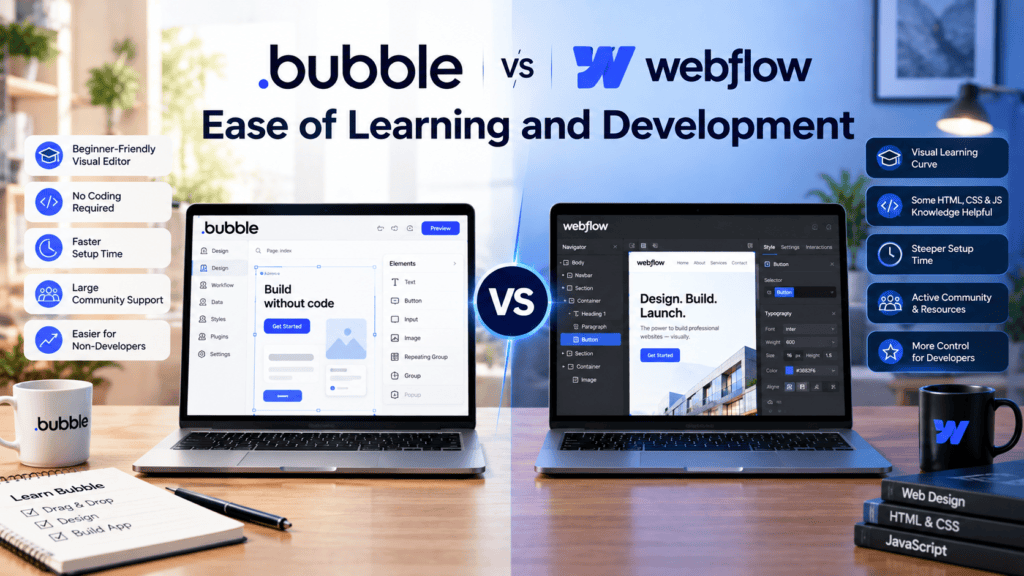
While comparing such website-building platforms as Bubble vs Webflow for MVP development, it is important to note that both Bubble and Webflow reduce the need for traditional coding, but they are designed to serve different purposes.
Webflow is mostly aimed at website design and content management while Bubble is focused on developing web apps with complex user data base management. This difference in the approach makes such tools different in terms of learning curve, development speed and community support.
Learning Curve
Webflow can be more intuitive for developers who are familiar with the creation of web interfaces: be it designers who understand HTML / CSS or visual editors.
This tool is great for building page interfaces and layouts: one can drag and drop elements onto Webflow’s page builder while customizing them with dynamic content and styles and publishing a responsive website. However, working with Webflow CMS, responsive design, animation, and advanced interactions requires some knowledge and experience in the beginning stages. For a detailed comparison of Bubble and Webflow, see this Bubble vs Webflow comparison.
Bubble’s interface is trickier to learn since it offers much broader functionality. One can build an application with a database, API, and complex workflows.
However, for an MVP, it is important to understand how databases, data types, and workflows work and how Bubble’s programming language is integrated into the application.
No-Code Development Experience
Both platforms offer a visual no-code development environment but have different approaches. Webflow is great for designing visually appealing websites, landing pages, marketing sites, portfolios, and CMS-driven projects. You can visually build your layouts pixel-perfect and still have control over responsive behavior and styling.
Bubble is more focused on building applications with a visual interface and connecting them with databases and logic. You can design your apps’ UIs and then add databases, user logics, dashboards, APIs, and CMS content without any coding. It’s ideal for MVPs that require more complex business logic.
Development Speed
The development speed is mostly determined by the specific product to be built. Webflow is great for rapid development of the MVP, which is primarily pages, content, forms, and marketing-heavy. The software allows designers to build responsive pages and publish them without any frontend coding.
Bubble can also be a good choice to build an MVP quickly, as developers can design the interface and the database, code the necessary functions and logic, and launch the product.
More complex apps with users’ dashboards, payments, authentication, or other advanced features may benefit from using Bubble as it would reduce the amount of coding needed to build the app from scratch.
Resources and Community Support
Both platforms have developed ecosystems of tutorials, documentation, templates, forums, and other resources. Webflow’s community is great for learning web design, responsive layouts, CMS, interactions, and visual development. Bubble’s ecosystem has resources on workflows, databases, plugins, APIs, and application development.
For a startup team, community is often where they turn to troubleshoot an issue or learn a new feature. So, the choice between the two sometimes comes down to which product knowledge the team needs to gain to build their product.
Bubble vs Webflow: Which Learning Approach Fits an MVP?
The choice depends on the MVP requirements. Webflow is suitable for design-based and content-focused MVPs, whereas Bubble is more appropriate for application-based MVPs that require a database, worfklow automation, and advanced functionality. The founder should realize what kind of MVP they need to build to choose an appropriate platform.
Bubble vs Webflow: Cost and Pricing Compared
A few words about the pricing policy of Bubble and Webflow. Both platforms have a similar pricing policy, but they differ significantly at the stage of specific features.
While Bubble has a consumption-based billing system, Webflow offers three separate plans. Explore more details about project setup pricing and see how much budget you may need to allocate for your MVP development and project maintenance after launch.
Platform Pricing
Bubble uses a workload-based pricing model. Your plan is measured in Workload Units (WUs) representing the amount of work your app performs on the server-side, including database operations, workflows, and API calls.
Bubble’s approach to pricing is fundamentally different from the standard Software-as-a-Service (SaaS) paradigm. It does not follow the traditional user-based or seat-based pricing model, but instead utilizes a system in which customers are billed according to workload units. As of late 2026, the core web tiers are:
- Free – a development-only environment, no live application, no custom domain, and 50,000 workload units per month
- Starter – approximately $29 per month, billed annually, which provides a live application with a custom domain, an SSL certificate, Bubble branding removal, and around 175,000 WUs/month
- Growth – $119 per month for web only, billed annually, which offers premium version control, two-factor authentication, two editors, ten custom branches, and 250K WUs per month
- Team – $349 per month for web only, billed annually, providing sub-apps, five editors, twenty-five branches, and 500K WUs per month
- Enterprise – custom, designed for organizations where compliance, governance, and formal procurement requirements outweigh the cost considerations of the list price
The catch is overage: you will pay roughly $.3 for each one thousand extra WU once they go beyond the package’s allotment, and it’s uncapped by default: traffic spike or faulty process can make this amount go well beyond the sticker price.
Webflow has pricing broken into two (sometimes three) separate payments: a Site plan (hosting, CMS, bandwidth), and a Workspace plan (seats). Webflow changed this in early 2026, rolling their former CMS and Business tiers into one:
- Starter (site): FREE. Only sandbox mode available. No custom domain.
- Basic: $15/month billed yearly ($25/month billed monthly. 300 static page limit.
- Premium (replacement of old CMS and Business plans): $25/month billed yearly ($39/month billed monthly. Includes 300 static pages, 20,000 CMS items, 40 CMS collections, 50GB bandwidth (additional bandwidth available as an add-on).
- Team (new Platform-tier plan): $2,500/month. Includes sites, workspaces, add-ons and support for enterprise-level organizations. Annual billing only.
- Enterprise: custom pricing.
Above the Site plan, there is a Workspace plan. The Starter Workspace is free, while the Core option costs $19/seat, and Growth is $49/seat. For e-commerce, there is a Standard ($29), Plus ($74) and an Advanced ($212) plan per month, paid yearly.
Takeaway: Bubble’s entry-level plan cost is comparable to Webflow’s, but it unifies application development (logic + hosting) in one billing system (WUs). Webflow, on the contrary, has two billing systems: one for hosting/CMS (Site plan) and another for collaboration (Workspace plan), meaning that a Webflow project’s final bill is usually the sum of two lines.
MVP Development Costs
For a first version of a product, the platform fee is rarely the biggest cost — build time and complexity dominate.
- Bubble is generally the faster and cheaper route for MVPs with custom logic (workflows, user accounts, database relationships, conditional logic). Its free plan lets teams build and test a fully functional application for zero cost, making it ideal for proof-of-concept demos and pitching investors before committing to a paid tier. Once you need a live, customer-facing product, the $29/month Starter plan is the realistic minimum. Budget-wise, a Bubble MVP built in-house typically costs only the plan fee plus your own time; agency-built Bubble MVPs commonly range from a few thousand dollars for something simple to well into five figures for a data-heavy app with many workflows.
- Webflow is faster for content- and marketing-led MVPs (landing pages, waitlists, simple CMS-backed sites) but worse for apps with complex backend logic (it has no native workflow/database engine comparable to Bubble’s), so functional MVPs (logins, dashboards, multi-step workflows) usually need to be augmented somehow (Xano, Supabase) or use third-party plugins, which adds cost and work. A pure marketing-site MVP can be built and hosted for the Basic/Premium plan price alone; an app-like MVP on Webflow tends to cost more to build than an equivalent one on Bubble, since you’re building in tools that Bubble has pre-baked.
TAKEAWAY: If your MVP is largely about application logic (a marketplace, a SaaS dashboard, an internal tool), Bubble is more often cheaper to build. If your MVP is about a content site with a little interactivity, Webflow is often cheaper and faster.
Third-Party Tools and Integrations
- Bubble: all the plans include connections to hundreds of third-party services through its plugin marketplace and native API connector. The core plugins (like Stripe, Google Maps, email services) are often free, but many essential plugins are free while premium plugins for payments, maps, and AI features have their own subscription costs on top of your Bubble plan. Every plugin action also uses Workload Units, so integration-heavy apps (payment processes, third-party API calls) will cause you to reach higher WU tiers faster than a simple content site would.
- Webflow: integrations tend to be for marketing and content tools – CMS-driven content pipelines, form handlers, analytics, and embedded scripts/apps via its App Marketplace. Webflow’s paid add-ons include Localization, Optimize, and Analyze, which are billed separately: Localization Essential costs $9/month for 1–3 locales, while Advanced costs $29/month for 4–10 locales. For anything beyond content and forms (user accounts, complex workflows, payments logic), Webflow typically requires an external backend – which you have to pay for yourself.
Takeaway: Bubble’s ecosystem is built for functional, logic-heavy integrations (payments, APIs, automations) natively; Webflow’s is built for content and marketing tooling, with app-like functionality usually requiring an external service.
Long-Term Operating Costs
This is where the two diverge the most as a product scales.
- Bubble: costs scale with usage, not just seats. Most production Bubble applications end up costing $1,500–3,500/month once you account for plugins, optimization needs, and load cushions — not the base plan cost that a founder would initially sign up for. Poor optimization can cause costs to balloon 2–5x at a given load level, and a busy month that doubles your WU usage on the Growth plan, for instance, can result in a $119 bill into roughly $194 once overage is added. On the plus side, annual billing saves you roughly 14–16% across all Bubble tiers, and there’s no extra per-seat collaboration fee at lower tiers.
- Webflow: costs scale with bandwidth, CMS items, seats, and add-ons rather than backend computation. Since the May 2026 repricing, plan cost and bandwdth requirements do not necessarily move in lockstep — Webflow’s own migration examples demonstrate that a high-bandwidth site can end up costing the same or more than the lower-priced Premium plan when you account for bandwidth add-ons, but a low-bandwidth one would see a net increase in cost once bandwidth add-ons are applied. Throw in Workspace seats ($19–$49/seat/month) and localization, analytics add-ons, and costs for a growing team, and the real monthly cost of a Webflow site easily exceeds the headline $25 figure. And while Webflow does not meter application logic like Bubble does, a Webflow site’s cost is more predictable if you’re avoiding heavy custom logic, but far less flexible if you need it.
Takeaway: Bubble’s long-term costs are determined by the amount of logic your app has; Webflow’s are determined by the amount of traffic, content, and editors your site has. Apps that utilize a lot of logic will grow more expensive on Bubble over time. Sites with much traffic, content, or editors will grow more expensive on Webflow.
Bubble is more cost-effective for logic-intensive MVPs and internal tools/apps, as long as you keep an eye on your workload unit usage as you scale.
Webflow is more cost-effective for marketing, content, and design-focused products as long as you don’t need to build beyond the capabilities of its CMS and add-ons.
The figures above represent prices as of September 2026 – both companies are known to update their pricing structures periodically, so it’s a good idea to double-check the latest figures on their official pricing pages before finalizing any project budget.
Would you like this information in a downloadable blog post format (Markdown or Word doc), or would you prefer a pricing comparison table/chart?
Bubble vs. Webflow: Ultimate Best Use-Case Breakdown
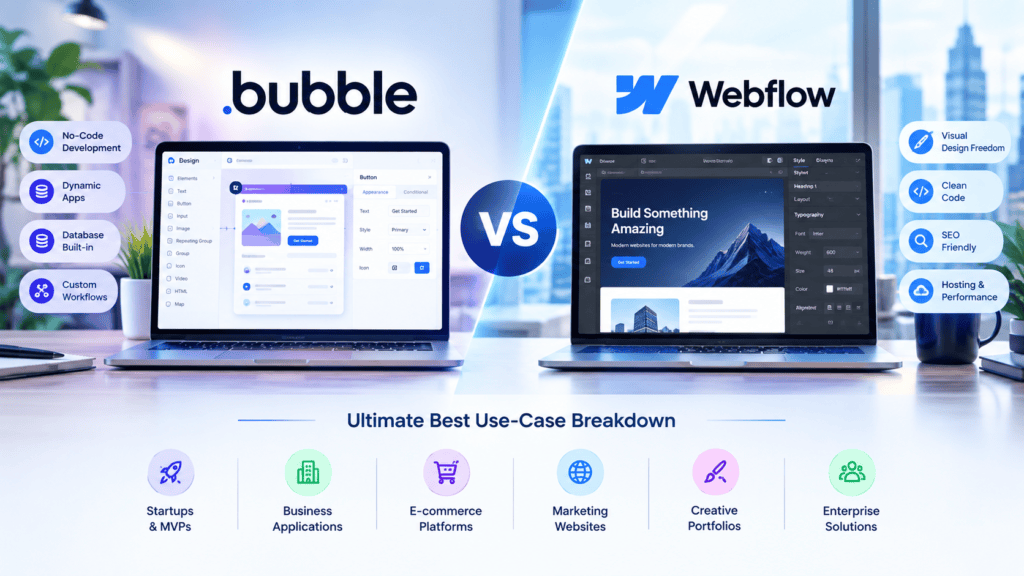
When choosing between Bubble and Webflow, the main dilemma is that Bubble focuses on full-stack logic and web application development, while Webflow is primarily concentrated on frontend design, content, and high-performance publishing.
At a Glance: Core Comparison
| Feature / Goal | Bubble | Webflow |
| Primary Focus | Full-stack web apps, dynamic data, workflows | Visual frontend design, SEO, CMS, marketing site |
| Database | Built-in relational database with row-level permissions | CMS (Content Management System) for content publishing |
| User Authentication | Native end-user signup, user roles, permissioning | Webflow Memberships (basic) or via 3rd-party integration |
| Design Precision | Flexible, but responsive layout requires learning curve | Clean, semantic HTML/CSS control with precise styling |
| SEO & Performance | Good for web apps, weaker native technical SEO | Best-in-class technical SEO, ultra-fast global CDN |
Breakdown by Use Case
1. SaaS MVPs (Minimum Viable Products)
- Winner: Bubble (core app) + Webflow (marketing landing pages)
- Reasoning: Building a SaaS product requires heavy backend logic, user authentication/session management, databases, payments (Stripe subscriptions), and user facing dashboards. Bubble provides a visual programming environment where you can build database schemas, logic workflows, and frontend UIs of your application without having to write a single line of code.
- Best strategy: Hybrid approach. Build your marketing pages (webflowcms.com) on Webflow for maximum design flexibility and SEO potential. Host your customer facing application dashboard at app.yourdomain.com on Bubble.
2. Marketplaces (Two-Sided Platforms)
- Winner: Bubble
- Reason: Marketplaces usually have a large set of relational data structures — be it the logic around the seller/buyer onboarding, search and discovery/filtering, multi-sided payments (stripe connect), reviews, messaging, or customized dashboards. Bubble tackles this complexity with built-in functionality and ease.
3. CRM and Internal Tools
- Bubble
- Winner: Bubble
- Reasons: Internal tools require much flexibility in terms of DB structure, data flow, APIs, roles, and permissions. Bubble’s visual workflow designer and built-in database allow one to build custom business logic and make apps for managing various business processes.
4. Landing Pages
- Winner: Webflow
- Reason: Marketing landing pages have a primary focus on loading speeds, responsiveness, high-converting design potential, and SEO-friendliness. With Webflow, you get clean code that is hosted on AWS/Fastly CDNs, thereby providing high Core Web Vitals and design flexibility.
5. Blogs and Content Websites
- Winner:Webflow
- Why: Content-heavy sites live and die by SEO, site speed, page schema, and structured content publishing. Webflow’s built-in CMS allows marketers to manage thousands of blog posts or dynamic content items easily. Its native SEO controls (meta tags, structured data, canonical tags) make it far superior for content-driven marketing strategies.
6. AI-Powered Applications
- Winner: Bubble (for core app execution)
- Reason: AI apps need to connect to external AI APIs (OpenAI, Anthropic, Replicate), manage user prompts, store generation history in a database, manage user API credits, and render dynamic responses in real-time. Bubble’s API Connector makes it trivial to connect to REST APIs and build a complete solution for managing AI workflows.
Summary Decision Matrix
       What are you building?
                 │
   ┌─────────────┴─────────────┐
   ▼                           ▼
Web Application /           Content /
Interactive Tool           Marketing Site
   │                           │
   ├── SaaS MVP                ├── Landing Pages
   ├── Marketplace             ├── Blogs / Magazines
   ├── Internal CRM/Portal     └── Portfolio / Agency Site
   └── AI Product
   │                           │
   ▼                           ▼
[ BUBBLE ]                 [ WEBFLOW ]
Can You Use Webflow and Bubble Together? (And Should You?)
Yes, I agree. Joining Webflow and Bubble is a great stack.
Instead of trying to make one platform do the heavy lifting of both high-end content marketing while also hosting a large-scale database backend, many startups and SaaS companies use Webflow for the marketing site and Bubble for the web application.
Here is a look at how to join both platforms, what makes this stack interesting, and limitations and benefits to be aware of.
The Architecture: How the Integration Works
In a hybrid no-code setup, each platform handles what it does best:
                  ┌────────────────────────┐
                  │    Primary Domain      │
                  │   (yourcompany.com)    │
                  └───────────┬────────────┘
                              │
               ┌──────────────┴──────────────┐
               ▼                             ▼
   ┌──────────────────────┐      ┌──────────────────────┐
   │       WEBFLOW        │      │        BUBBLE        │
   │  Marketing Site Root │      │ Subdomain / App Path │
   │ (yourcompany.com)    │      │ (app.yourcompany.com)│
   └───────────┬──────────┘      └───────────┬──────────┘
               │                             │
    • Landing Pages               • User Authentication
    • Blog & CMS                  • Relational Database
    • SEO / Page Speed            • Workflows & APIs
1. Webflow Handles the Front Door
Your main domain (yourcompany.com) is hosted on Webflow. It serves as your public marketing engine, containing your homepage, landing pages, blog, pricing pages, and resource centers.
2. Bubble Powers the Application Engine
Your functional web application will be hosted on a subdomain (e.g. app.yourcompany.com or dashboard.yourcompany.com) on Bubble. Visitors who click Log In or Sign Up on your Webflow site will be redirected to your Bubble-hosted application.
Why Use Webflow for Marketing and Bubble for the App?
While both tools are visual builders, their underlying design philosophies are fundamental opposites:
- Webflow is visual HTML / CSS. It produces clean, semantic code beloved by web search crawlers, giving you pixel-perfect design control, powerful SEO tools, and blazing fast load times through global CDNs.
- Bubble is visual JavaScript + SQL. It offers a visual database engine, powerful backend workflow management, state management, external API connections, and built in user authentication.
Key Benefits of Using Webflow and Bubble Together
1. Superior SEO and Performance
Marketing pages should have a rapid loading speed and optimized metadata for higher rankings on Google Search. Webflow pages have a Google PageSpeed Insights score that is nearly perfect right out of the box. On the other hand, if you build your marketing site in Bubble, you might significantly slow down the page opening because of complex backend operations.
2. Best-in-Class Design Control vs. Complex Logic
Designers can create animated, high-converting landing pages in Webflow without sacrificing typography, custom layouts, or micro-interactions. Developers, on the other hand, can build multi-tenant databases, stripe payment workflows, and role based permissions in Bubble without limiting their design choices
3. Independent Scaling and Team Velocity
By decoupling marketing from application development:
- Your marketing team can iterate landing pages, publish blog posts, and A/B test in Webflow without breaking app logic.
- Your product team can ship new features in Bubble without impacting public SEO or marketing assets.
4. Seamless Data Sharing
You can easily integrate two environments with webhooks or Make/Zapier. For instance, all forms of lead generation on Webflow can pass their data to Bubble’s database via webhook and trigger onboarding emails from there.
Limitations and Trade-Offs to Consider
1. Dual Subscription Costs
Running both platforms means paying for two separate SaaS plans:
- Webflow Core/CMS or Business Plan + Custom Domain Hosting
- Bubble Growth or Agency Plan + Workload Units (WU) usage
2. Managing Two Separate Systems
You have two separate codebases/projects to maintain. Design tokens(colors, buttons variations, text styles) should be synced/bridged manually between Webflow and Bubble to have an identical experience for your users.
3. Subdomain User Experience (UX) Transition
When the user hits ‘Log In’ at yourcompany.com it redirects them to app.yourcompany.com, which might make users think they are at a different site. If they are noticeably different, users will notice.
4. Cross-Domain Tracking and Analytics
Tracking a single user session from their first visit on Webflow to their signup conversion inside Bubble requires configuring cross-domain tracking in Google Analytics 4 (GA4) or Mixpanel.
Summary Comparison
| Feature / Objective | Webflow | Bubble | Recommended Choice |
| SEO & Marketing Pages | Fast, clean semantic code | Heavier JS execution | Webflow |
| Design Flexibility | Pixel-perfect CSS/Figma fidelity | Functional UI components | Webflow |
| User Auth & Relational DB | Basic (Users extension) | Advanced Native Database | Bubble |
| Complex Logic & Workflows | Requires custom JS/APIs | Built-in Visual Logic | Bubble |
Verdict: Is This Setup Right for You?
If you’re launching a SaaS startup, digital marketplace, membership platform or need to build a complex web application, partnering Webflow and Bubble will give you the best of both worlds. There is no need to sacrifice the marketing power of a beautiful website while building a functional backend. Both can scale independently.
Bubble vs Webflow: Pros and Cons
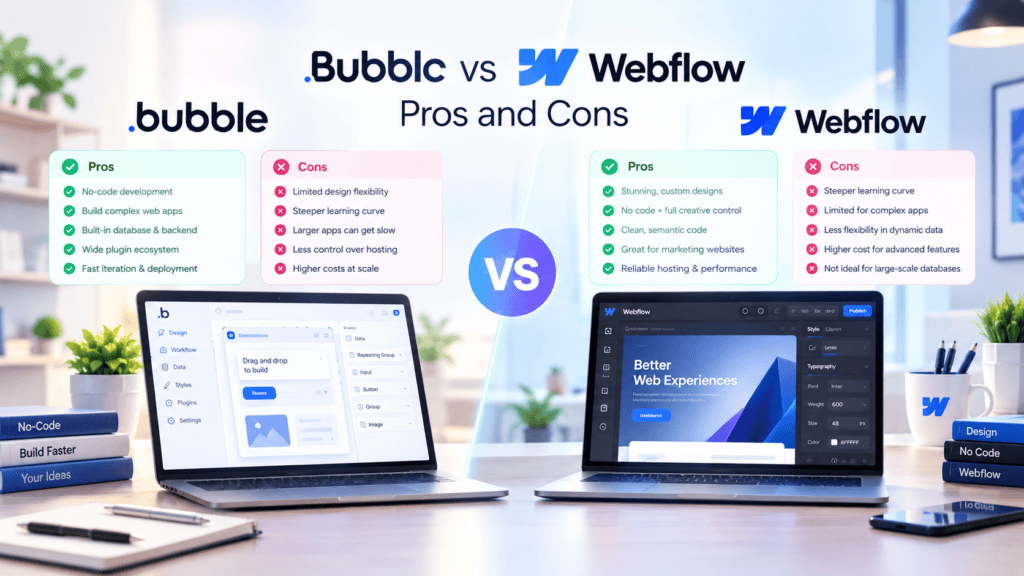
When choosing a no-code platform, developers often compare bubble vs webflow. However, most often, these two are not comparable — each has its own strengths and weaknesses. Bubble is a full web application platform that has its own database, logic, and functions.
This platform is most suitable for creating saas, marketplaces, dashboards, and various internal tools. Webflow is a website and cms platform — it focuses on design and layout features, so it is best to use it for creating marketing websites, blogs, or landing pages.
Here’s a breakdown of where each one shines and where it falls short.
Bubble: Advantages and Limitations
Advantages
- Real backend but no coding needed. Bubble lets you construct data structures of any complexity to power your application: user accounts, products catalog, relations between data records, data filters and search.
- Visual logic designer. Create workflow logic with a visual builder. Implement user interface with dynamic elements driven by logic. Connect external APIs to implement business logic or fetch data.
- Designed for functionality first. Bubble is particularly suited for founders who need to implement user account management or payment system and have limited time to design pixel-perfect interfaces.
- Get started for free. You can prototype an app with Bubble to test the concept before spending time and money on development.
Limitations
- Pricing grows rapidly at higher levels. Bubble’s upper plans have a significant cost difference between them, with the highest one approaching $399/month when billed monthly.
- Limited design control. Good enough for prototyping, but building a truly polished and animated UI would require additional software.
- Steep learning curve. Bubble is easier to use than traditional coding, but it takes more time to learn compared to a standard drag-and-drop website builder. One has to invest effort into understanding Bubble’s specific logic of database and application design.
Webflow: Advantages and Limitations
Advantages
- Best-in-class visual design. Webflow provides you with the visual designer that allows you to use a full CSS class system, giving you much more control over layout and styling than Bubble.
- Built-in CMS. Webflow offers you a CMS with custom collections (up to 10k items in its Premium plan) + e-commerce for physical, digital, and subscription-based products.
- More affordable entry-point. Webflow’s basic site plans are generally lower-priced than Bubble’s starter tier and represent a compelling value for teams and agencies that need to build marketing sites on a budget.
- AI-assisted creation. Webflow AI can help you build your site, and it offers answer-engine optimized content creation on higher-tier plans.
Limitations
- No native backend. Webflow does not have a native backend; it is CMS-driven only, meaning that to enable user accounts and implement custom logic, you need to resort to third-party plugins.
- A significant price jump between certain plans. The jump in price between Premium and Team is considerable, and additional permissions such as CMS editing and advanced project management are only available in higher-level subscriptions.
- CMS limitations. The number of CMS items and allocated bandwidth must be upgraded manually when creating content-heavy websites. No automatic increases are allowed for sites that require frequent content updates.
- The ecosystem is smaller than WordPress. Webflow has far fewer plugins, themes, and agencies than WordPress, which limits its potential.
The Bottom Line
The choice really comes down to what you’re building:
- Use Bubble for building a functional web application, for example, a SaaS product, marketplace solution, or internal tool, which requires a database, user management system, and specific logic.
- Choose Webflow for design-focused projects, such as a marketing site or portfolio. Build a visually appealing website with custom CMS content and less complex logic.
Some teams opt to use both – Webflow for the marketing website and Bubble for the actual app that one logs into.
Would you like me to format this into a Word or Markdown file for you to import directly into your blog CMS?
Bubble vs Webflow: Which Is Better for Your MVP?
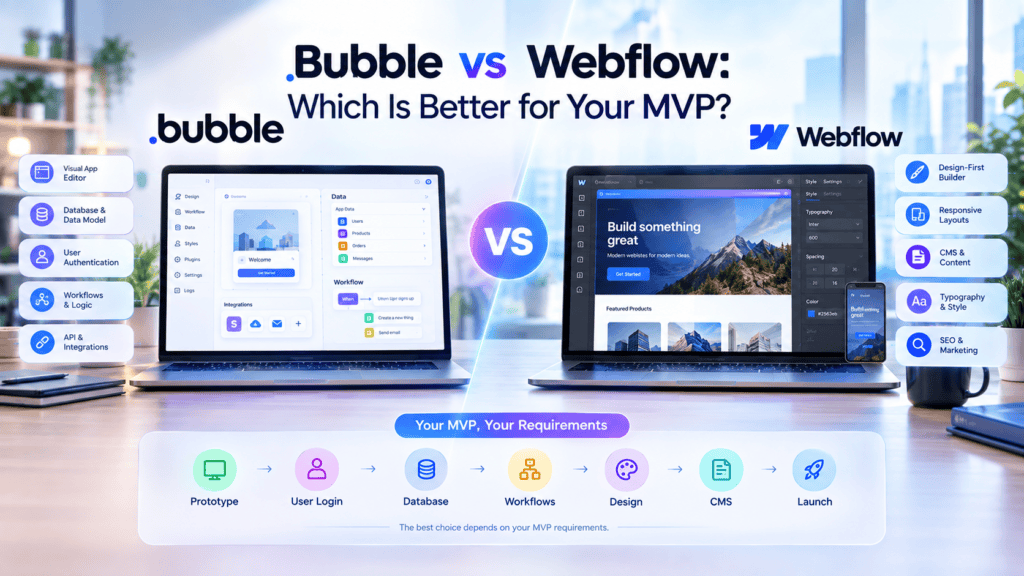
The choice between Bubble and Webflow depends on what kind of MVP (Minimum Viable Product) you want to build, how much functionality it requires, and how quickly you want to be able to validate your idea. Both are no-code platforms, but they are suited for different types of development needs.
When Bubble Fits an MVP
Bubble is a good choice if your MVP requires application logic, user accounts, databases, and other enterprise-grade features. With Bubble, you can build fully functioning web apps without writing a single line of code.
Bubble can be used to develop an MVP for SaaS, marketplace, booking, dashboard, internal tool, and customer portal products. Thanks to its powerful database and workflow engine, it becomes possible to design highly functional customer-facing apps and test critical product logic.
Bubble enables you to build a concept prototype with actual functionality, not just a Minimum Viable Product. This approach gives you more freedom and flexibility in developing your MVP for the long-term product.
When Webflow Fits an MVP
Webflow is suitable for MVPs where website design, branding, content, and user experience are the priority. With Webflow, you can visually design the layout, responsive design, animations, CMS, and landing pages.
Webflow is great for startups, marketing sites, product landing pages, content sites, and landing page MVPs. It can be used to test value propositions, positioning, and demand generation or lead capture.
With Webflow, you can build an MVP for your startup without having to code, provided that you do not need to build products that require extensive application logic or a complex backend.
Key Factors Founders Should Consider
Before choosing between Bubble and Webflow, founders should consider:
- Product complexity: choose between building an MVP with advanced workflows, databases, and application logic or primarily a polished website.
- MVP goals: identify whether you are testing a function, a need, a brand, or a business model.
- Development speed: choose between a faster build with webflow or bubble, or a faster launch with code, depending on what you are building.
- Design requirements: choose between a beautiful website built with Webflow and excellent responsive design or develop more complex application functionality with Bubble.
- Scalability: choose between the expected number of users, the amount of data, and the number of third-party service integrations to make a choice based on your product’s needs and future goals.
- Budget and resources: choose between less development effort but a higher need for technical expertise in code-based platforms or pay for no-code platform subscriptions and updates, technical support, and custom developments if any.
- Future migration: choose between easier evolution of MVP and transition to a custom technology stack if the product demonstrates success.
Ultimately Bubble seems better for apps focused on functions rather than design, and Webflow is better for design-focused apps. The founders should build the app on one of the platforms based on the initial validation hypothesis and the projected product development needs beyond the MVP.
Available next action: Create a downloadable DOCX file here in this chat that contains the editable prose above
Here’s a conclusion section you can use for your blog post:
Conclusion: Choosing the Right MVP Platform

The choice of the platform for MVP development can be compared to selecting the best technology to build a product that will meet the user’s expectations in the available timeframe and with the given constraints.
There are several common options that allow one to develop MVP successfully that include no-code or low-code prototyping tools, full-scale tech stacks, and the combination of solutions mentioned above.
Based on the given description and criteria, it is possible to choose the required platform for MVP product development.
If prototyping is required, and time and cost are the main constraints, selecting no-code and low-code platforms will provide a fast and affordable solution ideal for creating a product prototype. If a company expects a rapid product launch and a high need for customization, prototyping tools should be complemented with a tech stack.
The third option implies the combination of solutions mentioned above, which is a reasonable choice for launching an MVP with ease and further scaling without additional constraints that arise from making all processes customizable.
A successful MVP product launch is a process that requires extensive knowledge and experience, and the analysis of one’s needs and the available constraints is the first step towards success.
There is no ideal choice that can be considered the best option for any situation. An MVP should be created in such a way that it can be launched rapidly and tested among users to receive valid feedback rather than aiming for a higher level of customization and quality from the start.
The key to success lies in flexibility and the ability to make decisions quickly without looking back. One should choose the best option for their product based on their current timeframe and further prospects and be prepared to restart the process if necessary.
The companies that successfully launch products and receive positive feedback are not always the ones that have the most advanced technologies and solutions but the ones that listen to their customers and learn their needs.re persuasive) or tailor it to a specific industry or audience?
Frequently Asked Questions
Is Bubble better than Webflow for an MVP?
Bubble offers better solutions for MVPs that require interactive features, user accounts, workflows, databases, and custom application logic. Bubble enables founders to build an MVP without having to code.
Webflow is a better choice for a product that requires marketing pages, content, and branding or a website with a strong visual presence. The right tool for building an MVP depends on a product’s requirements, complexity, and expected growth.
Bubble offers a more extensive application development solution while Webflow is better at responsive website design and content management. Founders should weigh the potential benefits and drawbacks of each tool according to their MVP’s required functionality, project’s development speed, scalability, integrations, customization, and technical requirements.
Can Webflow build an MVP?
Yes, Webflow is a great visual development tool that allows you to build a Minimum Viable Product (MVP) quickly and efficiently. You can design and develop landing pages, content hubs, and web apps in a matter of days instead of months. This significantly reduces the initial development costs.
Webflow’s powerful CMS, animations, and clean code make it simple to prototype and design front-end interfaces and develop content-rich websites. Plus, with the help of such tools as Memberstack for user management, Wized for logic, and Make or Zapier for automations, you can turn Webflow into a full-stack development solution and build an MVP that delivers on your value proposition and captures early adopters’ feedback.
Is Bubble good for startups?
Yes, I agree that Bubble can be a great platform for startups to test and develop their ideas. The platform offers no-code development tools that enable its users to build web applications with drag-and-drop features, workflow automation, databases, user authentication, API connectors, and responsive designs. Thus, it can be applied in diverse settings, including building minimum viable products (MVP) and testing customer feedback.
Bubble can be helpful in cutting costs and shortening the development cycle of a product, especially for startups. However, it is essential to evaluate such factors as design, database needs, traffic, performance, customization, and scalability. In my opinion, Bubble is a fantastic tool that can help a startup test its idea before scaling up and incurring high costs.
Is Bubble more expensive than Webflow?
Short answer: it depends on what you’re building, but for comparable use cases, Bubble is generally more expensive than Webflow at the entry level, and the price gap widens as you scale due to fundamentally different cost structures.
They’re not priced the same way
Comparing prices between the two tools isn’t as simple as looking at the numbers for each: Webflow is priced around your website while Bubble is priced around your app. That means comparing a Webflow CMS blog to a Bubble database is like comparing apples and oranges.
Here’s a rough side-by-side:
| Tier level | Webflow (Site plans) | Bubble (Web app plans) |
|—|—|—|
| Free | Yes — limited pages, no custom domain | Yes — 50K WUs, no live publishing |
| Entry paid | ~$14–15/mo (Basic) | ~$29/mo (Starter) |
| Mid | ~$23–25/mo (CMS/Premium) | ~$119–129/mo (Growth) |
| Higher | ~$39/mo (Business) | ~$349–399/mo (Team) |
| Team/Enterprise | ~$2,500/mo (Team platform) or custom | Custom |
(Note: these prices are as of 2026 and can change frequently, so always double-check on their sites before publishing a price.)
Bubble tends to be more expensive because…
…you’re paying for compute, not just hosting.
Every time you open a workflow, search the database, or use an API with Bubble, you’re using up your Workload Units (WUs). Apps that use a lot of WUs can become expensive, even if they don’t have many users.
App features tend to be more expensive than website page features.
While Bubble’s “entry” tier is similar to Webflow’s in terms of raw budget, Bubble’s mid and higher tiers have features (multiple editors, version control, sub-apps) that are often 3x more expensive than Webflow’s website-building capabilities at the same level.
And if you want to turn your Bubble app into something that functions as both a web app and a native iOS/Android app, that’s a separate (and much more expensive) pricing track.
…but the comparison isn’t exactly fair.
Bubble and Webflow aren’t actually competing to do the same type of work.
While Webflow is essentially a website builder (best for marketing sites, blogs, portfolios, CMS sites), Bubble is an application builder (best for apps with logins, databases, dashboards, marketplaces, and other enterprise-level features).
So while “Bubble is more expensive” is technically true, it’s also comparing an app-building tool with a website-building tool. If you wanted to do “enterprise-level” stuff with Webflow, that’d require adding on extra tools (like CMS and database plugins) which would bring its price closer to Bubble, but not necessarily match it.
- What does that mean for you and your readers?
- For building websites, Webflow has a lower entry budget and simpler setup.
- For building apps, Bubble has steeper costs at the higher tiers for features not found in Webflow.
Can Bubble and Webflow work together?
Yes – and for many products, the combination is actually more powerful than using one of the two solutions alone
The way I see it, Webflow is used for building production HTML and CSS for content-first sites, and Bubble is an application infrastructure for user auth, relational databases, and advanced logic. In short, Webflow is a design tool and Bubble is a programming environment. By combining the two, you can create end-to-end products without having to maintain two separate technology stacks for your marketing site vs application logic.
Why pair them at all?
A common setup looks like this:
- Webflow is used for the marketing site, blog, landing pages, and anything else requiring high SEO performance and pixel-perfect design.
- Bubble is utilized to design the product dashboard, user accounts, database-driven features, and business logic behind the login wall.
This division of labor is logical given the tools’ intended purposes. Webflow is a design tool for marketing sites and CMS pages with strong SEO, but not a full-stack app builder. Bubble is a full-stack app builder with its own DB, but lacks server-side rendering and has limited structural SEO. So rather than struggling to make one tool do what it was not designed to do, teams have Webflow power the public-facing site while Bubble hosts the logged-in application.
How do you actually connect them?
There are a few practical ways to link the two:
- No-code automation (Zapier or Make): connect Bubble and Webflow with tools like Zapier or Make to sync data, automate actions, or pass form submissions between the two, without coding.
- Embedding: embed Bubble elements or functionality in Webflow pages, for instance to showcase a signup widget, or preview an app.
- Custom API: create a direct connection with Bubble and Webflow’s API (using the API connector on the Bubble end, and Webflow’s API on the Webflow CMS end), for a more custom and direct data exchange.
Which you choose will depend on how comfortable you are with coding and the level of integration, because connecting two APIs to send basic data between them is one thing, but that’s not always enough.
This is either done via a tool like Zapier or Make, or a bespoke API integration job.
The bottom line
I think you should stop thinking about Bubble vs. Webflow, and start thinking about how they can work together. Use webflow for the front, Bubble for the back, and you’ll have a pretty great looking site full of useful functionality without having to duct tape your tech stack together.
Which platform is easier for non-technical founders?
For non-technical founders, Framer and Squarespace are the easiest platforms to launch marketing sites, while Softr is the most accessible for basic web apps.
- Framer: Great for startups that need modern landing pages, as it offers an intuitive canvas-based UI similar to Canva and Figma, allowing founders to launch interactive pages without coding.
- Squarespace: The best platform for non-designers to build simple sites, blogs, portfolios, or small-scale e-commerce stores with minimal effort and no complexity.
- Softr: The quickest way to build simple apps or portals by transforming Airtable or Google Sheets into functional interfaces for customers or partners.
While powerhouses like Webflow and Bubble offer endless flexibility, their steep learning curves divert attention away from early customer validation.
Conclusion
The choice of such development environments as Bubble and Webflow for prototyping a startup idea depends significantly on particular cases and the intended use of the final product. Webflow is more suitable for creating marketing-oriented sites and apps with an emphasis on design and rapid SEO.
At the same time, Bubble appears to be a better choice for developing multi-user SaaS products with extensive functionality and database-driven operations at the back. Considering this information, it is possible to select the most cost-effective solution for a specific project or utilize both platforms for greater efficiency.
Author Bio
Jeevesh Tripathi is a passionate content creator and technology enthusiast dedicated to demystifying modern web development, no-code solutions, and digital innovation on BkAbhi. Driven by a desire to empower founders, builders, and creators, he simplifies complex tech landscapes—from no-code platforms to startup tools—into actionable, high-impact insights. With an eye for emerging digital trends and a practical approach to building scalable online products, Jeevesh crafts in-depth guides and hands-on reviews designed to help readers make smarter technical decisions, accelerate development, and bring their digital concepts to life seamlessly.