

Businesses often use several applications to manage their daily operations. Staff use CRMs to manage customer data. Finance utilise accounting programmes and staff within operations will commonly access spreadsheets. Meanwhile, staff and managers use dashboards to analyse performance.
Issues can then occur if these are not integrated or are not suitable for a company’s working methods.
Staff may need to re-input data, communicate by email to obtain information or move between different software in order to perform basic functions. These inefficiencies can accumulate and consequently complicate a company’s working environment.
Businesses can design bespoke software to resolve these issues. Rather than staff having to conform to off-the-shelf software, companies can build their own dashboards, back-ends, approvals process and operational software so that it is in line with how they work.
Nevertheless, not all companies should opt to develop bespoke software. Firstly, a business needs to ascertain its needs and review current software. It should then analyse whether there is real added benefit in implementing bespoke software.
This guide explains how custom internal tools work, which applications businesses can develop, how integrations fit into the process and what to consider before starting development.
Table of Contents
What Are Custom Internal Tools?

Internal applications are for staff and teams within a business, not customers.
They can then control, manage and carry out different functions for a business via one place.
Whilst external facing applications often relate to customers, internal applications usually relate to the inner workings of businesses.
For instance, an online business will generally have a website which enables customers to buy goods. Staff may then access another internal application so they can view, amend delivery details, process refunds and also check on stock. Again, this is not part of the customer experience but is used by staff to assist in the effective running of a business.
Popular types of internal application include:
- Administration – controlling customer, user, order and business data.
- Internal CRM – managing leads and sales, together with customer data.
- Approval – controlling staff applications, expenditure and buying.
- Stock – controlling and analysing stock, together with supplier and goods flow.
- Reports – providing data and analysis on how a business is performing.
- Staff area – allowing staff to view and utilise business data and applications together with accessing internal applications.
- Customer service – enabling staff to access data relating to customers and to handle customer service applications.
- Internal applications can either be an independent application, or can be an added component to current business applications.
However, the application has to be tailored to suit the specific needs of the business in question.
Why Businesses Need Custom Internal Tools
Not every business needs custom internal software. However, it becomes worth considering when existing applications and manual processes create recurring operational problems.
Companies often run different applications for:
1. Repetitive Manual Work
Employees frequently perform repetitive activities such as copying customer details, updating order statuses, preparing reports and sending internal notifications.
When these activities involve multiple applications, employees may need to repeat the same steps several times.
A custom internal application can organize these tasks into a structured workflow.
For example, when a sales representative creates a new customer record, the application could validate the information, save the record and notify the appropriate department.
The exact automation depends on the available systems and business rules, but the objective is to reduce unnecessary manual steps.
2. Disconnected Business Applications
Businesses rarely operate using one software application.
A company may use separate systems for:
- Customer relationship management
- Accounting and invoicing
- Payment processing
- Inventory management
- Employee management
- Project tracking
- Customer support
Staff may then have to collate data from, or re-enter details on, these different applications.
Custom in-house software can be used to bring together data from these applications.
This could include an operations screen which draws together order details from an online sales application along with payment information from a payments service for example.
Whilst this does not always involve replacing applications, it can involve integration between suitable applications to optimise processes.
3. Limited Flexibility in Existing Software
Standard off the shelf software has been created to meet the needs of a wide customer base.
It is therefore good at meeting general business needs. However it may not fully address the specific needs of a particular business.
For example, a certain authorisation process, report functionality and/or task allocation process may be needed.
If the current application is unable to accommodate this, staff may devise alternative solutions such as using spreadsheets and/or additional methods of communication.
Custom in house software can then add the required functionality within the process.
4. Difficulty Managing Operational Information
Information may be held in a number of places such as spreadsheets, email and databases. Staff may therefore find it hard to recognise up-to-date information.
Again, custom in-house software can offer a single point of access through which relevant business information can be both accessed and amended.
Nevertheless, information does not always have to be transferred en masse into a new database. Usually, it will be more appropriate to integrate current applications and define which application should continue to hold different information.
5. Increasing Operational Complexity
Whilst a process may function well for a smaller workforce, added staff members, customers, activity and/or authorisation levels can cause complexity to arise.
For instance, a business may first have a single manager who approves purchase orders. As the business develops further, it may become necessary for purchase orders to also be authorised by members from the finance, department heads and procurement teams.
Custom software can incorporate these extra authorisation levels by defining roles, setting out authorisation rules and issuing alerts.
Ideally this enables continued support for the developing process, without requiring staff to handle all aspects of it themselves.
Common Types of Internal Tools Businesses Can Develop
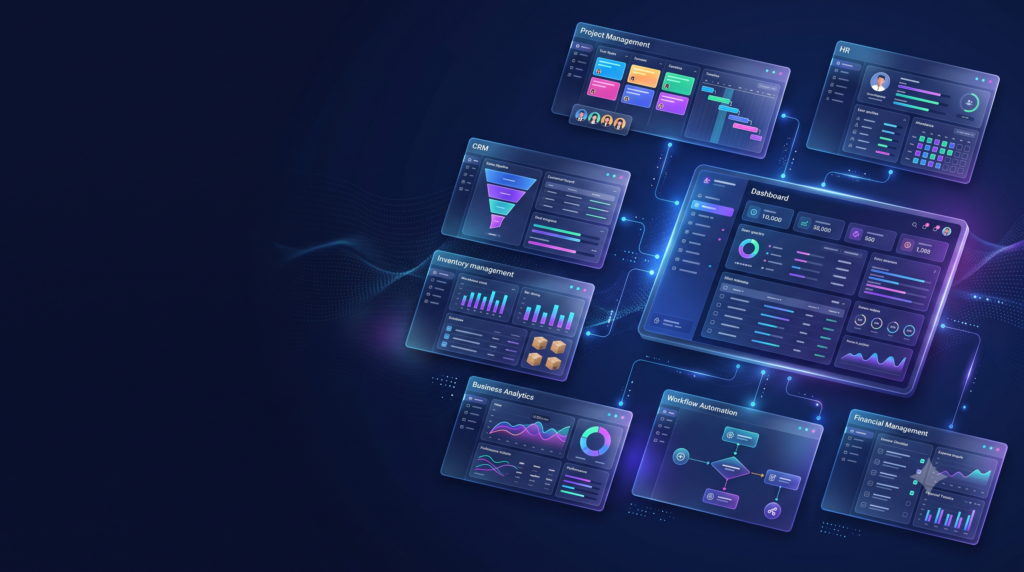
The type of internal application a company needs depends on its industry, team structure and operational requirements.
Some common examples include the following.
Admin Panels and Management Dashboards
An admin panel allows authorized employees to manage application data and business operations.
Depending on the application, it may include:
- Customer account management
- User permissions
- Order management
- Product information
- Subscription records
- Content management
- Activity history
A report component can then be used to visually analyse key information using tables, graphs and so on, as well as displaying key figures.
For instance, an online retailer could use an administration section of their application to amend order details. They may then use a reporting component to view sales and stock reports.
Both of these can utilise common data but will have differing user interfaces depending on what functionality they provide.
Internal CRM and Sales Management Tools
A customer relationship management application helps sales teams organize customer information and manage interactions.
A custom internal CRM may include:
- Lead registration
- Customer profiles
- Sales pipeline tracking
- Follow-up reminders
- Sales representative assignments
- Customer communication history
- Opportunity reporting
Where a firm’s sales procedure has features which cannot easily be handled by off-the-shelf CRM’s then a bespoke solution may prove beneficial.
Nevertheless, firms should consider the amount of work involved in producing their own CRM against the degree of flexibility already provided by existing CRM software.
Employee Request and Approval Systems
Many business processes require employees to submit requests and receive approval.
Examples include:
- Leave requests
- Expense reimbursement
- Purchase approvals
- Equipment requests
- Access permissions
- Vendor registration
These functions can be processed via an internal application which includes functionality relating to status, owners and authorisation criteria.
A typical workflow might look like this:
- An employee making a purchasing application.
- The application checking that correct data has been provided.
- Allocation of this to the relevant manager.
- The manager then either authorising or declining the application.
- Finance then receives the authorised application.
- The employee receives a status notification.
This can also help to establish accountability and highlight outstanding requests.
Inventory and Order Management Applications
Many businesses require a system to help them to both manage their inventory, and their order related processes.
Such a system may include functionality relating to:
- Product records
- Stock availability
- Supplier information
- Purchase orders
- Order status
- Stock adjustment history
- Low-stock notifications
Upon completion of an order, staff may then update the order details within the business’ system. The system can therefore simultaneously update the business’ stock levels.
Consideration should be given to how inventory data is shared between integrated systems so that duplicate or inconsistent stock levels are not presented.
Reporting and Business Intelligence Dashboards
Managers often need information from different departments to understand business performance.
Reporting can enable key information to be aggregated and displayed effectively.
Examples include:
- Monthly sales reports
- Outstanding invoice summaries
- Customer support activity
- Employee workload
- Inventory movement
- Project progress
The effectiveness of a reporting system is affected by the reliability, currency and standardisation of the data that is used within it.
Whilst an engaging display can be beneficial, it will not overcome unreliable and/or out-of-date data.
Custom Internal Tools vs Off-the-Shelf Software vs Low-Code Platforms

One of the most important decisions is choosing how to build the required internal application.
There are typically 3 main methods that businesses can use; off-the-shelf software, bespoke software and a low code method.
And each comes with benefits and drawbacks.
| Evaluation factor | Off-the-shelf software | Custom development | Low-code platforms |
| Initial setup | Usually faster | Requires development | Depends on platform |
| Customization | Limited by product | Designed around requirements | Depends on platform capabilities |
| Workflow flexibility | Varies | High | Moderate to high |
| Technical control | Vendor-dependent | Greater control | Platform-dependent |
| Maintenance | Shared with vendor | Business or development team | Shared with platform and application owner |
| Integrations | Available connectors and APIs | Custom integrations possible | Supported connectors and APIs |
| Long-term costs | Subscription and usage fees | Development and maintenance | Subscription and possible usage fees |
When Should You Buy Existing Software?
It is frequently appropriate to buy pre-made software if an organisation requires generic software.
Areas such as book-keeping, payroll, email marketing and customer service all commonly have pre-made software solutions.
Where these can fulfill a company’s requirements then buying off-the shelf software can often be preferable to building new software.
When Should You Choose Custom Development?
Consider bespoke developments where;
- Core business functionality cannot be met using current software solutions.
- Multiple systems need to be integrated within particular business processes.
- Staff have processes that are spreadsheet intensive.
- Specific user authorisation is necessary.
- There is a need for niche business software.
- The company wishes to have more influence over the software design.
Further to this, ownership, development, security and integration will all fall under the remit of an in-house bespoke solution. These considerations should therefore be considered.
When Should You Consider Low-Code Platforms?
Low code allows for drag and drop interfaces and the ability to design business processes.
It can be used to construct business reporting tools, user request mechanisms and simple business functions – without having to develop each element individually.
Nonetheless, consideration should be given to the extent to which low-code solutions allow for data access, user sign-in, integration, personalisation and ownership.
Not all business requirements will necessarily align to a low-code solution.
How Custom Internal Tools Connect With Existing Business Applications
Integrations are an important part of internal tool development.
An application can be designed to pull together data from various sources so that staff can access an appropriate working tool.
For example, different applications can exist for customer order and financial processing within a business.
Such an order functionality application could:
- Access customer and order data.
- Show financial processing data.
- Enable appropriate people to amend order data.
- Pass on these amendments to related applications.
- Display the result of each operation.
Applications can use APIs to communicate with each other and utilise services provided by other applications.
Within the integration, consideration must be given to determining ownership of data, methods of data communication and procedures for error handling.
REST APIs for Application Communication
REST APIs are commonly used to exchange information between web applications and external services.
For example an internal application could query a CRM for customer details and also update an inventory system.
Consideration must be given to user authentication, API points and volume of requests along with the type of data that can be exchanged for each external application.
Webhooks for Event-Based Updates
Webhooks allow an application to notify another system when a particular event occurs.
For instance, payment providers may issue a ‘notification’ post a completed transaction.
This can then be consumed by your system which will in turn update the related payment.
Consideration must also be given to re-processing of notifications, validation, sequencing and re-trying.
Data Synchronization Between Applications
Some internal tools need to display information that is maintained by multiple applications.
An organisation may require integration of data relating to customers (from a CRM), invoices (from accounts) and orders (from e-commerce).
It is necessary to state whether these systems update in real time, at regular intervals and/or on demand.
Furthermore, consideration needs to be given to how differences between system updates are dealt with.
Further information on real time integration can be found here.
Workflow Automation
Integrations become more useful when they support complete business processes.
For example, when a customer order is confirmed:
- The order management system records the order.
- Payment is authorised.
- Status is then shown on an internal screen.
- Appropriate data about the payment is provided to an accounting system.
- The relevant team are alerted.
All of these actions are governed by business rules, and require good system to system connectivity.
See API and workflow automation for more detailed information.
Essential Features of a Custom Internal Business Tool

The features required for an internal application depend on its purpose. However, several capabilities should be evaluated during development.
1. Role-Based Access Control
Not every employee should have access to every business record or operation.
Access rights are allocated depending on a person’s job role.
For example:
- Sales representatives can view and update assigned customer records.
- Finance staff can see appropriate invoicing data.
- Operations staff can view operations data reports.
- Staff can add/alter users and application configuration.
Control of access must be implemented at a server level and not just through suppression of functionality within a user interface.
2. Centralized Data Access
Data should be accessible and a search function may be used. Alongside this, data can also be organised in lists and linked to other database sources.
Wherever possible, organisations should refrain from replicating data which is sourced from a primary database.
Establishing who owns particular data can also help to ensure consistency of data.
3. Workflow Management
When an application supports business processes, it should represent how work moves between employees.
Functionality can be varied and may include:
- Allocation
- Status
- Approval
- Alerts
- Deadlines
- Audit trail.
As well as being allocated to a user, expenses need to display a status as well as details of the approvals that have been received.
4. API Integration
The application should be able to communicate with relevant business systems.
Systems which might be used are for example, CRM, payment, accounting and stock control as well as further internal systems.
The required integration methods should be identified before development begins.
5. Audit Logs
Audit logs provide a record of important actions performed within an application.
They may capture:
- Users’ behaviour
- Edits
- Permissions
- Authorisations
- Management tasks
- And errors
Such data can then be analysed so that companies can look into anomalous situations and see how key information has been changed.
6. Responsive Interface
Employees may access internal tools using desktop computers, tablets or mobile devices.
Where appropriate, the system should be adaptable to the tools and settings that members of staff require.
Whilst a member of staff in a warehouse may require a basic hand-held system for stock control, a finance manager could use a more sophisticated computerised report system.
How to Approach Custom Internal Tools Development for Businesses
Systems can be developed in a methodical way to ensure that the right application(s) are created and used to address any business issues.
Here is a practical approach.
Step 1: Identify the Operational Problem
Analyse current staff workflows. Look out for:
Look for activities involving:
- Redundant data entry
- Several spreadsheets
- Manually carried out approvals
- Regular report generation
- Application changes
- Slow update times
- Poorly defined roles
Consult staff to fully understand their workflow. They can highlight areas of inefficiency within the workflow alongside details such as what information is needed and what is causing wasted effort.
Whilst analysing the workflow, seek to firstly understand the business issue not immediately decide on the features to include in a new application.
Step 2: Map the Existing Workflow
Investigate the current workflow for a particular business function e.g. staff ordering goods.
Record:
- Who initiates an order?
- What information is needed?
- Who approves an order?
- Under what circumstances will an order be approved?
- Where is the definitive version of data held?
- How does a member of staff access updates?
This enables the features of a new application to be defined. It also allows inefficient elements of a workflow to be recognised and excluded (not automatically included).
Step 3: Define Functional Requirements
Following the workflow analysis, detail the functions that the new application must provide.
Group functionality into ‘must have’ and desirable categories.
Essential functionality
- Employee login
- Request submission
- Request status
- Manager approval
- Notifications
- Activity history
Additional functionality
- Advanced reporting
- Department-level dashboards
- External integrations
- Custom approval rules
Initially focusing on must have features ensures that a core application can be developed.
Step 4: Identify Existing Systems and Integration Requirements
Prior to application development, ascertain which other applications the new application must interact with.
Investigate the API for each application and analyse:
- Endpoints
- Authentication
- Data type
- Call rate restrictions
- Webhook capabilities
- Pagination
- API versions
- Permissions
Not all applications offer APIs for all features. Where a desired feature is not available through an API, the application development team may need to investigate further options for linking the new application to other applications.
Step 5: Design the Application Architecture
The application architecture should be suitable for both the functional and anticipated usage requirements.
Common components of an internal application are:
- Frontend interface
- Backend application services
- Database
- Authentication and authorization
- API integration layer
- Workflow processing
- Logging and monitoring
The database structure should be based on the type of information that the application will handle.
Business rules and permissions are implemented at a backend level.
The API coordinates inter-application linkage. Furthermore, if a business operates several customer organisations or differing business environments then tenant data separation may also be necessary.
Step 6: Develop the Core Application
Development should begin with the most important workflow.
Possible features which could be incorporated into an internal ordering system are:
- Employee authentication.
- Order listing.
- Order search and filtering.
- Order detail view.
- Authorized status updates.
- Activity recording.
Further features can then be added having carried out testing on the main processes.
It is therefore easier to ascertain areas that require improving prior to further complications being introduced.
Step 7: Test Workflows and Integrations
Processes together with exceptional occurrences should be tested.
For example:
- Can employees access only the records they are permitted to view?
- What happens when an API becomes unavailable?
- Can the application prevent duplicate updates?
- Is there logging of failures?
- Does the application handle incomplete information?
- What happens when two employees update the same record?
- Are notifications sent to the correct people?
Integration is also a key area to test as integrating applications may function in a different way to that of the core application.
Step 8: Deploy and Collect Feedback
Initially implement the application for staff that will regularly use it.
Get the staff to then undertake typical jobs and highlight any issues they encounter.
Note whether the application has simplified processes or created further issues.
Feedback can then be analysed to further develop the user interface, process controls and integration.
Further departments can then be added to the implementation once the application is suitable.
Step 9: Maintain and Improve the Application
Applications require support.
Staff’s business processes evolve and new features may be required. Alongside this, integrated applications may also amend their API.
- Support encompasses;
- Security
- Software dependency
- Integration
- Error correction
- Performance
- Access rights
- Database
- And feature development.
To ensure key application functionality is not overlooked once an application is live there should be an identified person responsible for its support.
Security Considerations for Internal Tool Development
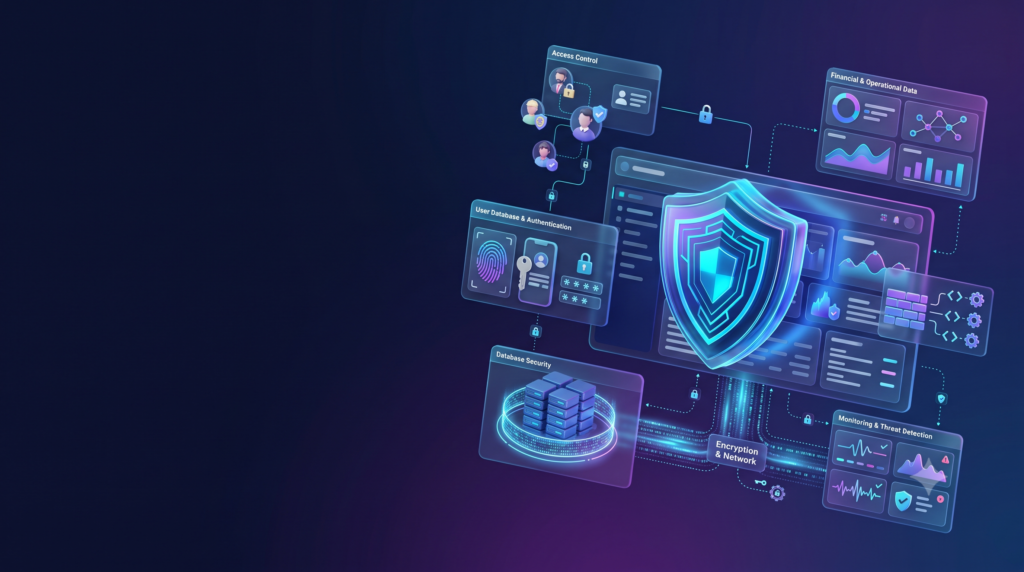
Internal applications may contain customer information, employee records, financial data and confidential business information.
Even if a system can only be accessed by staff members, it does not necessarily mean it is secure.
Security must be addressed at all stages.
Authentication and Authorization
Authentication verifies who is accessing the application.
Who may carry out actions is defined by authorisation.
Whilst these are different functions, both are important.
Ensure suitable authentication is in place, maintain server level authorisation and operate a least privilege policy.
Further authentication may also be suitable where an application contains confidential data.
Secure API Communication
Ensure that no API keys are made available within application code or on a public server.
Implement suitable logging in, store and encrypt data.
Provide integrations with just the correct level of access.
Data Validation
Applications should validate incoming information before storing or processing it.
An employee request form should include validation so that the correct data can be captured and specific state changes allowed.
Whilst client-side validation can be used, validation should also be conducted on the server.
Audit Logging and Monitoring
Record important security events and operational changes.
Observing application behaviour can be used to detect atypical user access, frequent errors and integration issues.
Never log passwords, authentication keys or more than is strictly necessary.
API Security Testing
Connected applications introduce additional security considerations.
The OWASP API Security Top 10 identifies risks including broken authentication, broken object-level authorization and broken function-level authorization.
When developing and testing an API, developers should take account of these areas.
Common Mistakes to Avoid During Internal Tool Development
Even when a business identifies a genuine operational problem, development can become unnecessarily complicated.
Common issues to avoid
Too many features
Attempting to build automations for all departments makes development more complicated.
Develop a single process and extend this functionality as the system becomes adopted.
Replacing Existing Software Without a Clear Reason
Although bespoke dashboards can be built, they may not require the replacement of current CRM, accounting and stock systems.
Conversely it is often more beneficial to develop an in-house interface which integrates with current software.
Ignoring Employee Requirements
Whilst management may have an awareness of the business goal, staff will recognise the day-to-day challenges faced.
Consult and test with real users and include them in the deployment phase.
Treating Integrations as an Afterthought
Where an in house system needs to integrate with external sources then integration must be considered at the design stage.
Introducing new integrations can affect a system’s database, back-end and structure.
Overlooking Permissions
Providing all staff with unrestricted access to all information can pose unwarranted security concerns.
Establish different user groups and set their rights prior to allowing them to undertake key functions.
Ignoring Maintenance
Development doesn’t end when the application is deployed.
Designate people to manage upgrades, security and to oversee links between software and also to develop the application further.
How Much Does Custom Internal Tool Development Cost?
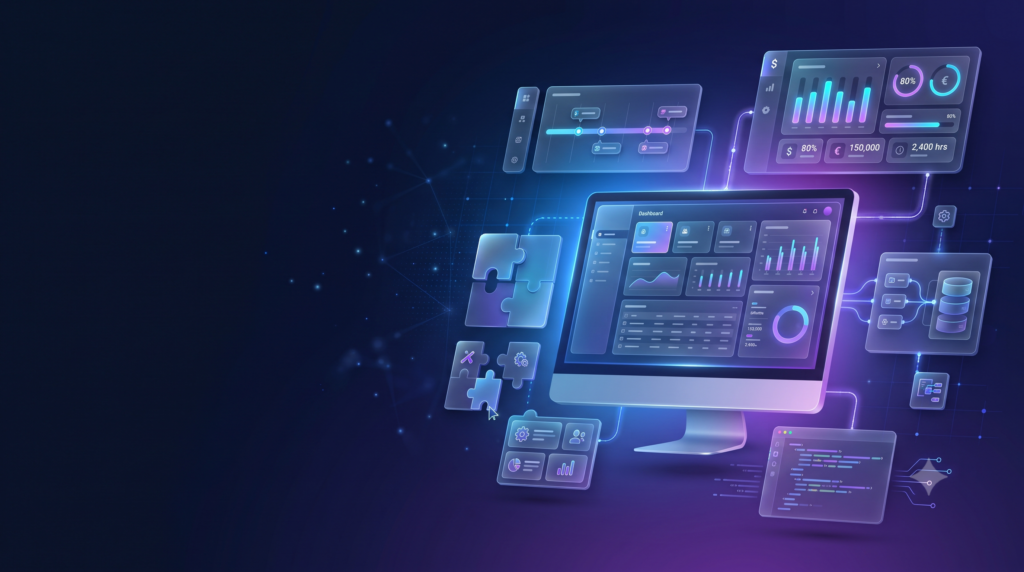
An internal application does not have a single development cost.
It is dictated by the features, interface, system integration, security and level of post deployment support required.
Typically, an application which can be accessed by staff, has a number of forms and a straightforward interface will require less development work than an operations type system which integrates with multiple external systems.
Important cost factors include:
- Scope – Increased application, process, user types and business rules can add further complexity.
2. Integration requirements: When linking different systems, an investigation into suitable APIs, security, data translation and testing is required.
3. Database design: Systems that store inter-linked information, have intricate security settings or deal with high volumes of data will need well designed databases.
4. Security requirements: Sensitive business information may require additional access controls, audit logging and security testing.
5. UI features – for example bespoke dashboards, reporting facilities and mobile compatibility are also integral.
6. Testing requirements: Integration testing, permission testing and performance testing add to the overall project scope.
7. Ongoing management – Managing infrastructure, security, problem resolution and external APIs is also required.
Please define an initial process, together with any necessary integrations and anticipated user base and core features, in order to advise on development costs.
Further information regarding the cost of integrating external APIs can also be found here.
When Should a Business Invest in Custom Internal Tools?

Custom software can often be a good option when current software and procedures fail to meet a businesses’ needs.
People continually perform similar actions in software.
- Key processes are reliant upon complex spreadsheets.
- Current software does not allow for essential business rules to be met.
- There is a requirement for different areas of a business to share data.
- Manual authorisation is causing slow processes.
- Standard integration is not able to facilitate the necessary process.
- Specific reporting and/or management tools are required by a business.
- Nevertheless, businesses should not always opt for custom software to resolve issues.
If current software can address the relevant process then it may be more suitable to either buy or tailor this.
If an existing application already supports the required workflow, purchasing or configuring that application may be more practical.
Consideration should be given to a business’ needs, the level of work required to implement a solution, ownership and the benefits provided by issue resolution.
Conclusion
Internal systems can be developed to tailor for a company.
These can include systems for management information, employee requests, stock and reporting.
Understanding the process is key when developing new internal systems.
Companies must understand what issue they are facing, consult staff, analyse current systems, and decide on both integration and security issues for the new system.
Whilst it does not always have to fully automate processes, an effective internal system should address a well understood issue. It also needs to effectively integrate with current systems and allow for future adaptability.
API integration services are particularly useful for SaaS companies seeking to develop inter-linked systems, as they can offer more detailed knowledge of how different software can be integrated and allow for bespoke processes to be created.
Frequently Asked Questions
1. What are custom internal tools for businesses?
Internal bespoke software is used by organisations and can include a number of functions such as; an administration interface, CRM, authorisation solution, stock control and reporting.
2. Why do businesses develop custom internal software?
Organisations will develop internal bespoke software if current software is not suitable for their business needs. Bespoke software can be highly tailored, and enable integration between other software, in addition to structuring business processes to suit particular business needs.
3. What is the difference between internal tools and customer-facing software?
Internal software is utilised by staff and business departments. External software is used by people outside a company for example, customers using an e-commerce or SaaS platform.
4. Can internal systems be linked to current business solutions?
Yes. Internal tools can communicate with supported business applications through APIs, webhooks and other integration methods. Depending on the applications that can be integrated with an external application.
5. Should a small business build custom internal tools?
Bespoke software should be developed where current software is unable to efficiently meet a small business’ needs. Often it is more suitable to acquire off-the-shelf software for generic business functions.
6. Are Low-code environments appropriate for in–house solutions?
They are often appropriate for dashboards and request forms, alongside simple processes. Companies must analyse a platform’s adaptability, compatibility, security and data availability together with its future constraints.
7. What features should an internal business application include?
Common features include authentication, role-based permissions, data management, search and filtering, workflow management, notifications, API integrations and audit logging. Features will vary according to the intended use of an application.
8. How long does it take to develop a custom internal tool?
Applications also differ in terms of the duration of their development. Generally, smaller applications will take less time to develop than those which are multi-departmental and inter-linked. An accurate timescale can only be established if the project has a clear remit.
9. How can organisations secure software?
Organisations should provide a secure login method, and utilise server level security, role specific permissions, data validation, secure API keys, encryption and also complete auditing and relevant security testing.
10. Is bespoke software in need of continued support?
Yes. Apart from security, bespoke software needs to be supported by carrying out updates, repairs, maintaining libraries and reviewing how it integrates with other systems. Organisations must also modify such software to accommodate changing business needs.
About the Author
Jeevesh Tripathi is a research-based writer at BkAbhi Innovations Lab covering technology, AI, software development, SaaS and digital tools. His writing focuses on practical explanations, evidence-based research and helping business teams understand technical decisions without unnecessary jargon.
Email: jeevesh@bkabhi.com