

A startup can waste money in two opposite ways: building software it could have bought for a monthly fee, or paying for several SaaS products until the workarounds become more complicated than the original problem.
That makes build vs buy software for startups less of a technology question and more of a resource-allocation decision.
If an existing product handles a standard business function well, buying is often the sensible starting point. If the software itself creates your competitive advantage, custom development can make more sense. And when only part of the workflow is unique, a hybrid approach of purchasing the commoditized layers and building the differentiated layer can be optimal.
The right choice depends on your learning objectives, runway, the importance of the capability to your product, and your willingness to maintain the capability after launch.
Table of Contents
Quick Answer: Should a Startup Build or Buy Software?
Buy software when the capability is standardized, available from a reliable vendor, and doesn’t differentiate your product.
Build software when the workflow is central to your product, existing tools impose important limitations, or owning the software gives you meaningful control over your customer experience or operations. BkAbhi can help startups evaluate these factors and choose a practical software development approach.
Use a hybrid approach when you need custom functionality but don’t need to recreate commodity infrastructure.
For example, a SaaS startup might buy payment processing, email delivery, authentication and analytics while building its own customer-facing workflow and product logic.
The key question isn’t:
“Can we build this?”
It’s:
“Is this capability important enough to justify owning its development and maintenance?”
What Does Build vs Buy Mean?
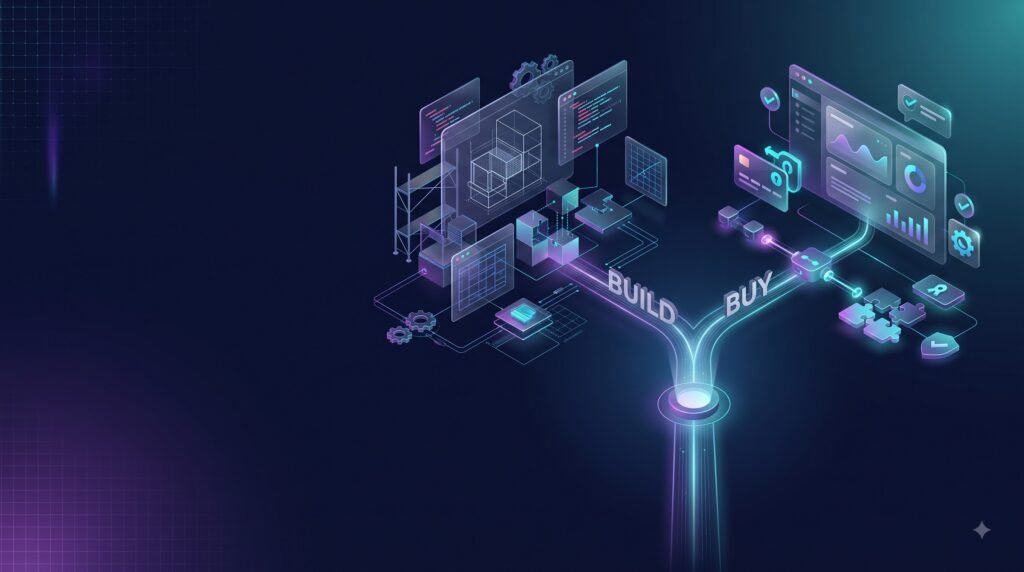
Buying software
Buying means adopting an existing product, usually through a SaaS subscription, license or managed service.
Examples include:
- CRM software
- Accounting platforms
- Project-management tools
- Customer-support systems
- Email services
- Payment infrastructure
- Analytics platforms
- Authentication services
- Marketing automation
The vendor owns and maintains the underlying product. Your startup configures it around your needs and accepts some limits around functionality, integrations and roadmap.
The advantage is speed. You can often start using the capability without assembling an engineering team or designing the system yourself.
The disadvantage is control.
You’re working within someone else’s product decisions, pricing model, API capabilities, security model and roadmap.
Building software
Building means creating a custom application or system for your specific requirements.
The work may be done:
- By an in-house engineering team
- By freelancers
- By a software development company
- By an MVP-focused development partner
Custom development gives you more control over functionality, architecture and user experience, but it also makes your startup responsible for more of the software lifecycle.
The third option: Buy + Build
This is where many startups can get the best balance.
You don’t need to build everything yourself just because one part of the product is unique.
For example, a startup could use:
- Stripe for payments
- A managed authentication service
- Cloud infrastructure
- Third-party email
- Analytics software
while building its own:
- Product workflow
- Customer dashboard
- Recommendation logic
- Marketplace experience
- Industry-specific automation
This approach avoids rebuilding mature commodity infrastructure while preserving control over the part customers actually value.
AWS has similarly discussed the strategic logic of building software that differentiates a business while buying other capabilities, along with the opportunity cost involved in the decision.
When Should a Startup Buy Software?
Buying is usually the stronger choice when the problem is common and already solved well by the market.
1. The workflow is not your competitive advantage
Suppose your startup needs employee expense management.
Unless expense management itself is your product, building a complete expense platform probably doesn’t create much strategic value.
A mature third-party product may already provide:
- User management
- Approvals
- Notifications
- Reporting
- Integrations
- Security controls
- Mobile access
Your engineering team can then focus on the product customers actually pay you for.
2. You need the capability immediately
A startup with limited runway shouldn’t spend months rebuilding a commodity feature if an adequate solution is available now.
Time has an opportunity cost.
Every engineering month spent building an internal CRM, for example, is a month that isn’t being spent improving the product, speaking with customers or fixing a core bottleneck.
3. The requirements are stable
Buying works particularly well when you don’t expect the workflow to change dramatically.
If the requirement is simply:
“We need a reliable way to send transactional emails.”
there’s little strategic reason to build an email delivery infrastructure from scratch.
4. The vendor already handles difficult infrastructure
Some capabilities involve security, reliability, compliance or global infrastructure that would be expensive to reproduce.
Payments are a good example.
Instead of building an entire payment-processing system, a startup can integrate an established provider. Stripe, for example, offers payment processing, billing and other financial infrastructure through managed products and APIs.
5. Your team has more important engineering priorities
A small startup has limited engineering capacity.
The question isn’t simply whether developers can build something.
It’s whether they should spend their next three months doing it.
When Should a Startup Build Custom Software?

Building becomes more attractive when the software is closely connected to what makes the company valuable.
1. The workflow is part of your product
If customers choose you because of a specific workflow, reproducing that workflow inside a generic SaaS product may create unnecessary compromises.
Imagine a logistics startup whose main differentiator is a proprietary dispatch and routing workflow.
A generic operations platform may not provide the required logic.
That is a stronger case for building.
2. Existing software forces expensive workarounds
One spreadsheet isn’t necessarily a problem.
But when a workflow becomes:
CRM → spreadsheet → manual export → custom script → another SaaS tool → manual reconciliation
the integration cost can become a bigger problem than custom development.
At that point, the company should calculate the cost of continuing with the fragmented workflow.
3. You need unusual integrations
Some startups depend on combinations of systems that standard SaaS products weren’t designed to connect.
Custom software can provide a controlled layer between those systems.
4. User experience is part of the competitive advantage
If your product competes primarily through customer experience, a generic interface may be a limitation.
Custom software lets you control:
- User flows
- Information architecture
- Permissions
- Product logic
- Interaction patterns
- Branding
- Automation
5. You need control over the product roadmap
A SaaS vendor decides what it builds next.
Your startup doesn’t.
That can become a problem when a missing feature affects revenue or prevents you from changing a critical workflow.
Custom software gives you much more control over the roadmap, although it also means your company becomes responsible for maintaining that roadmap.
Build vs Buy Software for Startups: Key Differences
| Factor | Buy | Build |
| Initial cost | Usually lower | Usually higher |
| Time to start | Usually faster | Usually slower |
| Customization | Limited/configurable | High |
| Maintenance | Vendor handles most | Startup owns it |
| Product control | Vendor-dependent | High |
| Engineering requirement | Lower | Higher |
| Differentiation | Limited by product | Potentially high |
| Vendor dependency | Higher | Lower at application level |
| Flexibility | Depends on vendor | High |
| Roadmap control | Limited | High |
| Scaling | Vendor-defined | Architecture-defined |
| Best for | Commodity capabilities | Differentiating capabilities |
These are general patterns, not guarantees. A poorly selected SaaS product can require extensive implementation and integration work, while a narrowly scoped custom application can sometimes be built relatively quickly.
The Cost Question: Don’t Compare a Subscription With a Development Quote
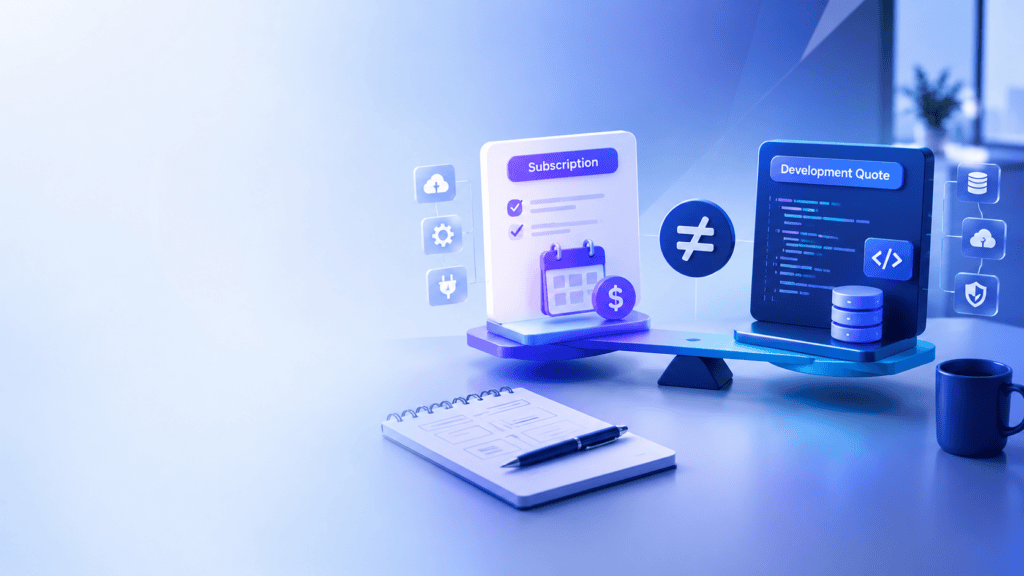
One of the biggest mistakes in build-vs-buy decisions is comparing:
$500/month SaaS
with
$50,000 custom software
and immediately concluding that SaaS is cheaper.
That’s not a complete comparison.
Calculate the buy-side TCO
Consider:
- Subscription fees
- Number of users
- Usage-based charges
- Premium features
- Implementation
- Integration development
- Training
- Data migration
- Add-ons
- Price increases
- Switching costs
For example, a product priced per user may look inexpensive with ten employees but become materially more expensive when the company reaches several hundred users.
Calculate the build-side TCO
Consider:
- Product discovery
- UI/UX
- Development
- QA
- Infrastructure
- Security
- Deployment
- Monitoring
- Bug fixing
- Maintenance
- Engineering salaries or partner fees
- Future feature development
The important number is therefore not:
“How much does it cost to build?”
It’s:
“What will this capability cost us over the period we realistically expect to use it?”
Even then, TCO shouldn’t be the only criterion. A cheaper option isn’t automatically better if it prevents the startup from delivering its core product.
A Simple TCO Example
Consider a hypothetical startup with 100 users.
Suppose an existing SaaS tool costs $100 per user per month.
That’s:
$10,000 per month
or:
$120,000 per year
Over three years, before considering price increases or implementation costs, that’s:
$360,000
Now imagine a custom system costs $150,000 to develop.
That does not necessarily mean wins for the build.
The startup will need to consider:
- Hosting
- Maintenance
- Engineering
- Security
- Monitoring
- Future features
The math only works when those costs are factored in.
The numbers above are deliberately hypothetical. They demonstrate the framework rather than representing a market-average software price.
Don’t Ignore Opportunity Cost
Opportunity cost is especially important for startups.
Suppose two engineers spend four months building an internal CRM.
The direct development cost isn’t the entire cost.
During those four months, the startup may also delay:
- A core product release
- Customer-requested features
- Revenue-generating functionality
- Experiments
- Bug fixes
- Product-market-fit learning
For an early-stage company, that delay can matter more than the software’s eventual development cost.
That’s one reason buying standard infrastructure can be strategically sensible even when building would eventually be cheaper.
What About Vendor Lock-In?
Buying software introduces a dependency on the vendor.
That dependency can involve:
- Pricing
- API availability
- Data export
- Product roadmap
- Service availability
- Contract terms
- Integration architecture
Vendor lock-in isn’t automatically bad.
A startup may consciously accept dependency on a mature provider because the provider offers capabilities that would be expensive to recreate.
The question is whether the dependency is acceptable.
AWS recommends considering portability, architecture and switching costs when evaluating lock-in.
Questions to ask before buying
- Can we export our data?
- Is there an API?
- What happens if pricing changes?
- Can we cancel without losing access immediately?
- Are integrations documented?
- Can another product replace it?
- Are our critical workflows dependent on proprietary features?
- How difficult would migration be?
What About Data Ownership?
Data ownership needs a separate review.
Before adopting a SaaS product, understand:
- Who owns the data contractually?
- Where is data stored?
- Can you export it?
- In what format?
- What happens after cancellation?
- Are backups available?
- Does the vendor retain data after termination?
- Which subprocessors handle it?
These questions become particularly important for regulated or data-sensitive startups.
Custom software can give you more direct control, but that doesn’t mean the system is secure or portable. Architecture, operational practices and contractual arrangements still matter.
How AI Changes the Build-vs-Buy Decision
AI has changed software development economics, but not in the simplistic way some headlines suggest.
AI coding tools can reduce friction in:
- Code generation
- Prototyping
- Documentation
- Refactoring
- Testing
- Debugging
- Development workflows
That can make smaller custom builds more accessible.
But building still means owning the resulting system.
Someone has to make decisions about:
- Architecture
- Security
- Authentication
- Data handling
- Testing
- Deployment
- Monitoring
- AI model selection
- API costs
- Failure handling
- Maintenance
AI therefore makes the build option more accessible, not automatically more appropriate.
The better question is:
Can AI-assisted development make this custom capability economical without creating a maintenance burden the startup can’t support?
Should Startups Build AI or Buy AI?

The same principle applies to AI features.
If your product simply needs:
- Text generation
- Summarization
- Classification
- Embeddings
- Chat
- Basic extraction
you may be better off integrating an existing AI service.
If your competitive advantage comes from:
- Proprietary data
- Specialized workflows
- Unique model behavior
- Domain-specific decision systems
- Custom orchestration
then a custom AI layer may make more sense.
In other words:
Buy the model capability when AI is a feature. Build proprietary systems when the AI system itself creates meaningful differentiation.
What About No-Code?
No-code can be a useful middle ground.
It’s particularly attractive when the startup needs to validate a workflow quickly without committing to a large custom codebase.
For example, a founder could use a no-code tool to experiment with
- lead management,
- internal approvals,
- customer onboarding,
- simple marketplace workflows,
- early dashboards, or
- basic automations.
But no-code shouldn’t be considered as inherently better.
The decision depends on:
- Complexity
- Data requirements
- Integrations
- Performance
- Customization
- Security
- Expected scale
- Migration requirements
A no-code MVP can be an excellent validation mechanism and still be the wrong foundation for the long-term product.
Build Internally or Use a Development Partner?
“Build” doesn’t necessarily mean hiring an internal engineering team.
A startup has several delivery choices:
In-house
Best when:
- Product direction is validated
- Engineering is a long-term core capability
- You need continuous iteration
- Technical knowledge needs to remain inside the company
Freelancer
Can work well for:
- Small features
- Landing pages
- Simple integrations
- Narrowly scoped projects
It becomes riskier when the project requires product management, design, frontend, backend, QA and infrastructure simultaneously.
Development partner
Can make sense when:
- The startup doesn’t have an engineering team
- The product needs multiple disciplines
- The founder wants to validate before hiring internally
- Speed matters
- There is a clearly defined scope
The key is not the label.
Evaluate:
- Scope
- Repository access
- IP ownership
- Technical decisions
- Communication
- Testing
- Deployment
- Documentation
- Post-launch support
- Exit terms
BkAbhi’s current site positions its offering around MVP development, SaaS architecture, mobile experiences, AI integration and retained engineering. Its homepage also currently states that it offers full lifecycle support after launch. For a broader perspective on evaluating whether to build or buy software, see Quickbase’s build vs. buy software guide.
That makes BkAbhi relevant to the build-through-a-partner option, but founders should still compare its proposal against other development partners using the same criteria.
Build vs Buy for Different Startup Situations
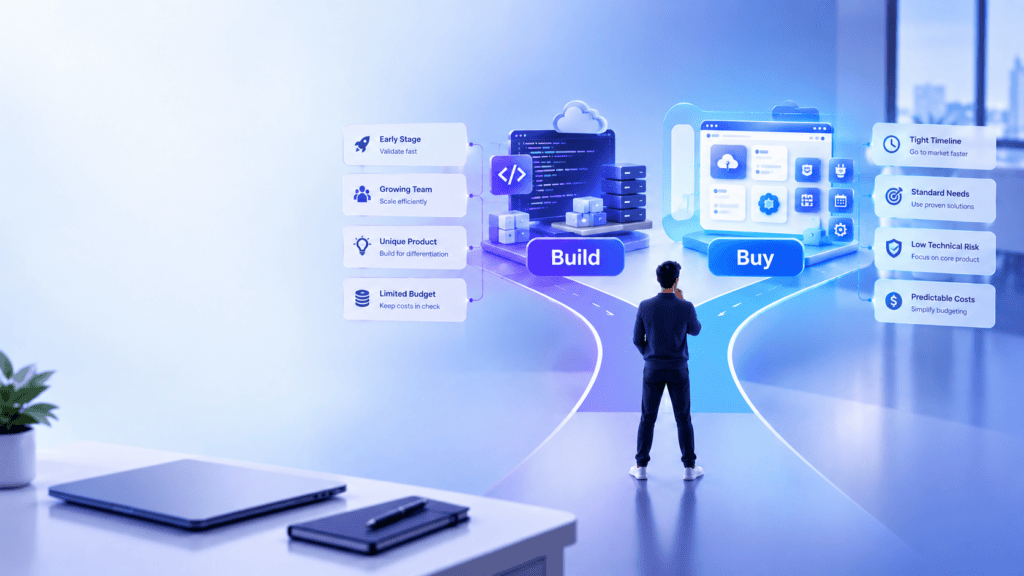
Scenario 1: Pre-revenue SaaS startup
A founder wants to test a B2B SaaS idea.
They don’t know whether customers will pay.
Likely approach: Buy commodity tools and build only the smallest product required to validate the core hypothesis.
The mistake would be building a complete platform before validating demand.
BkAbhi’s existing MVP material similarly emphasizes validation and limiting the initial product to what needs to be tested.
Scenario 2: Startup with a proprietary workflow
A logistics startup has developed a unique dispatch process that customers specifically value.
Likely approach: Build the workflow while buying commodity infrastructure.
Scenario 3: Internal HR process
A 20-person startup needs employee onboarding.
Likely approach: Buy.
There’s little reason to create a custom HR system unless the workflow itself has unusual requirements.
Scenario 4: AI startup
The startup’s product is an AI-powered customer-support workflow.
Likely approach: Buy underlying model infrastructure where practical, but build the proprietary workflow, data layer and customer experience.
Scenario 5: Regulated startup
A fintech company needs specialized financial workflows.
Likely approach: A more rigorous build/buy analysis.
Security, compliance, integrations, auditability and data handling can outweigh the convenience of a generic SaaS product.
A Practical Build-vs-Buy Decision Framework
Score each capability from 1 to 5.
1. Strategic differentiation
Does this capability directly differentiate your startup?
1: Commodity
5: Core competitive advantage
2. Functional fit
How well do existing products meet your requirements?
1: Poor fit
5: Excellent fit
3. Customization requirement
How much customization do you actually need?
1: Almost none
5: Fundamental
4. Time pressure
How urgently do you need the capability?
1: Can wait
5: Needed immediately
5. Engineering capacity
How much internal technical capacity do you have?
1: Very limited
5: Strong engineering team
6. Long-term ownership value
Would owning the software create meaningful strategic value?
1: Little value
5: Significant value
7. Vendor risk
How problematic would vendor dependency be?
1: Easy to replace
5: Serious dependency
8. Maintenance burden
How difficult would it be to maintain the system?
1: Simple
5: Complex
Don’t treat the resulting number as an automatic verdict.
Use the score to identify why the decision is leaning one way.
A Faster Founder Decision Tree

Ask these questions in order.
Question 1: Is the problem already solved well?
Yes → Start by evaluating buy.
No → Continue evaluating build.
Question 2: Is the capability part of your competitive advantage?
No → Buy is usually worth serious consideration.
Yes → Continue evaluating build.
Question 3: Does the existing software impose a critical limitation?
No → Buy.
Yes → Evaluate custom development or a hybrid approach.
Question 4: Can you validate the idea without building everything?
Yes → Validate first.
No → Define the smallest custom system that can answer the critical business question.
Question 5: Can your team maintain what it builds?
No → Consider an external development partner or a simpler architecture.
Yes → Internal development may make sense.
When Not to Build
Don’t build custom software simply because:
- You dislike your current SaaS interface.
- A competitor has a custom dashboard.
- Your team wants a technically interesting project.
- You assume owning software is always cheaper.
- You haven’t investigated existing products.
- You haven’t validated the workflow.
- The requirement is likely to change next month.
- Your engineering team is already overloaded.
Custom development should solve a business problem, not create a technology project looking for a business justification.
How to Evaluate a SaaS Product Before Buying
Before signing, ask:
- Does it cover the critical workflow?
- Which requirements require workarounds?
- What integrations are available?
- Can we export our data?
- What happens if we double our users?
- How does pricing change with usage?
- What happens if we cancel?
- What security controls are available?
- What does implementation cost?
- What features require higher plans?
- How frequently does the vendor change pricing?
- What happens if the product is discontinued?
Don’t evaluate only the demo.
Test the actual workflow.
How to Evaluate a Development Partner Before Building

Ask for:
- A detailed scope
- Explicit exclusions
- Development milestones
- Repository access
- IP terms
- Third-party license terms
- Testing responsibilities
- Deployment responsibilities
- Infrastructure ownership
- Change-order rules
- Documentation
- Support terms
- Exit provisions
A development proposal should make it possible to understand what you’re buying before development starts.
BkAbhi’s own published contract checklist emphasizes scope, milestone payments, IP ownership, change orders, repository access, third-party licenses, termination and other contractual details.
The Best Default for Most Startups
There is no universal default of “always buy” or “always build.”
A more useful default is:
Buy what is standardized. Build what differentiates you. Validate before you overbuild.
For an early-stage startup, that can mean:
Buy: payments, email, analytics, authentication and other mature infrastructure.
Build: the product workflow, customer experience and proprietary logic that customers actually care about.
Validate: everything that hasn’t yet been proven.
This approach lets a startup preserve engineering capacity for the parts that matter most.
Final Comparison Summary
The build-vs-buy decision isn’t really about software ownership.
It’s about where your startup should spend scarce resources.
Choose buy when:
- The problem is standardized.
- A reliable product already exists.
- Speed matters.
- The capability isn’t differentiating.
- Your engineering team has more important work.
Choose build when:
- The software is part of your competitive advantage.
- Existing products are unable to meet key requirements.
- Your business processes are unique in a fundamental way.
- You need greater control.
- Long term ownership justifies the maintenance overhead.
Choose hybrid when:
- Some capabilities are commodity.
- Some workflows are unique.
- you want speed without sacrificing control of your core product.
For most startups, the smartest answer won’t be “build everything” or “buy everything.”
It will be deciding which parts deserve to be yours.
Author Bio
Jeevesh Tripathi
Email: jeevesh@bkabhi.com
Jeevesh Tripathi writes research-based content covering technology, AI, software, SaaS, and creator and business tools. His work focuses on practical comparisons and evidence-based evaluation, with an emphasis on separating verified product information from analysis and recommendations. He researches software capabilities, development approaches, pricing models, and technology decisions to help readers make better-informed choices.