
Table of Contents
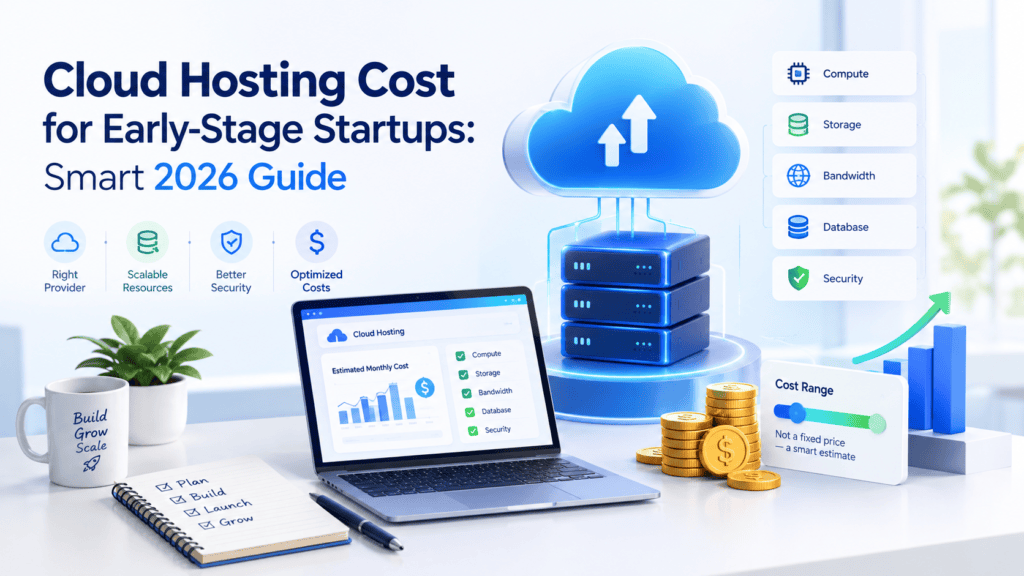
Cloud Platform Choices for Indian Startups
Indian startups may choose between global clouds like AWS, Microsoft Azure, and Google Cloud, as well as spares such as DigitalOcean and India’s local providers.
The first three mentioned clouds provide a wide range of services, high security, AI and ML tools, and scalability, which can be a good choice for companies that expect to scale rapidly.
DigitalOcean may provide more affordable options in case of small projects and teams. Local companies can offer better customer support, data residency, and cheaper solutions tailored to the needs of Indian businesses.
Thus, when choosing between these clouds, an Indian startup has to consider the budget, performance, scalability, services, support, and data location. These factors will differ depending on the project’s requirements, traffic, team size, and other characteristics.
Therefore, there is no point in choosing the most popular cloud service. Instead, the Indian startups should focus on their needs and select the cloud that can best address their current and future requirements.
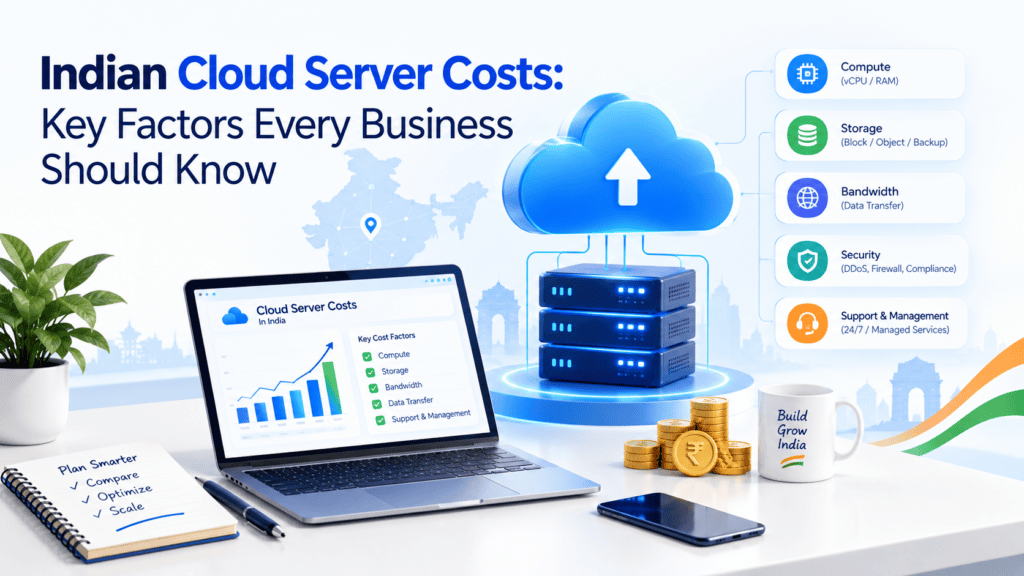
Indian Cloud Server Costs: Key Factors Every Business Should Know
Migrating your resources to the cloud is one of the smartest moves any Indian business, including startups in Bengaluru, e-commerce stores in Lucknow, or enterprises in Mumbai can make today.
However, cloud costs and server expenses may appear to be mysterious and hard to predict.
The good news is that they are not. This article will tell you what 5 elements affect your Indian cloud server rates.
1. CPU and RAM Costs
Compute is typically the largest portion of your bill. You are billed for the number of vCPUs and the amount of RAM (in GB) that you provision on your server. The cost is based on the instance size.
What affects the price:
- Instance type: The cost of general-purpose, compute-optimized, memory-optimized and GPU instances differ. A GPU server for AI workloads would be many times more expensive than a standard web server.
- Billing model: On-demand pricing is flexible but the most expensive option, whereas reserved instances or committed-use plans (1 to 3 years) could save up to 30-60%. Spot or preemptible instances could be cheaper, but are subject to interruption.
- Region: Mumbai, Hyderabad and Delhi NCR regions could have different pricing than compared to global regions such as Singapore or the US.
- Provider: Global hyperscalers (AWS, Azure, Google Cloud) and Indian providers (such as E2E Networks, Tata Communications, Yotta, and others) have different pricing models and the latter often compete on rupee billing and simpler plans.
Tip: Right-size your servers. Many businesses pay for 8 vCPUs when their workload uses 2. Monitor utilization for a few weeks and scale down where possible.
2. SSD and Object Storage Costs
Storage is billed separately from the compute, and there are two types of it:
Block storage (SSD/NVMe): This is your disks on the server, where OS is running, databases and apps are hosted. This one is priced higher per GB but is much faster. The price depends on the performance: provisioned IOPS and throughput.
Object storage: This is for images, videos, backups, logs, static content (like Amazon S3). It costs less than block storage and scales nearly infinitely, so it’s good for storing large binary files.
Cost drivers:
- Total GB provisioned (you often pay for allocated space, not just used space)
- Storage class (hot, cool or archive tiers)
- Number of read/write requests
- Snapshots and replicas
Tip: Move rarely accessed data to cheaper archive tiers, and delete unused snapshots and orphaned disks, which silently accumulate on a monthly basis.
3. Data Transfer and Egress Fees
This is the most underestimated cost. Yes, in most cases, you pay for data ingress (uploading data to the cloud) for free, but you are charged for data egress (downloading data from the cloud) to the Internet per GB.
Where it appears:
- Data sent to your users (sites, apps, videos streaming)
- Traffic between different regions or availability zones
- Data transferred to another cloud provider or your own systems
- API calls and CDN delivery
For content intensive businesses like the OTT players, e-learning websites and media portals, egress costs can sometimes outweigh compute costs. Some Indian providers offer generous free bandwidth or reduced egress rates that can be an added advantage.
Use a CDN to cache your content closer to your users, compress your files and images, and host your servers and databases in the same region to avoid inter-region costs.
4. Support and Monitoring Costs
Basic cloud infrastructure is just the beginning. Keeping the platform healthy and supported requires an investment in maintenance and resources.
Support plans: The most common structure has a free tier of support, with the ability to pay for additional business or enterprise support that includes 24×7 critical issue response, faster resolution times and dedicated account management.
These support costs are often calculated as a percentage of your monthly spend or a base minimum fee.
Monitoring and logging: While basic metrics and uptime monitoring are typically included in a cloud provider’s infrastructure, adding logs, custom dashboards, and longer retention periods often incur additional costs. Third-party monitoring and alerting tools such as Datadogor New Reliccan be expensive.
Managed services: The decision to use a managed database solution or other hosted platform as a service offering versus managing these services internally will also factor into your costs.
Pro Tip: The level of support you purchase should reflect the criticality of your cloud-based operations to your business. Most small blogs don’t require an enterprise-level support plan.
On the other hand, payment platforms and other mission-critical applications do.
5. Backup and Disaster Recovery Costs
Data loss can cost a lot more than any cloud bill. Backup and disaster recovery (DR) protects you against hardware failure, cyber-attack, human error and outages, but are essential line items to budget for.
Backup costs include:
Storage for snapshots and backup copies
Your backup frequency and retention period (daily backups kept for 90 days will cost more than weekly backups for 14)
- Cross-region copies for extra safety
- Disaster recovery costs depend on your strategy:
- Backup and restore: Cheapest, but recovery takes longer.
- Pilot light / warm standby: A minimal version of your environment runs in a second location.
- Multi-site active-active: Fastest recovery and highest cost as you effectively pay for two full environments.
For regulated sectors suchas banking, healthcare and fintech, India’s data localization and compliance requirements may also require backups to stay within Indian regions, which can influence provider and pricing choices.
Tip: Define your RTO (Recovery Time Objective) and RPO (Recovery Point Objective) first, then select the most cost-effective DR strategy that fits those numbers.
Bonus Factors to Keep in Mind
GST: Cloud services in India attract 18% GST, so be sure to ask if quotes include GST or not
Currency: Global cloud providers may invoice in USD, which means you are at the mercy of exchange rate fluctuations. Indian providers invoice in INR.
Licensing: Windows Server, SQL Server and other proprietary software add licensing costs.
Hidden costs: Public IPs, Load Balancers, NAT gateways and idle resources all add up.
How to Control Your Cloud Costs
Use Right-Sized Instances
If you’re running workloads that only need to run occasionally, consider using spot instances
For more predictable, ongoing needs, a reserved, or committed plan may be right for you. Set alerts to prevent out-of-control spend, and clean up any unused or redundant disks, snapshots or IP addresses. A cloud pricing calculator can help you compare costs between providers too.
Conclusion
Cloud server costs in India are determined by much more than just the CPU and RAM of the virtual machine. Storage, data transfers, support and management, monitoring, and backups and disaster recovery all contribute to the final price.
By learning what determines cloud server prices in India , you can ensure that you’re making optimal choices for your infrastructure.
Before choosing which provider to use, consider how much you need the servers to be able to handle, try out their pricing calculators, and test out smaller machines to see how they perform. With a little preparation, you could save thousands of rupees in the long run.
Estimated Monthly Cloud Server Costs in India
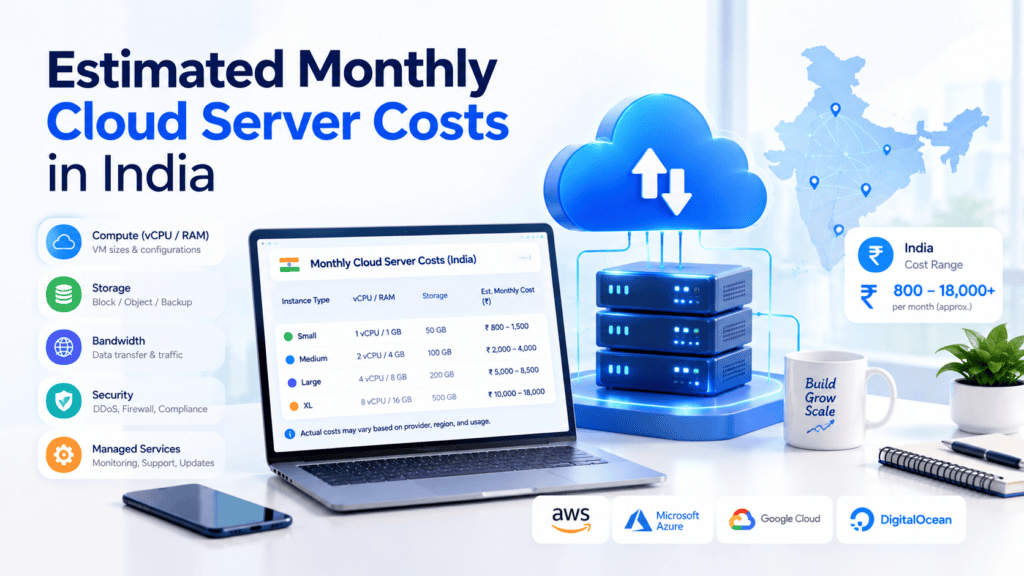
To get an accurate picture of your monthly cloud server expenses, you need to go far beyond the basic VM sticker price. In reality, there are five major pillars, local datacenter-specific rates (AWS Mumbai, Azure Central India), foreign exchange rates, and the mandatory 18% GST on cloud services.
Key Takeaways
- Compute makes up the largest portion of the bill (50–70%) but is often driven by particular instance types and reservations.
- Egress (data transferred out) is the most frequent stealth cost because inbound data is typically free, but outbound data is usually charged.
- Storage, Backups, Monitoring, and GST can add 35% to 60% to your raw compute bill.
Comprehensive Breakdown of Cloud Costs in India
1. Compute Costs (50% – 70% of Total Bill)
Compute is the virtual CPUs (vCPU) and RAM you rent to run your applications.
- The cost of Pay-As-You-Go (On-Demand) instances depends on the performance of the server you choose to host your application.
- Most providers charge around ₹1,000 – ₹3,500 per month for entry-level servers (1-2 vCPU, 2-4GB RAM) and ₹5,000 – ₹8,500 for application servers (4 vCPU, 16 GB RAM).
- If you can commit to a 1 or 3-year contract, Reserved Instances or Savings Plans can save you up to 60% on the same instance.
- Indian cloud providers (E2E Networks) also offer significantly lower prices (30-40%) on compute power compared to international hyperscalers.
2. Storage Costs (10% – 20% of Total Bill)
Storage costs typically fall into two categories – block (disks attached to VMs) and object/file storage (unstructured media and assets).
- Block Storage (EBS, Managed Disks): Standard general purpose SSDs (gp3/Premium SSD) cost anywhere between ₹6-10 per GB/month.
- A 100 GB SSD root volume will cost you anywhere between ₹600-₹1,000/month. High-IOPS NVMe drives command a significantly higher premium.
- Object Storage (S3, Azure Blob): Hot tier storage costs anywhere between ₹1.80-2.50 per GB/month in Indian regions. Storing 1 TB of assets would therefore cost you ₹1,800-2,500/month (not including API read/write costs).
3. Data Transfer Costs (Egress) (10% – 30% of Total Bill)
Bandwidth remains the biggest wildcard in a cloud invoice.
- Ingress (Data In): It’s FREE across all major providers.
- Egress (Data Out to Internet): Global players offer a small free tier (around 100 GB/month), beyond which charges range between ₹6-9/GB for data originating from Indian datacenters.
- Inter-Region / AZ Transfers: Moving data between availability zones or regions (e.g., Mumbai to Hyderabad or Singapore) costs between ₹1-2/GB.
4. Monitoring and Support (5% – 15% of Total Bill)
Operating production workloads incur telemetry and technical support fees.
- Basic Monitoring: Native metrics (standard CloudWatch, Azure Monitor) provide 5 mins sampling for free
- Advanced Telemetry & Logs: Detailed custom logs, trace ingestion & third-party APMs (DD, NR) add ₹1,500 – ₹10,000+/month based on log ingestion volumes.
- Support Plans: Basic developer support ranges from ₹2,000 – ₹2,500/month or 3% – 10% of total monthly cloud bill while enterprise-grade direct support is significantly higher.
5. Backup and Disaster Recovery (DR) (5% – 15% of Total Bill)
Data protection requires disk snapshots as well as cross-region redundancy.
- Snapshot Storage: automated incremental VM/disk snapshots incur storage cost of roughly ₹3-5 per GB/month for the storage consumed.
- Disaster Recovery (DR): Maintaining a pilot-light or cold standby environment in the secondary region (say, by running continuous DB replication) will add 20% to 50% to the primary infrastructure base cost.
Estimated Monthly Profiles (All-Inclusive in INR)
| Business Profile | Server Specs | Estimated Range (INR/mo)* | Primary Drivers |
| Small Website / Startup | 1–2 vCPU, 4 GB RAM, 50 GB SSD | ₹2,500 – ₹5,000 | Compute, minimal egress, basic snapshots |
| Growth SMB App | 4 vCPU, 16 GB RAM, 200 GB SSD | ₹12,000 – ₹25,000 | Balanced compute, 1–2 TB egress, managed DB, monitoring |
| High-Traffic E-Commerce | Multi-node (Auto-scaling), Load Balancers, 1 TB+ Storage | ₹60,000 – ₹2,500,000+ | Heavy egress, multi-AZ redundancy, 24/7 priority support |
Indian Cloud Server Pricing: What Startups Should Consider
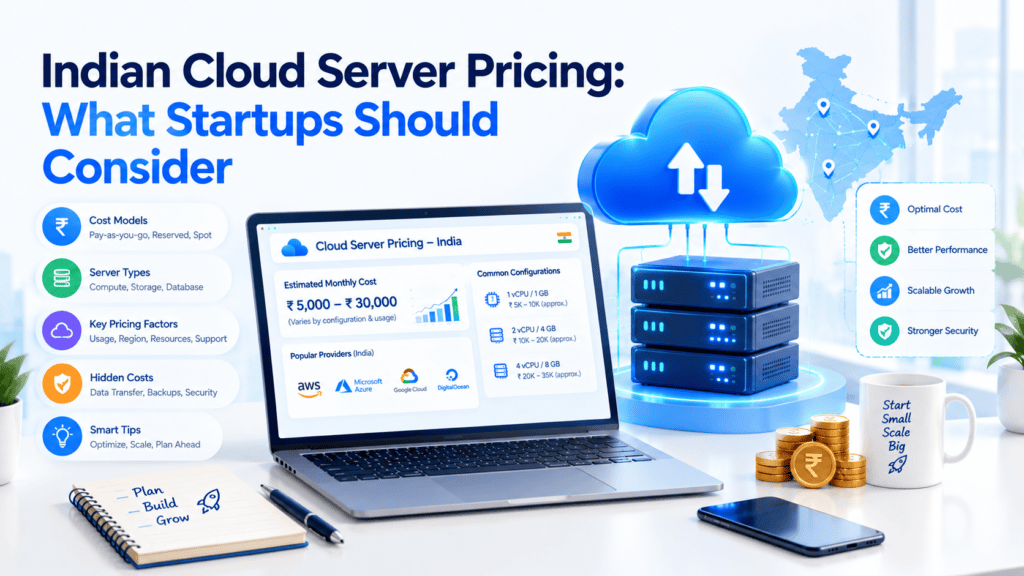
Indian cloud server pricing may incur additional costs not included in a given provider’s monthly compute cost, which a startup should consider when choosing between different cloud services.
Apart from the compute cost, organizations should evaluate storage, backups, bandwidth, data transfer, database, monitoring, security, and support charges.
Moreover, the location of a data center may be a critical factor affecting the final price and other aspects of an operation. For example, a cloud server located in India would offer better latency for local users compared to overseas solutions, while international regions could provide lower prices in specific cases.
A company should analyze the Total Cost of Ownership when comparing cloud providers because the cheapest solution may have considerable hidden expenses related to migration, maintenance, and management.
Indian Cloud Server Performance and Hidden Expenses: What Your Invoice Won’t Tell You
Cloud migration in India has become significantly more accessible with AWS, Azure, and Google Cloud all having a presence in the market.
Local providers such as E2E Networks, Tata Communications, Yotta, and CtrlS also participate in the competitive pricing and data residency space.
However, the cost of a virtual machine is only one small part of an overall cloud spend, with performance, architecture choices, and other minor factors all combining to increase costs by an order of magnitude.
This article details the technical and fiscal considerations for Indian businesses looking to make the switch.
1. Monolith vs. Microservices
Monolith: The whole application is one deployable unit.
- Simple to code, test, and deploy
- Fewer network hops, reducing latency
- Cheaper to run at lower scales (fewer servers, one database)
- Scaling is coarse (entire application is scaled up, even if just one feature is needed)
Microservices: the application is broken down into self-contained services
- each of which can be scaled independently
- deployed in isolation
- and
- have failures contained.
The hidden costs of microservices include:
- Inter-service traffic costs: traffic between availability zones is usually billed, and chatty services are multiplied.
- Operational overhead: you need an orchestrator (Kubernetes or something similar), service mesh, distributed tracing, and centralized logging. Logs can be one of the largest line items in your bill.
- Talent cost: DevOps and SREs with Kubernetes experience are expensive in Indian metros.
- Capacity: ten smaller services need to have some minimum capacity reserved, so you might be paying for much more idle CPU than you would with one server.
Practical advice: For startups and SMBs, a well-structured “modular monolith” usually beats premature microservices. Split out services only when a specific component has distinct scaling needs.
2. Serverless Architecture
Serverless platforms (AWS Lambda, Azure Functions, Google Cloud Functions) execute your code on demand and you pay per-execution and per-duration.
Pros:
- No server management needed
- Scale down to zero, no cost when idle
- Great for bursty, event-driven workloads such as image processing, webhooks, notifications, and scheduled jobs
Performance implications:
- Cold start adds latency to a function that hasn’t been executed in some time, which might be critical for user-facing APIs.
- Execution time plus memory constraints make it less suitable for long-running processes.
- Some services may be available in Indian regions later than in the US or European ones, which may lead to higher latency or a cross-region call.
Hidden costs:
- At sustained high traffic levels, serverless can become more expensive than a properly sized set of always-on servers.
- The API gateway, logging, and data transfers can add up to a bill larger than the functions themselves.
- A retry loop in your code or a bug in a recursive trigger can cause expenses to balloon by several orders of magnitude within hours.
- Migration can be expensive if you get locked into a particular vendor.
As a rule of thumb, serverless is best used for sporadic or smaller workloads, whereas for heavier steady workloads, it makes sense to compare the costs of reserved instances or containers.
3. Managed vs. Self-Managed Databases
| Factor | Managed (RDS, Cloud SQL, Azure SQL) | Self-Managed (on VMs) |
|---|---|---|
| Setup | Minutes | Hours to days |
| Backups & patching | Automatic | Your responsibility |
| High availability | Built-in option | You design it |
| Sticker price | Higher | Lower |
| Total cost of ownership | Often lower for small teams | Lower only if you have strong DBAs |
| Control | Limited | Full |
Hidden costs of managed databases:
- Multi-AZ replication approximately doubles cost of compute
- Read replicas, provisioned IOPS, and backup retention are billed separately
- Backups outside of the free allotment incur additional charges
- Instances tend to be oversized as teams scale up to resolve performance issues that stem from slow queries
What are the hidden costs of self-managed databases
- Time spent by engineers on patching, tuning, failover testing, and 3 a.m. emergencies
- Loss of data in the event of backup/restore failure (which should never be tested)
- Security and compliance work that you would otherwise outsource to your provider
Advice: Unless you have a dedicated team of DBAs, opt for managed databases and invest in query tuning/indexing before scaling up.
4. Latency and Throughput
Latency is basically time taken per request while throughput is number of request per second or amount of data processed per second. One could exist without the other.
Factors which affect latency are:
- What regions they select. Mumbai, Hyderabad, Pune, Delhi-NCR versus Singapore, could make a big difference for end-users in India in terms of latency (up to tens of milliseconds)
- ISP Peering: Traffic from your cloud to user on Jio, Airtel, BSNL will depend upon how well peering is done between your company and ISP and that varies from city to city so need to test latency from Tier-2 and Tier-3 cities apart from metro cities.
- Last mile network: Users on mobile 4G with bad signal will have issues which you cannot control so better build your application with help of CDN and light payloads.
- Distance between application server and database server: If you have application servers in one region and database servers in other, your queries will experience latency.
Improving both:
- Use CDN with Indian edge nodes for static assets
- Cache heavy reads in Redis/Memcached
- Use connection pooling, HTTP/2 or HTTP/3
- Load testing with realistic traffic before launch
Hidden costs:
- Data egress (outbound) is a huge surprise for video, download-heavy, and API-driven applications. Ingress is free, but egress is not.
- Cross-AZ and cross-region transfers are billed, even within a single cloud provider.
- Load balancers, NAT gateways, and public IPs have hourly and/or GB-level costs that teams frequently miss.
5. Storage Performance and IOPS
Not all storage is created equal. IOPS (input/output operations per second) is a measure of how many read/write operations a disk can perform while throughput (MB/s) and latency are also important factors.
Storage tiers:
- Block storage (SSD/NVMe): databases and transactional applications
- Object storage (S3-style): backups, media, and logs
- File storage (NFS/EFS-style): shared access across servers
- Archive/cold storage: cheap to store, slow and expensive to access
Common pitfalls
- Baseline versus burst performance. Many general-purpose volumes have burst credits that once spent, cause a precipitous drop in performance, degrading your application’s performance.
- IOPS based on size. Some platforms have IOPS tied to the size of the volume. This can cause you to buy more storage than needed just to get a needed amount of IOPS.
- Higher performance equals higher cost. Provisioned IOPS are often much more expansive.
- Instance-level limitations. Attaching a fast disk to a small instance may be limited by how much IOPS the instance may process.
Hidden costs:
- Snapshot storage that silently accumulates
- Retrieval and early-deletion fees on archive storage tiers
- API charges on object storage (counts of millions of small files add up)
- Orphaned volumes and old snapshots from terminated servers
Advice: Benchmark with production datah a tool like fio on the actual instance type, and match the storage tier to the workload rather than defaulting to the fastest option.
6. Reliability and SLAs
An SLA (service level agreement) is a provider’s commitment to the uptime of service. Major providers usually promise between 99.9% and 99.99%, depending on the account type and region; however, there are significant caveats that should be considered. For Indian startups, it is also important to evaluate uptime commitments alongside pricing, performance, and regional infrastructure when choosing a cloud platform. This guide to cost- and performance-effective cloud platforms for Indian startups provides additional insights into these considerations.
The SLA of 99.9% equals approximately 8.76 hours of downtime per year, and 99.99% equals around 52.58 minutes.
Read the fine print:
- SLAs are often limited to multi-AZ or other specialized configurations with a single VM having a lower grade of service.
- Remedies are usually in the form of credits, not cash, and claims have to be filed within a specified time frame.
- Credits don’t make up for lost revenue or reputational damage.
- Scheduled downtimes are explicitly excluded.
- The SLA applies to the service provider’s infrastructure and does not cover application bugs or misconfigurations.
- Bbuilding real reliability checklist
- deploy across multiple availability zones
- automate backups plus test restores
- utilize health checks, auto-scaling, and failover
- set your own RTO, RPO (acceptable data loss window)
- multi region disaster recovery for core systems
hidden costs: while redundancy is important it can eat up budgets. A Multi-AZ can be up to 2x the infrastructure cost and a DR plan can be even more. What is your downtime cost? Invest appropriately
Other Hidden Costs Specific to India
- Currency fluctuation: Global providers tend to invoice in USD. In case of a weaker rupee, the spends in dollars will be higher even if the utilization remains the same.
- GST: 18% GST on the billed amount for cloud services will be levied, so budget for it. However, businesses registered under GST can claim input credit.
- Data residency and compliance: With regulations like the DPDP Act 2023 and sector-specific regulations (RBI for finance, etc.), data of a certain nature may need to be stored in India, which can impact the location and choice of provider.
- Support plans: Enterprise support can cost up to a percentage of the monthly spend.
- Licensing: Windows Server, SQL Server, and other commercial licenses have additional per-hour costs.
- Idle and oversized resources: Unused development environments and over-sized production instances are some of the most common sources of waste.
How to Control Costs
- Tag all the resources according to the team, project, and environment.
- Set up budgets and spend alerts at the start of the activity.
- Always right-size the instances based on utilization percentages.
- Use reserved instances or savings plans for predictable workloads and spot instances for batch processing.
- Turn off all the non-production environments during non-business hours.
- Audit the bill every month, especially the transfer, logging, and storage costs.
- Compare different local providers; for example, Indian providers have better prices and cheaper egress than AWS, but you need to evaluate their entire ecosystem and the level of support they provide.
Conclusion
Cloud performance in India is determined by more than just the server specs. The architecture (monolith, microservices, serverless), database strategy, network location, storage tier, and reliability design all play a part in determining the speed and cost.
The cheapest option may have a high sticker price once you factor in egress, IOPS, and redundancy, GST, and the engineering effort.
Start simple and measure everything, then scale complexity only if the numbers warrant it. Before you commit to anything, run a proof of concept with realistic traffic and read the pricing pages for transfer, storage, and support charges, since these change frequently.
I can also provide this information in a Word doc or Markdown file, or a comparison chart of specscific Indian providers if you’d like.
How Startups Can Choose Cost-Effective Cloud Infrastructure
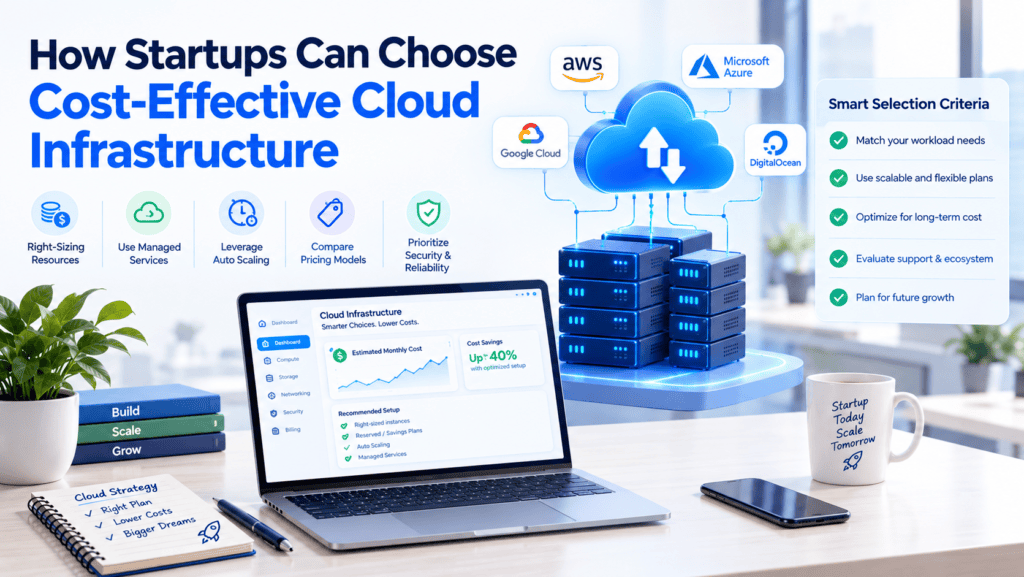
Startups should seek to make the most cost-effective choices when it comes to the cloud infrastructure, ensuring that the selected resources match the specific needs of businesses and applications.
It is critical that, instead of opting for the most powerful infrastructure, they conduct an in-depth analysis of the traffic, workload, storage, and usage to identify the most relevant plans or products.
- Understand workload and usage: Peak traffic, average usage, storage, and compute needs to choose the right resource size.
- Do not over provision: Provision servers, databases, and storage that are right-sized to avoid paying for resources that are not used. The resources can be scaled up or out as the demand grows.
- Avoid data egress costs: Where possible, ensure that data is not moved between regions, services, or external facing services as it can be extremely expensive.
- The higher the data transferred, the more the costs incurred.
- Leverage auto-scaling: Auto-scaling helps scale resources up and down based on traffic needs. This ensures that the costs incurred are aligned with current traffic needs and helps reduce the overall bill.
- Go local or right-sized: For organizations based in India, it is important to look at hosting the workload in a manner that is closest to the users in terms of distance and cost.
- Compare between local and international cloud providers to understand which offers better performance, features, support, and cost benefits.
- Cut down on third-party services: Take stock of third-party services such as SaaS, APIs, and monitoring tools and ensure that these are being used to their maximum potential. Where possible, eliminate or consolidate services that are not being used or are overlapping in terms of functionality.
A cost-effective cloud strategy is therefore not simply about choosing the cheapest provider. It is about right-sizing infrastructure, monitoring consumption, and scaling resources according to actual business demand.
Conclusion: Balancing Cloud Cost and Performance
Cloud computing can be good for businesses needing speed, scale and flexibility, but the value comes at a cost. This may well lead to out-of-control expenses if you’re not disciplined.
The trick is that you don’t seek to minimize expenses or maximize performance, but you rather will look for the point at which your applications work reliably and your users are satisfied.
Key Takeaways
Cost vs performance is not an enemy – most of the costs are due to wastes that do not add value to applications or users.
Overspending happens due to oversized instances, idle resources, unused storage, abandoned test environments, etc., which do not contribute to the performance.
By cutting these costs, there is a possibility of reducing expenses without affecting the performance and user experience.
Right-sizing is the cornerstone of anything worth its salt. Allocate resources according to the demands of the workloads. Constantly analyse and review your requirements as things that were perfect six months ago may prove to be either undersized or oversized in the current climate.
Automation ensures that you’re always operating at peak efficiency. Having tools that allow you to dynamically scale in response to demand plus schedule down non-production systems and have policies that enforce the consumption of storage resources means you can automatically scale up when you need to and scale back when you don’t.
Optimizing your AWS costs with the right selection of instance families. By choosing on-demand instances for unpredictable workloads, reserved or savings plans for steady workloads and spot instances for flexible jobs, you can save a lot of money.
You should have a clear picture of what you spend your money on in AWS. Therefore, tagging, budgets, alerts and cost and performance monitoring tools are very helpful.
Make it a culture and not a project. Cloud optimization is an ongoing process, and adopting FinOps practices – in which engineering, finance, and business representatives collaborate and share responsibility for cloud costs – helps make optimization a continuous process.
Final Thoughts
Balancing cloud cost and performance is an ongoing activity. A cloud cost optimization process should start small and simple: analyze the current state, identify obvious issues, reduce waste, and optimize the resource right away.
Then, more involved activities should be added: defining cost-saving rules and automating savings realization, evolving to more complex pricing models, and taking advantage of cloud cost management solutions.
Firms that manage to balance their cloud costs and performance obtain multiple benefits. They are able to redirect the money spent on cloud services into core business functions, provide higher performance, and maintain their competitive edge.
In general, the ability to shift money from one area to another while increasing efficiency is the primary objective of any balanced cloud management strategy.
Frequently Asked Questions
How can startups reduce idle cloud costs?
Startups can minimize the costs of idle clouds by constantly checking and deleting unused systems and services.
It is necessary to turn off development and testing servers outside of working hours and automatically scale down the workloads of non-production instances during night or weekend time.
Additionally, it may be helpful to audit all the under-utilized virtual machines, databases, storage volumes, snapshots, IP addresses, and other cloud resources and automatically shut down or de-provision the ones that are no longer needed.
If possible, auto-scaling groups should handle increases or decreases in loads by dynamically allocating resources instead of using a fixed-size fleet of cloud instances.
Set up budget alerts and dashboards to see unexpected costs in real time. Finally, the cloud spending of a startup should be reviewed on a monthly basis to ensure that all the provisions and resources are correctly sized and provide some value.
Is an Indian data center worth the cost?
For most companies, which target the Indian market for their products/services, yes. Due to the increase in the digital economy (UPI payments, e-commerce, OTT platforms, AI), there is growing demand for data centers in India.
To reduce latency, ensure better user experience, and comply with data localization laws (Digital Personal Data Protection Act), it makes sense to host data on local servers.
Moreover, land, electricity, and labor in India are relatively cheap compared to Western countries, and governments in several states offer significant tax breaks to set up operations.
The high cost of power, expenses related to air conditioning, and high capital expenditures present some challenges.
But building or renting a colocation facility in India is a strategically sound decision for most firms despite these limitations, because it allows to mitigate them and benefit from long-term cost savings.
How much can domestic cloud providers save?
Switching to domestic clouds usually saves at least 30-50% compared to the rates stated by major international hyperscalers.
This is due to several factors, including lower computational powers costs, localized currency rates, and significantly reduced data transferring prices.
The local provider usually offers optimized software and hardware for the specific country’s needs, which also reduces expenses. Moreover, the companies are not tied to the foreign exchange market with its ever-changing rates and spend less on-end support and enterprise service desks.
For data-heavy organizations, a domestic cloud is associated with less volatile monthly costs and compliance with local regulations.
Thus, it can be a great cost-saving measure for mid-size organizations and start-ups that need to scale their data consumption.
What factors affect Indian cloud server costs?
There are several factors that determine the price of the Indian cloud servers. First, the type of a server is important, as the servers’ characteristics, such as CPU cores, RAM, and SSD storage, affect the price. Second, the amount of traffic, bandwidth, data, and data transfers impact it.
Third, time is also a factor, as servers are charged hourly. Moreover, the provider and data centers play an essential role, as different companies have various tariffs for cloud services.
Lastly, additional costs like backups, managed services, and security, and monitoring, and support should also be considered. For instance, a company can save money on an economic balance of resources if traffic increases significantly due to autoscaling features.
Also, organizations should calculate the total cost of ownership (TCO) to ensure the most suitable option and avoid overpayment instead of hourly rates for cloud services.
Why are data egress fees a major hidden cost?
Data egress fees represent a significant expense challenge as cloud service providers adopt a policy of almost zero cost for data ingress and substantial charges for data egress.
Companies tend to overlook data egress costs when considering cloud service expenses because many strategies and decisions revolve around data storage and computational costs.
The costs of data transfers can accumulate too rapidly in cases of multiple clouds, analytical processes, data backups, and content delivery, which require data to be moved from one region to another.
Egress fees range from $0.05 to $0.09 per gigabyte, and hence, terabytes of data will be highly expensive to transfer.
This implies that customers who want to switch from one cloud provider to another have to pay to remove their data from the first cloud provider’s infrastructure. Understanding and designing cloud data architecture requires proper evaluation of data transfer activities.
Conclusion
When looking into the costs for cloud hosting services for start-up companies in India, one has to consider multiple factors.
Though computational power in the form of cores constitutes the lion’s heart of expenses, other expenses such as data egress fees, storage, monitoring, and managed databases, and the additional 18% GST can add significantly to the final bill.
With that in mind, it is vitally important to optimize the spending in terms of right-sizing instances, committing to long-term plans, using local regional availability zones of India to reduce latency and bandwidth costs, and utilizing CDNs to reduce data transfer costs.
Overall, considering the costs and benefits of individual components should allow the management to create a sustainable plan for cloud hosting that will minimize expenses while providing the necessary performance.
Author Bio
Jeevesh Tripathi is a creative thinker and a content writer. He currently runs BkAbhi, where he works on various digital and technical aspects to improve his skills.
His primary areas of concentration are cloud, tech, and business writing, online business creation guides, and articles related to tech, digital space, and internet businesses.
Jeevesh is interested in helping people further develop their understanding of complex topics and find answers to their questions. He tends to think about how to relate technical matters to the real world and what individuals can do to enhance their online presence.
His main goal is to create informative content that educates and inspires entrepreneurs, writers, and internet-savvy individuals to grow and flourish using the digital space.