
Table of Contents
Introduction: AWS vs. Azure vs. Google Cloud
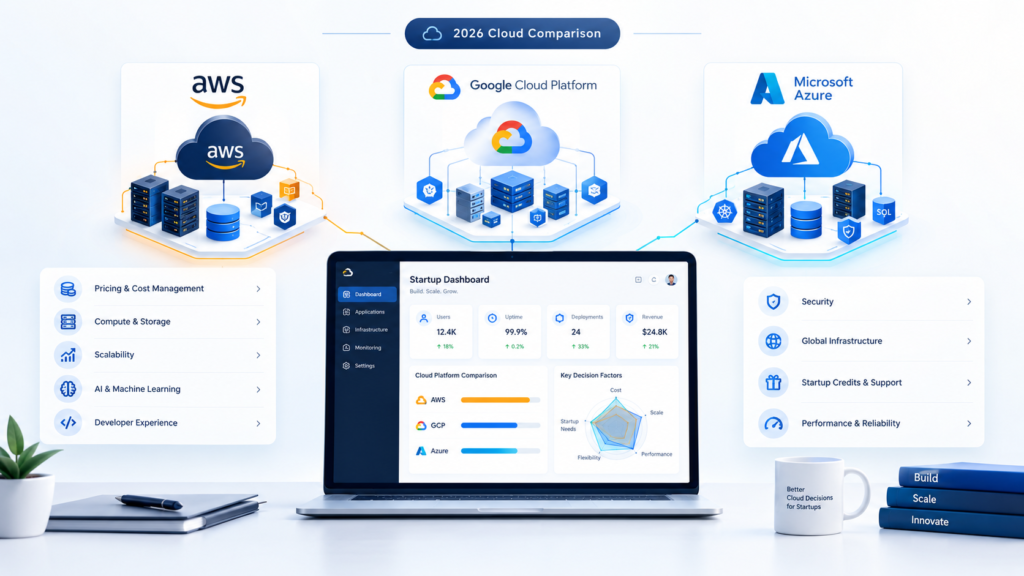
Amazon Webservices (AWS), Microsoft Azure, Google cloud services are all leading cloud providers that host applications and data, provide a database for storage, and offer tools to create digital products at scale. They all have different areas of application, pricing, organization, features, and tools to help develop and manage projects.
AWS provides a wide range of cloud services, Azure is integrated into Microsoft’s ecosystem, and Google’s cloud is focused on analytics, Kubernetes, and AI/ML.
The choice of which platform to use often depends on the specific needs of the business, the available tools and features, cost, and the level of technical expertise required.
Why Choosing the Right Cloud Provider Matters
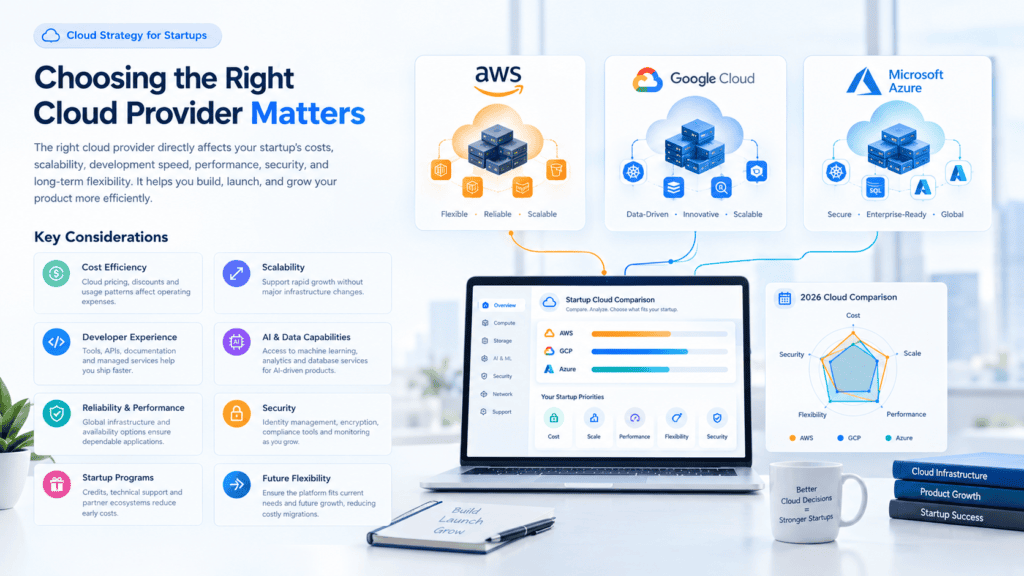
Moving to the cloud is no longer a question of if for most companies, but rather which provider they should choose. From the applications that power their business to the data they want to keep secure, everything rests on the cloud provider of their choice. While it may be possible to move providers at a later date, it is often an expensive and time-consuming process for the company involved.
1. Performance and Reliability
Your customers don’t care about your cloud. They want your application to be performant and available. Providers are different in terms of:
- Uptime guarantees (SLAs): 99.9% uptime and 99.99% uptime guarantee roughly 8.7 hours and under 1 hour of downtime per year, respectively.
- Global presence: The more regions and data centers a provider has, the lower latency you can achieve for your clients and the better disaster recovery you can implement.
- Network: Better and faster networks mean a better user experience.
2. Cost and Pricing Transparency
Although cloud pricing seems straightforward, there are a lot of details to consider. There are several costs involved, including compute power, storage, data transmission, and support. Adding to that, a seemingly cheap provider can turn out to be expensive due to
- data egress charges
- premium support pricing
- expensive add-on features
- unpredictable scaling costs
The right provider will offer transparent pricing, cost optimization and management tools and options to reduce costs, such as reserved instances, spot pricing, and pay-as-you-go.your usage pattern.
3. Security and Compliance
Data breaches can cause not only financial but also reputational damage. A good provider will offer you the following:
- The ability to store information securely both at rest and in transit
- Identity and access management solutions
- Tools to help detect and monitor threats
- The necessary certifications for your industry (ISO 27001, SOC 2, GDPR, HIPAA, etc.)
Keep in mind that security is a shared responsibility. This means that while the provider will take care of securing their end, you are responsible for your end.r that makes doing this easier.
4. Scalability and Flexibility
Business needs change. A good cloud provider lets you scale up when you need to meet surges in demand, and down when traffic slows to avoid paying for unused capacity, without having to re-engineer your architecture. Look for providers that offer flexible scaling options, including containers and serverless, and can grow with you from a small start-up project to an enterprise-level system.
5. Services and Ecosystem
Different providers will have different strengths. Some may be better at AI and machine learning, while others specialize in enterprise integration or analytics or offer better developer tools. Think about whether the provider offers databases, DevOps tools, and managed services that your team actually needs and that will integrate well with other software your team is using.
6. Avoiding Vendor Lock-In
Once you become dependent on a provider’s proprietary services, you will find yourself in a financially disadvantageous position. Before choosing one, evaluate the following factors:
- the provider’s openness to using open standards and portable technologies like Kubernetes;
- your ability to export data;
- and whether it is reasonable to adopt a multi-cloud or hybrid cloud strategy.
7. Support and Community
When something breaks at 2 a.m., support quality matters. Look into the response time, the support options offered, how much documentation there is, and the size of the developer community. A large community also means more tutorials and tools.
8. Data Location and Regulations
Laws on the localization of data vary by region. If you operate in India, the EU or other countries/regions that have specific requirements for data residency, your provider should be able to host your data in local data centers.
How to Choose: A Quick Checklist
- Define your workload, budget, and growth expectations
- Compare options based on performance, cost, and security
- Make sure it’s compliant and secure where you need it to be
- Test it out first (maybe start small)
- Have an exit plan in case it doesn’t work out
Conclusion
The right cloud provider can do more than host your applications. They can define your costs, security, speed of development, and ability to scale. Taking the time to determine your options based on your needs and understanding choosing the right cloud provider will save you headaches and money in the long run and help set up your business for success.
AWS vs GCP vs Azure for startups: A Cloud Overview
The competition between Amazon Web Services (AWS), Microsoft Azure, and Google Cloud Platform (GCP) for the largest cloud service providers is intense. These three companies control approximately 68% of the global cloud market jointly, and they are known as the Big Three cloud giants.
The companies offer similar services, but their approaches to providing cloud services and technologies differ, as do their areas of expertise.
Key Overview Matrix
| Feature | AWS | Microsoft Azure | Google Cloud (GCP) |
| Core Identity | Broadest catalog, pioneer & infrastructure scale | Native enterprise & Microsoft tool integration | Advanced AI/ML, data processing & open source |
| Market Position | Global leader (~31% market share) | Enterprise runner-up (~24% market share) | Rapidly growing specialist (~12–15% market share) |
| Key AI / ML Suite | Amazon Bedrock, SageMaker | Azure OpenAI Service, Copilot ecosystem | Vertex AI, Gemini Models, Custom TPUs (v5p/v6) |
| Best For | Startups, dev-first teams, complex custom architectures | Existing Microsoft shops, hybrid clouds, enterprise governance | Data engineering, AI workloads, containerized applications |
1. Amazon Web Services (AWS): Global Infrastructure and Scalability
Being the first to enter the market (launched in 2006), AWS remains the largest cloud platform in terms of market share. Its main strength is its sheer scale and variety of services offered.
- Deep Catalogue: Over 200 fully functional products are available in AWS. Whether someone needs to launch a specific instance or database or go fully serverless, this cloud platform offers the most options.
- Highly Scalable: It is most suited for organizations that require heavy lifting, i.e., applications or sites that require hundreds of thousands or millions of visitors per month. The likes of Netflix and Airbnb use AWS as their cloud infrastructure.
- Model Agnostic: With Amazon Bedrock, developers can build applications with the most popular foundation models (FMs) from various providers, including Claude (Anthropic), Llama (Meta), and Titan (Amazon).
- Too Many Options: With great variety comes a steeper learning curve. And while Amazon’s solutions are intuitive, the amount of choice and complexity can overwhelm some users. There are also optimization and budgeting challenges, as AWS cost-optimization practices are more involved than those of competitors.
2. Microsoft Azure: Enterprise and Microsoft Integration
Microsoft Azure has established itself as the preferred cloud platform among established enterprises, as it offers native integration with the software that these organizations typically use on-premise.
- Seamless Ecosystem Integration:If an organization makes use of Active Directory, Windows Server, SQL Server, .NET, Microsoft 365, or GitHub, Azure is able to integrate with these tools natively and reduce overhead.
- Enterprise Licensing & Hybrid Cloud:Azure Hybrid Benefit allows companies to utilize their own software licenses in the cloud, securing financial benefits. Its hybrid tools facilitate the use of both clouds, with products such as Azure Arc.
- Enterprise AI Pull:Azure’s partnership with OpenAI grants enterprises direct and enterprise-grade access to GPT-4o, with additional security and role-based access control.
- The Trade-Off:In comparison to AWS and GCP, non-Microsoft and open-source software are often more difficult to utilize on the Azure platform. The company’s regional pricing can also be more expensive in comparison to similar products designed for non-Windows servers.
3. Google Cloud Platform (GCP): AI, Data Analytics, and Innovation
Google Cloud is an ‘engineer’s cloud’ – built on the same private subsea fiber infrastructure as Google Search and YouTube and delivering best-in-class solutions for sophisticated data analytics, open-source containerization, and AI model training.
- Big Data & Analytics:GCP is the home of BigQuery, Google’s serverless, multi-cloud data warehouse, which provides petabyte-scale query capabilities for real-time analytics.
- Custom AI Hardware & Vertex AI:Google has the most substantial amount of custom-hardware development for AI among the ‘big three’ clouds, offering Tensor Processing Units (TPUs). Coupled with Vertex AI and native multimodal Gemini models, Google provides the best cost-performance ratio for AI model training.
- Containers:Being the birthplace of Kubernetes, Google offers the most straightforward native experience for building and deploying containers via Google Kubernetes Engine (GKE) and Cloud Run.
- The Trade-Off:Google Cloud’s primary weakness is its limited breadth of services compared to AWS and Azure. It has a smaller ecosystem of enterprise selling partners, although its dynamic sustained-use pricing discounts can be an advantage over competitors for variable workloads.
How to Choose the Right Provider
- Choose AWS if:you are developing greenfield applications, need maximum infrastructure flexibility, want access to multi-vendor AI models or want to tap into the largest pool of cloud talent.
- Choose Azure if:you are running a traditional enterprise with heavy investments in Microsoft software, Windows Server, Active Directory or want native integration with OpenAI models.
- Choose Google Cloud if:your primary focus is large-scale data analytics, AI model training, machine learning pipelines or containerized applications built on Kubernetes.
AWS: Key Strengths, Features & Use Cases

Considered a leader among cloud providers, Amazon Web Services (AWS) is a cloud computing service that offers infrastructure, storage, databases, networking, security, analytics, and artificial intelligence. Its main advantage is that it provides a wide range of services for startups and enterprises to build their own products without developing and maintaining physical servers.
Key Strengths
- Scalability: The ability to scale resources up or down depending on traffic needs.
- Global reach: AWS has data centers in all the world’s key regions.
- Wide range of services: AWS provides multiple services in the fields of computing, storage, databases, analytics, artificial intelligence, and applications.
- Security: AWS secures data with identity and encryption services, monitoring systems, and compliance tools.
- Pricing: AWS offers pay-per-use pricing and other flexible pricing options.
Common Features
Popular AWS services include EC2 for virtual servers, S3 for object storage, RDS for managed relational databases, Lambda for serverless computing, and CloudFront for content delivery.
Common Use Cases
AWS provides web and mobile apps, SaaS products, analytics, backups and disaster recovery, AI/ML, e-commerce, and enterprise apps. For startups, it can provide an infrastructure that scales along with the product, reducing the need for large hardware investments.
Microsoft Azure: Key Strengths, Features & Use Cases
Cloud computing has become an essential part of everyday business, and Microsoft’s Azure is one of the three popular platforms that offer cloud services on an international level with AWS and Google Cloud. The company provides over 200 products and services to help developers design, build, and manage applications via Azure data centers worldwide, from small local businesses to large national organizations and government agencies.
This article will highlight the main features of Microsoft Azure, its key components, and areas of application.
What is Microsoft Azure?
Microsoft Azure is a cloud computing service that Microsoft introduced in 2010. It provides Infrastructure as a Service (IaaS), Platform as a Service (PaaS), and Software as a Service (SaaS). By utilizing Azure, organizations can access data storage, databases, and artificial intelligence solutions without having to install and maintain their own hardware. In addition, companies only pay for the resources they use.
Key Strengths of Azure
1. Seamless Integration with Microsoft Products
Azure is naturally integrated with Windows Server, Active Directory, SQL Server, Office 365, Dynamics 365, and Power BI. The transition and further use of products are simplified for companies that have previously used the Microsoft ecosystem.
2. Strong Hybrid Cloud Capabilities
Many companies cannot move all their operations to the cloud, which is why Azure is significantly better at addressing the issue. It provides Azure Arc and Azure Stack, enabling consistent management and operation of workloads in physical servers, multiple clouds, and at the edge.
3. Enterprise-Grade Security and Compliance
Azure is compliant with all the ISO/IEC 27001, GDPR, HIPAA, and SOC standards. Tools such as Microsoft Defender for Cloud, Azure Key Vault, and Microsoft Entra ID (formerly Azure Active Directory) are built into Azure to help you safeguard data, identities, and applications.
4. Global Reach and Reliability
Azure has a wide range of regions around the world, allowing you to deploy close to users, address data residency requirements, and implement disaster recovery strategies, while availability zones and service level agreements keep applications running.
5. Powerful AI and Machine Learning Services
Through Azure AI Foundry, Azure OpenAI Service, and Azure Machine Learning, businesses can build generative AI apps, chatbots, and predictive models without starting from scratch.
6. Developer-Friendly and Open
Azure offers support for Windows and Linux operating systems and the majority of languages such as .NET, Python, Java, Node.js, and PHP. The platform provides native integration with GitHub, Visual Studio, and VS Code. It offers containers, Kubernetes orchestration, and DevOps pipelines.
7. Flexible Pricing
Options like pay-as-you-go, reserved instances, spot pricing, and the Azure Hybrid Benefit (which lets you reuse existing Windows Server and SQL Server licenses) help control costs.
Core Features and Services
| Category | Key Services | What It Does |
|---|---|---|
| Compute | Virtual Machines, App Service, Azure Functions, AKS | Run applications, APIs, serverless code, and containers |
| Storage | Blob Storage, Azure Files, Disk Storage | Store files, backups, and large unstructured data |
| Databases | Azure SQL, Cosmos DB, PostgreSQL, MySQL | Managed relational and NoSQL databases |
| Networking | Virtual Network, Load Balancer, VPN Gateway, Front Door | Connect, secure, and distribute traffic |
| Analytics | Synapse Analytics, Data Factory, Microsoft Fabric | Process and analyze big data |
| AI & ML | Azure OpenAI, Azure Machine Learning, AI Services | Build intelligent applications |
| DevOps | Azure DevOps, GitHub Actions | CI/CD pipelines and team collaboration |
| Security & Identity | Entra ID, Key Vault, Defender for Cloud | Protect users, data, and workloads |
| Management | Azure Monitor, Azure Policy, Cost Management | Monitor performance, govern resources, and control spend |
Popular Use Cases
Provide web and mobile applications’ hosting.
The product of the company enables developers to build web apps and APIs that are highly scalable. The process of continuous integration and delivery is simplified by the offer’s in-built autoscaling.
Cloud migration and data center modernization.
Many businesses opt to migrate their physical servers and databases to the cloud to reduce costs associated with hardware maintenance. The company’s Azure migrate tool helps organizations host their data and applications in a virtual platform while enjoying the advantages of flexibility and scalability.
Backup and disaster recovery
Azure Backup and Azure Site Recovery provide protection of data and business continuity in the event of disasters or cyber-attacks.
Big data and analytics
Many companies in the retail, finance, and healthcare sectors use Azure’s data analytics products such as Synapse, Data Factory, and Fabric to extract actionable insights and create business intelligence dashboards.
AI and generative AI solutions
Businesses use azure AI to design and develop chatbots for customer support, document summarization tools, recommendation systems, and fraud detection solutions.
Internet of Things (IoT)
Through Azure IoT Hub, businesses can connect and manage millions of devices in the manufacturing industry, transportation, energy, and smart cities.
DevOps and application development
Using Azure DevOps and Kubernetes to automate the process of building, testing, and releasing code to reduce time-to-market
Virtual desktops and remote work
The ability to provide employees with secure access to their work environment from anywhere and any device
Industries Using Azure
- Healthcare: Data Protection of Patients’ Information
- Finance: Risk Assessment Models and Fraud Detection
- Retail: Personalization and Inventory Planning
- Manufacturing: IoT-based Predictive Maintenance
- Education: Research and E-learning
- Government: Secure and Compliant Cloud Solutions
Azure vs. Other Cloud Providers
Microsoft Azure is a good choice if the company is already using Microsoft products, requires hybrid cloud technologies, and seeks to use the OpenAI models. AWS offers the most extensive range of services and technological capabilities and the largest market share. Google is considered the best option in data analytics and Kubernetes. Overall, the strongest cloud service provider depends on the company’s priorities, budget and existing software. Some organizations also use multiple cloud providers.
Things to Keep in Mind
- Cost management: Cloud costs can spiral out of control if not monitored and caps can be set by using Azure Cost Management.
- Learning curve: With so many services on offer, it might take time to learn and master each one, but Microsoft offers a range of certifications to help, including AZ-900 (Fundamentals) and AZ-104 (Administrator).
- Right-sizing: It is important to right-size resources to avoid paying for more than you need.
Conclusion
Microsoft Azure offers enterprise-grade security, broad hybrid capabilities, extensive Microsoft software integration, and cutting-edge artificial intelligence. This environment is highly scalable from a basic website to global enterprise-level AI solutions. Any company that wants to move towards cloud solution should consider Microsoft Azure platform.
Google Cloud: Key Strengths, Features & Use Cases

Google Cloud Platform provides organizations with the ability to run applications on the infrastructure that powers Google Search, YouTube, Gmail, and Maps. Google Cloud is used by thousands of businesses every day, from start-ups to enterprises, to help them build, deploy, and scale their applications and analyze data. In this article, we’ll learn about the features that make Google Cloud different and discuss the use cases of GCP.
What Is Google Cloud?
Google Cloud provides on-demand cloud computing services such as data storage, networking, databases, analytics, AI/ML, and security. It allows renting virtual servers on an hourly basis without the need to purchase or maintain any software or physical equipment.
Key Strengths of Google Cloud
1. Leadership in Data Analytics and AI
Google can be considered as an innovator of such technologies as MapReduce, Kubernetes, TensorFlow, and many others. This company has established itself as a major player in the field of big data, machine learning, and generative AI. Its cloud platform offers cutting-edge analytic tools for large-scale data management and modern solutions for artificial intelligence development, such as BigQuery and Vertex AI.
2. Global, High-Performance Network
Google has one of the world’s largest private fiber networks. Traffic on this network passes over Google’s own backbone, which provides more reliable connections and faster speeds for users around the world.
3. Kubernetes and Containers Expertise
Google created Kubernetes, so Google Kubernetes Engine (GKE) is considered among the most mature managed Kubernetes offerings. It suits teams building microservices and cloud-native applications.
4. Strong Security Model
Describe the security features of the selected cloud computing service.
The security features include the encryption of data both at rest and in transit by default, identity and access management, threat detection, and zero-trust approach (BeyondCorp). Google offers compliance tools with ISO 27001, SOC 2, and GDPR.
5. Sustainability
Google has long emphasized carbon-neutral operations and renewable energy in its data centers. For organizations with sustainability goals, this is a real selling point.
6. Open-Source and Multi-Cloud Friendly
Google Cloud supports open standards and hybrid or multi-cloud strategies by way of its Anthos product, which helps prevent vendor lock-in by allowing workloads to run on-premises, on Google Cloud, and on other clouds.
7. Flexible and Cost-Effective Pricing
Per-second billing, sustained-use discounts, committed-use discounts, and custom machine types help teams pay only for what they need.
Key Features and Services
Compute
- Compute Engine: Virtual machine instances which are scalable and customizable.
- Cloud Run: Running cloud native containers.
- Google Kubernetes Engine: GKE, the hosted Kubernetes service provided by Google Cloud.
- Cloud Functions: Serverless execution of functions.
- App Engine: Managed Platform as a Service (PaaS) for building web applications.
Storage and Databases
- Cloud storage refers to durable, scalable, and reliable object storage for all types of data. Cloud SQL is a fully managed relational database that provides MySQL, PostgreSQL, and SQL Server databases.
- In turn, Cloud Spanner is a globally distributed database management system that offers relational database capabilities with strong consistency. Firestore and Bigtable are NoSQL database management systems suitable for different applications.
- Finally, AlloyDB is a powerful cloud database that provides PostgreSQL-compatible features.
Data Analytics
- BigQuery: Serverless data warehouse, able to query TB to PB size using SQL quickly.
- Dataflow: Stream and batch processing of data.
- Pub/Sub: Real-time messaging and ingestion of events.
- Looker: Business intelligence and visualization of data.
AI and Machine Learning
- Vertex AI: Build, train, and deploy machine learning models.
- Gemini: Google’s new family of models that can generate text, images, code, and more.
- Pre-trained APIs: Vision, Speech-to-Text, Translation, and Natural Language APIs.
Networking
- Cloud CDN, Cloud Load Balancing, and Cloud DNS: Fast, global content delivery and traffic management.
- Virtual Private Cloud (VPC): Secure, isolated networking.
Security and Management
- Cloud IAM: Fine-grained access control.
- Security Command Center: Threat detection and risk management.
- Cloud Monitoring and Logging: Observability across your applications.
DevOps Tools
- Cloud Build, Artifact Registry, and Cloud Deploy: CI/CD pipelines and artifact management.
Popular Use Cases
<final
Big Data and Analytics: Retailers, media, and financial companies use BigQuery to analyze massive amounts of data and find patterns that allow them to make decisions in near real-time.
AI and Machine Learning Applications: Firms develop recommendation engines, fraud detection systems, chatbots, natural language processing models, and predictive maintenance algorithms using Vertex AI and Gemini.
Web and Mobile Application Hosting: Developers can build apps using Google’s App Engine, Cloud Run, and Firebase that require no infrastructure management.
Cloud-Native and Microservices Development: With GKE and Cloud Run, developers can ship and scale their applications in a containerized environment.
Data Migration and Modernization: Enterprises migrate legacy databases and workloads to the cloud by utilizing Google’s migration and database tools to optimize costs and improve performance.
E-commerce and Retail: Personalization, inventory forecasting, and traffic surges during sales events are typical applications of these solutions.
Healthcare and Life Sciences: The organizations can utilize the Cloud Healthcare API and artificial intelligence tools for medical imaging analysis, genomic studies, and secure health data exchange.
Media and Gaming: Google Cloud offers media and entertainment companies an end-to-end solution by providing high-performance platforms that are supported by an infrastructure of global content delivery networks.
Disaster Recovery and Backup: The organizations can use Cloud Storage and multi-regional clouds for backup and disaster recovery purposes.
Google Cloud vs. Other Providers: Where It Shines
AWS and Microsoft Azure offer bigger market shares, but Google Cloud frequently tends to be more successful in particular fields:
- Data analytics and AI/ML capabilities
- Kubernetes and container workloads
- Network performance and global reach
- Open source and multi-cloud flexibility
Your major selection depends upon your present tech stack, crew expertise, and the specified wants of your enterprise. Whereas each cloud platform has its strengths and weaknesses, it’s essential to judge them based on your unique circumstances.orkload requirements.
Who Should Choose Google Cloud?
Google Cloud is a good option for you if:
- you need to work with data, analytics, or AI,
- you are building cloud-native apps or run containers,
- you need an infrastructure that is quick to scale globally and is secure,
- you want to use open, flexible, multi-cloud solutions,
- and you care about sustainability.
Conclusion
Google Cloud blends Google’s expertise in data, artificial intelligence, containers, and networking with a wide range of enterprise-grade services to give developers the platform they need to build secure, scalable solutions that can evolve with their business. Whether you’re just starting out or need to migrate mission-critical applications, Google Cloud has the infrastructure and tools to help you succeed. New users get the free tier and credits to try out their products.
I could put this in a file for you (Word or Markdown) or modify the tone or length for your blog, should you want.
AWS vs. Azure vs. Google Cloud: Quick Comparison
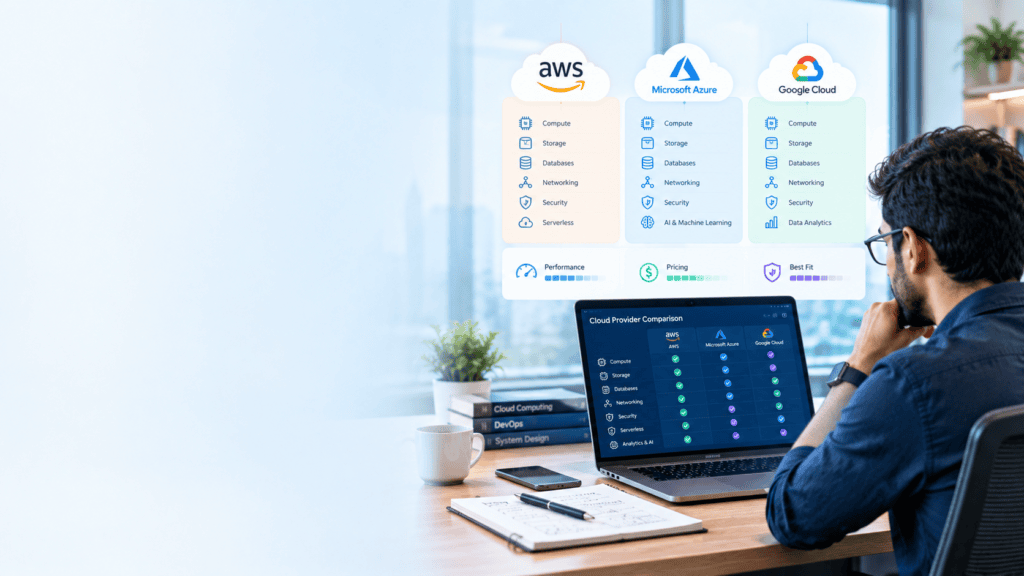
Choosing the right cloud provider—Amazon Web Services (AWS), Microsoft Azure, or Google Cloud Platform (GCP)—comes down to your current technology stack, team expertise, budget structure, and workload demands.
At a Glance: Market Position & core Focus
| Provider | Market Share (2026) | Primary Strengths | Best For |
| AWS | ~30% | Deepest service ecosystem, market maturity, massive partner network. | Large-scale applications, startups needing maximum architectural flexibility, multi-region deployments. |
| Microsoft Azure | ~25% | Native integration with Microsoft products, strong hybrid cloud infrastructure, enterprise licensing deals. | Enterprise businesses running Windows Server, Active Directory, Office 365, or SQL Server stacks. |
| Google Cloud (GCP) | ~13% | Data analytics, native Kubernetes support, TPU hardware, competitive sustained-use pricing. | AI/ML development, big data engineering, containerized microservices, budget-conscious compute. |
Core Infrastructure Service Comparison
1. Compute
- AWS (EC2):The most numerous variety of instance types, homegrown ARM-based Graviton chips, and fine-grained scaling.
- Azure (Virtual Machines):Simplified setup, particularly for Windows, with enterprise-grade security mappings to Microsoft Entra ID.
- Google Cloud (Compute Engine):Fast VM instances, tailored machine specs (custom CPU/RAM ratios), and TPU clusters for AI training.
2. Storage
- AWS:S3 (Object), EBS (Block), EFS (File). S3 industry standard for lifecycle policies and global tiering.
- Azure:Blob Storage (Object), Managed Disks (Block), Azure Files (File).Azure Blob integrates directly into Azure Data Lake Storage for big analytics.
- Google Cloud:Cloud Storage (Object), Persistent Disk (Block), Filestore (File). Offers automatic lifecycle tiering via Autoclass and consistent single global bucket access.
3. Serverless & Containers
- AWS:Industry pioneer with AWS Lambda (Serverless) and EKS (Kubernetes).
- Azure:Azure Functions (Serverless) and AKS (Kubernetes), which offers tight GitHub Actions and DevOps integration.
- Google Cloud:Cloud Run and GKE (Google Kubernetes Engine).Because Google created Kubernetes, GKE remains the most mature, fully managed Kubernetes platform available.
Pricing & Discount Models
- Final
- The Pay-as-you-go model is appropriate for AWS, but the company offers other billing models, such as Savings Plans and Reserved Instances (with terms from 1 to 3 years), providing discounts of up to 72%. The diversity of cloud services at AWS might make the process confusing and difficult.
- Azure Hybrid Benefit enables companies to use licenses from on-premises Windows Server and SQL Server to run Azure virtual machines, which allows cutting costs by 80% or more for some workloads, compared to AWS or Google Cloud. Thus, Azure provides a possibility to run Microsoft workloads for a lower price.
- Google Cloud offers Sustained Use Discounts, which can be applied automatically and do not require any long-term commitments, and Committed Use Discounts, providing significant cost savings for sustained workloads.
Data Egress Note: All three providers charge data egress fees when moving data out of their cloud environments.However, GCP generally offers lower network transfer rates and high-volume egress discounts.
How to Choose the Right Cloud
- AWS: The best cloud computing platform for users looking to benefit from the largest ecosystem of cloud-native services, extensive third-party integrations, and the ability to design a comprehensive multi-service technology stack.
- Microsoft Azure: The best cloud computing platform for organizations built on Microsoft software, using Active Directory/Entra ID, or seeking to create enterprise-grade hybrid clouds.
- Google Cloud: The best cloud computing platform for data science and AI applications, developing applications running on Kubernetes, and processing large-scale analytics workloads.
Cloud Market Share and Popularity: Who Leads the Cloud in 2026?
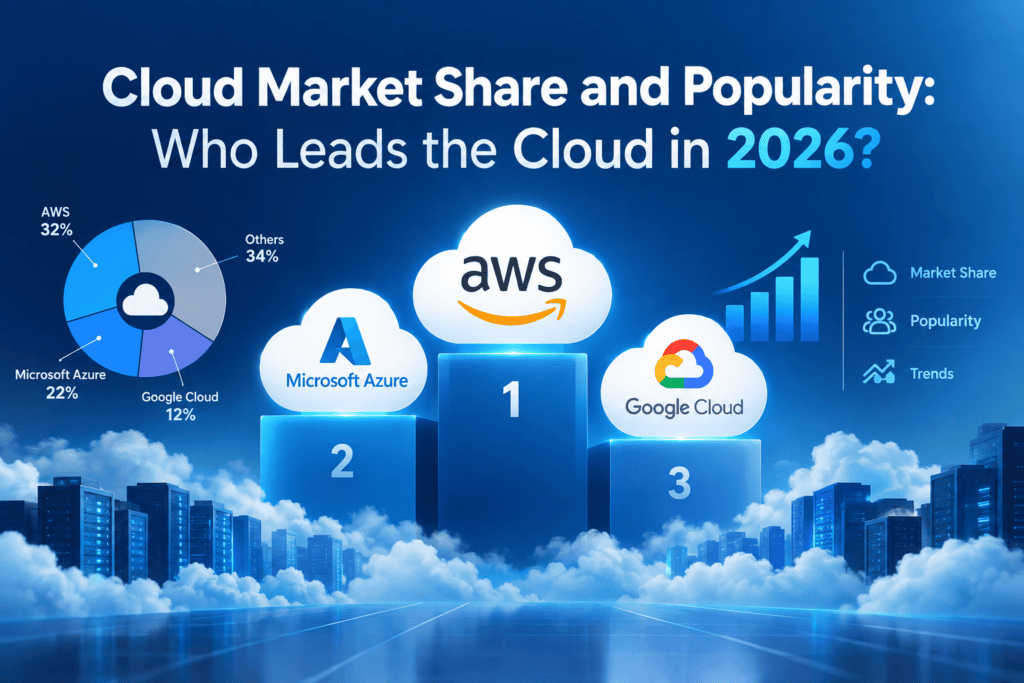
Cloud computing has become the nerve center of the global business ecosystem in recent years. Startups, banks, and even recent AI breakthroughs would be impossible without it.
The aim of this article is to analyze the dominance of cloud service giants and assess how the presence of specific companies in the market affects its development trends.
The Market at a Glance
The market in the cloud sector has gained exponential growth. Specifically, it is set to hit approximately $156 billion in 2020 and reached roughly $913 billion in 2025, which is nearly six times that of its size five years ago.
As per the Q2 2026 measures led by the Synergy Research Group, the quarterly expenditure for cloud infrastructure hit around $143.4 billion, growing by nearly 43 percent YoY, a record growth rate in the past eight years.
The Big Three: AWS, Azure and Google Cloud
Amazon Web Services (AWS) continues to dominate the list, holding roughly 28-31% of the share. In Q2 2026, it represented 28%, compared to 30% in the same period of the previous year. AWS is not on the decline, it was overtaken by the market’s new growth.
Microsoft Azure holds second place with a share of about 20-25%. It grew 43% year-over-year in the second quarter of 2026 and crossed more than $100 billion in annualized revenue from the cloud. The main reason is the partnership with enterprises, Microsoft 365, and close ties with OpenAI models.
Google Cloud is the smallest of the three, but it grows the fastest, reaching $24.8 billion in revenue in the second quarter of 2026, an increase of 82% YoY. Its share rose to 15%, hitting the highest level on record in Synergy’s second quarter of 2026 figures cited by Shattered.io. Strong AI tooling, custom TPU chips and the Vertex AI platform are the main drivers.
The three are formidable together, reporting 63 percent of enterprise cloud infrastructure spending in the third quarter of 2025, compared to 62 percent and 61 percent in previous periods. Some 2026 trackers say the combined figure is in the high 60s.
A Note on Numbers
Market share stats can be found in different sources, which means that they may vary depending on the supplier’s policy. AWS fluctuates between 28 to 31%, while Azure varies between 21 to 25%, according to Synergy, Canalys and Statista. The differences are due to variations in the criteria used by the sources to define the cloud market, revenue, time of publication, and other factors. It is advisable to quote a specific figure with a reference to the source and the particular quarter.
Why Popularity Isn’t Just Market Share
Market share is usually defined by expenditures, whereas popularity is determined by the number of organizations that utilize a specific platform. It is not always directly correlated.
For example, a survey conducted by Flexera in winter of 2024 shows an interesting statistic – while only 19% of cloud decision-makers reported running a significant part of their organization’s workload on Google Cloud, 53% prefer AWS, and 46% choose Azure.
It is a valuable statistic, although the survey has not been carried out this year, and there is a possibility of different results. It does, however, clearly demonstrate that AWS and Azure are considerably more popular than their competitor.
Multi-cloud is another sign of popularity. About 87% of organizations run a multi-cloud strategy. Other reports put it near 89%. Most companies now combine providers rather than pick one.
What’s Driving Growth
- Artificial intelligence. The workloads related to AI will account for almost 19% of the total public cloud expenditure by 2026, compared to only 8% in 2023. Training and deploying such large models require access to the GPU’s and other accelerators the hyperscalers have invested in.
- Enterprise migration. The public cloud comprises nearly 45% of total enterprise IT spend in 2023 compared to just 17% in 2021.
- Regional diversification. Asia Pacific is the fastest-growing region, driven by data center construction in India, while Europe is seeing increased demand due to data privacy laws and a push towards sovereign cloud.
- Challengers. Oracle and the emergent “neoclouds” are gaining ground, while Alibaba Cloud continues to dominate in China.
Which Cloud Should You Choose?
- AWS offers the most services, the widest ecosystem, and is the safest option for the majority of cases
- Azure is better for companies already using Microsoft products, Active Directory or considering hybrid solutions
- Google Cloud has the best data analytics tools, Kubernetes and AI/ML capabilities
Market share is not a critical consideration when choosing between the platforms, but analyzing the team’s expertise, existing service contracts, regulatory compliance requirements, and cost-efficiency will provide a better foundation for choosing between them.
Conclusion
AWS is unsurpassed, but its lead over the competition is rapidly reduced, with Azure and, more significantly, Google, rising strongly. The combined dominance of the big three is being driven by the AI-fueled market boom, but the market share rankings to come will be determined not so much by the shifts between the hyperscalers but by the balance between different workloads and the attendant multicloud infrastructures.
The figures for the companies in the chart below are provided by Synergy Research Group and are compiled in the industry consensus reports as of Q2 2026, rounded for simplicity. It is recommended to check the numbers in the reports before publishing them.
In addition to this graphic, I can also provide you with a word or markdown version of the report or prepare a comparison chart similar to this if you need one.
| Pillar | AWS | Azure | GCP |
| Data Warehouse | Amazon Redshift | Azure Synapse / Fabric | Google BigQuery |
| Data Processing / ETL | AWS Glue / EMR | Azure Data Factory | Cloud Dataflow / Dataproc |
| ** |
AWS vs. Azure vs. Google Cloud Pricing
The major cloud providers such as AWS, Microsoft Azure, and Google Cloud billing policies are similar; however, depending on the loads, storage, databases, data transmission, regions, and discounts, the prices can vary substantially. Therefore, it is essential to assess the total cost of ownership rather than compare the cost per hour.
- AWS offers a wide range of services and cost options, including On-demand, Reserved Instances, and Savings Plans. Its extensive service catalog could offer opportunities, but costs could also be difficult to control as infrastructure grows.
- Azure has pay-as-you-go, Reserved Instances, and other savings choices. It is a worthy competitor for organizations that use Microsoft software since it often provides the best value for enterprise software and related infrastructure.
- Google Cloud’s usage-based billing and sustained or committed discounts could be a good fit for companies with analytics and AI needs since it has the most competitive prices for data and analytics services.
The cheapest provider is not always the same for all workloads. The differences in the number of hours worked, the instance types and sizes, disks, data traffic, databases, and other factors, as well as discounts for committed use, affect the cost.
Thus, a start-up company should calculate the expected monthly costs based on workload, compare similar services provided by different suppliers, and examine the actual expenses after the deployment has started.
Demystifying Global Infrastructure and Availability: How the Cloud Powers the Modern Internet
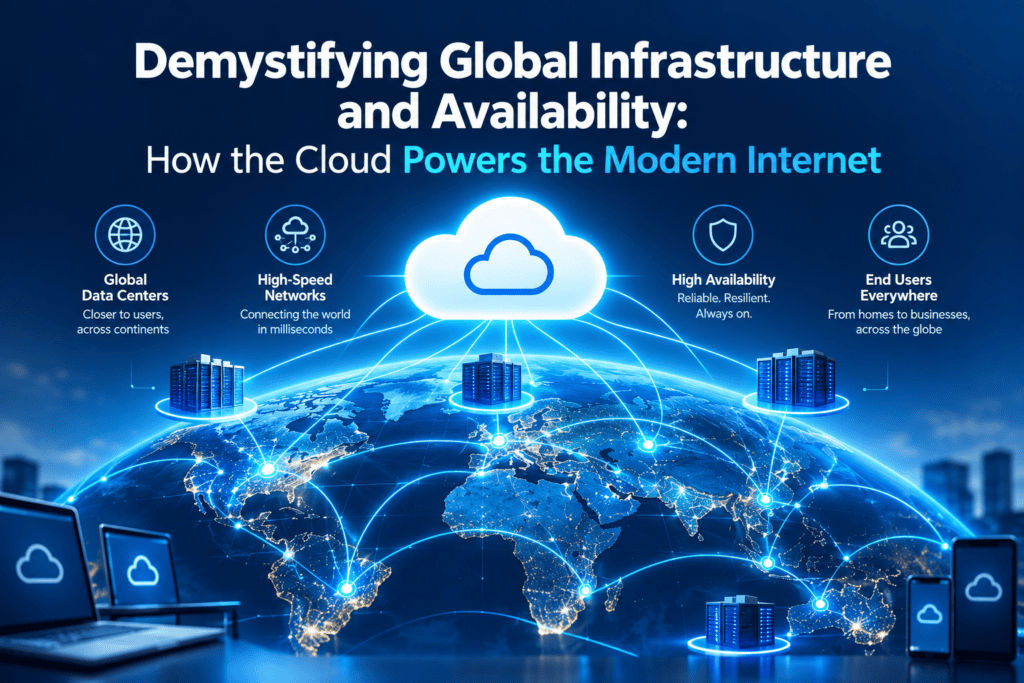
If you have ever wondered what makes modern web applications available 24/7, even in case of natural disasters, hardware failures, or heavy traffic surges, the answer is Global Infrastructure and Availability.
Leading public clouds such as AWS, Google Cloud, and Microsoft Azure use it to provide high availability and low-latency data access across all regions.
What Is Cloud Global Infrastructure?
At its foundation, Global Infrastructure refers to the physical hardware (data centers, fiber optics, and edge nodes) scattered across the world that comprise the cloud computing ecosystem.
Rather than building one large data center, cloud providers build a hierarchy of installations, which see the cloud’s physical presence split between several sites:
Global Network
  ├── Regions (Geographic Areas)
  │    ├── Availability Zone 1 (Data Center cluster)
  │    ├── Availability Zone 2 (Data Center cluster)
  │    └── Availability Zone 3 (Data Center cluster)
  └── Points of Presence / Edge Locations (Caching Network)
1. Regions
A Region is an isolated geographic area (for example, US East (N. Virginia) or Europe (Frankfurt)). Each region contains multiple physical data centers.
- Why is the definition important? It helps organize the data and provide the best performance by placing it closer to the users. And it ensures compliance with legal jurisdiction requirements, due to the data localization laws and regulations that require the data to stay in a specific country.
2. Availability Zones (AZs)
An Availability Zone (AZ) is a physical location within a Region. A Region is a geographical area that consists of one or more isolated and physically separated data centers.
- Physical isolation: Each AZ has its own independent power source, cooling system, security, and network.
- Ultra-low latency: Availability Zones are physically connected to each other via highly resilient and redundant fiber networks (typically they are tens of miles apart within a single region)
- Fault tolerance: If there is a fire, power outage, or a natural disaster in the AZ-1, applications hosted across the AZ-2 and AZ-3 will remain online and fully operational.
3. Edge Locations / Points of Presence (PoPs)
These are smaller sites located in major metropolitan cities around the world that host CDN’s to cache videos, static content and have optimized DNS and Routing to significantly cut down latency for end-users.
What Is Cloud Availability (and High Availability)?
Availability measures the percentage of time a service or application remains functional and accessible under normal conditions. It is typically expressed in “nines”:
| Availability Target | Maximum Allowed Downtime Per Year |
| 99% (“Two Nines”) | 3 days, 15 hours |
| 99.9% (“Three Nines”) | 8 hours, 45 minutes |
| 99.99% (“Four Nines”) | 52 minutes, 36 seconds |
| 99.999% (“Five Nines”) | 5 minutes, 15 seconds |
High Availability (HA) is the operational goal of designing software and infrastructure so that it minimizes unplanned downtime and automatically recovers from component failures.
How Global Infrastructure Enables High Availability
Designing for High Availability requires eliminating single points of failure. Cloud providers leverage their physical footprint in three distinct patterns:
- Multi-AZ Deployment: Application is deployed across at least two Availability Zones within a given Region. Load balancer constantly monitors the health of the servers and redirects user traffic to healthy instances in the event of instance failure.
- Multi-Region Redundancy: For mission-critical applications, a similar workload is mirrored across multiple Regions. In case of regional catastrophe or outage of an entire geographical area, traffic is redirected to a warm standby in another region on the opposite side of the continent or world.
- Automated Failover & Data replication: Storage systems have continuous asynchronous (or synchronous between AZs) data replication to ensure the backup system always has the latest information.
Key Business Benefits
- Disaster Recovery & Resilience:Natural disasters or power grid failures are localized, so they do not affect other facilities maintaining the service.
- Latency Is Reduced And The User Experience Is Enhanced:Having applications closer to the end-users reduces the physical distance data packets need to travel, resulting in shorter latency.
- Compliance:Many countries require data to be stored on local infrastructure (e.g., GDPR in Europe).
- Ability To Operate At A Global Scale On Demand:Organizations can provide services worldwide at the push of a button without the need to invest in hardware or set up data centers.
Summary
The Global Infrastructure delivers the regions, availability zones, and edge networks’ physical hardware infrastructure that spans throughout the globe. The Availability is defined by the achievement of reliability by utilizing redundant workloads that are deployed across the physical hardware infrastructure, thus enabling the scale of modern applications seamlessly, surviving failures that are hard to predict, and offering performance that is quick worldwide.
Security and Compliance Comparison
AWS, Azure, and Google Cloud providers offer a variety of security-related services and tools. They also provide identity foundation and compliance control governance, data encryption, and security monitoring services.
AWS provides a wide range of security features, including identity management, encryption, monitoring, and compliance certifications.
Microsoft’s offering is closely integrated with Microsoft Entra ID, Defender, and other Microsoft tools. Google Cloud provides a comprehensive set of security solutions focused on secure-by-design infrastructure, advanced threat protection, encryption, and data safety.
While each of the three cloud providers mentioned above offers a range of compliance-related services and tools, their compliance control governance typically depends on a company’s specific needs and circumstances.
Many of these offerings also have particular regulatory requirements, depending on the jurisdiction, sector, and service-specific regulations. As a result, companies must evaluate the relevant compliance requirements for their operations and select the cloud provider based on this information.
Developer and Enterprise Tools
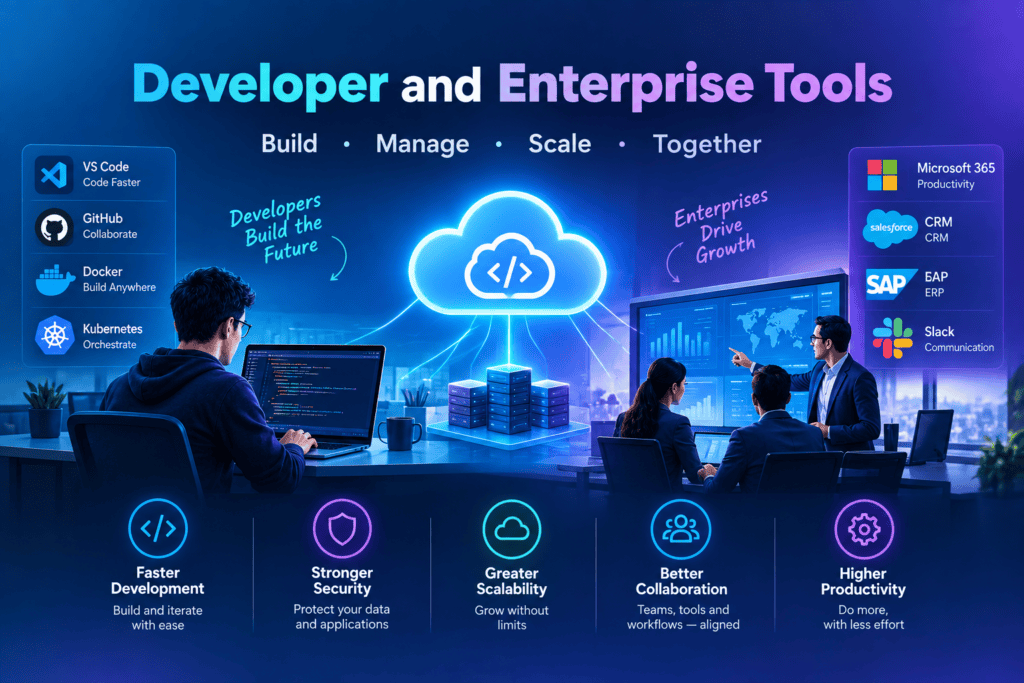
Developer and Enterprise Tools are the basic software applications, platforms, frameworks, and APIs that enable developers to create, build, test, deploy, and maintain software and help companies organize their work processes, manage their infrastructure, and govern their data and communication.
Developer tools are intended to increase the efficiency of developers and teams while building and maintaining apps and systems. Enterprise tools are designed to help companies manage their data, systems, and infrastructure, organize their communication and collaboration, and ensure security and compliance.
These tools are essential components of modern software development and digital transformation.
1. Core Categories of Developer Tools
Developer tools streamline code creation, debugging, deployment, and maintenance. They fall into several primary functional areas:
- Integrated Development Environments (IDEs) & Code Editors:
- Purpose: Code writing, syntax highlighting, refactoring, and local debugging.
- Examples: VS Code, JetBrains Suite (IntelliJ IDEA, PyCharm), Visual Studio, Xcode.
- Version Control & Source Code Management (SCM):
- Purpose: Tracking changes, collaborative branching, code reviews, and maintaining code repositories.
- Examples: Git, GitHub, GitLab, Bitbucket.
- Continuous Integration & Continuous Deployment (CI/CD):
- Purpose: Automating code builds, running automated testing suites, and pushing code smoothly into staging or production environments.
- Examples: Jenkins, GitHub Actions, GitLab CI, CircleCI, ArgoCD.
- API Development & Testing:
- Purpose: Designing, documenting, mocking, and testing RESTful, GraphQL, or gRPC APIs.
- Examples: Postman, Insomnia, Swagger/OpenAPI.
- Containerization & Orchestration:
- Purpose: Packaging applications with all dependencies to ensure consistent runtimes across environments.
- Examples: Docker, Podman, Kubernetes, Helm.
2. Core Categories of Enterprise Tools
Enterprise tools are built to handle high workloads, strict security standards, complex organizational structures, and regulatory compliance requirements.
- Cloud Infrastructure & Platform Management:
- Purpose: Provisioning compute, storage, databases, and networking at cloud scale.
- Examples: AWS, Microsoft Azure, Google Cloud Platform (GCP).
- Infrastructure as Code (IaC) & Configuration Management:
- Purpose: Managing cloud resources declaratively through code rather than manual portal configurations.
- Examples: Terraform, OpenTofu, Ansible, Pulumi.
- Observability, Monitoring & Log Management:
- Purpose: Real-time tracking of system health, application performance monitoring (APM), error tracking, and log aggregation.
- Examples: Datadog, New Relic, Splunk, Prometheus, Grafana, Dynatrace.
- Enterprise Security, Identity & Access Management (IAM):
- Purpose: Managing user identities, authentication, authorization, zero-trust security, and vulnerability scanning.
- Examples: Okta, Ping Identity, HashiCorp Vault, Wiz, Snyk.
- Collaboration & Enterprise Project Management:
- Purpose: Task tracking, cross-team communication, documentation, and agile framework management.
- Examples: Jira, Confluence, Slack, Microsoft Teams, ServiceNow.
3. Developer Tools vs. Enterprise Tools: Key Differences
| Feature / Aspect | Developer Tools | Enterprise Tools |
| Primary Audience | Individual developers, software engineers, DevOps teams. | Engineering leads, IT operations, CISOs, enterprise architects, executive management. |
| Core Objective | Code creation, speed, bug reduction, developer ergonomics. | Scalability, security, governance, compliance, system reliability. |
| Key Priority | Flexibility, ease of use, fast setup, lightweight footprints. | Identity integration (SSO/SAML), role-based access control (RBAC), audit logging, high availability. |
| Adoption Strategy | Bottom-up adoption (driven by individual developer preference). | Top-down procurement (driven by organizational policy and security requirements). |
4. Modern Trends Shaping the Space
- AI-Assisted Development: Developers today continue to embrace AI-powered coding assistants (e.g., GitHub Copilot, Cursor) and their capacity to generate code, documentation, and unit tests directly within the coding environment.
- Developer Experience (DevEx) & Internal Developer Portals (IDPs): Enterprises continue to invest in tools like Backstage in an effort to reduce the cognitive load on developers by providing self-service infrastructure portals that enforce enterprise-level security policies.
- DevSecOps: Security tools are “shifting left” to where developers work (i.e., within the IDE) and/or the CI/CD pipeline, where vulnerabilities can be identified and addressed earlier in the development lifecycle.
- Unified Observability: Enterprises continue to consolidate their myriad disparate observability tools into a single-pane-of-glass solution that reduces mean time to resolution (MTTR)
Conclusion
Developer and Enterprise Tools are a nexus of developer speed and enterprise control. The tools in the former category focus on enabling speed, precision and innovation, and those in the latter category are all about ensuring that the innovations take place in a safe, reliable and efficient manner. In effect, an efficient technical strategy is one that enables developers to have the freedom to innovate while at the same time providing the enterprise with the control it needs to guarantee stability and security.
Real-World Cloud Use Cases
Cloud computing is no longer futuristic technology. It enables the applications users interact with every day, from the websites they browse and the movies they watch to the payments they make. Rather than hosting their own servers, organizations can outsource their computing and data storage needs to third-party providers over the internet and only pay for the resources they use. These are the most common practical applications of cloud computing in the modern business world.
1. Data Storage and Backup
This is the most obvious example. Google Drive, Dropbox, Amazon S3, other online storage services allow their clients to store files on remote servers, keeping them safe from any local disasters.
- Example: A hospital stores encrypted copies of patient records on an online server so that they can be retrieved if the internal database is compromised.
- Benefits: The backups are automatic, quick to restore, and the storage space is almost unlimited.
2. Website and Application Hosting
Instead of running servers in-house, companies can host their websites and applications on virtual machines such as AWS, Microsoft Azure, and Google Cloud.
- For example, an e-commerce store that experiences tenx traffic increase on a festival sale day does not have to worry about additional costs since the cloud will automatically scale up to meet demand and scale back to normal after the traffic returns to regular levels.
- This way, businesses will save money on server costs and avoid downtime.
3. Video and Music Streaming
Netflix, Youtube and Spotify rely on the cloud to host their contents which are distributed over networks to millions of people in order to stream.
- Benefit: Contents are distributed fast to end users over a wide geographical area and in high quality depending on the users’ connection.
4. Software as a Service (SaaS)
Many of the tools we use every day are completely dependent on the cloud to function: Gmail, Zoom, Slack, Microsoft 365, Salesforce, Canva, etc.
- Example: A distributed team collaborates simultaneously on the same presentation from different time zones.
- Benefit: No installation or updates needed, and can be accessed from any device.
5. Big Data Analytics
Businesses are generating huge amounts of data about their customers and from their business operations. The cloud offers processing power that allows this data to be analyzed quickly and efficiently.
- For example, a retail store can analyze trends in purchasing to determine what products are likely to sell best in the next month.
- It also allows for faster analysis than a company would get on its own by buying supercomputers.
6. Artificial Intelligence and Machine Learning
Training AI models requires huge amounts of GPU power, which many organizations can’t afford to buy. With the cloud, they can rent it by the hour.
- For example, start-ups are using the cloud to develop everything from chatbots to recommendation engines to image recognition algorithms.
- This would be impossible without the cloud’s affordable access to cutting edge GPU power.
7. Software Development and Testing (DevOps)
Developers use the cloud to rapidly develop, test, and deploy applications. They can quickly provision a test environment and dispose of it when they are done.
- For example, development teams are using cloud hosted CI/CD pipelines to release new application functionality multiple times per week.
- This has led to faster releases and significantly reduced development costs.
8. Disaster Recovery and Business Continuity
Final
Natural disasters, cyberattacks, or hardware failures can cause a business to shut down. Disaster recovery in the cloud can store copies of systems and data in multiple places.
- Example: If a bank’s data center goes offline, it can switch to a backup region in the cloud within minutes
- Benefit: This can minimize downtime and prevent data loss.
9. Remote Work and Collaboration
The transition to remote and hybrid work environments was enabled by the cloud. It allows for video conferencing, collaboration editing, virtual desktops and project management tools.
- Benefit: Employees are able to stay productive from wherever they have access to the companies resources.
10. Internet of Things (IoT)
Smart homes, connected cars, and factory sensors create a constant stream of data that the cloud processes in real time.
- For example, a manufacturing plant can use sensors to monitor the vibrations of its machinery and get an alert when one is about to malfunction.
- That means predictive maintenance and increased automation.
11. Online Education
Schools and universities are using cloud platforms to conduct virtual classrooms, record lectures and host learning management systems such as Google Classroom and Coursera.
- Benefit: Learning reaches to remote students at an affordable cost.
12. Healthcare and Finance
- Healthcare: Telemedicine, electronic health records, and medical imaging analysis are all carried out using secure cloud systems.
- Finance: Banks and fintech companies use the cloud for mobile banking, fraud detection, and real-time payments such as UPI-style systems.
Why Businesses Choose the Cloud
| Advantage | What It Means |
|---|---|
| Cost efficiency | Pay only for what you use |
| Scalability | Grow or shrink resources on demand |
| Speed | Launch services in minutes, not months |
| Reliability | Data replicated across multiple locations |
| Security | Enterprise-grade protection and compliance tools |
Final Thoughts
The cloud is a technology that serves a variety of functions for people and companies in different industries. From a single student saving their notes in Google Drive to a multinational corporation using AI algorithms in multiple countries, the cloud is an essential aspect of modern society.
Moreover, the adoption of the technology is growing as new ways to use it emerge. For example, programs like artificial intelligence, edge computing, and the Internet of Things will expand the cloud’s role in human activity. Therefore, everyone should understand how to use the technology and benefit from its features.
If needed, one can request an altered version of the article in a more or less simplified manner. Also, an SEO-friendly title and description can be generated for this piece.
It is possible to modify the paper to concentrate on a particular topic, such as AWS cloud computing, or write it in a more technical way for specialists in the area.
How to Choose the Right Cloud Provider for Your Business
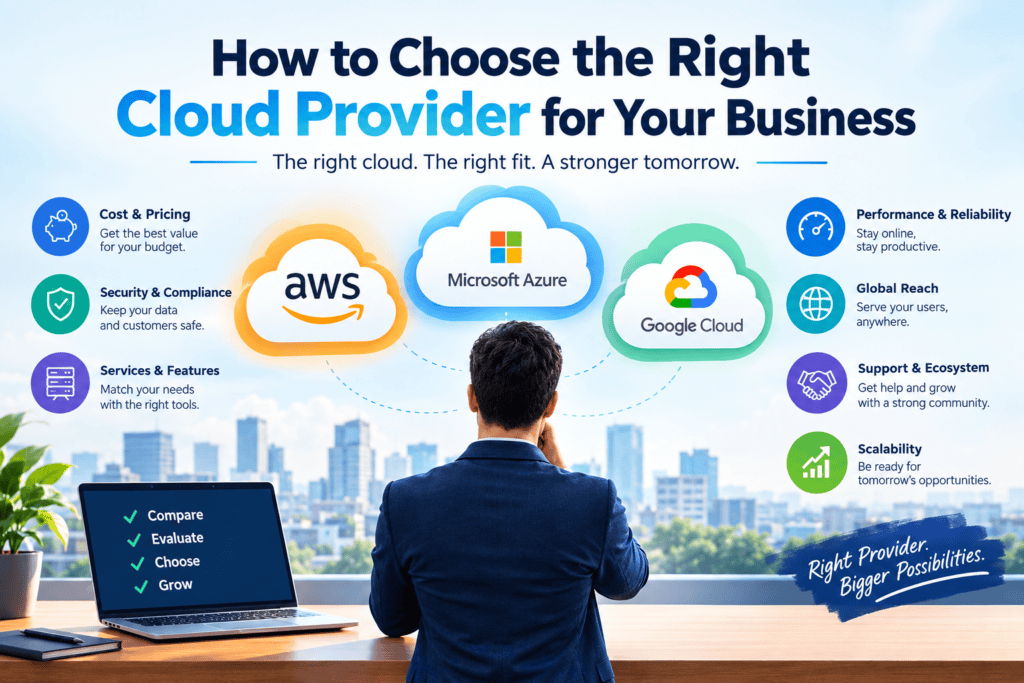
Selecting the right cloud provider is one of the most critical technology decisions that an organization can make. Wrong choice produces unexpected migration expenses, security vulnerabilities and vendor lock-ins. On the contrary, strategic match makes the innovation faster, costs less and provides competitive advantage.
Below is the decision-making matrix which covers 5 pillars of cloud selection: Existing ecosystem, Industry requirements, Scalability needs, Cloud budget and Long term goals.
1. Existing Technology Ecosystem
Your current tech stack acts as the baseline for your cloud decision. Choose a provider that complements your existing operational workflows rather than fighting against them.
- Workload & Tool Compatibility:
- If your team heavily relies on Windows Server, Active Directory, and .NET, Microsoft Azure offers seamless integration and favorable licensing terms.
- If your stack relies on open-source Linux, Kubernetes, and enterprise microservices, Amazon Web Services (AWS) offers the broadest depth of mature toolsets.
- If your infrastructure centers on large-scale data analytics, BigQuery, or AI pipelines, Google Cloud Platform (GCP) often provides a lower barrier to entry.
- Developer Skills & Training: You will need to consider the skill level of your current engineering team. A completely new ecosystem would require a significant amount of retraining or costly new hires to shorten the learning curve.
- Hybrid & On-Premises Connectivity: If your company has a presence in on-premise data centers, it may be worth considering hybrid options, such as AWS Outposts, Azure Arc, and Google Anthos, to keep latency down in a multi-cloud environment.
2. Industry & Compliance Requirements
Security and regulatory compliance are non-negotiable. A provider failing your industry’s standards can stall operations or incur severe financial penalties.
- Regulatory Certifications:Ask about certifications in place for your industry, e.g. HIPAA/HITRUST for healthcare, PCI-DSS for finance/retail, FedRAMP for government, SOC 2/ISO 27001 for enterprise enterprise apps.
- Data Sovereignty & Residency:Regions like the EU (under GDPR) have regulations around where data can be physically stored. Make sure the provider operates data centers in your region of operation, or else you risk being out of compliance.
- Security Guardrails:Inquire about the platform’s native tools for IAM, HSMs, automated threat detection and response, and data encryption at rest and in motion.
3. Scalability Needs
Scalability isn’t just about handling traffic spikes; it’s about dynamic elasticity and global distribution without engineering bottlenecks.
| Scalability Factor | What to Look For | Why It Matters |
| Autoscaling Capabilities | Native instance and container auto-scaling based on metric triggers. | Prevents application downtime during sudden demand surges. |
| Global Infrastructure | Number of Availability Zones (AZs) and Edge locations worldwide. | Ensures lower latency for global end-users and robust disaster recovery. |
| Specialized Compute | Provisioning speeds for high-performance GPUs (NVIDIA H100s/B200s, TPUs). | Critical for machine learning, real-time analytics, and heavy rendering workloads. |
4. Cloud Budget & Cost Optimization
Transitioning from capital expenditures (CapEx) to operational expenditures (OpEx) requires strict governance to avoid “cloud bill shock.”
- Pricing Transparency: Compare compute instance rates against non-compute costs, such as data egress, static IP address charges, and managed service add-ons.
- Commitment Discounting: If your organization has a baseline requirement, consider Saving Plans, Reserved Instances, or Committed Use Discounts that offer up to 60-70% discount per hour for 1-3 year commitments.
- FinOps Tooling: Pick a provider with which you can design and enforce budgets at the organizational level and receive recommendations on how to rightsizing your under-utilized resources.
5. Long-Term Business Goals
Your cloud choice should serve your 3-to-5-year operational vision, ensuring you aren’t constrained as your technology strategy evolves.
- Innovation & Advanced Services:Look at the provider’s product roadmap. If you intend to make heavy use of Generative AI, machine learning, or edge computing, you should choose a company that prioritizes these areas and has a clear product roadmap for the future.
- Mitigating Vendor Lock-in: Make sure not to build critical applications on a singular provider’s proprietary services if you have any intention of using multi-cloud or platform features. The best way to avoid getting locked-in is to use open-source software (Kubernetes, Terraform, Postgres, etc.).
- Partner Network & Ecosystem:Ask about Third-Party SaaS providers and System Integrators who can help you migrate and build applications in the cloud.
Summary Checklist
[ ] Existing Tech: Does it natively support our current code base and team skills?
[ ] Compliance: Are all regional data residency and industry certifications met?
[ ] Scalability: Can it dynamically autoscale compute/GPUs without manual intervention?
[ ] Budget: Do we have a clear FinOps plan accounting for egress and storage fees?
[ ] Long-Term: Does the provider's feature roadmap align with our 3-year AI/tech strategy?
Multi-Cloud Strategy: Is It Right for Your Business?
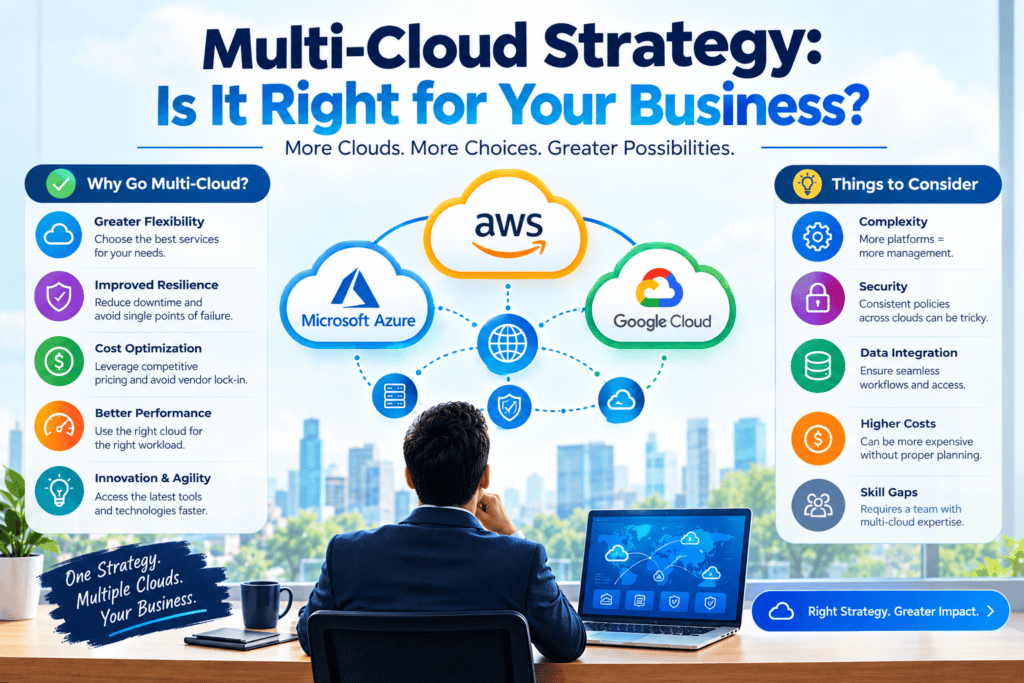
With the increasing use of cloud infrastructures, many companies find that their options for distributing their resources among distinct cloud providers and avoiding the dependency on one specific provider (such as AWS, Azure, or Google Cloud) becomes more and more relevant. Such a strategy, however, is not without its challenges.
What Is a Multi-Cloud Strategy?
A company that pursues a multi-cloud strategy uses two or more clouds to host its infrastructure, applications, and workloads. Unlike hybrid cloud which involves a combination of public cloud and private cloud, multi-cloud is a strategy where organizations utilize the services of multiple public clouds. For example, a business may use Amazon Web Services (AWS) to manage its computational needs, Google Cloud to handle its data analytics needs and Microsoft’s Azure to manage other organizational needs.
The Case For Multi-Cloud
Avoiding dependence on the vendor. The use of more than one platform reduces the risk of associated with the costs and limitations of the only supplier.
Access to the best of breed solutions within a cloud environment. Many companies have different requirements and objectives; thus, each cloud service provider has its own strong points.
For example, Google has better solutions in machine learning, AWS offers the most comprehensive services, and Microsoft Azure is closer to enterprise-level needs and has better connections with other Microsoft platforms.
Resiliency and redundancy. Multiple platforms mean that in case of an issue with a particular supplier, the migration to the others will be quick and less damaging.
Compliance obligations. Some companies are obliged by law to store data in a particular location or use the services of a specific company.
Better negotiating position. Having several cloud service providers reduces risk and gives more opportunities when negotiating prices and terms.
The Case Against Multi-Cloud
Higher complexity. Multiple clouds imply a number of various APIs, tools, security systems, billing procedures, which increases the complexity of operations significantly.
Higher costs (in some cases). Though the use of several clouds may provide cost savings, the software and platform expenses may raise drastically due to the necessity to use different sets of tools for different clouds.
Skills gap. The staff needs to be trained in order to manage multiple clouds, which implies additional costs.
Security and governance complexity. The problem of security and compliance becomes more relevant, given the differences in approaches and tools for security management.
Extra-expense of integration. Integration with external services and the use of multiple clouds can require additional infrastructure and software.
Questions to Ask Before Committing
- So what problem are you trying to solve? Resilience? Cost optimization? Exit strategy? Access to particular tools? Multi-cloud should be a means to an end, not an end in and of itself.
- Do you actually have the engineering capacity to support multiple clouds? If your engineers are already at capacity supporting one cloud, adding another might not be the best use of resources.
- What is your true risk tolerance? For many businesses, the risk of an outage from a single provider is not an acceptable risk. For some businesses it’s a requirement to have multiple providers.
- Are you prepared to take on the cost? It’s easy to think that using multiple clouds will reduce costs, but you need to understand the true costs of egress, complexity, and management before making any decisions.
- Do you have the tooling in place to make it happen? The right tooling can make all the difference in a multi-cloud world. Everything from Cloud Management Platforms to Infrastructure-as-Code tooling like Terraform can help simplify operations.
Who Benefits Most From Multi-Cloud
For whom do you think multi-cloud is a good idea? Who are the ones that would benefit from it?
Multi-cloud is more suitable for big corporations that already have DevOps expertise, are in highly regulated industries, or have been burned by an outage that impacted their business due to their reliance on a single cloud provider. It is better to make the choice to use one cloud at first for smaller companies which can then be switched to multi-cloud if needed.
The Bottom Line
Multi-cloud is neither good nor bad compared to the single-cloud strategy, but rather it is a qualified choice based on the company’s size, risk tolerance, technical debt, and strategic goals. Instead of jumping on the multi-cloud bandwagon, think through the actual business benefits that your company will see with this approach and weigh them against the risks and costs. In most cases, a single-cloud strategy is much more cost-effective than the multi-cloud one.
Key Takeaways for Business Leaders
To help their audience to get actionable insights and not just information, an article for a business or thought leadership blog should have a section with key takeaways that are easy to skim through.
Below is a template and a brief explanation of each point that you may freely use in your blog posts:
Key Takeaways for Business Leaders
- Strategy Over Reaction: Short-term market shifts need agility, but do not compromise on the strategic vision that got you here.
- Capitalize on Technology: New technologies (AI, automation, data analytics) should be a priority for C-level executives as enablers to speed up business processes and scale.
- Lead with Empathy and Accountability: The best-performing companies tend to balance empathetic management with a firm sense of direction and accountability. In other words, employees need to know what they are supposed to do and how well they are doing it.
- Prioritize Data-Driven Decisions: While relying on intuition is not a bad practice, making decisions based on quantifiable data is even better. Encourage decision-making at all levels by facilitating free data exchange across departments and eliminating decision-making roadblocks.
- Risk Management is Opportunity Management: Most successful companies have evolved to the point where they can capitalize on disruptions by designing operations that are intrinsically flexible.
How to Tailor This Section for Your Specific Topic
If you blog about a particular subject (say, AI Adoption, Change Management, Financial Planning, or Market Expansion), use the formula below to create a persuasive checklist for your readers:
- The Strategic “Why”: Frame the change or trend that makes your proposed action necessary.
- The Executive Action: Describe what your company must do (e.g., Reallocate resources, Change the corporate culture, Take new operational steps).
- The Business Outcome: The new ROI (Higher retention, Faster time-to-market, etc.).
Conclusion
The choice between AWS, Azure, and Google Cloud Platform depends on the organization’s technical needs, infrastructure, and objectives.
The first cloud service to offer a wide range of services at a global level is Amazon Web Services (AWS). Thus, it attracts organizations that want to customize everything to fit their needs. In contrast, Microsoft Azure is the preferred cloud platform for businesses using the Microsoft ecosystem.
It provides better cost-performance and collaboration features compared to competitors. Google Cloud Platform emerges as a strong competitor to AWS and Azure.
It is a great fit for organizations that seek to leverage artificial intelligence (AI), machine learning (ML), and data analytics. However, regardless of the technology needs and size, choosing the cloud infrastructure service provider should be based on the business’s technical debt, current projects, employee competencies, and roadmap.
Author Bio
Jeevesh is an entrepreneur, an avid technology fanatic, and the founder of BkAbhi. He has a strong passion for modern software design and architecture and an innate ability to understand and explain technologies related to them to fellow developers all across the globe. Specializing in cloud computing, DevOps, AI, and full-stack development, his work revolves around providing developers, start-ups, and companies with in-depth guides, comparisons, and more regarding technologies in these fields. Jeevesh spends most of his time writing about various technologies related to computer science or spending time in the developer community learning about the latest advancements in the world of technology.